
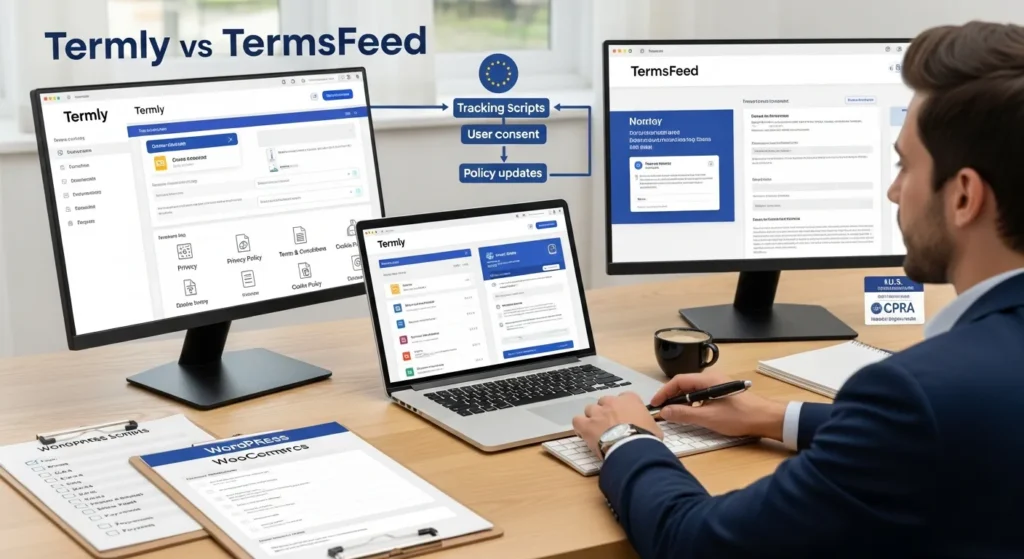
Your website is live, traffic is coming in, and then someone on your team asks: “Wait, are we actually compliant?” That question has stopped a lot of founders cold. Privacy laws like GDPR, CCPA, and ePrivacy do not care how small your site is or how busy you are. And in 2026, with regulators actively issuing fines to businesses of every size, getting your legal policies and cookie consent right is no longer optional.
Two tools come up constantly when people research this: Termly and TermsFeed. Both are privacy policy generators. Both handle cookie consent. But they work differently, price differently, and suit different types of sites. Here is a clear, direct breakdown so you can pick the right one without second-guessing yourself.
Key Takeaways
-
Termly vs TermsFeed is fundamentally a choice between automation and simplicity — Termly excels at automated cookie scanning and consent logging, while TermsFeed delivers fast, one-time policy documents with less overhead.
-
Termly is the stronger pick for WooCommerce stores, SaaS products, and any site running analytics or ad pixels that need GDPR-compliant consent management without manual upkeep.
-
TermsFeed offers a cost-effective one-time purchase model ideal for blogs, portfolios, or informational sites with minimal tracking and a team capable of handling manual policy updates.
-
When comparing cookie consent tools, Termly’s auto-scan and audit-ready consent logs give it a clear edge over TermsFeed’s manual banner configuration.
-
TermsFeed covers a broader range of legal documents — including EULAs — making it the better option for teams that need document variety over policy-consent synchronization.
-
Neither Termly nor TermsFeed replaces qualified legal counsel for regulated industries like healthcare or finance, but both tools provide a strong compliance foundation for most website owners.
What These Privacy Policy Generators Actually Do
Both Termly and TermsFeed are website compliance tools that generate legal policy documents and, in most cases, manage cookie consent on your behalf. That covers the core documents every website needs: a privacy policy, terms of service, a cookie policy, and sometimes a disclaimer or refund policy.
Here is what separates them from just hiring a lawyer: they use questionnaire-based workflows to build policies based on your specific site type, data practices, and jurisdiction. You answer questions about your business, and the tool produces a formatted, legally structured document you can embed on your site.
Termly goes a step further with an automated cookie scanner. It crawls your site, categorizes cookies by type, and generates a consent banner that lets visitors accept or reject tracking. This is the piece that matters most for GDPR compliance in Europe and ePrivacy rules across the UK.
TermsFeed focuses more on policy generation. Its cookie consent manager exists but is less central to the product. It is built for speed, you want a solid privacy policy or terms of service document fast, and TermsFeed delivers that without much friction.
For a deeper look at how each tool works on a live WordPress site, our guides on implementing Termly safely on WordPress and adding TermsFeed policies without breaking checkout walk through the technical steps in plain English.
Termly vs TermsFeed: Side-by-Side Feature Comparison
Cookie Consent Tool Comparison
Termly’s cookie consent manager is one of its strongest features. It scans your site automatically, detects third-party scripts and trackers, and builds a consent banner tied to those specific cookies. Visitors can toggle categories on or off, and Termly logs their consent choices, which is exactly what GDPR requires.
TermsFeed has a cookie consent tool, but it does not scan your site. You configure the banner manually, which means you need to know what cookies you are running. For a developer or an agency managing multiple sites, that is manageable. For a solo founder with a WooCommerce store, it adds friction.
Cookie Consent at a Glance:
|
Feature |
Termly |
TermsFeed |
|---|---|---|
|
Automated cookie scan |
Yes |
No |
|
Consent logging |
Yes |
Limited |
|
Banner customization |
High |
Moderate |
|
GDPR/CCPA ready |
Yes |
Yes |
|
WordPress plugin |
Yes |
Yes |
Termly pros: Auto-scan saves hours of manual work. Consent logs are audit-ready.
Termly cons: Banner script adds page weight. Overkill for simple static sites.
TermsFeed pros: Fast to configure. Less JavaScript overhead.
TermsFeed cons: No auto-detection of cookies. Consent logging is minimal.
Winner for cookie consent: Termly, especially for eCommerce or any site running analytics, ads, or retargeting pixels.
Policy Generation and Coverage
Both tools cover the core documents well. TermsFeed has a slight edge in sheer document variety, it generates privacy policies, terms of service, disclaimers, end-user license agreements (EULAs), return policies, and more. The questionnaire is fast, and the output is clean.
Termly also covers the essentials and ties its policies directly to the cookie scanner data, which keeps your cookie policy and your actual cookie behavior in sync. That synchronization matters when a regulator or an angry user looks closely.
Neither tool replaces a qualified attorney for high-risk situations. If you are in healthcare, finance, or legal services, you still need a lawyer to review. Ecommerce operators on platforms covered by Shopify’s compliance guidance and BigCommerce’s policy resources consistently note that automated generators work well for standard use cases but have limits in regulated verticals.
Policy Coverage:
|
Document Type |
Termly |
TermsFeed |
|---|---|---|
|
Privacy Policy |
Yes |
Yes |
|
Terms of Service |
Yes |
Yes |
|
Cookie Policy |
Yes (auto-synced) |
Yes (manual) |
|
Disclaimer |
Yes |
Yes |
|
EULA |
No |
Yes |
|
Refund Policy |
Yes |
Yes |
Winner for policy generation: TermsFeed for breadth. Termly for sites that need policies and consent to stay in sync automatically.
Pricing and Plan Structure
Pricing as of early 2026:
Termly:
-
Free plan: Basic policy generation, limited banner customization, Termly branding on banner.
-
Starter: ~$15/month per site. Removes branding, adds consent logs.
-
Professional: ~$30/month per site. Adds auto-scanner, advanced reporting.
-
Agency plans available for multi-site management.
TermsFeed:
-
Free plan: Access to basic policy templates with TermsFeed branding.
-
One-time purchase option: ~$14–$39 per policy document (perpetual license).
-
Lifetime deal packages: Available periodically, covering multiple policy types.
-
No ongoing monthly fee required for static policy documents.
The pricing model difference is important. Termly charges monthly because it maintains your policies and re-scans your site. TermsFeed lets you buy a document once and own it, but updates to laws mean you will need to revisit that document manually over time.
For businesses watching monthly overhead, TermsFeed’s one-time cost is attractive. For businesses that want set-it-and-maintain-it automation, Termly’s subscription pays for itself in time saved.
Winner for pricing: TermsFeed for budget-conscious users who want a one-time cost. Termly for businesses that value automated upkeep.
Which Tool Fits Your Situation Best
Here is the direct answer by use case:
Choose Termly if you:
-
Run a WooCommerce store, SaaS product, or any site with active analytics and ad pixels
-
Need GDPR-compliant consent logging without building it yourself
-
Want your cookie policy to stay accurate automatically as your stack changes
-
Are an agency managing multiple client sites (their agency plans scale cleanly)
Choose TermsFeed if you:
-
Need solid legal documents fast and do not want a recurring subscription
-
Run a simple blog, portfolio, or informational site with minimal tracking
-
Already have a developer or legal team that can handle manual updates
-
Want a one-time cost and are comfortable monitoring legal changes yourself
For WordPress-based businesses, both tools integrate via plugin. Termly’s plugin handles the consent banner and policy embedding. TermsFeed’s plugin embeds policy pages. Neither requires touching code. That said, if your site is part of a broader digital presence, one built for SEO, eCommerce, or lead generation, the compliance layer is just one piece. Our compliance toolkit comparison for WordPress and WooCommerce goes deeper on integration specifics.
Retail and eCommerce operators in particular should note that compliance is becoming a purchase signal, not just a legal checkbox. Research from Digital Commerce 360 shows that consumer trust in data handling directly affects conversion rates, which means your privacy setup has a business case beyond avoiding fines.
For a full side-by-side workflow breakdown, the Termly vs TermsFeed comparison on our site covers how each tool performs across consent management, policy updates, and WordPress stack compatibility.
Conclusion
If you need automated cookie scanning, consent logging, and a policy that stays in sync with your site, Termly is the better pick. If you want a one-time document purchase and prefer to manage updates yourself, TermsFeed is faster and cheaper upfront.
Neither tool is a silver bullet for regulated industries, and neither replaces legal counsel when the stakes are high. But for the majority of founders, marketers, and eCommerce operators building on WordPress, either tool puts you significantly ahead of running no compliance setup at all.
When you are ready to make the call, start with the free plan of whichever tool fits your workflow, test the banner, read the policy output, and see if it matches how your site actually collects data. That is the fastest way to a real answer.
Frequently Asked Questions: Termly vs TermsFeed
What is the main difference between Termly and TermsFeed?
Termly offers automated cookie scanning, consent logging, and policy syncing on a monthly subscription — ideal for dynamic sites with analytics or ad pixels. TermsFeed focuses on fast, one-time policy document generation without recurring fees, making it better suited for simpler sites that need legal documents quickly.
Which tool is better for GDPR compliance — Termly or TermsFeed?
Termly is stronger for GDPR compliance. It automatically scans your site for cookies, categorizes them, builds a consent banner, and logs visitor choices — exactly what GDPR requires. TermsFeed’s cookie consent tool is manual and offers limited consent logging, which may not satisfy GDPR audit requirements.
How much does Termly cost compared to TermsFeed in 2026?
Termly charges ~$15/month (Starter) to ~$30/month (Professional) per site. TermsFeed offers one-time purchases of ~$14–$39 per policy document with no ongoing fees. Budget-conscious users favor TermsFeed upfront, while businesses wanting automated policy maintenance find Termly’s subscription worthwhile over time.
Can I use Termly or TermsFeed on a WordPress or WooCommerce site?
Yes, both tools offer WordPress plugins that require no coding. Termly’s plugin handles consent banners and policy embedding, while TermsFeed’s plugin embeds policy pages. For WooCommerce stores running analytics or ad pixels, Termly’s automated cookie management is generally the more practical choice.
Do privacy policy generators like Termly or TermsFeed replace a lawyer?
No. Both tools work well for standard websites but are not substitutes for legal counsel in regulated industries like healthcare, finance, or legal services. For high-risk situations, always have a qualified attorney review your policies, even if generated by an automated compliance tool.
Does website compliance affect eCommerce conversion rates?
Yes. Research from Digital Commerce 360 indicates that consumer trust in data handling directly influences purchase decisions. Displaying a clear privacy policy and a properly configured cookie consent banner acts as a trust signal that can improve conversion rates — making compliance a business asset, not just a legal obligation.
Some of the links shared in this post are affiliate links. If you click on the link & make any purchase, we will receive an affiliate commission at no extra cost of you.
We improve our products and advertising by using Microsoft Clarity to see how you use our website. By using our site, you agree that we and Microsoft can collect and use this data. Our privacy policy has more details.
Related Posts
- Yoast SEO Expert: How To Get The Most From Yoast Like A Pro
- What Are The Best WordPress Plugins For Business?
- Auto SEO in WordPress: How To Automate Optimization Without Losing Control
- RankMath For Easy Digital Downloads (EDD): A Practical Setup And Optimization Guide
- Technical SEO For WordPress: A Practical Guide For Busy Professionals
- Yoast SEO For Easy Digital Downloads: How To Optimize Your Digital Store
- How To Boost WordPress Speed For Your Business Website (Step-By-Step For Non‑Technical Owners)
- How to Use Zendesk and Its Features: A Practical Guide for Busy Teams
- Doubly, Duplicator, WP Staging, and All‑in‑One WP Migration: Which WordPress Tool Should You Use When?
- Best Schema Markup Plugins for WordPress: A Practical Guide for Professionals
- How To Use Gemini To Automate Your Workflow
- Local SEO For Financial Advisors: A Practical Guide To Getting Found In Your City
