
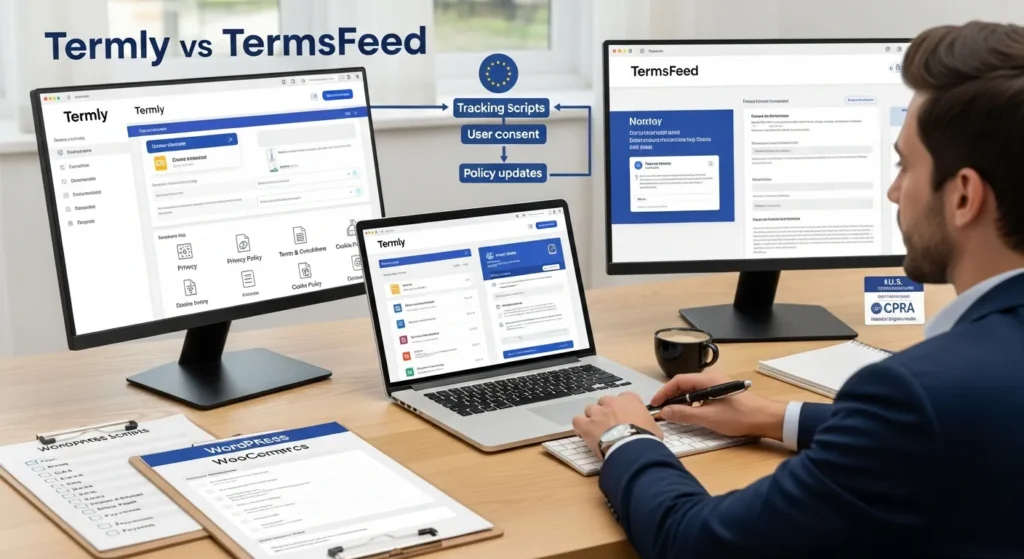
Termly vs TermsFeed comes up the moment a WordPress site goes from “nice brochure” to “oh no, we collect emails, run ads, and ship products.” We have watched clients happily publish a Privacy Policy… and then get stuck on the next part: cookie consent, consent logs, and keeping up when laws shift.
Quick answer: pick Termly when you need ongoing consent management and updates (especially on WordPress and WooCommerce). Pick TermsFeed when you want one-time, clause-based policies and you can manage updates yourself.
Key Takeaways
- Termly vs TermsFeed is a workflow choice: pick Termly for ongoing consent management and updates, and pick TermsFeed for one-time, clause-based policies you maintain yourself.
- In 2026, a solid setup needs accurate, embeddable documents plus cookie consent tools, consent logs, and a clear path for updates as laws and platform rules change.
- Termly typically wins for WordPress and WooCommerce sites because its plugin-friendly deployment, script blocking, and CMP-first features fit sites with ads, analytics, and frequent changes.
- TermsFeed works best for lean or DIY teams that want pay-once policies with clause-level control, but you must plan for manual publishing and more self-managed updates.
- Before choosing Termly vs TermsFeed, map your full data stack (forms, analytics, ads, payments, email, chat) so your Privacy Policy and Cookie Policy match what your site actually does.
- Roll out compliance tools safely by piloting in staging, validating key user paths (homepage to checkout), and documenting banner settings and changes to keep proof of consent.
What You Actually Need From A Policy Generator
Most people shop for a policy generator like they shop for a logo: “I just need one.” Then marketing installs a pixel, sales adds a form, and your site starts collecting real data.
Here is what you actually need from a policy generator in 2026:
- Accurate documents that match what your site truly does
- Embeddable policies (so WordPress pages stay clean and consistent)
- Cookie consent tooling if you use analytics, ads, embeds, or tracking
- Proof of compliance like consent logs and records
- A path for updates when laws and platform rules change
Termly and TermsFeed both cover the basics of policy creation. The fork in the road is this: Termly leans into consent management and subscriptions, while TermsFeed leans into one-time documents with clause-based control. That difference matters more than most feature checklists.
Core Documents Most Sites Need
Most business sites need three documents before we even talk about banners:
- Privacy Policy: explains what personal data you collect, why you collect it, and who you share it with.
- Terms and Conditions: sets rules for using your site, buying products, refunds, disputes, and limits of liability.
- Cookie Policy: lists cookies and tracking tech, plus how users can control them.
Termly’s free tier often covers full versions plus templates, which helps when you need something publishable fast. TermsFeed’s “Simple Policies” can be more limited, and many teams end up buying clauses to match their actual stack. That clause-by-clause approach can be great, but you need to know your stack.
Consent Management Vs. Static Policies
Static policies answer, “What do you do with data?” Consent management answers, “Did you get permission when the law requires it?”
A CMP (Consent Management Platform) usually includes:
- A cookie banner that can block scripts until consent
- Consent logs (who consented, when, from where)
- Region rules (EU vs US state laws)
- Controls for categories (analytics, marketing, functional)
Termly puts a lot of weight here, including a free CMP option and features like script blocking and Google Tag Manager support (plan-dependent). TermsFeed can provide cookie consent and logs, plus geolocation controls, but it does not include a scanner in the same way. If your team wants “set it, monitor it, keep receipts,” CMP features tend to decide the purchase.
Termly Overview: Best-Fit Use Cases
Termly tends to fit teams who want a compliance toolkit, not just a document generator. We see it work best when a site keeps changing because marketing keeps changing. That is most active businesses.
If your site runs Meta ads, Google Ads, GA4, email capture popups, embedded video, and a chat widget, the number of cookies climbs fast. Termly’s approach matches that reality: subscription plans, updates, and a CMP-first mindset.
Strengths For WordPress And Ecommerce Sites
Termly’s biggest practical win is that it plays nicely with WordPress workflows.
What we like for WordPress and WooCommerce builds:
- WordPress plugin support so you can publish policies and manage banners without weird theme hacks
- WooCommerce fit for stores that collect addresses, payments, and order history
- Consent tooling that can block scripts until users opt in (which helps under GDPR and ePrivacy expectations)
- Unlimited views on higher plans (useful when traffic spikes and you do not want surprise limits)
This matters for our world at zuleikallc.com, where we build and maintain WordPress sites that keep shipping updates. A tool that fits WordPress reduces “one more thing to duct tape later.”
Limitations And Common Gotchas
Termly is not magic, and it is not legal advice. Also, a few gotchas show up in real projects:
- Free plan branding can look off on a polished site
- Plan boundaries can surprise teams when traffic grows or when you need advanced controls
- Some users report banner behavior issues after changes, so we treat updates like any other site change: test in staging, then push
Our rule: treat consent as part of your release process. A new plugin can add cookies. That plugin affects your banner behavior. The banner behavior affects your compliance posture.
TermsFeed Overview: Best-Fit Use Cases
TermsFeed fits builders who want control, clear deliverables, and fewer monthly subscriptions. If you run a lean site and you mainly need solid documents that match your business, TermsFeed can be a clean choice.
We also see TermsFeed fit agencies and developers who already have their own “compliance checklist” and just want a generator that produces good text fast.
Strengths For Lean, DIY Implementations
TermsFeed’s sweet spot is simple: pay once, publish, and move on.
Common strengths:
- One-time fees for many policies, priced by clause
- Unlimited pages and visits on the policy side, which removes traffic anxiety
- Customization that feels direct because you choose clauses based on your use
- Support that many users cite as responsive via email
If your site does not change much, this model can work well. Static site affects legal text less often. A stable stack reduces the need for constant updates.
Limitations And Common Gotchas
The same features that make TermsFeed appealing can create friction later:
- No WordPress plugin in the way Termly offers, so publishing can feel more manual
- Clause-based pricing can creep up when you realize you need “just one more” clause
- Updates stay on you more often, so you need a reminder system when laws or your data collection changes
If you choose TermsFeed, we suggest you put a calendar reminder in place and tie it to change events: new analytics tool, new ad platform, new email provider, new checkout, new CRM. Each tool affects data collection. Data collection affects your policy accuracy.
Head-To-Head Comparison That Matters In Practice
We care less about who has the longest feature list and more about what breaks on a real site.
Here is the comparison that usually decides Termly vs TermsFeed for our clients.
Cookie Consent Coverage And Regional Support (GDPR, ePrivacy, CPRA)
If you serve EU visitors, GDPR and the ePrivacy Directive push you toward consent before certain tracking runs. If you serve California visitors, CPRA pushes you toward clear notice and control.
In practice:
- Termly tends to win when you want a stronger CMP posture, with features like script blocking and broader consent tooling.
- TermsFeed can cover cookie consent and region rules, but it leans more “configure and manage it yourself.”
Your marketing stack affects this choice. Ads and retargeting affect cookie needs. Cookie needs affect CMP requirements.
Policy Customization, Updates, And Proof Of Compliance
Policies do not help if they fall out of date.
- Termly subscriptions fit teams who want ongoing updates and a system that stays current as requirements shift.
- TermsFeed one-time policies fit teams who prefer a fixed deliverable and who will manage updates internally.
Proof also matters. Consent logs affect your ability to answer “Did this user consent?” If you work in regulated areas (health, finance, legal), keep humans in the loop and keep records. Do not paste sensitive client data into any tool while you “test a generator.”
If you want more on safe website governance, we keep a practical library on our site, like our guide to WordPress website maintenance services and how we plan change control.
WordPress, WooCommerce, And Third-Party Integrations
This is where many WordPress site owners feel the difference fast.
- Termly offers WordPress-friendly deployment and WooCommerce alignment, which reduces setup time.
- TermsFeed can still work, but you may need more manual steps to publish policies and manage consent tools.
Also, Google Tag Manager affects consent behavior. GTM affects which tags fire. Tags affect data collection. Data collection affects your legal docs. That chain reaction is why we treat compliance like a workflow, not a one-time task.
If you are rebuilding or upgrading a store, our broader WordPress ecommerce development work often includes mapping tags, cookies, and tracking before we pick tools.
How We Recommend Choosing (A Low-Risk, Stepwise Approach)
We do not start by buying software. We start by mapping the workflow.
Here is the safest way to choose between Termly vs TermsFeed without creating a compliance mess.
Map Your Data: Forms, Analytics, Ads, Payments, And Emails
Grab a sheet of paper. Yes, really.
List what your site collects and what sends data out:
- Contact forms (WPForms, Gravity Forms)
- Newsletters (Mailchimp, Klaviyo)
- Analytics (GA4, Plausible)
- Ads (Meta Pixel, Google Ads)
- Payments (Stripe, PayPal)
- Ecommerce (WooCommerce, Shopify buy buttons)
- Chat and support (Intercom, Zendesk)
Then write a simple chain:
- New form -> collects -> email + name
- Checkout -> stores -> address + order history
- Pixel -> sends -> browsing events
This mapping step prevents the classic mistake: publishing a Privacy Policy that forgets a major tool.
If you want a more detailed version of this exercise, we often fold it into a discovery phase for custom WordPress website development so the site structure, tags, and policies agree.
Pilot In Staging, Then Roll Out With Human Review
Do not test consent banners on a live store during peak traffic. Run a pilot.
Our rollout pattern:
- Set up in staging: install the banner or embed the policy pages.
- Run in shadow mode: watch what cookies fire, then adjust categories.
- Check key paths: homepage, product page, checkout, email signup.
- Review wording: have a lawyer review if you operate in a regulated field or if you make health, financial, or legal claims.
- Go live and log: keep records of changes and screenshots of banner settings.
Termly usually fits this pilot model well when CMP needs are high. TermsFeed fits when the pilot goal is “get accurate docs up fast” and you can manage consent with separate tooling or a simpler setup.
Conclusion
Termly vs TermsFeed is not a “which tool is better” debate. It is a workflow choice.
If your WordPress site changes often, if you run ads, or if WooCommerce drives revenue, Termly usually reduces risk because its CMP and update model match a living website. If your site stays stable and you want one-time, clause-based policies you can control, TermsFeed can be the calmer path.
Either way, keep one habit: treat compliance like site maintenance. A new plugin changes cookies. New cookies change consent needs. Consent needs change your policies. If you want us to sanity-check your setup, we can review your stack and recommend a low-risk rollout that fits your WordPress build.
Frequently Asked Questions
Termly vs TermsFeed: which is better for WordPress sites that run ads and analytics?
In the Termly vs TermsFeed decision, Termly is usually better for active WordPress sites running GA4, Meta Pixel, or Google Ads because it leans into consent management. Features like cookie banners, script blocking, and consent logs help you manage tracking changes without constantly rewriting policies by hand.
What’s the main difference between Termly and TermsFeed for compliance?
Termly is more of a consent-management workflow (banner, consent logs, region rules, and ongoing updates via subscriptions). TermsFeed is more of a one-time, clause-based policy generator where you buy the clauses you need and handle updates yourself. It’s a “set it and maintain it” tradeoff.
Does Termly include a cookie consent banner with script blocking?
Yes. Termly emphasizes CMP features, including a cookie banner that can block certain scripts until users consent (plan-dependent), plus options like Google Tag Manager support. This matters for GDPR/ePrivacy expectations, where non-essential tracking often shouldn’t run until a user opts in.
When should you choose TermsFeed instead of Termly?
Choose TermsFeed if you want straightforward, clause-based policies with one-time fees and you’re comfortable managing updates internally. It can be a clean fit for lean or stable sites that don’t change tools often, especially if you already have a compliance checklist and don’t need a CMP-first setup.
Do I need a Cookie Policy and consent logs, or is a Privacy Policy enough?
A Privacy Policy alone often isn’t enough when your site uses cookies for analytics, ads, embeds, or tracking. A Cookie Policy explains what’s used and how users control it, while consent logs provide proof of when and how a visitor consented—useful for audits, disputes, or regulated industries.
How do I choose between Termly vs TermsFeed without risking a compliance mess?
Map your data flow first (forms, analytics, ads, payments, email tools), then pilot in staging before going live. Check what cookies fire, confirm banner categories, and test key paths like checkout and signup. Termly often fits ongoing monitoring; TermsFeed fits fast docs plus manual upkeep.
Some of the links shared in this post are affiliate links. If you click on the link & make any purchase, we will receive an affiliate commission at no extra cost of you.
We improve our products and advertising by using Microsoft Clarity to see how you use our website. By using our site, you agree that we and Microsoft can collect and use this data. Our privacy policy has more details.
