
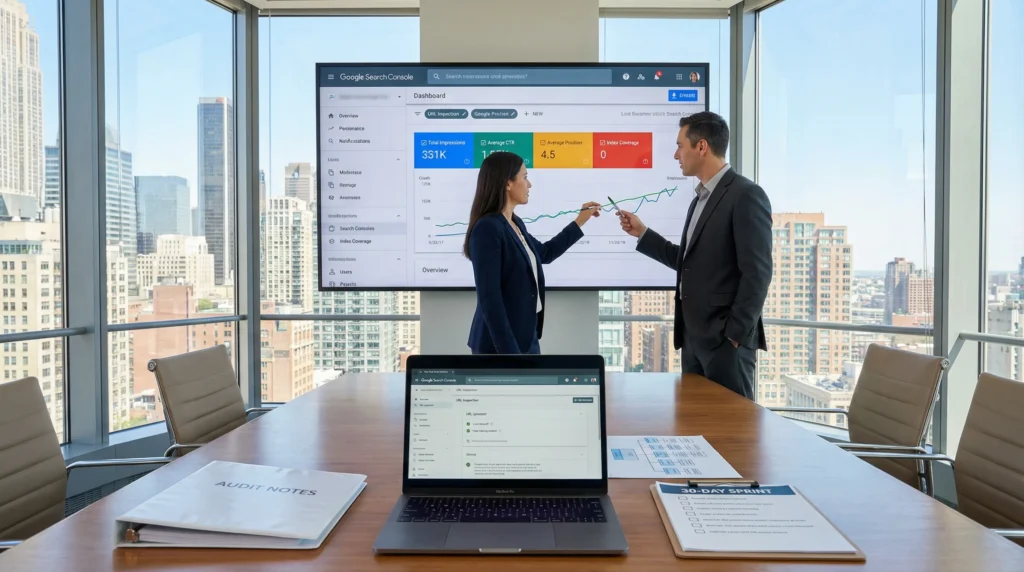
Low search engine visibility and rankings can feel like you are shouting into a pillow. You publish, you refresh, you wait, and Google replies with… silence. We have watched smart businesses lose months to random tweaks, so we prefer a calmer approach: measure first, fix what blocks crawling, then earn clicks with cleaner intent and stronger trust.
Key Takeaways
- Fix low search engine visibility and rankings by starting with a baseline in Google Search Console and Analytics so you stop guessing and can measure impact week over week.
- Prioritize pages with high impressions but low clicks in GSC, then improve titles and snippets to lift CTR and earn more traffic without creating new content.
- Resolve crawl and indexing blockers first—robots.txt, noindex, canonicals, and broken sitemaps—because if Google can’t index a page, it can’t rank.
- Match each priority page to one primary intent and one clear topic, using GSC query patterns (e.g., “price,” “vs,” “how to”) to prevent intent mismatch that drags rankings down.
- Strengthen WordPress technical SEO with Core Web Vitals, mobile UX checks, lean plugins, and cleaner architecture to reduce index bloat and improve engagement signals.
- Run a 30-day fix sprint with guardrails (shadow mode, staging, rollback plan) and build trust signals (bios, policies, reviews, safe links) to stabilize low search engine visibility and rankings over time.
Spot The Symptoms And Set A Baseline (Before You Change Anything)
Quick answer: low search engine visibility and rankings usually come from one of three causes. Google cannot index the page, Google does not trust the page, or searchers do not click the result.
Here is why we start with a baseline. Measurement -> prevents -> guesswork. And guesswork -> creates -> busywork.
Quick Checks In Google Search Console And Analytics
Start in Google Search Console (GSC). GSC -> shows -> what Google sees. Google Analytics -> shows -> what humans do after the click.
Do these checks in under 20 minutes:
- Performance report: Sort by Impressions. Find pages with lots of impressions and low clicks.
- Queries tab: Look for “almost ranking” terms. Average position 8 to 20 -> signals -> near-page-one potential.
- Pages tab: Check which URLs Google shows most often. One weak page -> drags -> a whole topic cluster.
- Indexing report: Errors and “Excluded” items -> explain -> missing pages.
- Manual actions / security issues: Rare, but worth a glance. A hacked WordPress site -> creates -> spam queries.
Next steps: open Analytics and compare landing pages with GSC pages. A page can rank and still fail if the page loads slowly or the offer feels off.
If you want a WordPress-specific baseline workflow, we keep a longer checklist in our guide on WordPress SEO workflows and tools. (No, you do not need 14 plugins.)
What To Measure: Impressions, Queries, CTR, And Index Coverage
Track four numbers per priority page:
- Impressions: Google -> displays -> your result.
- Queries: Search terms -> connect -> intent to your page.
- CTR (click-through rate): Title and snippet -> influence -> clicks.
- Index coverage: Google -> indexes -> eligible pages.
A simple interpretation that works:
- High impressions + low CTR -> points to -> title/snippet mismatch.
- Decent CTR + low impressions -> points to -> weak topical coverage or low authority.
- Low impressions + not indexed -> points to -> crawl/indexing blockers.
We like to snapshot this weekly for 30 days. A trend line -> reveals -> whether your changes help or hurt.
Fix Indexing And Crawl Issues That Keep Pages Off Google
Quick answer: if Google cannot crawl or index a page, content quality does not matter. Crawl access -> enables -> ranking.
Robots.txt, Noindex, Canonicals, And Sitemap Problems
These are the usual suspects on WordPress:
- robots.txt blocks: A single disallow rule -> blocks -> entire directories.
- noindex tags: A staging setting -> prevents -> indexing when it leaks into production.
- Canonical tags: A wrong canonical -> tells -> Google to ignore the page.
- Sitemaps: A missing or broken sitemap -> reduces -> discovery speed.
Practical steps we run:
- Use the URL Inspection tool in GSC for a key page.
- Check “Indexing allowed?” and “User-declared canonical.”
- Test the live URL and request indexing after fixes.
WordPress note: plugins can fight. One SEO plugin -> outputs -> one canonical. Two SEO plugins -> output -> conflicting canonicals. Google -> chooses -> the one it trusts, and you may not like the pick.
Duplicate URLs, Parameters, And Pagination (Common WordPress Traps)
Duplicate URLs waste crawl budget. Duplicate pages -> split -> signals.
Common WordPress traps:
- UTM parameters and campaign tags on internal links
- Category and tag archives that repeat product or blog content
- Pagination on blog and WooCommerce category pages
- HTTP vs HTTPS leftovers or www vs non-www mismatches
Fixes that usually work:
- Set one preferred domain and force HTTPS.
- Use canonicals on archives when needed.
- Keep your internal links clean. Your email tool can add UTMs. Your menus should not.
If your work depends on local discovery, duplicates can also confuse map listings and location pages. Our local stack notes live in this Yoast local setup guide.
Align Content With Search Intent (Not Just Keywords)
Quick answer: low search engine visibility and rankings often come from intent mismatch. Intent match -> increases -> relevance signals. Relevance -> improves -> position.
Map Each Priority Page To One Primary Intent And One Primary Topic
We use a simple rule: one page -> serves -> one main job.
Pick a priority page and answer two questions:
- What is the primary intent? Informational, commercial, transactional, or local.
- What is the primary topic? A single phrase you would put on a sticky note.
Then check GSC queries.
- If queries show “price,” “near me,” “best,” or “vs,” Google -> expects -> comparison or buying help.
- If queries show “how to,” “guide,” or “steps,” Google -> expects -> instruction.
This is where many WooCommerce sites slip. A category page -> tries -> to educate and sell at once. Google -> struggles -> to place it.
If you also care about AI discovery, intent clarity helps there too. AI Overviews -> cite -> pages with direct answers. We break down that structure in our post on getting mentioned in AI search.
On-Page Improvements That Move The Needle: Titles, Headings, Internal Links
On-page work sounds boring until you see CTR change in two weeks.
Start with high-impression, low-CTR queries in GSC.
- Title tags: Put the main benefit early. Add a qualifier that matches intent.
- H1 and headings: Keep them literal. Headings -> guide -> Google and skimmers.
- Internal links: A strong page -> passes -> context to a weaker page.
A quick internal linking pattern we use on WordPress:
- Home page -> links -> to your money pages (services, products, location pages).
- Blog posts -> link -> to one primary service or category page.
- Service pages -> link -> to proof pages (case studies, reviews, policies).
If you want the full SXO angle, where UX and SEO meet, we map that in our SXO playbook.
Strengthen Technical SEO Foundations On WordPress
Quick answer: WordPress technical health -> affects -> crawling, speed, and user behavior. Those signals -> affect -> low search engine visibility and rankings.
Core Web Vitals, Mobile UX, And Performance Budget Basics
Google’s Core Web Vitals -> measure -> real user experience. Slow pages -> increase -> bounce risk. High bounce -> reduces -> engagement signals.
We set a basic performance budget:
- One lightweight theme
- Limited plugin count (and audited)
- Compressed images (WebP where possible)
- Caching + CDN where it fits
Mobile UX matters more than most teams admit. Thumb scrolling -> punishes -> tiny buttons. A checkout form -> loses -> sales when fields jump around.
If you have a WooCommerce store, test product pages and checkout on a mid-range phone on cellular. That test -> reveals -> pain fast.
Structured Data And Clean Information Architecture
Structured data helps Google understand what a page is.
- Product schema -> enables -> rich results for price and availability.
- Organization schema -> supports -> brand trust.
- FAQ schema (used carefully) -> clarifies -> page purpose.
Information architecture matters too:
- Clear category structure -> reduces -> orphan pages.
- Consistent breadcrumbs -> improve -> crawl paths.
- Fewer “thin” tag archives -> reduce -> index bloat.
If your team wants to prepare for AI ranking signals without breaking compliance, our guardrail-first approach lives in this AI search setup guide.
Build Trust Signals Google Can Validate
Quick answer: trust -> increases -> ranking stability. Proof -> reduces -> Google’s risk in showing your site.
E-E-A-T For Service Businesses: Bios, Proof, Policies, And Contact Paths
E-E-A-T shows up as signals across your site.
Add trust assets that a human would want:
- Real author or practitioner bios with credentials
- Clear contact page with address or service area when relevant
- Reviews and testimonials with context
- Refund, privacy, and editorial policies
- Photos of your team or your work (yes, real ones)
A medical clinic page -> needs -> clinician oversight. A legal article -> needs -> attorney review. In regulated fields, we keep humans in the loop. Always.
Earn Links Safely: Partnerships, Citations, And Digital PR Without Spam
Links still matter, but spam links -> trigger -> manual reviews and algorithmic distrust.
Safer link sources:
- Local and industry citations
- Partner pages (suppliers, associations, chambers)
- Podcasts and webinars where you contribute real expertise
- Data-led posts that journalists can quote
Track new links and anchor text. A weird spike -> signals -> a bad actor.
If you want a grounded link plan, we outline what we use (and what we ignore) in our backlinks guide.
Run A 30-Day Fix Sprint: Priorities, Guardrails, And Rollback Plan
Quick answer: a time-boxed sprint -> produces -> measurable progress without panic. Guardrails -> prevent -> breaking revenue pages.
Week-By-Week Checklist And What To Do In “Shadow Mode” First
We run this as a calm, repeatable sprint.
Week 1: Baseline + indexing
- Export GSC performance data for priority pages
- Fix noindex, robots.txt, canonicals, sitemap issues
- Inspect and request indexing for the top 10 URLs
Week 2: Intent + on-page
- Match each priority page to one intent and one topic
- Rewrite titles for high-impression queries
- Add 3 to 5 internal links from related pages
Week 3: Technical + speed
- Test Core Web Vitals and mobile UX
- Compress images, trim heavy scripts, review plugins
- Clean up archives and orphan pages
Week 4: Test and confirm
- Run changes in shadow mode first. Shadow mode -> protects -> production.
- Use staging for theme or plugin shifts
- Keep a rollback plan for every change set
We like to log each change with date, URL, and reason. That log -> connects -> cause to effect when rankings move.
When To Bring In Help: Red Flags That Require A Deeper Audit
Call for deeper help when you see:
- Index coverage drops and does not recover after fixes
- Spam queries appear in GSC (pharma terms, casino terms)
- Impressions decline across the whole site for weeks
- Canonical conflicts across templates
- A sudden traffic cliff after a theme or plugin update
At that point, a deeper WordPress audit can save time. We often find one bad template -> creates -> hundreds of thin URLs.
If you also depend on nearby customers, pair the sprint with local search work. Local pages -> drive -> calls and bookings. You can follow that path in our local search marketing guide.
Conclusion
Low search engine visibility and rankings do not need a heroic rebrand or a pile of new content. They need a clean baseline, a short list of fixes, and a steady sprint with guardrails.
If you want to move fast without breaking your WordPress site, start with indexing and intent, then earn clicks with better titles and stronger proof. Keep humans in the loop for anything legal, medical, or financial. Your future self will thank you when the graph goes up and your inbox stays quiet for the right reasons.
Frequently Asked Questions (FAQs)
What are the most common causes of low search engine visibility and rankings?
Low search engine visibility and rankings usually come down to three issues: Google can’t index the page, Google doesn’t trust the page, or searchers don’t click your result. Start by measuring impressions, CTR, and index coverage so you fix the real blocker instead of guessing.
How do I use Google Search Console to diagnose low search engine visibility and rankings?
In Google Search Console, check Performance (high impressions/low clicks), Queries (positions 8–20 for “almost ranking” terms), Pages (weak URLs dragging a cluster), and Indexing (errors/excluded). Also scan Manual Actions/Security Issues. Then compare with Analytics to spot UX or offer problems.
Why are my pages not indexing even though the content is good?
If Google can’t crawl or index a page, content quality won’t matter. Common culprits include robots.txt blocks, accidental noindex tags, incorrect canonical tags, and missing/broken XML sitemaps. Use GSC URL Inspection to confirm “Indexing allowed,” test the live URL, then request indexing after fixes.
How can intent mismatch reduce my rankings even if I target the right keywords?
Intent mismatch happens when your page doesn’t match what searchers (and Google) expect for a query—like trying to educate and sell on the same WooCommerce category page. Map each priority URL to one primary intent and one main topic, then align headings, content format, and offers to those query patterns.
What’s the best way to improve CTR when impressions are high but clicks are low?
High impressions with low CTR usually means a title/snippet mismatch. Rewrite title tags to lead with the main benefit, add an intent-matching qualifier (e.g., “pricing,” “best,” “near me,” “guide”), and keep H1s literal. Updating a few high-impression pages can lift clicks within weeks.
How long does it take to fix low search engine visibility and rankings on WordPress?
A focused 30-day sprint often shows measurable progress if you prioritize indexing, intent, and technical health first. Snapshot GSC metrics weekly, fix crawl/indexing blockers, improve titles and internal links, then address Core Web Vitals and thin archives. Use staging (“shadow mode”) and keep rollback plans for safety.
Some of the links shared in this post are affiliate links. If you click on the link & make any purchase, we will receive an affiliate commission at no extra cost of you.
We improve our products and advertising by using Microsoft Clarity to see how you use our website. By using our site, you agree that we and Microsoft can collect and use this data. Our privacy policy has more details.
