
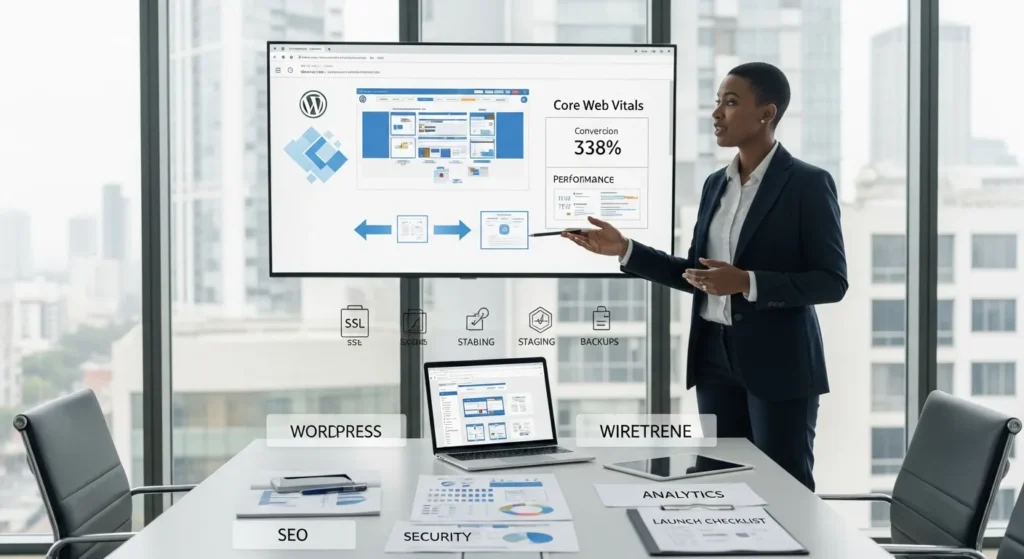
WordPress website development can feel easy right up until the week you need it to bring in leads, sales, or bookings on command. We have watched teams obsess over colors, then freeze when the first real question hits: “What is this site supposed to make people do?” Quick answer: a converting WordPress site starts with a clear goal, a simple page map, and boring (but life-saving) guardrails around speed, SEO, and security.
Key Takeaways
- Start WordPress website development by choosing one primary business goal and a measurable success metric, because that decision should drive every layout and content choice.
- Map a simple page architecture with short mobile-friendly conversion paths so visitors can reach the main CTA in 2–3 clicks without distractions.
- Pick the right build approach (premium theme, block-based, or custom) based on your publishing workflow and required functionality to avoid unnecessary cost and future maintenance headaches.
- Lock in a stable technical foundation with fast hosting, HTTPS, daily restorable backups, and a staging environment so updates and experiments don’t break live revenue flows.
- Keep plugins lean and intentional—install only what you need, avoid overlapping features, and remove unused tools—to protect performance, stability, and admin clarity.
- Treat WordPress website development as an ongoing system: optimize Core Web Vitals, set up SEO basics and analytics tracking, run pre-launch QA, and iterate monthly to improve conversions and reduce risk.
Start With The Business Goal And Site Architecture
If you skip this step, WordPress website development turns into a pile of pages that look fine and do nothing.
Define Primary Outcomes And Success Metrics
We start by picking one primary outcome. One. That choice affects every layout decision that follows.
Common primary outcomes:
- Lead generation (book a call, request a quote)
- Sales (WooCommerce checkout)
- Bookings (appointments, reservations)
- Authority (email signups, podcast downloads)
Then we tie it to a metric you can track:
- Leads per week
- Conversion rate per landing page
- Revenue per visitor
- Cost per lead from ads
Entity logic matters here: Business goal affects site structure. If the goal is calls, the site needs fewer distractions and more “book now” moments.
A quick planning tool that keeps this from drifting is a wireframe. We often start clients with our guide on planning with wireframes before design because it stops the “add one more page” spiral.
Map Pages, Navigation, And Conversion Paths
Your navigation is not a sitemap. It is a decision system.
We map:
- Top-level pages (Home, Services, About, Contact, Shop)
- Support pages (FAQs, Policies, Case Studies)
- Conversion paths (Landing page → proof → CTA → thank-you page)
Keep paths short. Each extra click drops intent.
A practical test: pick your most valuable visitor (a patient, a buyer, a hiring manager). Can they reach the action in 2 to 3 clicks on mobile? If not, the architecture fights your business.
If you want to see what we package into a full build, our overview of WordPress services for small businesses shows how we connect structure, copy, and technical setup under one roof.
Choose The Right Build Approach: Theme, Custom, Or Block-Based
The build approach decides your cost, your speed, and your future headache level.
When A Premium Theme Is Enough
A premium theme works when your needs fit common patterns:
- Service business sites
- Content sites
- Simple WooCommerce stores
- Landing pages for ads
Themes like Astra, OceanWP, and GeneratePress get mentioned a lot because they stay light and they get updates. The win is not “pretty.” The win is predictable layouts and fewer weird conflicts.
Block-based editing (Gutenberg and block themes) also shines when your team wants to publish often. Entity logic: Publishing workflow affects editor choice. If marketing changes pages weekly, you want a system they will not fear.
When To Go Custom (And What That Really Means)
Custom means you build what the theme cannot safely do.
We push for custom work when you need:
- Custom checkout logic
- Member dashboards
- Advanced calculators or quoting
- Tight CRM rules and data handling
Real custom work usually includes:
- A custom theme or child theme
- A custom plugin for business logic
- Clean separation of content and code
WordPress.org publishes WordPress Coding Standards for a reason. Standards reduce bugs. Standards also help the next developer (or future-you) understand the codebase.
One warning: “custom” still needs boundaries. We prefer small pilots. We ship one critical flow first. Then we expand.
Core Setup: WordPress, Hosting, And Essential Plugins
This is the part where a site either stays stable for years or turns into a fragile stack of guesses.
Hosting, Domains, SSL, And Environments (Staging Vs. Production)
Hosting affects speed, security, and how calmly you sleep.
Minimum baseline we use:
- HTTPS on every page
- Daily backups you can restore
- Separate environments (dev, staging, production)
Google has been clear that HTTPS protects users and it is a recommended practice across the web. You can see the push in Google’s HTTPS guidance.
Staging matters because testing affects risk. You should not test plugin updates on a live checkout.
If you need a plain-English walkthrough, we wrote a step-by-step guide on setting up a staging environment.
Plugin Selection Rules To Avoid Bloat And Conflicts
Plugins are not bad. Unmanaged plugins are bad.
Our rules:
- Install the fewest plugins that solve the job
- Check update frequency and support activity
- Avoid overlapping features (three SEO plugins equals chaos)
- Remove what you do not use
Entity logic: Plugin count affects performance and stability. Each plugin can add scripts, database queries, or admin clutter.
Starter plugin categories most business sites need:
- SEO
- Caching
- Forms
- Security
- Analytics
We keep a short internal checklist for this because memory fails at 11:47 pm before launch.
Design And Content That Support Trust And Sales
Design does not “convert.” People convert when they feel safe, understand the offer, and see a clear next step.
Mobile-First Layout, Accessibility, And Brand Consistency
Most visitors see your site on a phone first. That means your mobile layout is your main layout.
We look for:
- Large tap targets
- Sticky or easy-to-find CTA
- Short sections with clear headings
- Consistent spacing and button styles
Accessibility is part of trust. It also reduces legal and reputation risk for many teams.
If you want a checklist you can hand to a designer or dev, use our WordPress accessibility checklist.
On the design handoff side, Figma can help keep decisions organized. Entity logic: Design files affect build speed because clear components reduce rework. Our team shares a practical workflow in our Figma guide for business sites.
Copy, CTAs, And Forms That Reduce Friction
Most sites lose conversions inside the boring bits:
- vague headlines
- long forms
- unclear pricing
- weak proof
We write copy like a conversation with a busy person:
- Say who it is for.
- Say what changes after they buy.
- Say what happens next.
CTA examples that work because they set expectations:
- “Get a 15-minute quote call”
- “See plans and pricing”
- “Check availability”
Form rule: ask for the minimum you need to start the relationship. Form length affects submission rate. If you need more detail, collect it after the first contact.
Performance, SEO, And Analytics From Day One
Speed and search are not polish. They are part of the product.
Core Web Vitals Basics: Images, Caching, And Fonts
Core Web Vitals track user experience signals like loading and stability. Google explains the set in its Core Web Vitals documentation.
The usual speed culprits on WordPress:
- Uncompressed images
- Too many scripts
- Heavy fonts
- Slow hosting
Fix order we like:
- Compress and resize images
- Set caching
- Reduce plugin weight
- Use a CDN if traffic is broad
Entity logic: Page weight affects load time. Load time affects bounce.
On-Page SEO And Measurement (Search Console, GA4, Events)
On-page SEO starts with the page doing one job:
- one topic
- one primary intent
- one clear CTA
Basics that still matter:
- Clean permalinks
- Descriptive title tags
- Structured headings (H1, H2, H3)
- Internal links between related pages
Measurement keeps arguments out of your marketing meetings.
- Use Google Search Console for search queries and indexing.
- Use GA4 for user behavior.
- Track events like form submits, add-to-cart, and purchases.
If your team wants a step-by-step speed plan that does not require a dev background, we laid it out in our WordPress speed guide.
Security, Privacy, And Governance (Keep Humans In The Loop)
Security is not a plugin. Security is habits plus limits.
Updates, Backups, Roles, And Least-Privilege Access
Updates close known holes. Backups give you a way back when life gets weird.
Governance rules we use:
- Give each user the lowest role that fits their job
- Remove accounts fast when contractors roll off
- Keep two admin accounts only when needed
- Store backups off-site
Entity logic: Access control affects breach risk.
Cookies, Forms, And Data Minimization For Regulated Teams
If you work in healthcare, legal, finance, or anything regulated, treat your site as a data collection machine. Then restrict it.
We aim for data minimization:
- Do not ask for sensitive data in a contact form
- Use disclaimers where needed
- Route form entries to the right inbox with limited access
Also, keep humans in the loop when you use AI for drafts or summaries. Never paste private client details into a tool unless you have a written policy and a safe workflow.
If you need a simple repeatable routine, our team uses a baseline checklist that catches common risks before they ship.
Launch Checklist And Post-Launch Maintenance
Launch day should feel boring. If it feels like a stunt, something slipped.
Pre-Launch QA: Links, Redirects, Forms, And Payments
We run QA in this order:
- Crawl the site for broken links
- Test forms on mobile and desktop
- Confirm email deliverability
- Check redirects from old URLs
- Run test payments for WooCommerce
Entity logic: Checkout errors affect revenue immediately.
We also keep a short monthly baseline to avoid drift. Our internal process matches what we published in the 30-minute technical checklist we run before launch and monthly.
Ongoing Care: Monitoring, Content Updates, And Iteration Cycles
A WordPress site is a living system.
Ongoing care includes:
- Update cadence (core, theme, plugins)
- Security scans and uptime checks
- Core Web Vitals monitoring
- Content refresh cycles for top pages
We like short iteration cycles. Pick one page per month. Improve the headline, add proof, shorten the form, or speed up images. Small moves stack.
And yes, you can run changes in shadow mode first. Test without risk. Then push live when results look good.
Conclusion
WordPress website development works best when you treat it like a business system, not a design project. We start with the goal, we map the shortest path to action, and we keep the build safe with staging, speed work, and tight access control. If you want a site that sells while you sleep, build the boring parts first. Then let your brand shine on top of something solid.
Frequently Asked Questions About WordPress Website Development
What is WordPress website development, and what makes a WordPress site “convert” visitors?
WordPress website development is the process of planning, building, and optimizing a WordPress site so it achieves a business goal. A converting WordPress site starts with one primary outcome (leads, sales, or bookings), a simple page map, and strong guardrails for speed, SEO, and security.
How do I plan site architecture during WordPress website development to increase leads or sales?
Start by choosing one primary outcome and a metric (leads per week, conversion rate, revenue per visitor). Then map top-level pages, support pages, and a short conversion path (landing page → proof → CTA → thank-you). Aim for reaching the main action in 2–3 mobile clicks.
Should I use a premium theme, block-based editing, or custom code for WordPress website development?
Use a premium theme or block-based editing when your site matches common patterns (service sites, content sites, simple stores) and your team needs predictable publishing. Go custom when you need specialized logic—like custom checkout flows, member dashboards, calculators, or strict CRM/data rules—ideally shipped in small pilots.
What plugins are essential, and how do I avoid plugin bloat on WordPress?
Most business sites typically need plugins for SEO, caching, forms, security, and analytics. To avoid bloat, install the fewest plugins that solve the job, verify active updates and support, avoid overlapping features (especially multiple SEO tools), and remove anything unused to reduce conflicts and performance drag.
How can I improve WordPress speed and Core Web Vitals without breaking the site?
Focus on the biggest weight drivers first: compress and resize images, enable caching, cut heavy scripts and unnecessary plugins, and optimize fonts. Consider a CDN if you serve broad traffic. Use a staging environment to test changes before production so speed improvements don’t accidentally break forms or checkout.
Do I really need a staging environment and HTTPS for WordPress website development?
Yes. HTTPS protects user data and is a recommended web security practice. A staging environment lets you safely test updates, new plugins, or design changes without risking live revenue flows like bookings or WooCommerce checkout. Pair both with daily restorable backups for reliable recovery if something fails.
Some of the links shared in this post are affiliate links. If you click on the link & make any purchase, we will receive an affiliate commission at no extra cost of you.
We improve our products and advertising by using Microsoft Clarity to see how you use our website. By using our site, you agree that we and Microsoft can collect and use this data. Our privacy policy has more details.
