
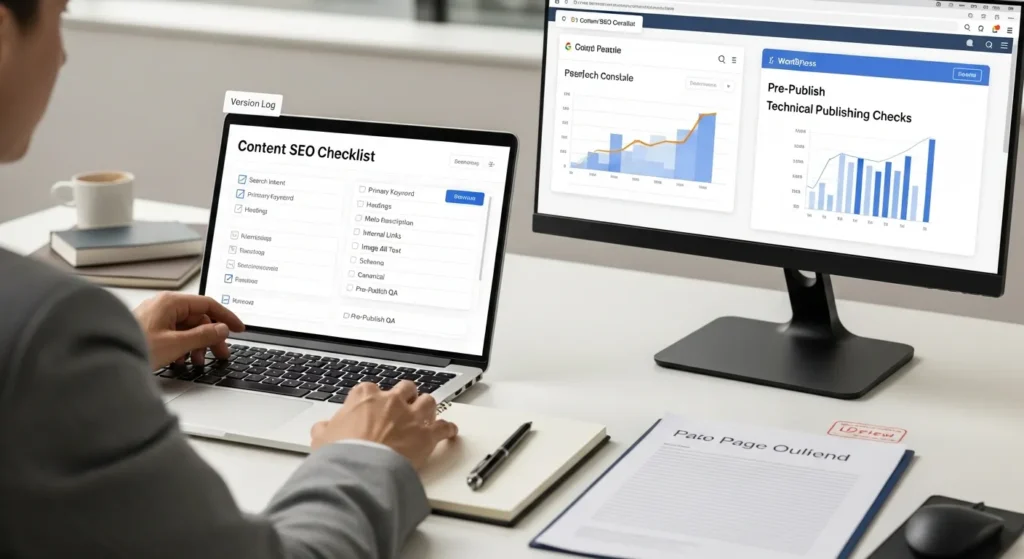
Our content SEO checklist starts the same way every time: we open a draft, glance at the publish button, and feel that tiny spike of doubt. Did we answer the real question, or did we just write something that sounds smart?
Quick answer: a solid pre-publish process beats last-minute “SEO tweaks” every time, because intent, structure, and proof control what Google understands and what humans trust.
Key Takeaways
- Start your content SEO checklist by choosing one search intent and a single page goal (learn, solve, compare, or buy) so the draft stays focused and useful.
- Define the primary query and the reader’s “job to be done” before writing, so your page answers the real question fast instead of adding off-topic bloat.
- Pick one primary keyword (e.g., “content SEO checklist”) plus 2–4 close variants to match the same intent and avoid competing with yourself.
- Plan the page with human-first headings (H1 promise, H2 sub-questions, H3 follow-ups), then add clear title tags, short URL slugs, and scannable formatting to improve understanding and clicks.
- Build trust by adding original proof (screenshots, mini SOPs, before/after data) and using descriptive internal links and anchor text that guide readers to the next step.
- Run WordPress publishing checks—image compression/alt text, basic schema, indexing and canonical hygiene—then finish with a human QA pass and AI guardrails for accuracy, compliance, and data safety.
Start With Search Intent And A Single Page Goal
If you only do one thing from this content SEO checklist, do this first. Search intent drives outcomes. Intent affects headings. Headings affect time on page. Time on page affects whether your page earns the next click.
We pick one page goal before we write a sentence:
- Learn: “What is X” or “how does X work” content
- Solve: step-by-step fixes and checklists
- Compare: alternatives, pros/cons, “X vs Y”
- Buy: product, service, booking, quote requests
One goal keeps your draft from turning into a junk drawer. It also tells you what to not include.
Define The Primary Query And The “Job To Be Done”
We treat the primary query like a job posting.
- The searcher hires your page to do one job.
- Your page either does the job fast, or it gets fired.
So we write down two lines:
- Primary query: the exact thing people type.
- Job to be done: the outcome they want after reading.
Example: “content SEO checklist” usually means the reader wants a repeatable pre-publish process, not a 40-minute history of search engines. That job affects what you lead with: steps, checks, and a clean order of operations.
Choose One Primary Keyword And 2–4 Close Variants
Pick one primary keyword. Then pick a few close variants that match the same intent.
This keeps your page from competing with itself. It also makes your writing cleaner.
We usually choose:
- 1 primary keyword (the page’s main topic)
- 2 to 4 variants (near-synonyms and plain-English versions)
If you want a deeper approach here, we map entities and related terms before drafting. It is the fastest way we know to avoid “keyword soup.” Our playbook lives in this semantic SEO guide for WordPress and pairs well with this checklist.
Plan The Page Before You Write
Planning sounds slow. It is not. Planning saves you from rewriting.
A draft without a plan creates two problems:
- You repeat yourself because you do not know what goes where.
- You miss key sub-questions because you do not see the full shape of the topic.
Here is why this matters for WordPress teams: publishing speed affects consistency. Consistency affects topical authority. Topical authority affects rankings.
Outline Headings To Match Intent (Not Just Keywords)
We write headings for humans first, then we sanity-check them for search.
A simple rule works well:
- H1 states the page promise.
- H2s answer the big sub-questions.
- H3s answer the “yes, but what about…” follow-ups.
If your heading only exists because a keyword tool suggested it, cut it. If your heading reflects a real question your audience asks, keep it.
Decide What You Will Include, Exclude, And Link Out To
This step feels boring. It prevents content bloat.
We make three quick lists:
- Include: must-answer questions for the intent
- Exclude: interesting, but off-mission (save it for another post)
- Link out / link in: where readers should go next
On WordPress sites, internal links do heavy lifting. Internal links guide crawlers. Crawlers affect discovery. Discovery affects indexing.
If you are building lots of similar pages, this planning step becomes even more important. At that point, you may want a repeatable template and rules for scale. Our programmatic SEO checklist covers how we keep those pages useful instead of thin.
Write On-Page Elements That Google And Humans Can Parse
On-page SEO is not magic. It is formatting plus clarity.
Google parses structure. Structure affects understanding. Understanding affects ranking and click behavior.
So we treat on-page elements like labels on storage bins. If the label is vague, people dig around and give up.
Title Tag, H1, And URL Slug Checks
We run three checks before we touch anything else:
- Title tag: put the primary keyword early, then add a clear benefit.
- H1: match the promise of the title. Do not stuff it.
- URL slug: keep it short and readable.
One practical tip: avoid dates in slugs unless the date matters to the user. Dates create unnecessary “old content” anxiety.
If your team uses SEO plugins, let the plugin enforce the basics, then use your judgment for the humans. We walk teams through the traffic-light signals in our Yoast SEO checker walkthrough and show a faster workflow in our RankMath SEO checker guide.
Meta Description, Intro Hook, And Scannable Formatting
Meta descriptions do not guarantee rankings, but they can affect clicks. Clicks affect whether searchers stick with your result.
We keep meta descriptions simple:
- say what the page helps them do
- hint at who it is for
- add one concrete detail (a number, a timeframe, a tool)
Then we format the page so humans can skim:
- short paragraphs
- bullets for checks
- bold for decision points
If you write for busy operators, skimmability is not decoration. Skimmability is respect.
Build Trust With Evidence, Examples, And Internal Links
Trust affects conversions. Trust also affects links. Links affect rankings.
So yes, trust is an SEO input.
This is where many content SEO checklist posts fall apart. They give tips, but they show no proof. Readers feel that gap.
Add Original Proof: Screenshots, Data, Or Step-By-Step Notes
“Original” does not have to mean expensive studies.
You can add proof with:
- a screenshot of your settings (with private info removed)
- a before-and-after Search Console click graph
- a short “what we tried, what happened” note
- a mini SOP that shows your actual process
If you work in regulated fields, keep claims tight. A medical clinic page should not promise outcomes. A law firm page should not imply legal advice. Your reviewer should catch those problems before they go live.
Internal Linking And Anchor Text That Helps Navigation
Internal links act like signposts.
- Clear anchor text affects user flow.
- User flow affects engagement.
- Engagement affects whether your page feels like the best result.
We use anchors that describe what the reader gets next. We do not use “click here.” We also avoid stuffing anchors with the same keyword over and over.
If you want a related conversion lens, pair this with our WordPress SXO checklist. SXO forces one helpful question: “Did this page earn the next step?”
Technical And WordPress Publishing Checks
A content SEO checklist is not complete without technical checks, because publishing creates technical debt.
WordPress makes publishing easy. Easy publishing affects volume. Volume affects the number of things that can break.
So we run a small set of checks that catch the common leaks.
Images: File Names, Alt Text, Compression, And Dimensions
Images affect speed. Speed affects patience. Patience affects bounce.
Our quick image checks:
- use descriptive file names
- write alt text that describes the image for accessibility
- compress images before upload
- match dimensions to the layout so the browser does less work
If you want a tighter workflow for this part, our image SEO checklist walks through the exact steps we use on client sites.
Schema Basics, Indexing Controls, And Canonical Hygiene
We keep this part practical:
- add basic schema when it fits (Article, Product, FAQ)
- confirm the page is indexable when it should be
- verify the canonical points to the correct URL
Canonical tags prevent duplicates. Duplicates affect crawl time. Crawl time affects how quickly your updates show up.
If you publish video content, treat it as its own asset, not an afterthought. Video markup and video pages follow different rules. Use our video SEO checklist when video plays a real role in sales or support.
Quality, Compliance, And AI Guardrails Before You Hit Publish
This section keeps you out of trouble.
Quality affects brand trust. Compliance affects legal exposure. Exposure affects whether you regret shipping fast.
We like AI tools, and we also like guardrails. Both can be true.
Human Review: Accuracy, Brand Voice, And Regulated Claims
We do a final human pass with three questions:
- Is it accurate today? Prices, steps, and screenshots drift over time.
- Does it sound like us? A consistent voice builds familiarity.
- Does it make risky claims? Health, legal, and financial topics need extra care.
We also check references when we cite facts. Google’s own documentation helps set expectations for page quality. The Google Search Quality Rater Guidelines remain a useful north star for “does this actually help a person?”
AI Use: Data Minimization, Disclosure, And Version Logging
AI use can speed drafts. AI use can also leak data if you paste the wrong thing.
Our rules:
- do not paste sensitive client data into prompts
- keep a version log of prompts and edits
- disclose AI assistance when policy or audience expectations call for it
The FTC has made it clear that marketing claims still need truth and evidence, even when AI helps create content. See FTC guidance on AI and advertising claims.
If you build AI into workflows, treat prompts like SOPs. Prompts affect outputs. Outputs affect risk. Logging makes the whole chain auditable.
Conclusion
A good content SEO checklist does not feel like “more work.” It feels like fewer surprises.
Start with intent. Commit to one page goal. Write clean on-page elements. Add proof. Then run the WordPress checks that prevent slow pages and duplicate URLs. Keep a human reviewer in the loop, and keep AI on a short leash.
If you want us to turn this into a repeatable workflow for your WordPress site, we can map your triggers, inputs, outputs, and guardrails in a short pilot. You do not need a giant rebuild. You need a process you can run every week.
Content SEO Checklist: Frequently Asked Questions
What is a content SEO checklist, and why use one before publishing?
A content SEO checklist is a repeatable pre-publish process that ensures your page matches search intent, stays well-structured, and includes trust signals. It beats last-minute “SEO tweaks” because intent, headings, and proof determine what Google understands and what humans believe and do next.
How do I choose the right search intent and single page goal in a content SEO checklist?
Start by picking one page goal that matches the query: Learn, Solve, Compare, or Buy. Then write the primary query and the “job to be done” (the outcome the reader wants). One clear goal prevents content bloat and keeps your draft from becoming a mixed-intent junk drawer.
How many keywords should I target for a page using a content SEO checklist?
Use one primary keyword plus 2–4 close variants that match the same intent. This keeps the writing clean and reduces the chance your page competes with itself. If you go deeper, map related entities and terms to avoid “keyword soup” while still covering the topic thoroughly.
What on-page elements should I check first (title tag, H1, URL slug, meta description)?
Check title tag, H1, and URL slug first: put the primary keyword early in the title, make the H1 match the promise without stuffing, and keep the slug short and readable (avoid dates unless they matter). Then write a clear meta description that supports clicks with one concrete detail.
What are the most important WordPress technical checks in a content SEO checklist?
Prioritize the leaks that commonly hurt performance: compress images, use descriptive file names, add helpful alt text, and match dimensions to the layout for speed. Then confirm the page is indexable, set the correct canonical URL to prevent duplicates, and add basic schema when it truly fits.
Does using AI for SEO content require disclosure or special compliance steps?
Often, yes—especially in regulated or trust-sensitive contexts. Even if AI helps draft, you still need accurate claims, evidence, and a human review. Minimize data in prompts (don’t paste sensitive info), keep a version log of prompts/edits for auditability, and disclose AI assistance when policy or audience expectations require it.
Some of the links shared in this post are affiliate links. If you click on the link & make any purchase, we will receive an affiliate commission at no extra cost of you.
We improve our products and advertising by using Microsoft Clarity to see how you use our website. By using our site, you agree that we and Microsoft can collect and use this data. Our privacy policy has more details.
