

If you have ever stared at a blank WordPress editor wondering whether Google will actually care about what you are writing, you are not alone. The Yoast SEO checker turns that vague anxiety into clear signals you can act on. In this guide, we treat it like a smart assistant, not a boss, so we can keep our voice while hitting the marks search engines look for. Let us walk through how to use those red, orange, and green bullets like real pros.
Key Takeaways
- Use the Yoast SEO checker as a real-time guide for on-page SEO and readability, not as a rigid rulebook or ranking guarantee.
- Start every post by setting a clear focus keyphrase so the Yoast SEO checker can evaluate your title, meta description, and content against the right query.
- Follow a simple workflow: draft freely, then use Yoast’s SEO analysis and readability checks to fix missing basics, improve structure, and reduce red flags.
- Avoid common mistakes like keyword stuffing to please the plugin, forcing all bullets to green, or skipping internal links that strengthen your site structure.
- Combine the Yoast SEO checker with solid keyword research, subject-matter expertise, and quality fact-checking to create content that serves both users and search engines.
What The Yoast SEO Checker Actually Does
What The Yoast SEO Checker Actually Does
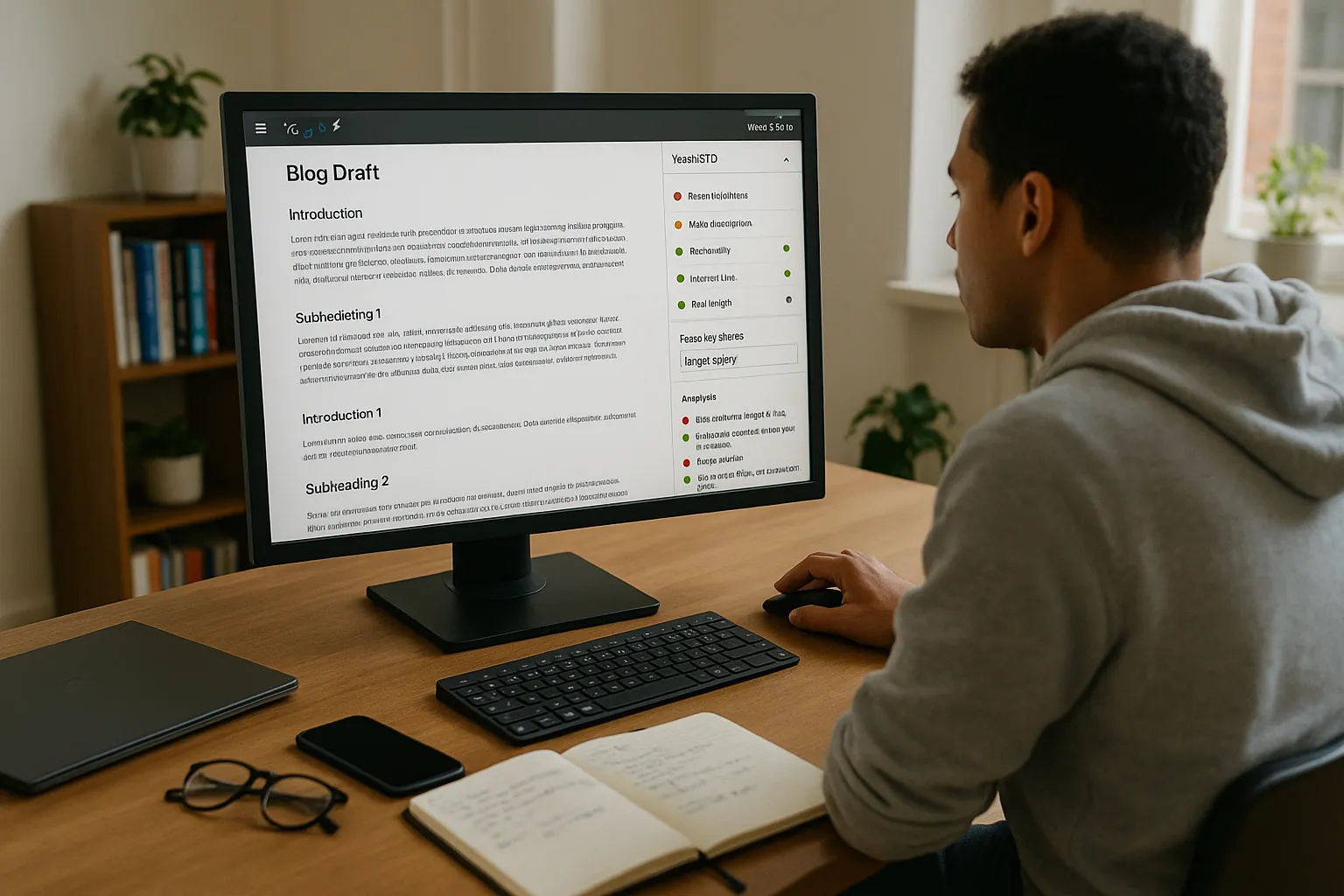
The Yoast SEO checker reviews our content in real time and scores it against known on page SEO signals and readability rules. It does not guarantee rankings, but it shows where our content supports or weakens a target query.
On the SEO side, the Yoast SEO checker looks at things like:
- Focus keyphrase use in title, slug, meta description, and body
- Internal and external links
- Use of headings
- Image alt attributes
- Text length and meta description length
On the readability side, it looks at sentence length, paragraph length, subheadings, transition words, and passive voice. Under the hood, it uses simple NLP checks, not magic. So we treat every colored bullet as a prompt to rethink our choices, not a strict rule that must always be green.
Key Benefits For Professionals And Businesses
The Yoast SEO checker helps us ship stronger content faster, especially when we create at scale. We get three big payoffs.
First, it works like a checklist that keeps writers, marketers, and subject experts on the same page. Even if our team includes lawyers, doctors, engineers, or artists who do not live in SEO tools, they can follow the colored bullets.
Second, it shortens editing time. Editors do not need to mark every missing heading or weak title. The Yoast SEO checker flags a lot of that instantly, so humans can focus on accuracy, expertise, and nuance.
Third, it keeps our library consistent. Posts across different departments use similar meta structures, internal link habits, and formatting. That consistency helps search engines understand our site and supports related guides such as our keyword research guide at /keyword-research-guide.
Using The Yoast SEO SEO Analysis Checker

We start every post by setting a realistic focus keyphrase before writing more than a paragraph. That way the Yoast SEO checker knows what we care about.
Here is the basic sequence:
- Enter the focus keyphrase in the Yoast box.
- Write a clear, human title that still uses that phrase.
- Draft a meta description that feels like ad copy while including the phrase once.
- Write the article and let the Yoast SEO checker update in the sidebar as we go.
Then we review the SEO analysis section:
- Red bullets mark missing basics, such as no internal links.
- Orange bullets signal small gaps, such as keyphrase not in the first paragraph.
- Green bullets show that a check passes, but we do not chase green at the cost of sense.
If we disagree with a suggestion, we keep our judgment. Expertise beats strict keyword repetition every time.
Understanding The Yoast Readability Checker
The readability part of the Yoast SEO checker looks less like SEO and more like writing coaching. It scores text against rules based on the Flesch Reading Ease and other simple metrics.
Here is what it watches:
- Sentence length
- Paragraph length
- Subheading distribution
- Passive voice percentage
- Use of transition words such as “so,“ “but,“ and “then”
Search engines prefer content that real people finish and share. Plain, structured writing helps with that. So we use the Yoast SEO checker as a signal to cut long sentences, break up walls of text, and clarify jargon.
In fields like medicine, law, or aerospace, we will always use complex terms. That is fine. We just pair them with short explanations and tighter sentences so both experts and newcomers can follow along.
Practical Workflow: From Draft To Green Lights
Here is a simple workflow we use with the Yoast SEO checker when we publish on WordPress.
- Rough draft with almost no plugin watching. We write to teach or persuade, not to please an algorithm.
- First pass with the SEO analysis. We fix missing basics: focus keyphrase, title, slug, meta description, internal links, external references.
- Second pass with readability. We cut long sentences, add subheadings, and break paragraphs so the Yoast SEO checker drops the red flags.
- Fact and quality review. We confirm sources, examples, and claims. If we adjust content, we glance back at the checker but do not obsess.
That last step matters. Rankings depend on depth, trust, and links, not only on green bullets. We pair Yoast with a proper content brief and research process, like the one we outline in our content brief template at /seo-content-brief.
Common Mistakes To Avoid With Yoast SEO Checker
Plenty of teams misread what the Yoast SEO checker is trying to tell them. Here are traps we avoid.
- Writing for the plugin instead of people. Over using the focus keyphrase or stuffing it into every heading feels awkward, and search engines treat that as spammy.
- Forcing green bullets on every check. Some rules conflict. A long technical guide may need longer sentences, which can trigger warnings.
- Ignoring internal linking. Yoast reminds us to add internal links, but many writers skip this. We use it as a prompt to connect related content, such as our technical SEO audit page at /technical-seo-audit.
- Treating red as failure. A single red bullet can be a tradeoff we accept, like keeping a short article that still solves a focused problem.
We treat each alert as feedback, not a grade.
Advanced Tips For Getting More Value From Yoast
Once we are comfortable with the basics, we squeeze more out of the Yoast SEO checker by pairing it with strategy.
- Use related keyphrases. In Yoast Premium, we add synonyms and related phrases. That helps map one article to a topic cluster without awkward repetition.
- Watch content freshness. When we update older posts, we use the Yoast SEO checker to scan quickly for new internal link options and outdated meta descriptions.
- Structure for featured snippets. We write clear answers near the top of sections, then check that headings and readability look clean. Yoast cannot guarantee snippets, but it nudges us toward structured answers.
- Train teams with the traffic light model. New writers learn faster when they see how edits change bullets from red to orange to green.
Used this way, the Yoast SEO checker becomes a teaching tool baked into our publishing process.
Conclusion
The Yoast SEO checker does its best work when we treat it as a guide, not a rulebook. It helps us remember the small on page details that busy teams forget, and it nudges our writing toward clarity.
If we pair those signals with real subject expertise, thoughtful keyword research, and honest intent to help our readers, we get content that both humans and search engines respect. That mix beats chasing green bullets on its own every single time.
Sources:
- “Search Engine Optimization (SEO) Starter Guide,“ Google Search Central, updated 2023, https://developers.google.com/search/docs/fundamentals/seo-starter-guide
- “Search Engine Optimization (SEO),“ Moz, accessed 2024, https://moz.com/beginners-guide-to-seo
Yoast SEO Checker: Frequently Asked Questions
What does the Yoast SEO checker actually do in WordPress?
The Yoast SEO checker analyzes your content in real time against on-page SEO signals and readability rules. It reviews focus keyphrase usage, headings, links, meta data, image alts, and text length, plus readability factors like sentence and paragraph length, passive voice, and transition words to highlight strengths and gaps.
How should I use the Yoast SEO checker without over-optimizing my content?
Use the Yoast SEO checker as a guide, not a boss. Start with a clear focus keyphrase, fix obvious red bullets like missing links or meta descriptions, then improve readability. If a suggestion clashes with clarity or expertise, keep the better writing choice instead of forcing every bullet to green.
What is a good workflow for using the Yoast SEO checker on new posts?
Draft freely first, then run Yoast’s SEO analysis to set a focus keyphrase, optimize the title, slug, meta description, and links. Next, use the readability checker to shorten sentences and break up long paragraphs. Finish with a manual quality and fact review, only revisiting the plugin to catch major misses.
Can the Yoast SEO checker improve my Google rankings on its own?
The Yoast SEO checker cannot guarantee rankings. It helps you cover on-page SEO basics and improve readability, which support better performance. Rankings still depend on content depth, search intent match, E‑E‑A‑T signals, backlinks, technical SEO, and overall site quality, not just green traffic lights in the plugin.
What is the best way to set a focus keyphrase in the Yoast SEO checker?
Choose a realistic focus keyphrase that matches how your audience searches, then enter it in Yoast before drafting too much. Use it naturally in the title, slug, first paragraph, and meta description, and a few times in the body. Avoid keyword stuffing; prioritize clear, helpful writing over repetition.
Some of the links shared in this post are affiliate links. If you click on the link & make any purchase, we will receive an affiliate commission at no extra cost of you.
