

When we first sat down to weigh LinkWhisper vs Linksy vs LinkBoss, we expected minor UX quirks and price gaps. Instead, we saw three very different opinions on what “smart internal linking“ should look like. If your content library already feels like a maze, the right tool can mean the difference between a site that silently bleeds traffic and one that quietly compounds authority month after month. In this guide, we’ll cut through the noise and help you pick the tool that actually fits how you work.
Key Takeaways
- LinkWhisper vs Linksy vs LinkBoss ultimately comes down to matching each tool’s internal linking style to your publishing workflow, site size, and team structure.
- LinkWhisper fits solo creators and small WordPress sites best by offering simple, in‑editor link suggestions, quick setup, and clear per‑post link health reports.
- Linksy works well for blog‑heavy brands that mainly struggle with orphaned content, keeping forgotten or low‑link pages front and center for cleanup.
- linkBoss is built for agencies, in‑house SEO teams, and large publishers, providing semantic topic clusters, bulk link campaigns, and granular anchor text governance across multiple sites.
- From an ROI standpoint in the LinkWhisper vs Linksy vs LinkBoss comparison, LinkWhisper and Linksy suit smaller portfolios, while LinkBoss delivers the most value where internal linking is done at scale.
What These Tools Do And Who They Are For
What These Tools Do And Who They Are For
All three tools solve the same basic problem: we forget internal links, or we do them poorly at scale.
- LinkWhisper works inside WordPress. It scans your content and suggests internal links directly in the editor while you write or update posts. If you mainly live inside WordPress and want quick, inline prompts, this feels natural.
- Linksy is also a WordPress plugin, but it leans harder on NLP-style suggestions and has a strong focus on finding orphaned content that has no internal links.
- LinkBoss sits outside WordPress as a cloud platform. It crawls your sites, analyzes topics with semantic AI, and lets you plan and push internal links across many sites from one dashboard.
So who is each one for?
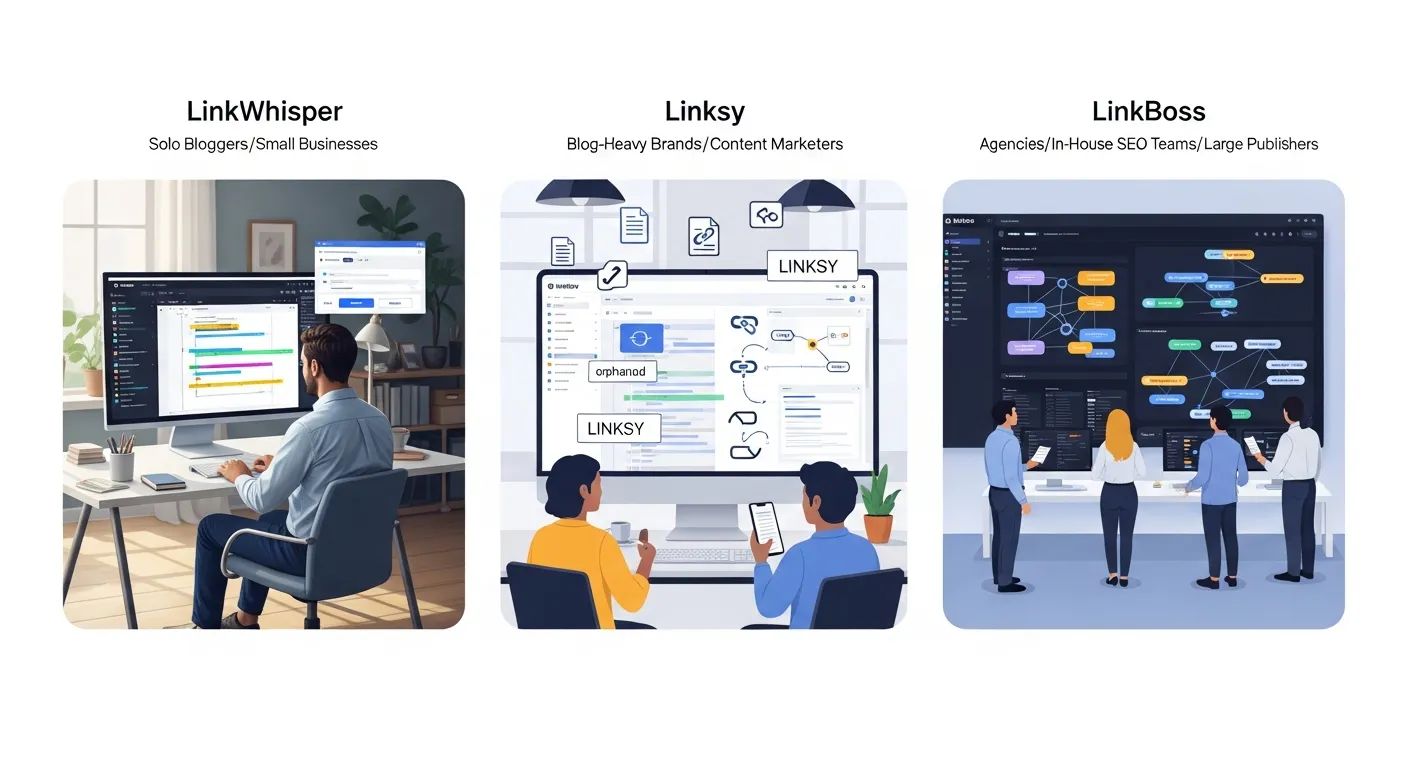
- We see solo bloggers, niche site owners, and small business sites gravitating to LinkWhisper because it stays simple and close to the editor.
- Blog-heavy brands and content marketers who worry about forgotten pages might like Linksy, because it keeps orphaned content front and center.
- Agencies, in‑house SEO teams, and big publishers tend to benefit more from LinkBoss, since it can orchestrate link patterns across hundreds of pages and multiple domains.
If you came here asking which of LinkWhisper vs Linksy vs LinkBoss is most “powerful,“ the better question is which one matches your publishing style and team structure.
Core Features Comparison
At a high level, all three tools analyze content and suggest links. The differences show up in how deep that analysis goes and how much they automate.
Automation And Smart Suggestions
LinkWhisper focuses on keyword and phrase matching. It scans your existing text and finds anchor opportunities based on phrases that match other posts or target keywords. If there is no natural phrase to link from, you usually need to write that sentence yourself.
Linksy also uses NLP-style matching, but current information suggests it stops at suggestion level. It finds relevant spots and pages, yet it does not create new linking sentences for you.
LinkBoss takes a more aggressive stance on automation. Its Smart Link Generator can actually write a short, context-aware sentence that includes a link when your page has no clear anchor text. On large archives, that single feature saves hours per week. You still approve the suggestions, but you are no longer blocked by missing anchors.
On raw automation depth, the order looks like this:
- Simple suggestions: LinkWhisper
- Suggestions with stronger topic matching: Linksy
- Suggestions plus auto-written link sentences and bulk linking: LinkBoss
This is where LinkWhisper vs Linksy vs LinkBoss starts to feel like three different tiers of internal linking help.
Anchor Text Control And Link Rules
Anchor text is where many teams over‑optimize and drift into cannibalization. We want variety, but we also want intent.
- LinkWhisper lets us tweak anchor suggestions, mark links as follow or no‑follow, and even map focus keywords to target URLs through SEO plugin integrations. That keeps the tool aligned with our keyword plan.
- LinkBoss goes further with an Anchor Manager. We can control which anchors a page should receive, cap exact‑match usage, and see where we risk cannibalization. For long‑term SEO, this level of control matters.
- Linksy offers less documented control over anchor rules. It suggests anchors, but we do not see the same depth of constraint settings.
If our team worries about over‑optimized anchors or messy link profiles, LinkBoss pulls ahead here, with LinkWhisper a solid middle ground.
Reporting, Audits, And Orphaned Content
Internal linking is not a set‑and‑forget task. We need feedback.
- LinkWhisper ships with a Link Health Dashboard and a Link Report Card that show internal link counts, broken links, and basic health metrics for each URL.
- LinkBoss adds a visual layer with its Site Visualizer, which maps internal links and highlights orphaned and dead‑end pages. For large sites, this kind of map helps us explain issues to non‑technical stakeholders.
- Linksy leans strongly into orphaned content detection. It spotlights posts with zero or very few links, so we can prioritize them.
From a pure audit angle, we see LinkBoss and LinkWhisper as closer rivals, with Linksy acting as a good orphan‑finder. On LinkWhisper vs Linksy vs LinkBoss for reporting depth, LinkBoss usually wins on visualization and strategic views, LinkWhisper on editor‑centric clarity, and Linksy on “don’t forget this page“ alerts.
Ease Of Use And Workflow
Ease of use often decides whether a tool sits idle or becomes part of our daily process.
- LinkWhisper shines in simplicity. Suggestions appear as we edit in WordPress. No tab‑switching, no separate login.
- Linksy behaves like a standard plugin. You work inside WordPress, see suggestions, and apply changes per post.
- LinkBoss runs in the browser as a cloud dashboard. It needs one extra step: sync or connect sites, then work from a central control panel.
If most of our team lives in the editor and hates extra tools, LinkWhisper or Linksy will feel lighter. If our work spreads across many sites, a single LinkBoss dashboard starts to look appealing.
Setup And Learning Curve
Set up matters when we pitch a new tool to busy colleagues.
- LinkWhisper offers a Launch Wizard that walks us through scans, basic settings, and first suggestions. You can get from install to first links in under an hour on many sites.
- LinkBoss takes longer. We need to connect sites, let it crawl, and learn its semantic linking concepts, topic clusters, and anchor rules. That learning curve pays off for those of us managing many properties.
- Linksy setup appears close to a typical WordPress plugin. Install, configure, scan, then work through its suggestion panels.
If we want quick wins with minimal training, LinkWhisper usually wins this round in LinkWhisper vs Linksy vs LinkBoss.
Daily Workflow For Busy Professionals And Teams
Here is how each tool fits into daily work.
- With LinkWhisper, we open a post, scroll to its suggestions panel, and accept or tweak links. During new content creation, we see suggestions in real time.
- With Linksy, we often treat internal linking as a cleanup task. We scan, then work through lists of posts needing attention, especially orphans.
- With LinkBoss, we think more in campaigns. We might set up a new topic cluster, define pillar pages, then let the system suggest links across dozens or hundreds of URLs in one session.
If we follow a content sprint model and push many posts at once, LinkBoss gives us scale. If we update one or two posts a week, LinkWhisper or Linksy will feel more natural.
For deeper strategy on daily internal linking, we usually pair these tools with a clear content hub plan, often documented alongside our internal linking strategy.
SEO Impact And Site Performance
All three tools try to improve crawl paths, distribute PageRank, and surface forgotten pages. The difference is in how strongly they push us toward sound patterns.
Internal Linking Best Practices Built Into Each Tool
LinkWhisper bakes in simple habits. It shows links in and out per post, so we can see thin pages at a glance. Pair that with keyword‑to‑URL mapping via SEO plugins, and we lower the chance of mixed signals.
Linksy bakes in one strong habit: do not leave pages orphaned. Its reports nudge us back to pages with zero internal links, which protects crawl coverage.
LinkBoss tries to encode an internal linking strategy into the product. Topic clusters, pillar pages, supporting pages, anchor variation, and avoidance of cannibalization sit at the center. It encourages us to think in terms of hubs, which aligns nicely with modern semantic search.
For those of us who already plan hubs and silos in spreadsheets or tools like topic cluster planners, LinkBoss will feel like an upgrade from manual work.
Speed, Bloat, And Compatibility Considerations
Performance still matters. We do not want plugins that slow WordPress or conflict with caching.
- LinkWhisper runs as a plugin, but most of the heavy lifting happens during scans and in the admin area. Front‑end impact is usually minor when configured well.
- Linksy behaves in a similar way from what we can see in public tests. It analyzes content and stores suggestions in the backend.
- LinkBoss runs as a cloud service. It crawls sites from the outside, so it does not add bloat to WordPress directly. We interact with links through its dashboard, then push or apply changes.
Whichever we choose in the LinkWhisper vs Linksy vs LinkBoss debate, we still need caching, image compression, and clean themes. Internal linking tools help SEO, but they do not excuse slow pages.
Pricing, Licensing, And Overall Value
Pricing shifts over time, so always check current plans on vendor sites. At the time of writing:
- LinkWhisper starts around $97 per year for a single site.
- LinkBoss positions itself as a multi‑site platform with unlimited sites on its higher plans, though exact numbers depend on current offers.
- Linksy pricing sits in a similar range to mid‑tier WordPress plugins, with per‑site or tiered plans.
Where is the real value?
- If we run one or two WordPress sites and want clean suggestions in the editor, LinkWhisper usually gives the best cost‑to‑benefit ratio.
- If we run many sites and care about semantic clusters, bulk actions, and anchor governance, LinkBoss can pay for itself in saved labor.
- If our pain is orphaned content and we want a straightforward plugin to catch it, Linksy can fill that role.
When we compare LinkWhisper vs Linksy vs LinkBoss, we like to run a simple test: How many hours of manual internal linking does this replace each month, and what is our hourly cost as a team? Framed that way, LinkBoss often wins on high‑volume setups, while LinkWhisper or Linksy feel smarter for smaller portfolios.
Best Fits By Use Case And Profession
Different professions publish in different rhythms. Lawyers, medical publishers, SaaS companies, and educators all care about internal links, but they care in different ways.
Solo Creators And Niche Site Owners
If we run a niche blog or a solo content business, we usually prioritize:
- Low cost
- Minimal setup
- Suggestions inside the editor we already use
In that setting, LinkWhisper usually feels right. It lets us fix old posts during routine updates, find internal link ideas while we draft, and keep link counts healthy without extra dashboards.
If we obsess over orphaned pages on a growing archive, Linksy might be worth a look as a second step.
Agencies, In‑House Marketing Teams, And Large Sites
Agencies and in‑house teams that care about internal linking across many brands face different issues:
- Many domains and staging sites
- Large content libraries with uneven quality
- Need for repeatable patterns and reporting
This is where LinkBoss usually beats both competitors in the LinkWhisper vs Linksy vs LinkBoss comparison. Its multi‑site dashboard, semantic clustering, and Anchor Manager features align with how agencies plan sitewide SEO work. We can schedule link campaigns, see gaps at scale, and justify the spend with clear before‑and‑after internal link graphs.
We often pair LinkBoss with our broader technical SEO audit process to keep internal links moving in step with crawl and index fixes.
Technical, Legal, And Medical Content Publishers
Technical, legal, and medical sites publish dense, high‑stakes information. Internal links in this world do more than pass PageRank. They shape how users interpret content.
For this group:
- LinkBoss shines when we need strict control over anchors and topic clusters. We can group related case law, research topics, or API sections and make sure each cluster points to the right pillar pages.
- LinkWhisper still works well when these sites live fully in WordPress and prefer lighter workflows.
- Linksy helps teams that worry about research pages turning into orphans over time.
In practice, legal and medical teams often start with LinkWhisper for ease, then adopt LinkBoss once content volume grows and governance needs rise.
Conclusion
So where do we land on LinkWhisper vs Linksy vs LinkBoss?
- Choose LinkWhisper if you run a small number of WordPress sites, want suggestions inside the editor, and care about straightforward setup.
- Choose Linksy if orphaned content is your biggest worry and you want a plugin that keeps forgotten pages visible.
- Choose LinkBoss if you manage many sites, large archives, or complex topic clusters and need serious automation plus anchor control.
Internal linking is one of those “boring” habits that quietly compounds gains for months and years. Whichever tool we pick, the real win comes when we treat internal links as a repeatable system, not a once‑a‑year cleanup.
Frequently Asked Questions
Which tool is best in the LinkWhisper vs Linksy vs LinkBoss comparison for small WordPress sites?
For solo bloggers, niche site owners, and small business sites, LinkWhisper is usually the best fit. It runs directly inside the WordPress editor, is easy to set up, and provides simple, real‑time internal link suggestions without extra dashboards or complex configuration.
When should I choose LinkBoss instead of LinkWhisper or Linksy?
Choose LinkBoss when you manage multiple sites, large archives, or complex topic clusters. Its cloud dashboard, Smart Link Generator, topic clustering, and advanced Anchor Manager let agencies and in‑house teams orchestrate internal link campaigns at scale and control anchors to reduce cannibalization.
How does Linksy differ from LinkWhisper and LinkBoss for internal linking?
Linksy is also a WordPress plugin but focuses heavily on finding and fixing orphaned content. It uses NLP‑style matching for suggestions yet offers less documented anchor‑rule control than LinkBoss or LinkWhisper. It’s ideal if your main problem is posts with few or zero internal links.
Can I use LinkWhisper, Linksy, or LinkBoss together with other SEO plugins?
Yes. These tools are designed to complement, not replace, core SEO plugins. LinkWhisper, for example, can map focus keywords to URLs via popular SEO plugins. In most setups you’ll still rely on tools like Rank Math or Yoast for metadata, sitemaps, and schema while using these for internal links.
Do LinkWhisper, Linksy, or LinkBoss slow down WordPress sites?
All three are built to minimize front‑end impact. LinkWhisper and Linksy do most heavy processing in the WordPress admin during scans, while LinkBoss runs primarily as an external cloud crawler. With proper caching, image optimization, and a clean theme, they should not noticeably slow page load times.
Some of the links shared in this post are affiliate links. If you click on the link & make any purchase, we will receive an affiliate commission at no extra cost of you.
