

RankMath for WooCommerce can feel like a cheat code when we first see product pages jump in search after one careful setup session. The difference between a store that quietly exists and one that actually sells often comes down to how clearly search engines understand its products. In this guide, we walk through how we use RankMath for WooCommerce to tighten structure, surface the right schema, and turn casual searchers into paying customers without getting lost in settings screens.
Key Takeaways
- RankMath for WooCommerce turns WooCommerce product data into rich product schema, improving visibility in Google Shopping and organic search with details like price, availability, GTIN, and reviews.
- You get the best results from RankMath for WooCommerce when you plan an SEO strategy first, including keyword research, clean URL structure, and clear conversion goals in Analytics and Search Console.
- A proper RankMath WooCommerce setup includes running the setup wizard, activating the WooCommerce module, enabling sitemaps, and setting default product schema so every new item is search-ready by default.
- Optimizing titles, meta descriptions, product schema fields, noindex rules for hidden items, and image SEO in Rank Math ensures each product page works as a high-converting landing page.
- Using Rank Math’s product content analysis, internal link suggestions, and weekly analytics reviews helps you steadily boost click-through rates, fix underperforming products, and drive more conversions from search.
- Avoid common RankMath and WooCommerce SEO mistakes like skipping the wizard, ignoring product variation schema, stuffing keywords, and leaving Search Console errors unresolved, as these issues directly limit search performance.
Why RankMath Is a Strong SEO Choice for WooCommerce Sites

Why RankMath Is a Strong SEO Choice for WooCommerce Sites
RankMath for WooCommerce stands out because it speaks both languages: WordPress and ecommerce SEO. The plugin reads product data from WooCommerce and turns it into clean, machine-readable information for Google, Bing, and other search engines.
Here is what matters most:
- Automatic product schema for price, availability, reviews, and product identifiers like GTIN and MPN. This helps us earn rich results in Google Shopping and organic search.
- Smart noindex rules for hidden or out-of-stock products so we do not waste crawl budget on pages that cannot convert.
- Tight image SEO support that auto-generates image titles and ALT text patterns so product photos help rankings instead of just looking nice.
- Direct integration with Google Search Console so we see impressions, clicks, and issues for product URLs inside WordPress.
In many stores we manage, RankMath for WooCommerce replaces multiple plugins. That reduces plugin bloat and usually improves performance, which search engines also reward.
Planning Your SEO Strategy Before Installing RankMath

Planning Your SEO Strategy Before Installing RankMath
Before we touch settings, we plan what the store should rank for. RankMath for WooCommerce multiplies results only when we have a clear keyword map.
We start with:
- Keyword research for each product type, brand, and category. We look for buyer-intent terms like “buy,“ “free shipping,“ and exact product names.
- Clean URL and taxonomy structure in WooCommerce. Categories and tags should make sense to shoppers and search engines. We avoid duplicate category paths.
- Goals and tracking. Do we care more about phone calls, email signups, or checkout completions? We set those in Google Analytics before connecting RankMath.
We also pick a few “hero” products with good margins and search demand. Those become our first targets for deep on-page work with RankMath product analysis.
If we already run a content hub on our site, we plan internal links from buying guides and blog posts to those high-margin products. That sets the stage for RankMath‘s internal link suggestions later.
How To Set Up RankMath for WooCommerce Step by Step
How To Set Up RankMath for WooCommerce Step by Step
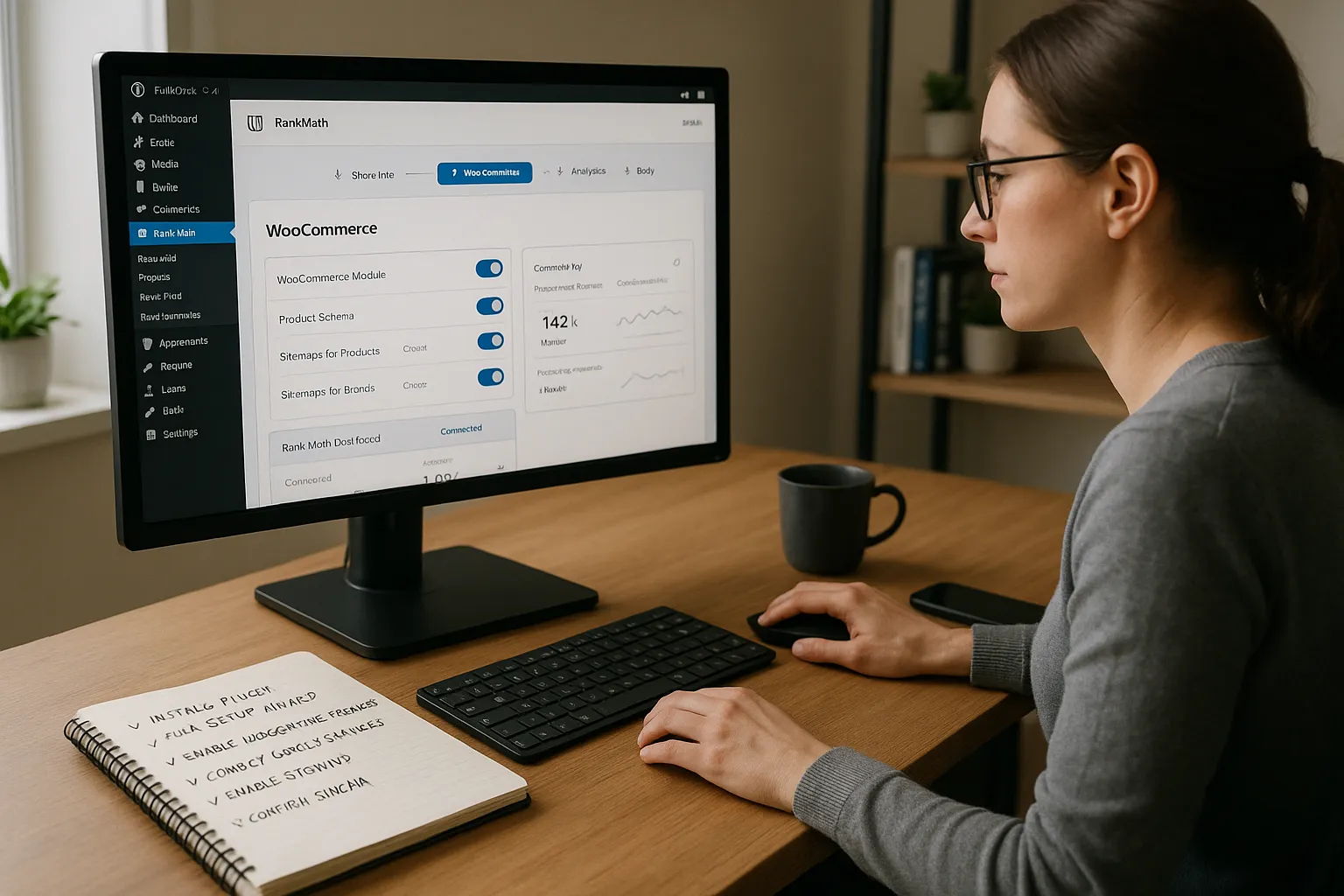
RankMath for WooCommerce installs in a few minutes if we follow a simple order.
- Install and activate Rank Math in the WordPress plugins screen. We use the official plugin from the WordPress.org directory.
- Run the setup wizard. We choose the site type as an online store, select our homepage, and let Rank Math auto-detect basic settings.
- Turn on the WooCommerce module. In Rank Math → Dashboard, we activate the WooCommerce module. If we use Rank Math PRO, this unlocks advanced product schema and variation support.
- Connect Google Search Console and Google Analytics. Inside Rank Math, we connect our Google account so we can see search and traffic data for our products without leaving the dashboard.
- Enable sitemaps. In the Sitemap settings, we make sure product, category, and brand URLs appear. This helps search engines discover and refresh inventory quickly.
- Confirm schema settings. We set the default schema type for WooCommerce products so every new product starts with correct structured data.
At this point the plugin works, but we still need to tune product-level settings.
Essential RankMath Settings To Optimize WooCommerce Products
Here is where RankMath for WooCommerce starts to pay off. We fine-tune a handful of options that affect every product.
We focus on:
- Titles and meta descriptions. We build templates that pull in product name, brand, price, and sometimes stock status. Then we adjust high-value products by hand using multiple focus keywords.
- Product schema details. In Rank Math PRO, we store brand, GTIN, MPN, and other identifiers so product feeds and organic search results stay consistent.
- Noindex for hidden or duplicate items. We mark password-protected, test, or temporary products as noindex to avoid index clutter.
- Product gallery in sitemaps. We make sure the sitemap includes main product images. That helps Google Images send the right shoppers.
- Short description content analysis. Rank Math can score both full descriptions and short snippets, so we keep those tight, readable, and focused on our main keyword.
We also create consistent title patterns for product categories so those pages can rank for broader commercial terms.
Using RankMath To Improve Store Visibility and Conversions
Once the basics are in place, RankMath for WooCommerce becomes our daily dashboard for search and sales impact.
Here is how we use it:
- Rich results with product schema. Ratings, prices, and availability in search results raise click-through rates. We monitor which products earn these and improve the ones that do not.
- Content analysis for products. We treat each product as a landing page. Rank Math’s suggestions help us tighten headings, internal links, and keyword use without stuffing.
- Internal link suggestions. When we publish buying guides or comparison posts, Rank Math suggests product links. That supports topical authority and moves readers closer to checkout. We often link from guides like a technical SEO checklist or a WooCommerce speed tuning guide to key products.
- Instant indexing (where supported). For fast-moving inventory, instant indexing helps new or restocked products appear sooner in search.
We also review Rank Math analytics each week to track which products gain impressions but not clicks, then improve titles, images, or pricing.
Common RankMath and WooCommerce SEO Mistakes To Avoid
RankMath for WooCommerce can only help if we avoid the traps we see in many stores.
Common mistakes:
- Skipping the setup wizard. Many owners rush past it and leave default settings that do not match their store type or goals.
- Ignoring product variation schema. If we sell sizes or colors and skip identifiers like GTIN, we miss out on better shopping visibility.
- Stuffing keywords. Some users repeat the same phrase in titles, descriptions, and image ALT text. Rank Math’s content score drops and search engines may treat the page as spammy.
- Leaving Search Console errors unresolved. Rank Math surfaces crawl and index issues, yet they sit for months. We set a weekly reminder to clear those.
- Forgetting mobile and image SEO. Heavy product images without ALT text hurt both rankings and user experience on phones.
We treat RankMath warnings as a to-do list. If something looks odd in the dashboard, it usually affects money pages first.
Conclusion
When we treat RankMath for WooCommerce as our SEO control center instead of just another plugin, product pages turn into real search assets. The combination of clear product schema, smart sitemaps, and focused content analysis gives search engines everything they need to trust and surface our store.
Start simple. Configure the wizard, tune product templates, and fix the biggest errors Rank Math reveals. Then layer in richer content, better internal links, and careful schema for top products. Over a few months, that steady approach turns quiet WooCommerce catalogs into stores that attract, convince, and convert search traffic.
Sources
- “Rank Math SEO Plugin Features”, Rank Math, 2024, https://rankmath.com/wordpress/plugin/seo-suite/
- “WooCommerce SEO: A Simple Guide”, WooCommerce, 2023, https://woocommerce.com/posts/woocommerce-seo-guide/
- “Configuring WooCommerce SEO with Rank Math“, Rank Math Docs, 2024, https://rankmath.com/kb/woocommerce-seo/
- “Search Console Help: Products and structured data“, Google, 2024, https://support.google.com/webmasters/answer/7552505
- “Introduction to Search Console“, Google Search Central, 2024, https://developers.google.com/search/docs/fundamentals/search-console
- “Image best practices“, Google Search Central, 2023, https://developers.google.com/search/docs/appearance/images
- “General guidelines”, Google Search Central, 2023, https://developers.google.com/search/docs/fundamentals/creating-helpful-content
Frequently Asked Questions
What is RankMath for WooCommerce and how does it help my online store?
RankMath for WooCommerce is an SEO plugin that reads WooCommerce product data and turns it into clean, machine-readable information for search engines. It adds product schema, optimizes titles and meta descriptions, manages sitemaps, and connects with Google Search Console to improve visibility and conversions from organic search.
How do I properly set up RankMath for WooCommerce step by step?
Install and activate Rank Math, run the setup wizard, and choose “online store” as the site type. Then enable the WooCommerce module, connect Google Search Console and Google Analytics, turn on sitemaps for products and categories, and confirm default product schema so every new item starts with correct structured data.
Which RankMath settings matter most for WooCommerce product SEO?
Key settings include templates for product titles and meta descriptions, detailed product schema (brand, GTIN, MPN), noindex rules for hidden or duplicate products, inclusion of product images in sitemaps, and content analysis for both short and long descriptions. Consistent category title patterns also help rank for broader commercial keywords.
How can RankMath for WooCommerce increase conversions, not just traffic?
RankMath for WooCommerce boosts conversions by earning rich results with price, ratings, and availability that raise click-through rates. Its content analysis treats each product as a landing page, while internal link suggestions from guides to products, plus weekly analytics reviews, help refine titles, images, and offers to convert more visitors.
Do I need Rank Math PRO for WooCommerce, or is the free version enough?
The free version covers core WooCommerce SEO, including basic schema, sitemaps, and title templates. Rank Math PRO adds advanced product schema, better variation support, and more robust analytics. Stores with many SKUs, serious Google Shopping goals, or complex product identifiers typically benefit from upgrading to PRO.
How long does it take to see SEO results after configuring RankMath for WooCommerce?
Most stores see meaningful changes within 4–12 weeks, depending on crawl frequency, competition, and how well on-page content supports the setup. Running the wizard, fixing major errors, optimizing key products, and building internal links help search engines trust your catalog faster and speed up ranking improvements.
Some of the links shared in this post are affiliate links. If you click on the link & make any purchase, we will receive an affiliate commission at no extra cost of you.
