

RankMath SEO Local settings can turn a quiet WordPress site into the shop on the corner that everyone suddenly finds on Google Maps. Picture this: one morning we check Search Console and see calls, clicks, and direction requests jump after a few quiet tweaks inside Rank Math. Nothing else changed. Same site. Same budget. Just smarter local SEO.
In this guide, we walk through how we set that up. We keep it practical, tool-focused, and grounded in what Google actually says about local ranking so you can repeat the same wins for your own business site.
Key Takeaways
- RankMath SEO Local transforms a basic WordPress site into a strong local signal source by structuring your business information with LocalBusiness schema that Google can easily understand.
- For RankMath SEO Local to work effectively, you must first have a verified Google Business Profile and consistent NAP (Name, Address, Phone) data across your website and major directories.
- Creating dedicated, well-optimized location pages—with full NAP, maps, local photos, and neighborhood-focused copy—helps each branch rank for its own city and service keywords.
- Using Rank Math’s on-page SEO suggestions on location and service pages ensures your titles, meta descriptions, headings, and internal links align with how real people search locally.
- Advanced RankMath SEO Local options like multiple locations, local sitemaps, geo-coordinates, and extra schema fields (price range, areas served, payment methods) strengthen visibility for more specific local queries.
- Ongoing tracking with Rank Math Analytics, Google Search Console, and Google Business Profile insights lets you refine titles, content, and calls to action based on real local search performance.
What Local SEO Is And Why It Matters For Your Business
Local SEO helps our business appear when people nearby search for what we offer, usually on Google Search and Google Maps. If someone types “coffee near me” or “personal injury lawyer in Austin”, local SEO decides which businesses show first.
Here is why it matters:
- Local searches lead to action. Google has reported for years that a high share of local mobile searches result in a visit or contact within a day.
- People trust map results. The local pack and map listings often sit above normal organic results, so they steal attention.
- Small players can compete. A neighborhood bakery can outrank a big chain for searches around one block if its local signals are strong.
Google explains that local ranking relies mainly on three ideas: relevance, distance, and prominence. Relevance is how well our business matches the search. Distance is how close we are to the searcher. Prominence is how well known and trusted our business looks online.
RankMath SEO Local features help us send clear signals on all three. We structure our business details, pages, and schema in a way Google can read. That way our WordPress site supports our Google Business Profile instead of just sitting in the background like a static brochure.
Getting Started With Rank Math Local SEO
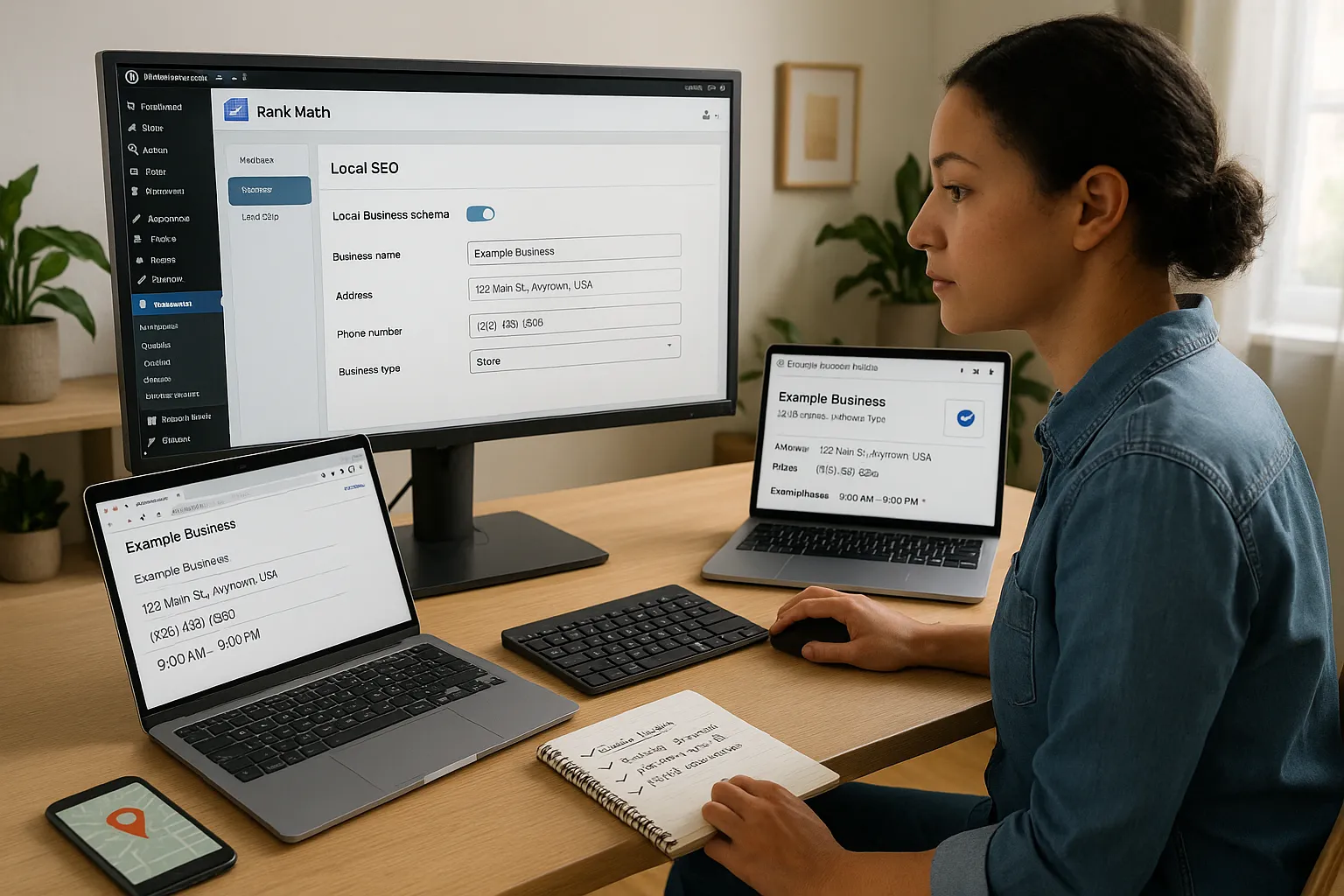
Before we touch any settings, we confirm three basic pieces are in place:
- WordPress + Rank Math installed
We run the Rank Math plugin, logged in as an admin. If we have the Pro version, we get extra Local SEO options like multiple locations, though the free version already covers a lot.
- Google Business Profile
Local SEO depends on more than our site. Google states that our Business Profile (name, address, phone, categories, hours) feeds directly into local results. So we either create or claim our listing and keep it verified and accurate.
- Consistent NAP data
NAP means Name, Address, Phone. We keep this consistent across site footer, contact page, social pages, and major directories. Small differences confuse search engines.
Once that is ready, we activate the RankMath SEO Local module inside the Rank Math dashboard. This unlocks Local Business schema, maps, and local sitemap options.
At this point our goal is simple. We want RankMath SEO Local to describe our business to search engines in a clean, structured way, while our Google Business Profile covers the map side. The two work together like a matching pair.
Configuring Essential Local SEO Settings In Rank Math
The Local SEO tab inside Rank Math holds the settings that matter most. We start there before tweaking content.
Business Info and Schema
We fill in:
- Business type (Local Business, Restaurant, Medical Clinic, Law Firm, and so on)
- Business name exactly as on our sign and Google Business Profile
- Full street address, city, state, ZIP, and country
- Main phone number with country code
- Business hours, including special hours where needed
RankMath SEO Local turns this into LocalBusiness schema using JSON-LD. Google’s documentation explains that this kind of structured data helps search engines understand who we are and where we are located.
GEO coordinates and map
If we have a single location, we add latitude and longitude. Rank Math can fetch these from Google Maps. That makes our location unambiguous, which helps when our address is similar to others.
We then choose whether RankMath SEO Local should output a map on our contact page. Many of us like a clean embedded map with driving directions.
Single vs multiple locations
If our business has many branches, we enable the multiple locations option. Rank Math can then:
- Create a custom post type for locations
- Generate location-specific schema for each branch
- Build a local sitemap that lists all locations
We map each location to a landing page, which sets us up for the content work in the next section.
Optimizing Your Local Business Website Content
Once RankMath SEO Local knows our business details, we shape our pages around how people search locally.
Build strong location pages
Each physical location deserves its own page. On that page we:
- Use a clear title like “Family Dentist in Dallas – Oak Creek Dental”
- Mention neighborhood, city, and service terms in natural sentences
- Add full NAP details, embedded map, and driving directions
- Include local photos: storefront, interior, staff
- Answer common questions around parking, public transport, insurance, menu, or pricing
We link each of these pages to its matching location entry inside Rank Math so schema stays in sync.
Use Rank Math’s on-page suggestions
On location and service pages, we set a focus keyword in Rank Math, such as “Seattle injury lawyer“ or “Chicago vegan brunch“. The plugin checks:
- Title and meta description usage
- URL slug
- Heading usage
- Content length and internal links
We treat these as a checklist, not a score-chasing game. Our goal is clear, helpful language that matches how real people speak.
To support topical depth, we create helpful blog posts tied to local needs and connect them with internal links. Posts like “What to do after a minor car crash in Phoenix“ can point to our main service and location pages. That approach strengthens the whole topical cluster around our brand and our city.
Leveraging Advanced Rank Math Features For Local Visibility
Once the basics are tidy, RankMath SEO Local offers advanced features that push our local visibility further.
Local search schema extras
We add extra fields in the Local SEO section where relevant:
- Price range for restaurants or services
- Cuisines or specialties
- Areas served for businesses that visit clients
- Accepted payment methods
These extra hints in schema help search engines match us with more specific local queries.
Multiple locations and category refinement
For franchises or multi-office practices, we tune each location page with its own category and short intro. One office might target “emergency dentist in Brooklyn“ while another leans on “family dentist in Queens“. RankMath SEO Local keeps each schema entry distinct while still rolling everything into one local sitemap.
Integrations and technical wins
We connect Rank Math with Google Search Console and Google Analytics so we can see search queries, clicks, and engagement sorted by page. That matters for local SEO because we can spot which city pages attract traffic and which ones lag.
We also pair RankMath SEO Local with clean site structure:
- Logical URLs like /city/service/ or /locations/city-neighborhood/
- Fast mobile performance
- Secure HTTPS
The tool does a lot of the heavy lifting, but our judgment still decides which fields and features fit our business story.
Measuring And Improving Your Local SEO Performance
Local SEO is not a one-time setup. We watch results and adjust. RankMath SEO Local gives us part of this picture, and Google tools fill in the rest.
Track rankings and clicks
Inside Rank Math Analytics (with the Pro plan), we can:
- Monitor impressions and clicks from Google Search Console
- See which pages and keywords win the most views
- Group performance by location pages
We compare these trends with Google Business Profile insights, which show:
- How many people found us on Search vs Maps
- Which queries they used
- How many called, visited our website, or requested directions
Refine based on data
If a location page draws impressions but few clicks, we adjust the title and meta description to sound clearer and more local. If another page gets clicks but no calls or leads, we review the content, contact details, and calls to action.
We also keep our Google Business Profile fresh with:
- New photos
- Short posts and offers
- Updated hours
Google mentions that freshness and engagement help local prominence. RankMath SEO Local keeps our site signals aligned with these updates so search engines see a consistent, active business.
We repeat this review every month or quarter, not every day. Local gains tend to build slowly, then jump when enough signals line up.
Conclusion
RankMath SEO Local turns WordPress from a static brochure into a clear, structured local signal that search engines can trust. When we pair it with an accurate Google Business Profile, focused location pages, and steady reviews, our chances to appear in the local pack rise.
Our next step is simple. We log in to our site, open the Rank Math Local SEO settings, and make sure every field reflects the real-world details of our business today. Then we give each location a page that sounds human, serves local needs, and links neatly into the rest of our content.
Done well, local SEO feels less like “gaming the algorithm” and more like giving nearby customers a straight path to our door.
Sources
- How to improve your local ranking on Google”, Google Search Central, last updated 2023, https://support.google.com/business/answer/7091
- “Get discovered on Google Search and Maps“, Google Business Profile Help, Google, ongoing, https://support.google.com/business/answer/6337471
- Search Engine Optimization (SEO) Starter Guide”, Google Search Central, 2023, https://developers.google.com/search/docs/fundamentals/seo-starter-guide
- The Essential Local SEO Strategy Guide”, Moz, 2023, https://moz.com/learn/seo/local
RankMath SEO Local – Frequently Asked Questions
What is RankMath SEO Local and how does it help my business?
RankMath SEO Local is a feature set inside the Rank Math plugin that adds LocalBusiness schema, location sitemaps, and map options to your WordPress site. It helps Google understand who you are, where you’re located, and what you offer, boosting visibility in local search and Google Maps.
How do I set up RankMath SEO Local for a single-location business?
Activate the Local SEO module in Rank Math, then fill out your business info: type, exact business name, full address, phone with country code, and opening hours. Add geo coordinates, link the LocalBusiness schema to your main contact or location page, and embed a map for directions if helpful.
Can RankMath SEO Local handle multiple locations for franchises or multi-office practices?
Yes. Enable multiple locations in the Local SEO settings. Rank Math will create a locations post type, generate unique schema per branch, and build a local sitemap. Create a dedicated landing page for each office, map it to the right location entry, and optimize titles and content for that city or neighborhood.
Is RankMath SEO Local enough on its own to rank in the local pack?
RankMath SEO Local is a powerful foundation, but it’s not enough by itself. You still need a complete Google Business Profile, consistent NAP across the web, reviews, relevant local content, good mobile performance, and links. The plugin structures your data; your broader local SEO signals determine rankings.
What’s the difference between RankMath SEO Local and Yoast Local SEO?
Both plugins add local business schema and location management. RankMath SEO Local is built into Rank Math (with extra options in Pro), while Yoast Local SEO is a separate premium add-on. Features are similar, but interfaces, pricing, and analytics integrations differ, so the choice often comes down to workflow and budget.
How should I measure results after configuring RankMath SEO Local?
Use Rank Math Analytics (Pro) and Google Search Console to monitor impressions, clicks, and queries for your location pages. Compare this with Google Business Profile insights for calls, website visits, and direction requests. If pages get views but few clicks or leads, refine titles, meta descriptions, content, and calls to action.
Some of the links shared in this post are affiliate links. If you click on the link & make any purchase, we will receive an affiliate commission at no extra cost of you.
