
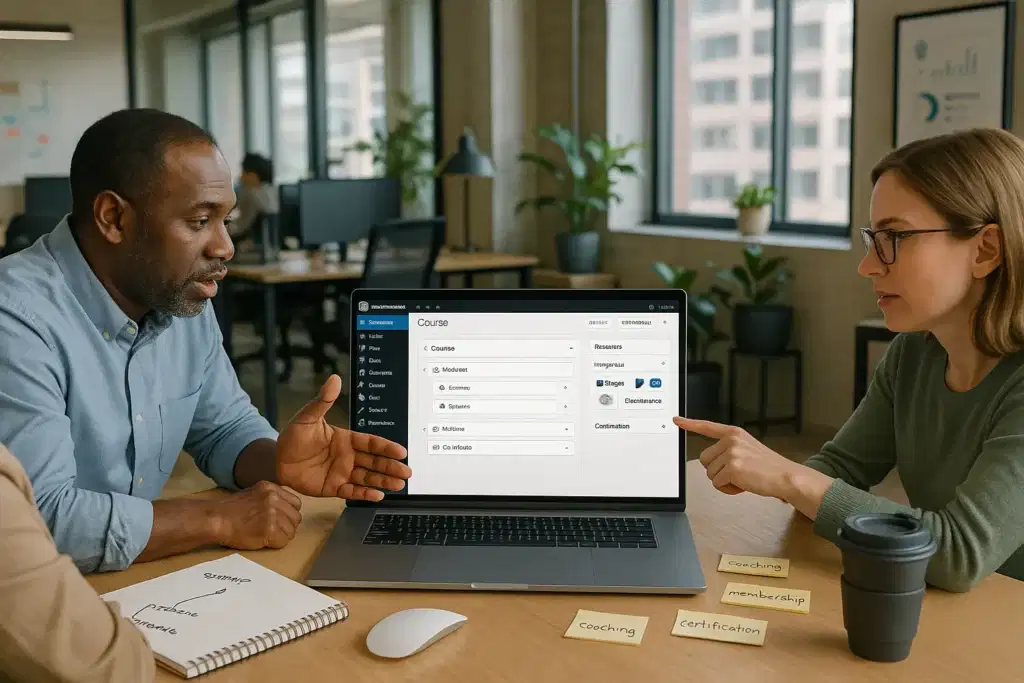
The first time a client asked us to “just add a course” to their existing WordPress site, we all stared at the screen for a minute. There were dozens of LMS plugins, conflicting reviews, and a long wish list: paid courses, quizzes, certificates, all without breaking the site.
Quick answer: the best learning management system for WordPress is the one that fits your business model and tech comfort level, not just the longest feature list. For serious course businesses, LearnDash usually comes out on top. For coaches, memberships, or stores adding training, other options on this list may fit better.
Key takeaways if you are choosing the best WordPress learning management system:
- Start from your business model: courses-only, courses + community, or store + training.
- Decide if you need enterprise-grade features now, or a simple starting point that can grow later.
- All tools below are WordPress-native: they differ mainly in depth, pricing, and integrations.
- Keep humans in the loop for support, refunds, and any regulated content (legal, health, finance).
Below are 7 of the best learning management systems for WordPress, who they are for, and what to watch for before you commit.
Key Takeaways
- The best learning management system WordPress users can choose depends first on your business model—serious course business, memberships, or a store adding training—before individual features.
- LearnDash is usually the top choice for a full-scale course business or certification program that needs advanced quizzes, reporting, and scalable e-learning.
- LifterLMS and MemberPress Courses work best when memberships, coaching, and recurring subscriptions are central to your revenue strategy.
- Tutor LMS, LearnPress, and WP Courseware suit budget-conscious creators or simple internal training portals that need a solid but lighter-weight LMS stack.
- If you already run a WooCommerce store, Sensei LMS is often the best learning management system for WordPress because it sells courses directly through your existing checkout and product setup.
1. LearnDash: Enterprise-Grade Power For Serious Course Businesses

Key Features And Standout Tools
If you want the best learning management system WordPress can offer for a serious course business, LearnDash is usually the benchmark.
Standout capabilities:
- Drag-and-drop course builder for courses → lessons → topics → quizzes.
- Focus Mode for distraction-free learning pages that feel like a dedicated app.
- Assignments, grading, and advanced quizzes for more academic or certification-style programs.
- Badges, points, and certificates to add gamification and completion incentives.
- AI-assisted tools (in newer versions) to help outline or draft lessons faster.
- Flexible payments: one-time, subscriptions, bundles, and integrations with WooCommerce, Stripe, and membership plugins.
In practice, LearnDash feels less like a simple plugin and more like an e-learning platform inside WordPress.
Best Fit: Who Should Choose LearnDash
LearnDash is ideal if you:
- Plan to build a primary course business (not just a bonus training area).
- Need scalable e-learning: many courses, cohorts, or more complex assessments.
- Want to combine courses with memberships, communities, or corporate training.
We see it used most successfully by:
- Professional course creators and educators.
- B2B training providers (client onboarding, certifications).
- Organizations needing reporting and structure that free LMS tools usually cannot match.
Implementation Notes For Small Businesses And Startups
A few practical details before you choose LearnDash:
- Pricing: Starts around $199/year for the core plugin. Add-ons or payment gateways may add cost.
- Stack fit: Works cleanly with WooCommerce, popular page builders, and membership plugins.
- Hosting: Because it can be heavy with lots of users, you will want solid WordPress hosting and caching.
- Governance: Set clear rules for refunds, access lengths, and data handling (progress data and quiz answers are still personal data).
If you want LearnDash but do not want to fight with setup, an agency like Zuleika LLC can wire it into a custom WordPress design, configure payments, and train your team so they are comfortable managing courses day-to-day.
2. LifterLMS: Flexible All-In-One LMS For Coaches And Membership Sites

Core Features And Add-Ons
LifterLMS is a very flexible WordPress LMS that leans into coaching, memberships, and mixed content models.
Core capabilities:
- Courses, modules, and lessons with quizzes and assignments.
- Certificates and achievements to reward progress.
- Built-in memberships to group access across multiple courses.
- Student dashboards, progress tracking, and basic reporting.
- Integrations for WooCommerce, Stripe, PayPal, and CRM tools via add-ons.
Because many features are modular, you can start lean and bolt on payment gateways, forms, and marketing integrations as you grow.
Best Fit: Coaching, Memberships, And Mixed Content Models
Choose LifterLMS if you:
- Run a coaching program with courses, office hours, and possibly a community.
- Want to sell memberships that include courses, downloads, and live sessions.
- Plan to mix free and paid resources under one membership structure.
It is especially good for personal brands and experts building a “university” area inside their main site.
Pricing And Stack Considerations
LifterLMS uses a freemium model:
- The core plugin is free, so you can test course structure and basic UX.
- Paid bundles typically range around $149–$199/year depending on add-ons.
Consider:
- If you need just one payment gateway, Lifter can be very affordable.
- If you layer many add-ons, pricing can approach LearnDash-level costs.
- Make sure your theme and page builder play nicely with its templates: a developer can fine-tune styling if needed.
For clients we work with, LifterLMS is often the sweet spot between power and flexibility when membership logic is as important as courses themselves.
3. Tutor LMS: Modern UI And Strong Free Version For Growing Brands

Key Features In The Free Vs Pro Versions
Tutor LMS has quickly become a popular choice for those who want a modern-looking LMS without a heavy upfront cost.
Free version highlights:
- Course, lesson, and quiz management.
- Front-end dashboard for instructors and students.
- Basic analytics and reporting.
Pro version (around $199/year) adds:
- E-commerce options (paid courses, subscriptions) and more gateways.
- Advanced quizzes, assignments, and content drip.
- Certificates and email notifications.
This makes Tutor LMS a strong candidate if you want to validate your idea with the free version, then unlock monetization as you grow.
Best Fit: Budget-Conscious Creators Who Want Room To Scale
Tutor LMS fits well if you:
- Are a growing brand with a tight budget.
- Want to test courses with a free audience before going all-in.
- Care a lot about a clean, modern interface for both desktop and mobile.
We often recommend it for startups that want a professional feel fast but are not ready for a heavy enterprise stack.
Design And UX Considerations In WordPress
Tutor LMS shines visually, but you still need to align it with your brand:
- Its default templates look modern, especially with popular page builders.
- You may want a designer to match fonts, colors, and layout to your existing site.
- Check responsive behavior carefully: run through full enroll → learn → complete flows on mobile.
If you are aiming to be seen as the best WordPress learning management system in your niche, that polished UX can make a noticeable difference in conversions and completion rates.
4. LearnPress: Lightweight LMS For Simple Course Catalogs

Feature Overview And Extensions
LearnPress is a lightweight LMS that works well when you just need a straightforward course catalog.
Core plugin (free) offers:
- Courses, lessons, and simple quizzes.
- Basic student management.
- Simple course pages that integrate with your theme.
Paid add-ons and bundles (often around $149+) can add:
- Payment gateways (Stripe, PayPal, WooCommerce).
- Certificates, content drip, and more quiz types.
- Integrations with membership plugins.
Best Fit: Starter Courses And Simple Training Portals
LearnPress makes sense if you:
- Want to add a few simple courses to your WordPress site.
- Need a basic internal training portal (e.g., onboarding videos and short quizzes).
- Are comfortable with a slightly more “utility” interface instead of a glossy student experience.
It is a good starting point for early-stage businesses that want to validate demand before investing in a heavier LMS.
Performance And Maintenance Considerations
Because LearnPress is relatively lean:
- It can perform well on modest hosting, as long as you avoid overloaded themes.
- Fewer features mean less configuration overhead and fewer things to break.
Watch for:
- Free plan limitations around memberships and payment flexibility.
- Compatibility with your theme, some LearnPress-ready themes bundle styling.
If you later outgrow it, migrating into a bigger LMS (like LearnDash or LifterLMS) is possible but will take planning, so it is worth sketching that future path early.
5. Sensei LMS: Native WooCommerce Integration For Paid Courses

Tight Integration With WooCommerce
Sensei LMS is developed by Automattic, the company behind WooCommerce, so it is deeply integrated with WooCommerce out of the box.
What that means in practice:
- You sell courses as WooCommerce products, using the same checkout you already use for physical or digital goods.
- You can bundle courses with other products (e.g., a course + workbook + community).
- Payments, coupons, and taxes are handled via WooCommerce.
Pricing is typically around $129+ or $15/month, depending on the plan and add-ons.
Best Fit: Stores Adding Courses Or Product-Based Training
Sensei LMS is smart if you:
- Already run a WooCommerce store and want to bolt on courses without reshaping your stack.
- Offer product training (e.g., software tutorials, equipment training, workshops) as an upsell.
- Want to keep all revenue and reporting in WooCommerce.
For ecommerce-first brands, this can be the cleanest route to a training arm with minimal disruption.
When Sensei LMS Is Not The Right Choice
Sensei is not ideal if you:
- Need extremely advanced quizzes, academic-level grading, or certifications.
- Want complex membership tiers or community features inside the LMS without extra plugins.
- Do not plan to use WooCommerce at all, its biggest strength would be wasted.
If you already rely heavily on WooCommerce and are looking for the best learning management system for WordPress stores, Sensei is usually near the top of the list.
6. WP Courseware: Straightforward LMS For Internal Training And SMBs
Notable Features And Integrations
WP Courseware is a straightforward LMS that focuses on ease of use for small and mid-sized businesses.
Key features:
- Drag-and-drop course builder for modules and lessons.
- Quizzes, progress tracking, and completion certificates.
- Integrations with WooCommerce, membership plugins, and email marketing tools.
- Email notifications for enrollment, completion, and reminders.
Licensing often starts around $99–$129/year, which is attractive for smaller teams.
Best Fit: Internal Training, HR, And Simple Client Education
WP Courseware works well when your goal is practical training, not building a flashy course marketplace.
Ideal use cases:
- Internal HR training (onboarding, policies, SOPs).
- Client onboarding courses to reduce support tickets.
- Partner or reseller training where you just need a clear path and progress tracking.
In these scenarios, you care more about clarity and completion than marketing bells and whistles.
Data Handling And Governance Basics
Because you are tracking employees or clients, governance matters:
- Limit who can access detailed progress data in WordPress (role-based permissions).
- Avoid putting sensitive HR or compliance content behind a simple login without additional protections.
- Use strong passwords and, ideally, 2FA via your security stack.
At Zuleika LLC, we typically map out who sees what and how long data is retained before we install any LMS for internal training. It keeps you aligned with privacy expectations and future compliance needs.
7. MemberPress Courses: Membership-First Approach To Online Learning
Course And Membership Features
MemberPress is known as a membership plugin, but its Courses add-on turns it into a capable LMS for membership-driven businesses.
Features include:
- Visual course builder layered on top of WordPress posts/pages.
- Structured lessons, progress tracking, and basic quizzes.
- Native membership rules to control who can access which courses.
- Integration with forums and community tools for discussion.
Pricing for MemberPress typically starts around $179.50/year, which includes the core membership engine plus Courses.
Best Fit: Subscription Communities And Content Libraries
MemberPress Courses is ideal if you:
- Run a subscription community where courses are one part of the value.
- Offer a content library (courses, PDFs, office hour replays) under recurring billing.
- Need tight control over access windows, trials, coupons, or tiered membership levels.
If membership strategy is your main focus, this can be the best WordPress learning management system for your model because everything orbits around recurring revenue.
Monetization And Access Control Options
Monetization is where MemberPress shines:
- One-time purchases, subscriptions, and bundles.
- Coupons, trials, and even “buy now, pay later” setups via payment gateways.
- Granular rules like “Course A is only for Gold members after 30 days.”
This level of control is powerful, but it needs planning. We usually:
- Map your offers and tiers on paper first.
- Decide what is a course, what is a bonus, and what is community-only.
- Carry out MemberPress rules to match that model exactly.
That process-first approach saves a lot of rework later when you want to scale or run promotions.
Conclusion
If you are feeling a bit overwhelmed by options, you are not alone. Almost every client who asks us for the best learning management system for WordPress starts with the same question: “Can you just tell us which one to use?”
Here is the simple way to choose:
- Serious course business or certification program? Start with LearnDash.
- Coaching, memberships, or mixed content? Look closely at LifterLMS or MemberPress Courses.
- Budget-conscious, want a modern UI and strong free tier? Test Tutor LMS.
- Simple starter courses or internal portal? Consider LearnPress or WP Courseware.
- Existing WooCommerce store adding training? Sensei LMS is usually the cleanest fit.
Whichever you choose, treat your LMS as part of a bigger system: branding, payments, email, analytics, and support. Map the workflow first (signup → purchase → access → complete → follow-up), then pick the plugin that fits that flow with the least friction.
If you would like a partner to help you select, carry out, and brand the best WordPress learning management system for your specific business, Zuleika LLC designs and builds custom WordPress + LMS setups, from initial strategy through launch and training. You can explore our packages or book a free consultation at zuleikallc.com to get a clear, concrete plan for your course or training platform.
Frequently Asked Questions
What is the best learning management system for WordPress overall?
There’s no single best learning management system for WordPress for every site. For serious, standalone course businesses or certification programs, LearnDash is usually the strongest choice. For coaching, memberships, or communities, LifterLMS or MemberPress Courses often fit better, while Tutor LMS, LearnPress, Sensei, and WP Courseware shine in more specific scenarios.
How do I choose the best WordPress learning management system for my business model?
Start by defining your model: pure course business, coaching + community, or online store + training. Then map your ideal flow (signup, purchase, access, completion, follow-up). Compare each LMS—LearnDash, LifterLMS, Tutor LMS, LearnPress, Sensei, WP Courseware, MemberPress—against that workflow, your budget, and your tech comfort level.
Which WordPress LMS is best for WooCommerce stores adding courses?
If you already run a WooCommerce store, Sensei LMS is often the cleanest choice. It lets you sell courses as WooCommerce products, reuse your current checkout, coupons, and taxes, and even bundle courses with physical or digital products. This keeps all revenue, reporting, and order management in one familiar system.
What is the difference between a WordPress LMS plugin and a hosted course platform like Teachable?
A WordPress LMS plugin (like LearnDash or LifterLMS) lives on your own site, giving you full control over branding, data, and pricing, but you must handle hosting, security, and maintenance. Hosted platforms like Teachable or Kajabi manage the tech for you, but limit customization and usually charge higher ongoing platform fees.
Can I migrate from one WordPress learning management system to another later?
Yes, you can migrate between WordPress LMS plugins, but it takes planning. Typically you’ll recreate course structures in the new LMS and use export/import tools or CSVs for users and enrollments. Expect some manual cleanup—especially quizzes and certificates—so it’s wise to choose an LMS with your 2–3 year roadmap in mind.
Some of the links shared in this post are affiliate links. If you click on the link & make any purchase, we will receive an affiliate commission at no extra cost of you.
