
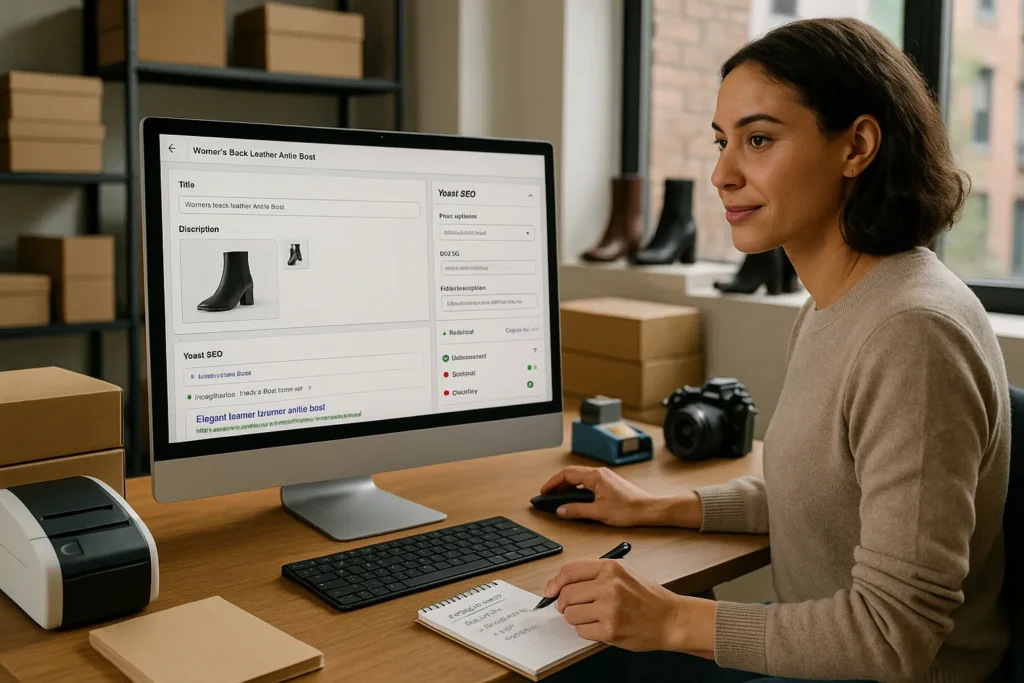
Yoast SEO for Shopify feels almost like adding a seasoned SEO coach right inside our product pages. Instead of guessing at titles, meta descriptions, or internal links, we see clear prompts while we work in Shopify. In this guide, we walk through how Yoast SEO for Shopify fits into a real store, where it helps most, and where we still need extra tools and settings to rank well and sell more.
Key Takeaways
- Yoast SEO for Shopify works as an on-page SEO coach inside your Shopify editor, guiding titles, meta descriptions, URLs, schema, and readability in real time.
- Installing Yoast SEO for Shopify is quick, but you must correctly set basics like site name, Google Search Console connection, and search visibility before optimizing pages.
- Using focus keyphrases on products, collections, and blog posts helps you write clearer, keyword-aligned content that Yoast can grade and improve with its color-coded feedback.
- The Yoast SEO Insights feature reveals topic focus, warns against keyword stuffing, and surfaces content gaps so you can plan better SEO content and supporting guides.
- Yoast SEO for Shopify does not fix theme speed, site structure, or technical SEO by itself, so you still need a fast theme, clean internal linking, and complementary apps for best results.
What Yoast SEO for Shopify Actually Does
Yoast SEO for Shopify plugs into our admin so we can edit SEO content without leaving the product, collection, or blog editor. It focuses on on-page SEO. That means the app guides us on how a single page or product should look to search engines.
Here is what it mainly covers:
- Title tags and meta descriptions
- URL slugs
- Schema markup (structured data)
- Readability and keyword checks
- Social sharing previews
The app adds a Yoast panel below our Shopify content editor. Inside that panel, we fill in our focus keyphrase, edit the SEO title and meta description, and see real-time SEO feedback. According to Yoast‘s own product docs, the Shopify app uses the same analysis engine that powers Yoast SEO for WordPress, adapted for Shopify’s Liquid templates and theme structure (Source: “Yoast SEO for Shopify,“ Yoast, 2024, https://yoast.com/shopify/).
So Yoast SEO for Shopify does not replace our theme, our speed settings, or our broader marketing plan. It acts more like a checklist and coach for each page we publish, with extra structured data support for products and blog posts.
Key Features Shopify Store Owners Should Care About
We can ignore the fluff and focus on the parts of Yoast SEO for Shopify that move the needle for a growing store.
On-page SEO analysis
Yoast SEO for Shopify runs an SEO check every time we save a product, collection, or article. It looks at keyword usage in:
- Title tag
- Meta description
- H1 and subheadings
- Body copy
- Image alt text
- URL slug
We get simple color signals (green, orange, red) so we can see where a page stands at a glance.
Readability feedback
Readability often gets ignored on ecommerce sites. Yoast SEO for Shopify grades sentence length, paragraph length, transition words, passive voice, and heading structure. Google’s documentation on helpful content stresses easy-to-read language and clear purpose on each page (Source: “Creating helpful, reliable, people-first content,“ Google Search Central, 2023, https://developers.google.com/search/docs/fundamentals/creating-helpful-content).
Shopify-focused schema
Yoast SEO for Shopify adds structured data to products and blog posts so Google can show rich results such as price, rating, and availability when supported. Shopify already adds some product schema, but Yoast aims to tidy and extend it, especially around the sitewide graph.
Social previews
The app lets us set Open Graph and Twitter Card titles, descriptions, and images, so a product link looks clean on Facebook, X, and LinkedIn.
Those are the features we focus on day to day, because they shape how our store appears in search results and social feeds.
How To Install And Set Up Yoast SEO On Shopify

The Yoast SEO for Shopify install process is quick, but we still want to set a few things carefully.
1. Install the app
- In the Shopify admin, go to Apps.
- Open the Shopify App Store and search for Yoast SEO.
- Click Add app and approve permissions.
- Start the free trial or paid plan as offered.
Yoast SEO for Shopify is a paid app with a monthly subscription. Pricing is listed on the app page in the Shopify App Store (Source: “Yoast SEO,“ Shopify App Store, 2024, https://apps.shopify.com/yoast-seo).
2. Connect your domain and basics
Once installed, the Yoast wizard guides us through:
- Confirming our site name and preferred title format
- Connecting Google Search Console if we choose
- Picking the type of site (online store, brand, etc.)
We keep the site name clear and short. For example, “Atlas Bike Co“ instead of “Atlas Bike Co | Quality Bikes & Gear“.
3. Check visibility and index settings
We confirm our store is set to allow search engines in Online Store → Preferences in Shopify. The password page and “noindex“ flags can block rankings if left on during launch.
At this point, Yoast SEO for Shopify is active on products, collections, pages, and blog posts. From here, most work happens page by page.
If we already have content, this is a good moment to plan a batch update. A simple way is to start with top-earning products and most visited pages, then work down. We often pair this with a checklist like a “Shopify SEO basics“ guide on our site, linked from something like /blog/shopify-seo-checklist for quick reference.
Optimizing Products, Collections, And Blog Posts With Yoast
Here is where Yoast SEO for Shopify earns its keep. We use it directly on the content types that drive money.
Products
On a product page in Shopify, scroll to the Yoast SEO for Shopify panel.
1. Choose a focus key phrase
Use the exact phrase a buyer would type, such as “women’s black leather ankle boots“ instead of “product 4021”.
2. Edit the SEO title
Keep it under about 60 characters, include brand, product, and main modifier. Example: Atlas, Women's Black Leather Ankle Boots.
3. Write a meta description
One or two short sentences that mention main benefits and the focus keyphrase.
4. Improve the product description
Yoast SEO for Shopify flags missing headings, thin content, or missing keyphrase use. We expand with specs, use cases, and FAQs.
5. Check images
Add alt text that describes the item in natural language.
Collections
Collection pages often bring strong search traffic because buyers search category terms like “running shoes” or “vegan skincare”. In the Yoast SEO for Shopify panel, we:
- Set a focus keyphrase for the collection topic
- Add 150–300 words of helpful intro content at the top
- Use internal links to best-selling products
We can link to a broader resource such as /blog/guide-to-running-shoes, which also helps internal link structure.
Blog posts
Yoast SEO for Shopify treats blog posts much like WordPress. We:
- Pick one main focus keyphrase
- Use it in title, intro, one or two headings, and naturally through the text
- Add internal links to products and collections
We aim for a clear answer to a real buyer question. For example, “How to choose between road and trail running shoes“ that then links to both relevant collections.
Using Yoast SEO Insights To Guide Your Content Strategy
Yoast SEO for Shopify includes an Insights feature that looks at our text and tells us which words appear most often. It sounds simple, but it quickly exposes when our copy drifts from the topic buyers care about.
Here is how we use it.
Check topic focus
If we want to rank a product for “organic dog treats“ but Insights shows words like “cute packaging” and “gift”, we know our content needs work. We adjust headings and body copy until the topical words match our target keyword set.
Calm down keyword stuffing
Yoast SEO for Shopify flags when we push the exact phrase too hard. Google’s spam policies warn against repetitive or unnatural keyword usage (Source: “Spam policies for Google web search,“ Google Search Central, 2023, https://developers.google.com/search/docs/essentials/spam-policies). We keep the focus keyphrase mention rate around the 1–2 percent mark and let synonyms carry the rest.
Spot content gaps
When we review Insights across several posts, patterns stand out:
- Repeated themes we could turn into pillar guides
- Missing words buyers actually use in search
- Categories that lack supporting content
We log those ideas into our content calendar and map them to products and collections. Over time, Yoast SEO for Shopify becomes less of a single-page tool and more of a lens on which topics our store truly owns.
When Yoast SEO Is Not Enough: Apps, Theme, And Technical Settings
Yoast SEO for Shopify covers on-page SEO, but search results depend on much more than titles and meta descriptions. We need to pair it with smart technical and design choices.
Theme and speed
Our theme controls layout, code size, and many scripts. Google research shows that as page load time rises from 1 to 3 seconds, the chance of a bounce increases by 32 percent (Source: “Find out how you stack up to new industry benchmarks,“ Think with Google, 2017, https://www.thinkwithgoogle.com/marketing-strategies/app-and-mobile/mobile-page-speed-new-industry-benchmarks/). We:
- Use a lean theme from the Shopify Theme Store
- Compress images
- Remove unused apps and scripts
Yoast SEO for Shopify will not repair a slow, bloated theme.
Site structure and internal links
We still need a clear hierarchy:
- Collections grouped in logical categories
- Products sitting inside the right collections
- Blog posts linking to both educational guides and products
Yoast SEO for Shopify helps at the page level, but we plan structure ourselves. A simple internal linking guide on our own blog, such as /blog/shopify-internal-linking-guide, can keep the team consistent.
Extra SEO and marketing apps
Sometimes we add:
- A 301 redirect manager for old URLs
- A review app that supports rich snippet markup
- Analytics tools for search and behavior
We treat Yoast SEO for Shopify as our on-page advisor, then layer technical SEO, content strategy, and off-site promotion around it.
Conclusion
Yoast SEO for Shopify gives us structure, feedback, and confidence as we work on titles, descriptions, and on-page content. It turns each product, collection, and blog post into a small SEO project with clear next steps.
We still need smart theme choices, fast pages, and a content plan that matches how our buyers search. When we combine those with Yoast SEO for Shopify’s guidance, we turn our store into something search engines can understand and buyers can trust more easily.
If we treat this app as a coach, not a crutch, it helps us build a store that grows steadily instead of depending on guesswork and paid ads alone.
Yoast SEO for Shopify: Frequently Asked Questions
What does Yoast SEO for Shopify actually do for my store?
Yoast SEO for Shopify focuses on on-page SEO inside your Shopify admin. It helps you optimize title tags, meta descriptions, URL slugs, readability, schema markup, and social previews for products, collections, pages, and blog posts, giving you real-time feedback without leaving the Shopify editor.
How do I install and set up Yoast SEO on Shopify?
In your Shopify admin, open the App Store, search for Yoast SEO, click “Add app,” approve permissions, and start the trial or subscription. Then follow the setup wizard to confirm your site name, choose a title format, optionally connect Google Search Console, and confirm your visibility settings allow search engines.
How should I use Yoast SEO for Shopify to optimize product pages?
On each product, use the Yoast panel to choose a buyer-focused keyphrase, edit the SEO title, and write a benefit-led meta description. Improve the product description with clear headings, useful details, and FAQs. Finally, add descriptive image alt text so search engines better understand your product visuals.
Does Yoast SEO for Shopify improve site speed or technical SEO?
Yoast SEO for Shopify does not fix speed or deep technical issues. It’s mainly an on-page optimization coach. You still need a lean theme, compressed images, minimal unused apps, logical site structure, solid internal linking, and possibly extra apps for redirects, reviews, and analytics to cover broader SEO needs.
Is Yoast SEO for Shopify worth it compared to other Shopify SEO apps?
Yoast SEO for Shopify is especially strong for content-heavy stores that want clear, page-level guidance like readability checks, keyphrase analysis, and structured data support. Other apps may focus more on technical tasks, backlinks, or bulk edits. The best choice depends on whether your main gap is content optimization or technical SEO.
Can Yoast SEO for Shopify help my products appear as rich results in Google?
Yes. Yoast SEO for Shopify enhances structured data for products and blog posts so Google can better understand price, rating, and availability. Shopify already outputs some schema, but Yoast helps tidy and extend it, improving your chances of earning rich snippets when Google chooses to show them.
Some of the links shared in this post are affiliate links. If you click on the link & make any purchase, we will receive an affiliate commission at no extra cost of you.
