

We remember the first time we opened Yoast SEO and stared at the traffic-light colors like they were judging our entire marketing plan. Maybe you’ve felt that too. The truth is, a Yoast SEO expert treats that plugin less like a checklist and more like a control panel for how search engines understand a site. In this guide, we’ll walk through how we use Yoast like pros, so you can do the same or know exactly who to hire.
Key Takeaways
- A Yoast SEO expert treats the plugin as a strategic control panel, aligning its settings with real keyword research, search intent, and business goals instead of just chasing green lights.
- Getting core Yoast SEO settings right—indexation rules, content types, schema, breadcrumbs, and sitemaps—quickly fixes many crawl, duplicate content, and visibility issues.
- Experts use Yoast to guide on-page optimization by choosing data-backed focus keyphrases, crafting compelling titles and meta descriptions, and improving readability without sacrificing brand voice.
- Advanced features like internal linking suggestions, cornerstone content, and the redirect manager help a Yoast SEO expert build strong topic clusters, protect traffic, and prevent orphaned or broken pages.
- You should hire a Yoast SEO expert when traffic stalls, indexation or snippet issues appear, or writers feel confused by the plugin, and you need a structured audit, cleanup, and training to tie Yoast directly to growth.
What A Yoast SEO Expert Actually Does
A Yoast SEO expert turns a simple WordPress plugin into a structured search strategy.
We don’t just chase green bullets. We connect Yoast settings with real business goals, search intent, and how Google and Bing parse content.
Here is what that looks like day to day:
- Auditing existing Yoast settings, from sitewide features to individual posts.
- Cleaning up title formats, meta descriptions, and schema so they match brand and search demand.
- Setting clear rules for content types, categories, tags, and archives.
- Mapping focus keyphrases to real keyword research instead of guessing.
- Using Yoast insights, internal linking, and cornerstone content to shape a content structure.
- Fixing indexation problems and crawl waste with noindex, canonicals, and sitemaps.
In short, a Yoast SEO expert uses the plugin as a framework to control how your site appears and behaves in search, not as a cosmetic add-on.
Why Yoast SEO Matters For Professionals And Businesses
Yoast SEO matters because most of us do not have time to tweak every technical detail in WordPress by hand.
If we run a law firm, clinic, SaaS product, restaurant, or content brand, we want:
- Search snippets that look sharp and clear.
- Pages that search engines crawl once, understand fast, and index correctly.
- A simple way for non-technical writers to handle on-page SEO.
Yoast SEO gives that structure. It guides title tags, meta descriptions, schema.org markup, sitemaps, and indexation from one dashboard.
Used well, it:
- Helps local businesses show NAP data and location context.
- Helps publishers control categories, tags, and archives.
- Helps B2B brands highlight cornerstone guides instead of thin pages.
A Yoast SEO expert keeps those features tuned as the site, content library, and search results change.
If you already publish regularly, small changes inside Yoast can lead to large gains in impressions and click-through rate, even before you create new content.
Core Yoast SEO Settings Every Site Should Get Right
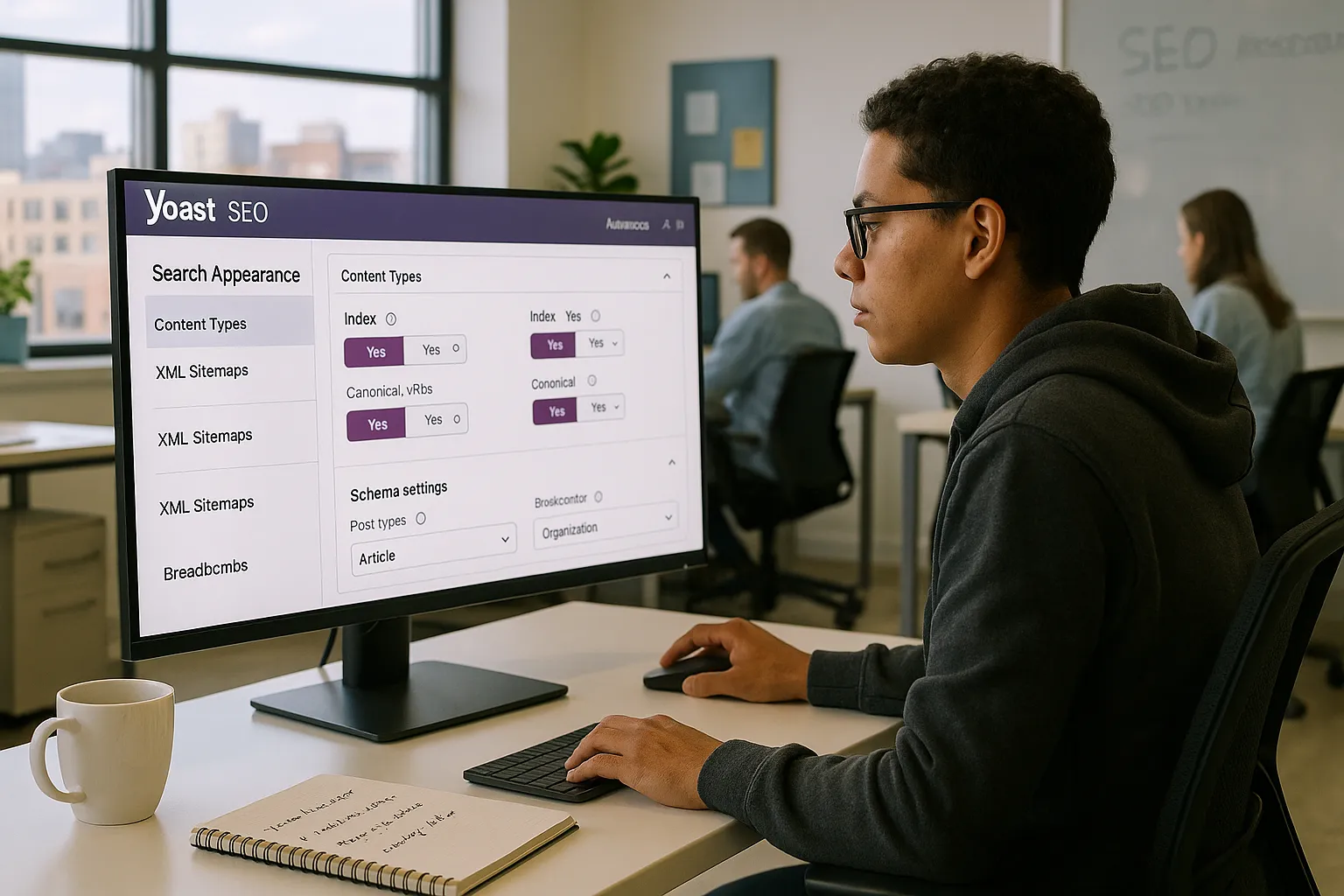
The fastest wins with Yoast SEO sit inside the core settings screens. We tidy those first.
Sitewide Technical And Indexing Settings
We start by checking:
- Search engine visibility in WordPress (no accidental “Discourage search engines“ box).
- Yoast “Search Appearance” settings for title formats and meta defaults.
- Canonical URL behavior to avoid duplicate content.
We decide what should be indexable: key pages, money posts, and core categories. Then we usually noindex thin pages like pagination, low-value filters, or certain attachment pages.
Content Types, Taxonomies, And Archives
Next we decide how content types behave. Posts, pages, products, events, courses, portfolios, and so on.
We ask: should each type appear in results, have custom meta, or support schema?
We also tidy categories and tags. Many sites let Yoast index every tag archive and wonder why crawl stats look messy. A Yoast SEO expert trims that back to only archives that deserve traffic.
Schema, Breadcrumbs, And Sitemaps
Schema in Yoast tells search engines what a page represents: article, product, FAQ, local business, or something else.
We set a correct “Organization” or “Person” profile, hook up breadcrumbs in the theme, and confirm XML sitemaps only include content that should be indexed.
That alone fixes many discoverability issues without touching a single blog post.
Using Yoast SEO To Optimize Content Like An Expert
Once the global settings are sensible, content becomes the main lever. This is where a Yoast SEO expert earns trust from writers.
Choosing The Right Focus Keyphrase
We never guess focus keyphrases inside Yoast. We bring in real keyword research from tools like Google Search Console, Ahrefs, or Semrush.
Then we:
- Match each post to one main search intent.
- Avoid cannibalization by not using the same focus keyphrase across many posts.
- Use natural variants in headings and body copy.
We treat the Yoast keyphrase field as a reminder of strategy, not a game to reach 100%.
Crafting Titles, Slugs, And Meta Descriptions
We write titles for humans first, snippets second, and Yoast lights last.
A good workflow:
- Start with the focus keyphrase early in the title.
- Add a real benefit or angle, not just “Complete Guide.”
- Keep slugs short, clear, and future-proof.
- Use the meta description to pitch the click in plain language.
We test ideas against live data in Google Search Console, not only Yoast‘s character counters.
Improving Readability Without Losing Your Voice
The Yoast readability tab helps new writers avoid dense walls of text.
We treat it as a coach, not a judge. Shorter sentences, headings, and active voice usually help ranking and user behavior.
At the same time, we ignore advice that flattens personality. If you are a doctor, lawyer, or scientist, some terms stay. We just break them into shorter paragraphs and use examples instead of jargon.
Advanced Yoast SEO Features For Growing Brands
As traffic grows, we use Yoast SEO less like training wheels and more like an internal search playbook.
Internal Linking Strategies With Yoast
Yoast‘s internal linking suggestions nudge writers toward helpful interlinks. A Yoast SEO expert curates those suggestions by marking cornerstone content and pruning outdated posts.
We often:
- Create internal link rules for product, feature, or service pages.
- Link from news or blog posts to stable, long-life guides.
- Use Yoast‘s text link counter to find orphaned pages.
You can read more on content structure here: Cornerstone content guide.
Cornerstone Content And Content Structure
Cornerstone flags tell Yoast which pages anchor a topic. We reserve this for:
- Main service or product pages.
- Deep guides that cover a topic end to end.
- Category hubs that link out to clusters.
A Yoast SEO expert then shapes internal links and menus around those anchors.
Redirect Manager And Fixing Broken URLs
Yoast Premium includes a redirect manager. Used well, it protects traffic when content moves.
We:
- Redirect old slugs when we rewrite posts.
- Consolidate thin posts into one stronger guide and redirect the rest.
- Clear 404s spotted in server logs or Google Search Console.
Clean redirects help both search engines and users reach the right page without confusion.
Social Previews And Brand Consistency
Social previews in Yoast help us keep titles, images, and descriptions aligned across Facebook, X, LinkedIn, and others.
We maintain a small swipe file of social title patterns and visuals so each new post matches brand tone.
Local, News, And Other Yoast Extensions
Larger brands often use Yoast Local SEO, Yoast News SEO, or Yoast Video SEO.
We use Local SEO for NAP data, maps, and location pages, News SEO for fast indexation and news sitemaps, and Video SEO so search engines understand embedded videos.
Handled by a Yoast SEO expert, these add-ons become part of a broader content and search plan, not just extra toggles.
When To Hire A Yoast SEO Expert (And What To Look For)
Sometimes Yoast SEO starts as a simple plugin and turns into a mess of conflicting settings and random green lights. That is when help pays off.
Signals You Should Bring In An Expert
We suggest bringing in a Yoast SEO expert when:
- Organic traffic has stalled or dipped for months.
- You publish often but rankings feel stuck.
- Writers complain that Yoast feels confusing.
- You have technical issues around indexation, duplicates, or weird snippets.
If your site drives leads, bookings, or revenue, misused settings can cost real money.
Questions To Ask A Yoast SEO Specialist
When we hire or collaborate, we ask:
- How do you connect Yoast settings to keyword and content strategy?
- Can you walk through a recent case where Yoast changes improved traffic or conversions?
- How do you train writers so Yoast helps, not distracts?
- Which metrics in Google Search Console and Analytics matter most after changes?
Listen for clear, plain language answers, not jargon.
Typical Process And Deliverables
A solid engagement with a Yoast SEO expert usually includes:
- Full settings audit and cleanup.
- Content mapping: which pages target which terms.
- Template updates for titles, schema, and social.
- A training session or handbook for your team.
You might also see a backlog of needed content based on gaps discovered. That ties Yoast setup directly to growth.
If you want to prepare ahead of time, try this starter checklist: WordPress SEO setup.
Conclusion
Yoast SEO looks simple on the surface, yet it shapes how every post, page, and product speaks to search engines.
When we treat it like a structured system, not a traffic-light game, we:
- Clear technical clutter that holds rankings back.
- Give writers a friendly framework for on-page SEO.
- Build topic clusters and cornerstone pages that grow with the business.
We can learn these skills and become our own Yoast SEO expert, or we can bring in someone who lives in this plugin every day. Either way, the goal is the same: a site that search engines understand quickly and people trust enough to click, read, and buy.
Yoast SEO Expert – Frequently Asked Questions
What does a Yoast SEO expert actually do for a WordPress site?
A Yoast SEO expert audits your global and post-level Yoast settings, aligns titles and meta descriptions with keyword strategy, configures schema and sitemaps, fixes indexation issues, and uses features like cornerstone content, internal linking, and redirects to shape how search engines crawl, understand, and display your site.
How can a Yoast SEO expert improve my organic traffic and CTR?
A Yoast SEO expert connects focus keyphrases to real keyword research, rewrites titles and meta descriptions to match search intent, trims low-value indexable pages, and tunes schema and sitemaps. These changes help search engines understand your content, surface better snippets, and often boost impressions and click-through rate without publishing brand-new pages.
Which core Yoast SEO settings should every site get right first?
Start by checking that search engine visibility is enabled in WordPress, then configure Yoast’s Search Appearance templates, canonical URL behavior, and indexation rules for posts, pages, categories, tags, and archives. Next, set accurate schema (Organization or Person), breadcrumbs, and clean XML sitemaps that only include content you actually want indexed.
When should I hire a Yoast SEO specialist instead of handling it myself?
Hire a Yoast SEO specialist when organic traffic has stalled, rankings feel stuck despite regular publishing, writers complain Yoast is confusing, or you see problems with indexation, duplicate content, or odd search snippets. For sites that drive leads, bookings, or sales, expert configuration can prevent costly technical and strategic mistakes.
Is Yoast SEO enough for ranking, or do I still need broader SEO work?
Yoast SEO is a powerful framework for on‑page and technical basics—titles, meta descriptions, schema, sitemaps, and indexation—but it’s not a full SEO strategy. You still need keyword research, high-quality content, link building, and solid site performance. A Yoast SEO expert typically plugs the plugin into a wider content and search strategy, not replaces it.
Some of the links shared in this post are affiliate links. If you click on the link & make any purchase, we will receive an affiliate commission at no extra cost of you.
