
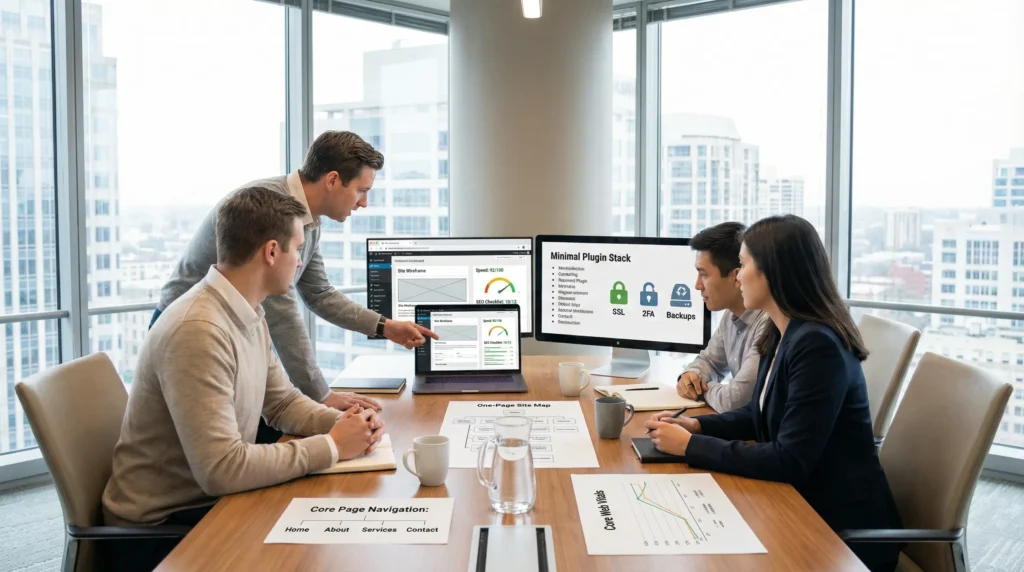
A WordPress website looks simple right up until you hit publish and your contact form does not send, your homepage loads like it is on dial-up, and your “quick edit” breaks the layout. We have watched that exact chain reaction happen after a late-night theme swap and, yes, it is a special kind of stress.
Quick answer: a business-ready WordPress site is not a pile of plugins. It is a planned system with clear goals, a sane stack (hosting, theme, plugins), and guardrails for speed, security, and SEO.
Key Takeaways
- A business-ready WordPress website is a planned system with clear goals and a lean stack—not a pile of plugins.
- Choose WordPress.org when your business relies on SEO, lead flow, or online sales because you control hosting, plugins, and your data.
- Improve speed and conversions by tackling the 80/20 fixes first: better hosting, caching, compressed images, and removing plugin bloat.
- Design every page around one primary action (form, booking, or checkout) and add trust details like “what happens next” to reduce abandonment.
- Protect your WordPress website with non-negotiables: frequent updates, daily backups, uptime monitoring, SSL, least-privilege roles, and 2FA.
- Reduce risk by rebuilding in staging first, testing mobile forms and checkout, and only then pushing changes live to avoid downtime and surprises.
What A WordPress Website Is (And What It Is Not)
WordPress is free, open-source software that runs on your hosting and lets you publish pages, posts, media, and products from a dashboard. A WordPress website is a content management system (CMS) you can shape into a blog, a service site, a portfolio, or a full WooCommerce store.
A WordPress website is not a hosted drag-and-drop builder with hard limits and “our platform, our rules” terms. Builders can work for quick MVPs, but many businesses outgrow them when they need better SEO control, deeper ecommerce features, or cleaner ownership of data.
If you want a high-control build path, start by reading our step-by-step guide on how to build a WordPress site. It will save you a few avoidable wrong turns.
WordPress.org Vs. Hosted Website Builders
WordPress.org means you install WordPress on your own hosting. That choice gives you real control:
- You own your domain and your files.
- You can install the plugins you need (SEO, forms, memberships, WooCommerce).
- You can customize code when you hit a ceiling.
Hosted builders (including some WordPress.com plans) trade control for convenience. They handle more maintenance, but they can limit themes, plugins, monetization options, and sometimes even what you can export.
A simple way to decide: if your business depends on search traffic, lead flow, or online sales, you usually want the control that comes with WordPress.org.
Themes, Plugins, And The Block Editor Explained In Plain English
Think of a WordPress website like a storefront:
- A theme controls your “walls and windows.” It sets layouts, fonts, and templates.
- A plugin adds functions, like a booking calendar, a payment gateway, or spam protection.
- The Block Editor (Gutenberg) is the page builder built into WordPress. You stack blocks (text, images, columns, buttons) to create content without touching code.
Here is the part people miss: plugins can fight each other. One plugin can add scripts that slow pages down. Another plugin can override styling. That is why we treat a WordPress website like a system, not a shopping cart of add-ons.
What A Business WordPress Website Needs To Do
A business WordPress website needs to earn trust fast and make the next step obvious. That “next step” might be a lead form, a phone call, a booking, or a checkout.
We map this as a simple chain:
- Clear message -> reduces confusion
- Reduced confusion -> increases clicks
- More clicks -> creates more leads or sales
Before design, we often start with structure. A quick wireframe locks the flow and prevents expensive rework later. Our guide on wireframing before design and development shows the lightweight approach we use.
Trust, Speed, And Mobile UX
Trust starts before someone reads a single word.
- A secure connection (HTTPS) shows the lock icon.
- A clean layout makes your offer feel real.
- Fast loading keeps users from bouncing.
Speed affects revenue. Google has said that site speed matters for user experience and can influence rankings in Search through page experience signals like Core Web Vitals. If your WordPress website feels slow, fix the 80/20 items first (hosting, caching, image size, and plugin bloat). We laid out a non-technical checklist in our WordPress speed guide.
Conversions: Leads, Bookings, Or Checkout
Your WordPress website should push one primary outcome per page.
- Service businesses: one strong contact form and one clear CTA.
- Clinics and consultants: booking flow that works on mobile.
- Ecommerce: product discovery, trust badges, and a checkout that does not ask for a life story.
Small detail, big result: your contact page should not be a dead end. Add a phone number, a short “what happens next,” and a privacy note if you collect sensitive info. That single change can reduce form abandonment because it reduces uncertainty.
Your Build Plan: Domain, Hosting, Theme, Plugins, And Content
Here is what works when you want a WordPress website that stays stable as you grow: pick the foundation first, then add features, then publish content.
Your build plan usually looks like this:
- Buy a domain.
- Choose hosting.
- Install WordPress.
- Pick a theme that matches your layout needs.
- Add only the plugins you can justify.
- Write and publish core pages.
When clients ask us where projects go sideways, the answer is almost always the same. People start with the theme demo, then chase it with plugins, then try to force their brand into it. Flip the order and life gets easier.
Choose Hosting That Matches Your Risk Level And Traffic
Hosting affects speed and security because the server controls your site’s resources.
- Shared hosting fits low-traffic sites with low risk.
- Managed WordPress hosting fits stores, membership sites, and brands that cannot afford weird downtime on a Tuesday.
If you handle payments, bookings, or protected client data, treat hosting like insurance. A stronger host can reduce outages. Fewer outages protect revenue and reputation.
Set Up Core Pages And Navigation For Clarity
Most business WordPress website builds need these pages:
- Home
- About
- Services or Products
- Contact
- Privacy Policy (and Terms if you sell)
Then set navigation with one goal: help visitors self-select fast.
A practical tip we use: keep your top menu to 5 to 7 items. More links can increase choice overload, and choice overload reduces clicks. Your footer can carry the “extra” links like careers, press, and long-form resources.
Security And Maintenance: The Non-Negotiables
Security work on a WordPress website feels boring until the day it is not. One compromised admin account can inject spam links, redirect traffic, or lock you out entirely.
We frame it as cause and effect:
- Fewer plugins -> fewer attack surfaces
- Fast patching -> closes known vulnerabilities
- Backups -> reduce recovery time
Updates, Backups, And Uptime Monitoring
Updates matter because most WordPress hacks target known, already-patched issues.
Your minimum routine:
- Update WordPress core, themes, and plugins.
- Run daily backups (more often for ecommerce).
- Monitor uptime so you learn about problems before customers do.
If you want a team to own these chores, our WordPress web development services include ongoing care options that fit small business budgets.
Hardening Basics: SSL, Least Privilege, And Login Protection
Start with the basics that stop common attacks:
- SSL (HTTPS): Many hosts offer free Let’s Encrypt certificates.
- Least privilege: Give staff “Editor” and “Shop Manager” roles when possible. Keep “Admin” accounts rare.
- Login protection: Use strong passwords, enable 2FA, and limit login attempts.
If you work in legal, healthcare, finance, or education, keep humans in the loop for anything sensitive. Do not paste private client details into random plugins or third-party AI tools. Data handling rules matter, and your WordPress website should respect them by design.
SEO And Performance Foundations That Actually Move The Needle
SEO starts with making your WordPress website easy for Google to crawl and easy for humans to trust. You do not need 37 “SEO fixes.” You need clean tech basics and consistent publishing.
Technical SEO: Indexing, Sitemaps, And Clean URLs
Technical SEO is mostly housekeeping:
- You allow indexing (you would be surprised how often this checkbox stays on).
- You generate an XML sitemap.
- You set clean permalinks.
An SEO plugin can help with metadata and sitemaps, but the plugin does not do strategy for you. Strategy comes from content that matches what customers search and pages that answer questions without burying the lead.
Core Web Vitals: Caching, Images, And Database Hygiene
Core Web Vitals measure loading and interaction quality. Large images and heavy scripts hurt scores. Bad scores hurt user experience, and user frustration reduces conversions.
Start here:
- Use image compression and modern formats when you can.
- Add caching.
- Remove plugins you do not need.
- Clean old revisions and junk data (carefully, and with a backup).
Design also plays a role. A clean layout with fewer moving parts often loads faster. If you want a deeper look at layout choices and build patterns, our article on WordPress web design breaks down what matters for business sites.
When To DIY Vs. Hire A Pro (And How To Scope The Work)
DIY works when your WordPress website needs stay simple and your risk stays low. Hiring a pro makes sense when revenue depends on the site, when you need custom flows, or when mistakes get expensive.
DIY is a good fit if:
- You need 5 to 10 pages.
- You can use a known theme.
- You can keep plugins minimal.
A pro is a good fit if:
- You sell products, subscriptions, or courses.
- You need custom design, custom fields, or integrations.
- You need higher security and ongoing maintenance.
If you already know you want outside help on the design side, our overview of WordPress website design services explains what you should expect in a real engagement.
A Simple Scope Checklist To Avoid Budget Surprises
Scope clarity saves money because it reduces rework.
Use this checklist before you start:
- What is the goal of the WordPress website (leads, bookings, ecommerce)?
- What pages do you need at launch?
- What integrations do you need (CRM, email marketing, shipping, POS)?
- Who writes the copy and provides photos?
- Who handles maintenance after launch?
Money question you should ask early: “What does this usually cost?” We keep a transparent breakdown in our guide to WordPress website design cost. It helps you plan before you get emotionally attached to a site mockup.
How To Run A Low-Risk Pilot Before A Full Redesign
A low-risk pilot protects your live site and your sanity.
Run the new WordPress website in a staging environment first:
- Clone your site to staging.
- Test the new theme and plugin stack.
- Check forms, checkout, and key pages on mobile.
- Move changes to production after sign-off.
We like “shadow mode” for big changes. You build the new site quietly, measure performance, then flip the switch when it is ready. That approach reduces downtime and reduces stakeholder panic.
Conclusion
A WordPress website can feel like a blank canvas or a maintenance headache. The difference comes from your blueprint. Plan the flow, pick a lean stack, and protect the site with updates, backups, and least-privilege access.
If you want a calm build path, start small: one core offer, a fast mobile page, and one conversion goal. Then expand with data, not guesses.
Frequently Asked Questions About a WordPress Website
What is a WordPress website, and what is it not?
A WordPress website is a CMS you install on hosting to publish pages, posts, media, or products from a dashboard. It’s not a locked-down drag-and-drop builder with strict platform limits. With WordPress, you control your files, plugins, and customization options.
WordPress.org vs hosted website builders: which is better for a business WordPress website?
For many businesses, WordPress.org is better because it offers stronger ownership and flexibility: you control your domain and files, can use the plugins you need, and customize code if required. Hosted builders are convenient, but can restrict themes, plugins, SEO, monetization, and exports.
Why is my WordPress website slow, and what are the fastest fixes?
A WordPress website often slows down due to weak hosting, too many plugins, uncompressed images, and missing caching. Start with the 80/20 fixes: upgrade hosting if needed, enable caching, resize/compress images, and remove plugin bloat. These changes usually improve Core Web Vitals and conversions.
What pages should a business WordPress website have at launch?
Most business WordPress website launches need core pages that build trust and guide action: Home, About, Services or Products, Contact, and a Privacy Policy (plus Terms if you sell). Keep navigation simple—often 5–7 top-menu items—to reduce choice overload and help visitors self-select quickly.
How do I keep a WordPress website secure and reduce hack risk?
Security comes from basics done consistently: keep WordPress core, themes, and plugins updated, run daily backups (more for ecommerce), and monitor uptime. Use SSL (HTTPS), limit admin accounts with least-privilege roles, and protect logins with strong passwords, 2FA, and limited login attempts.
Can I build a WordPress website myself, or should I hire a pro?
DIY is realistic if your WordPress website is simple (about 5–10 pages), you can use a proven theme, and you’ll keep plugins minimal. Hire a pro when revenue depends on the site—ecommerce, memberships, custom integrations, higher security needs, or when mistakes and downtime would be expensive.
Some of the links shared in this post are affiliate links. If you click on the link & make any purchase, we will receive an affiliate commission at no extra cost of you.
We improve our products and advertising by using Microsoft Clarity to see how you use our website. By using our site, you agree that we and Microsoft can collect and use this data. Our privacy policy has more details.
