
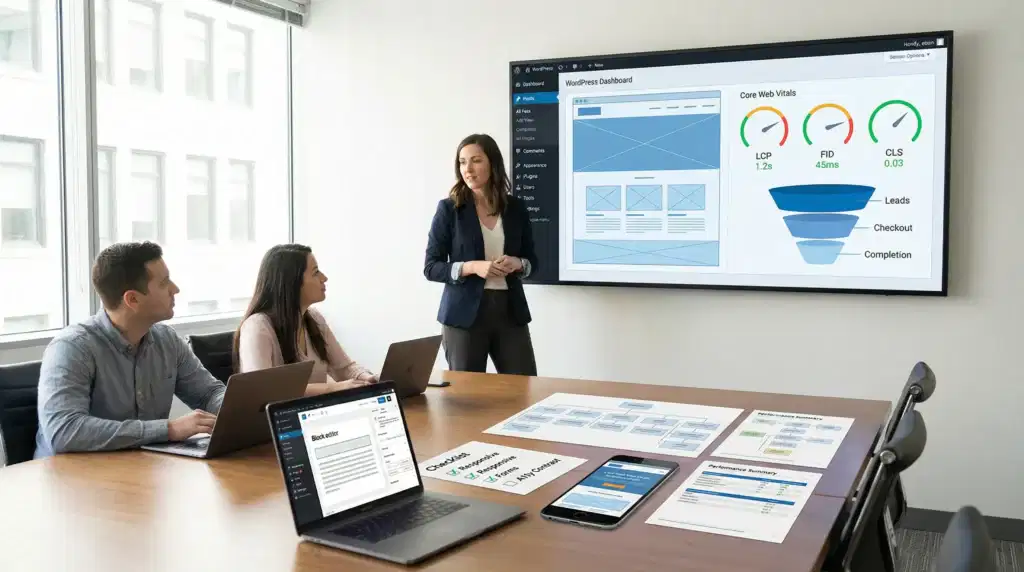
WordPress web design looks easy right up until you watch a “pretty” site load like molasses on a phone and your checkout rate drops overnight. We have been there, staring at a homepage that felt polished while the numbers told a different story.
Quick answer: good WordPress web design for business sites blends clear UX, fast performance, and routine upkeep so people trust you, find you, and buy from you without friction.
Key Takeaways
- Good WordPress web design prioritizes clarity, speed, trust signals, and easy updates so visitors take the next right action with minimal friction.
- Treat WordPress web design as a system—design, development, and ongoing maintenance—because skipped updates increase plugin risk, downtime, and lost revenue.
- Start every project with measurable goals, then lock scope with a sitemap and wireframes before visual design to reduce rework and keep budgets sane.
- Protect conversions by QA testing on real devices (responsive layouts, forms, and content loading) so mobile users don’t hit broken flows or layout shifts.
- Improve Core Web Vitals by compressing images, caching smartly, limiting fonts, and removing unused scripts, since performance directly affects bounce rate and SEO.
- Avoid common WordPress web design pitfalls like plugin pileups, overbuilt animations, confusing navigation, and long forms by keeping only what earns its keep and tracking key actions with analytics.
What “Good” WordPress Web Design Means For Business Sites
Good WordPress web design is not “make it look modern.” Good design makes a visitor do the next right thing with low effort. That next step can be a call, a quote request, a booking, a purchase, or even a simple email signup.
We judge WordPress web design with business outcomes, not taste:
- Clarity: a visitor understands what you do in 5 seconds.
- Speed: pages feel instant on real phones, on real cellular connections.
- Trust: proof shows up before doubt shows up.
- Control: you can update pages without breaking layouts.
Design Vs. Development Vs. Maintenance (And Why You Need All Three)
Design sets the visual system and the user path. Development turns that into working pages, templates, and features. Maintenance keeps everything safe and stable after launch.
Here is the cause-and-effect that usually gets missed: skipping maintenance increases plugin risk, and plugin risk increases downtime risk. Downtime risk hurts revenue. It also hurts your sleep.
We also see the reverse: good maintenance reduces surprise costs, because you catch problems during updates in staging, not during a live sales push.
If you are comparing vendors, do not just ask for mockups. Ask what happens after day 30. If you want a deeper read on what an agency should cover end-to-end, our guide to choosing a WordPress web design company breaks down what to look for.
Outcomes That Matter: Leads, Sales, Trust, And Speed
A site can win design awards and still lose money.
WordPress web design should move a few needles:
- Leads: clear offers, clear forms, and a page flow that matches intent.
- Sales: fewer steps, fewer surprises, and a checkout that feels safe.
- Trust: testimonials, reviews, credentials, guarantees, and real photos.
- Speed: faster pages reduce bounces and improve conversion rate.
Google has made speed and experience measurable with Core Web Vitals. That matters because slow pages increase abandonment, and abandonment cuts paid and organic performance. Google documents the Core Web Vitals metrics and how they relate to page experience in its Core Web Vitals guidance.
The WordPress Web Design Process We Use (From Goals To Launch)
When a WordPress project goes sideways, it rarely fails in “the build.” It fails in the fuzzy middle where nobody agrees on what success means.
Our WordPress web design process uses a simple map:
Trigger (business goal) -> Shapes -> pages and paths.
Discovery: Audience, Offers, And Success Metrics
We start with three questions:
- Who is this for?
- What do you want them to do?
- What will you measure?
For an ecommerce brand, “success” can mean add-to-cart rate, checkout completion, and return customer revenue. For a law firm, it can mean qualified consult requests and fewer irrelevant calls.
This is also where we decide what content must exist at launch versus what can wait. That call alone keeps budgets sane.
Sitemap And Wireframes: Pages, Paths, And Calls To Action
A sitemap answers “what pages exist.” Wireframes answer “what happens on those pages.”
Wireframes stop scope creep because they turn opinions into a layout you can point to. They also reduce rework because you fix structure before you paint it.
If you want the planning approach we use with clients, start with our post on wireframing a WordPress site before design. It is the fastest way we know to keep WordPress web design projects calm.
Build And QA: Responsive Layouts, Forms, And Content Loading
Build means blocks, templates, and features. QA means “prove it works on real devices.”
Our QA checklist hits:
- Responsive layouts: iPhone, Android, tablets, and wide desktops.
- Forms: validation, spam protection, notifications, and thank-you tracking.
- Content loading: images, fonts, and scripts load without layout shifts.
And yes, we test the boring things. The boring things pay the bills.
Design Foundations That Prevent Expensive Redesigns
Most redesigns are not really redesigns. They are “we outgrew a messy foundation” projects.
WordPress web design holds up when the foundation stays consistent while content changes.
Theme Strategy: Block Themes, Builders, Or Custom (Pros And Tradeoffs)
You have three common paths:
- Block themes (Gutenberg): great for long-term control, cleaner markup, and fewer builder lock-in risks.
- Page builders: fast for marketing teams, but watch extra scripts and the long-term cost of switching.
- Custom themes: perfect fit when you need unique layouts or performance control, but you need developer support.
Your choice affects hiring later. Theme lock-in increases future costs if your team cannot edit safely.
If you are unsure what you need, it helps to read what is included in WordPress website design services so you can match the approach to the real scope.
Brand System: Type, Color, Components, And Accessibility Basics
A brand system saves time because it removes micro-decisions.
We define:
- Type scale: headline sizes, body text, and line height.
- Color rules: primary, secondary, and neutral colors with contrast checks.
- Components: buttons, cards, pricing blocks, testimonial layouts.
Accessibility is not “extra.” The ADA is enforced through lawsuits, and WCAG is the standard most teams reference. W3C maintains the WCAG standard at W3C Web Content Accessibility Guidelines (WCAG). Even small changes like better contrast and real form labels reduce user frustration.
Content Layout: Scannability, Social Proof, And Clear CTAs
People scan. They do not read your homepage like a novel.
We use clear hierarchy and predictable patterns:
- Short sections with strong headings
- Benefit-led bullets
- Proof near the claim (not buried on a separate page)
- One primary CTA per page, repeated thoughtfully
If you want a practical pass you can run on your own pages, our WordPress UX checklist for higher-converting pages covers navigation, forms, mobile layout, and trust blocks.
Performance, SEO, And Security: The Non-Negotiables
This is the part where “design” becomes real business.
Pretty pages do not help if they load slowly, do not rank, or get hacked.
Core Web Vitals: Images, Caching, Fonts, And Script Hygiene
Core Web Vitals measure load speed, responsiveness, and layout stability.
WordPress web design impacts these metrics every time you:
- upload a 6MB hero image
- add a slider plugin
- load five font families
- stack tracking scripts without a plan
We keep performance practical:
- Compress and resize images before upload
- Cache pages where it makes sense
- Limit fonts and load them correctly
- Remove unused scripts
Google explains the metrics and thresholds in its Core Web Vitals documentation. Use that as your shared language with any vendor.
SEO Setup: Site Structure, Metadata, Schema, And Internal Links
SEO starts with structure.
A clean site structure helps Google understand your pages. A clean structure also helps humans find answers fast.
We set:
- logical URLs and page hierarchy
- title tags and meta descriptions
- XML sitemap submission
- basic schema where it fits (LocalBusiness, Product, FAQ)
- internal links that match real user intent
Google’s own starter guide remains a solid baseline: Google SEO Starter Guide.
Security And Privacy: Updates, Backups, Least Privilege, And Data Minimization
Security is part of WordPress web design because your design choices affect your attack surface.
Here is what we set as defaults:
- Updates: WordPress core, themes, and plugins on a schedule
- Backups: automated and tested restores
- Least privilege: each user gets only the access they need
- Data minimization: collect only what you need in forms
If you handle medical, legal, or financial data, keep humans in the loop and keep sensitive data out of chat tools and random plugins. Privacy rules can vary, so treat this as a risk conversation, not a checkbox.
For WordPress-specific hardening, the official baseline is still worth reading: WordPress.org Security.
Common WordPress Web Design Mistakes (And How To Avoid Them)
We see the same problems across ecommerce, professional services, and local businesses. The details change. The pattern does not.
Plugin Pileups, Overbuilt Animations, And Hidden Maintenance Costs
Each plugin adds code. Code adds risk.
If you add plugins to solve tiny issues, you create a bigger one later.
Keep a simple rule: one plugin must earn its keep. If it saves time or adds revenue, it stays. If it just looks cool, it goes.
Also, animation can hurt usability. Motion can slow the page and distract from the CTA. Your brand does not need confetti to feel premium.
Weak Copy, Confusing Navigation, And Form Friction
Design can only amplify your message. It cannot invent one.
We avoid:
- menus with 14 items
- labels that sound clever but mean nothing
- forms that ask for a life story
A practical target: keep your top navigation to about 7 to 9 items, and make every label obvious. If someone has to think, you lose them.
Launching Without Analytics, Monitoring, Or Rollback Plans
A launch is not a finish line. It is the first real test.
We set:
- analytics events for key actions (form submit, add-to-cart, purchase)
- uptime monitoring
- error logging
- a rollback plan for major updates
This reduces panic when something breaks. It also helps you learn what visitors do, not what you hope they do.
What To Prepare Before Hiring A WordPress Designer Or Agency
A little prep makes WordPress web design faster and cheaper. It also keeps your project from turning into a week of lost passwords.
A Simple Checklist: Content, Logins, Branding, And Compliance Notes
Before you hire, gather:
- access to your domain registrar and DNS
- hosting login (or a note that you need hosting too)
- WordPress admin access if a site exists
- brand files: logo, colors, fonts, photo style
- core pages: Home, About, Services, Contact, Privacy
- compliance notes (HIPAA, ADA concerns, finance disclaimers)
If you need a full build partner, start at our main service hub for WordPress development and design support and use it as a scope reference.
Questions To Ask: Ownership, Hosting, Support, And Change Requests
Ask these in plain language:
- Who owns the domain, hosting, and WordPress admin?
- Will you get admin access on day one?
- What support exists after launch?
- How do change requests work?
- What plugin and theme choices lock you in?
A good vendor answers without dodging.
Budget And Timeline Benchmarks For Small Business Sites
For many small business sites, a common range lands around $5,000 to $15,000 and 4 to 8 weeks, depending on pages, copy, ecommerce, and integrations. A store with shipping rules and product imports can take longer.
If you want pricing context before you start vendor calls, read our breakdown of WordPress website design cost and compare it to your real needs.
If budget is tight, you can still get a clean foundation. Just be honest about scope, and ask what “phase 1” looks like. Our post on affordable WordPress website design covers what to trim without harming the parts that drive revenue.
Conclusion
WordPress web design works best when you treat it like a system, not a paint job. The system starts with goals, flows through wireframes and build QA, and stays healthy through updates, backups, and clear ownership.
If you want us to sanity-check your current site or map a low-risk rebuild plan, we can help you pick a small pilot page first, measure results, then expand from there. That approach keeps the upside and avoids drama.
WordPress Web Design FAQs
What does “good WordPress web design” mean for a business site?
Good WordPress web design isn’t just a modern look—it’s a system that drives the next right action with minimal friction. It prioritizes clarity in the first 5 seconds, fast mobile performance, trust signals before doubts, and content control so you can update pages without breaking layouts.
Why is WordPress web design more than design—what’s the difference between design, development, and maintenance?
Design defines the visual system and user journey, development builds the templates and functionality, and maintenance keeps the site secure and stable. Skipping maintenance increases plugin risk and downtime risk, which can hit revenue. Strong maintenance also reduces surprise costs by testing updates in staging first.
How does WordPress web design affect Core Web Vitals and conversions?
WordPress web design choices directly impact Core Web Vitals—load speed, responsiveness, and layout stability—which influence bounce rate and conversion rate. Oversized images, too many fonts, sliders, and stacked scripts can slow pages and cause layout shifts. Practical fixes include image compression, caching, and script cleanup.
What’s the best WordPress web design process to avoid scope creep and rework?
A reliable WordPress web design process starts with discovery (audience, offers, success metrics), then moves to a sitemap (what pages exist) and wireframes (what happens on each page). Wireframes reduce scope creep by making structure tangible before visual design and development begin, lowering revisions later.
Block themes vs page builders vs custom themes: which is best for WordPress web design?
It depends on your team and performance needs. Block themes (Gutenberg) often offer cleaner markup and less lock-in. Page builders can speed marketing updates but may add script bloat and switching costs. Custom themes provide maximum control and uniqueness, but typically require ongoing developer support.
How much does WordPress web design usually cost, and how long does it take for a small business?
Many small business WordPress web design projects commonly land around $5,000–$15,000 and take 4–8 weeks, depending on page count, copy, ecommerce, and integrations. More complex stores (shipping rules, imports) take longer. If budget is tight, ask for a clear “phase 1” scope.
Some of the links shared in this post are affiliate links. If you click on the link & make any purchase, we will receive an affiliate commission at no extra cost of you.
We improve our products and advertising by using Microsoft Clarity to see how you use our website. By using our site, you agree that we and Microsoft can collect and use this data. Our privacy policy has more details.
