
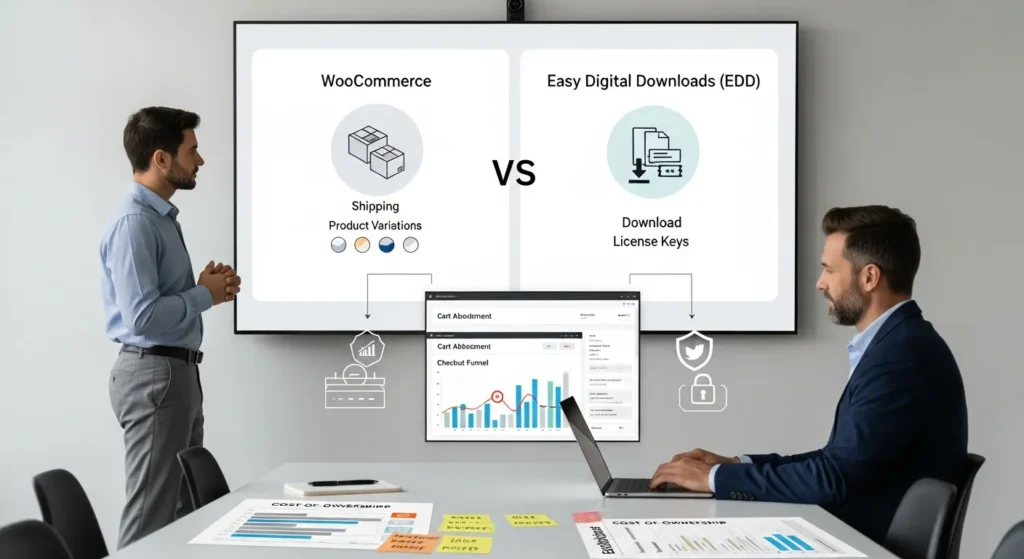
WooCommerce vs Easy Digital Downloads (EDD) sounds like a simple plugin choice, until you are staring at your cart abandonment report at 11:47 PM wondering why checkout feels “heavy.” We have seen teams pick the wrong tool, then spend months paying for add-ons, patching workflows, and explaining weird edge cases to customers. Quick answer: WooCommerce usually wins for physical or mixed catalogs, while EDD usually wins for pure digital products and software licensing.
Key Takeaways
- WooCommerce vs Easy Digital Downloads (EDD) usually comes down to what you sell: WooCommerce fits physical or mixed carts, while EDD fits digital-only products and software licensing.
- Choose WooCommerce when you need product variations, inventory, shipping zones, and tax rules that match real-world fulfillment.
- Choose Easy Digital Downloads (EDD) when you want a lean checkout for downloads, memberships, access-based products, and license key renewals.
- Map your catalog, fulfillment method, and refund rules before picking a plugin to avoid paying for unnecessary add-ons and workflow patches later.
- Budget for total cost of ownership—not just the free core plugin—because extensions, renewals, maintenance, performance tuning, and developer time add up fast.
- Protect revenue and privacy by minimizing checkout data, using secure payment methods, and running a disciplined update process with staging, backups, logs, and role-based access.
What Each Plugin Is Best At (And Where It Struggles)
WooCommerce Strengths: Physical Products, Variations, Shipping, Tax
WooCommerce shines when your business touches the real world. Boxes. Sizes. Returns. Warehouses. A physical catalog creates operational needs, and WooCommerce supports that pattern well.
WooCommerce handles product variations well. A single product can hold size, color, material, and price changes without weird workarounds. That structure affects your catalog because it keeps SKUs in one place.
WooCommerce supports shipping rules and tax settings through core features and common extensions. Shipping zones and methods help you map “where you ship” to “how you charge.” Tax settings help you map “customer location” to “what tax you collect.”
Where WooCommerce struggles: digital-only stores can feel like they are wearing a winter coat in July. WooCommerce loads features you may never use, and that affects speed and admin clutter.
EDD Strengths: Digital Products, Licensing, Simple Checkout
Easy Digital Downloads (EDD) was built for files, keys, and access. That focus affects everything from product setup to the checkout UI.
EDD treats a download like a first-class product type. That matters because you spend less time disabling shipping, hiding fields, and explaining to clients why “address” appears for a PDF.
EDD stands out for software licensing when you sell plugins, apps, themes, or any product that needs keys and renewals. Licensing affects support because it gives you a clean way to answer: “Is this customer active?”
EDD also tends to keep checkout lean for digital products. A lean checkout affects conversion because customers do not hit unnecessary form fields.
If you sell digital products and want search results that look sharper, you will also care about structured data and product snippets. We wrote a guide on how to tune SEO for EDD using an SEO plugin setup for EDD stores so your product pages can earn richer SERP real estate.
Sources:
- “WooCommerce” (WordPress Plugin Directory), WordPress.org, Retrieved 2026-02-02, https://wordpress.org/plugins/woocommerce/
- “Easy Digital Downloads” (WordPress Plugin Directory), WordPress.org, Retrieved 2026-02-02, https://wordpress.org/plugins/easy-digital-downloads/
Setup, Store Management, And Day-To-Day Workflow
Product Setup And Catalog Complexity
Setup time depends on what you sell.
If you sell 10 ebooks, EDD usually feels clean on day one. You add a download, upload a file, set a price, and publish. The product model affects admin speed because it matches the business.
If you sell 500 SKUs with variations, WooCommerce’s product editor often wins. Variations affect your workflow because they reduce duplicate products and keep reporting consistent.
We suggest you map your catalog before you touch any tools:
- Product types -> affect -> required fields
- Fulfillment method -> affects -> checkout fields
- Refund rules -> affect -> customer emails and support scripts
That simple map prevents “we picked a plugin first” regret.
Checkout Experience, Payments, And Subscriptions
Both WooCommerce and EDD support major payment gateways through extensions. Your payment choice affects fees, disputes, and payout timing.
For subscriptions, both ecosystems can do the job. The difference shows up in the edges.
- WooCommerce subscriptions work well for mixed carts, where physical and digital items share one checkout.
- EDD subscriptions tend to feel more natural for download memberships, license renewals, and access-based products.
We also look at checkout friction. Every extra field affects completion rate because it adds one more moment for doubt. That is why digital-only stores usually feel better on EDD.
Sources:
- “Payments overview” (WooCommerce Documentation), Automattic, Retrieved 2026-02-02, https://woocommerce.com/document/payments/
- “Stripe Payment Gateway” (Easy Digital Downloads Documentation), Sandhills Development, Retrieved 2026-02-02, https://easydigitaldownloads.com/docs/stripe/
Pricing, Extensions, And Total Cost Of Ownership
Core Plugin Costs Vs Paid Add-Ons
Both plugins start as free downloads. Your total cost shows up when you add paid extensions.
WooCommerce often needs add-ons for:
- subscriptions
- advanced shipping rules
- certain payment methods
- advanced tax handling
EDD often needs add-ons for:
- software licensing
- recurring payments
- advanced email marketing connections
Your extension list affects cost because annual renewals stack up. It also affects risk because each add-on becomes another moving part.
Hidden Costs: Maintenance, Performance, And Developer Time
This is where most budgets quietly leak.
Performance affects revenue because slow pages reduce conversion. Even small script weight adds up on mobile.
Maintenance affects staff time because updates need testing. A plugin update can break checkout, and checkout breakage affects cash flow fast.
Developer time affects total cost because “simple tweaks” rarely stay simple. A common example: you want one checkout field removed, but a theme override re-adds it, and a gateway extension expects it.
Our rule: price the plugin like you price a car. The sticker price feels good, but insurance, tires, and maintenance tell the real story.
Sources:
- “WooCommerce Extensions” (WooCommerce Marketplace), Automattic, Retrieved 2026-02-02, https://woocommerce.com/products/
- “Easy Digital Downloads Pricing” (Pricing Page), Sandhills Development, Retrieved 2026-02-02, https://easydigitaldownloads.com/pricing/
Performance, Security, And Compliance Considerations
Data Minimization, Payment Handling, And Customer Privacy
We treat ecommerce data like a liability, because it is.
Data minimization means you collect only what you need. The checkout design affects privacy because it drives what customers submit. A digital store that asks for shipping addresses collects extra personal data with no benefit.
Payments add another layer. If you use an offsite or tokenized payment method, the gateway reduces what your site stores. That reduction affects breach impact.
If you operate in regulated fields, keep humans in the loop for any legal, medical, or financial advice. Do not feed sensitive customer data into AI tools without a clear policy and vendor controls.
For compliance reference, GDPR guidance on data minimization gives you a solid baseline even if you are US-based and just want sane privacy habits.
Sources:
- “Guidelines 4/2019 on Article 25 Data Protection by Design and by Default” (European Data Protection Board), EDPB, 2019-11-13, https://www.edpb.europa.eu/our-work-tools/our-documents/guidelines/guidelines-42019-article-25-data-protection-design-and-default_en
- “Stripe Security” (Security Overview), Stripe, Retrieved 2026-02-02, https://stripe.com/docs/security
Updates, Backups, Logging, And Role-Based Access
Updates affect stability because ecommerce touches payment flows.
We suggest a boring, repeatable release path:
- Staging site -> mirrors -> production plugins and theme
- Update window -> tests -> cart, checkout, refunds, emails
- Backups -> enable -> fast rollback
- Logs -> capture -> payment errors and webhook failures
Role-based access matters more than people think. Admin access affects risk because one compromised account can change prices, reroute payouts, or inject scripts.
If you need a simple baseline, use WordPress roles plus a plugin that adds activity logging. Logging affects incident response because you can answer “what changed” in minutes instead of guesswork.
Sources:
- “Hardening WordPress” (Developer Documentation), WordPress.org, Retrieved 2026-02-02, https://wordpress.org/documentation/article/hardening-wordpress/
- “WordPress Roles and Capabilities” (Developer Resources), WordPress.org, Retrieved 2026-02-02, https://developer.wordpress.org/plugins/users/roles-and-capabilities/
Integration And Growth: Marketing, CRM, Analytics, And Automation
Email Marketing, Funnels, And Attribution
Stores do not grow from “more traffic” alone. Stores grow when you can track what works and repeat it.
Your ecommerce plugin affects marketing because it determines what events you can trigger:
- purchase -> triggers -> receipt email and onboarding series
- refund -> triggers -> win-back flow
- abandoned checkout -> triggers -> reminder sequence
WooCommerce has a huge ecosystem for email, analytics, and ads. EDD also connects well, but you may find fewer “one click” choices.
Attribution also matters. If you run ads, you need clean conversion tracking. Your checkout flow affects attribution because redirects and payment steps can break tracking if you do not set it up right.
Automations With Zapier/Make, Webhooks, And WordPress Hooks
This is where we see founders get real relief.
A good automation flow has four parts:
- Trigger -> a new order happens
- Input -> order details and customer email
- Job -> tag the customer, create an invoice, open a help desk ticket
- Output -> confirmation and internal alert
Zapier and Make can cover a lot, but WordPress hooks give you control when you need it. A hook like save_post affects workflows because it can fire when a product changes, which can then push updates to a CRM or a course platform.
Webhooks help with real-time events. A payment webhook affects fulfillment because it tells your site “money cleared.” If your webhook fails, fulfillment fails. That is why we always log webhook requests.
If you want automation ideas that fit WordPress without turning your site into a science project, our team shares patterns and guardrails in our WordPress development and ecommerce services content.
Sources:
- “Webhooks” (Stripe Documentation), Stripe, Retrieved 2026-02-02, https://stripe.com/docs/webhooks
- “Plugin API: Action Reference” (Developer Resources), WordPress.org, Retrieved 2026-02-02, https://developer.wordpress.org/reference/hooks/
How To Choose: A Fast Decision Framework By Use Case
Choose WooCommerce If You Sell Physical, Mixed, Or Complex Stores
Pick WooCommerce when the real-world logistics matter.
Choose WooCommerce if these statements sound like you:
- We ship products and need shipping rules.
- We track inventory across variants.
- We sell mixed carts: a shirt plus a downloadable pattern.
- We need a lot of storefront flexibility and theme options.
This choice affects your operations because WooCommerce matches fulfillment reality.
One caution: keep your extension list short. More extensions affect stability because updates collide.
Choose EDD If You Sell Downloads, Courses, Or Software Licenses
Pick EDD when digital delivery is the whole business.
Choose EDD if these statements sound like you:
- We sell downloads only and do not want shipping fields.
- We sell memberships, access, or digital bundles.
- We sell software and need license keys and renewals.
- We want a simpler admin workflow for digital fulfillment.
This choice affects performance because EDD usually carries less ecommerce weight than WooCommerce for digital-only stores.
If you are unsure, run a two-week pilot in “shadow mode.” You can build the store, test checkout, and measure load times before you move your entire business.
Sources:
- “WooCommerce: Sell anything” (Product Overview), WooCommerce, Retrieved 2026-02-02, https://woocommerce.com/
- “Easy Digital Downloads: Sell Digital Downloads” (Product Overview), Easy Digital Downloads, Retrieved 2026-02-02, https://easydigitaldownloads.com/
Conclusion
WooCommerce vs Easy Digital Downloads (EDD) comes down to what your store must do every day, not what looks good on a feature list. When shipping, inventory, and variations run the show, WooCommerce usually feels like the right backbone. When files, access, and license renewals pay the bills, EDD usually keeps things lighter and easier.
If you want, we can help you map the workflow first, then build the store second. That order saves time, saves rework, and keeps risk low.
Frequently Asked Questions (WooCommerce vs Easy Digital Downloads)
WooCommerce vs Easy Digital Downloads (EDD): which one is better for my store?
WooCommerce usually fits physical or mixed catalogs because it handles shipping, taxes, and product variations well. Easy Digital Downloads (EDD) usually fits digital-only businesses because it keeps product setup and checkout lean, especially for files, memberships, and software license renewals.
Why does checkout often feel “heavier” in WooCommerce vs Easy Digital Downloads (EDD) for digital products?
WooCommerce is built to support real-world fulfillment, so digital-only stores may inherit extra fields and features (like shipping-related flows) that add admin clutter and checkout friction. EDD treats downloads as first-class products, so it typically removes unnecessary steps and keeps forms simpler.
Is WooCommerce vs Easy Digital Downloads (EDD) better for product variations and large catalogs?
For big catalogs with many SKUs and complex variations (size, color, material, price changes), WooCommerce often wins because variations stay organized under one product, reducing duplicates and improving reporting. EDD is cleaner for a smaller set of straightforward digital downloads without heavy variation logic.
How do WooCommerce and EDD compare for subscriptions and recurring revenue?
Both can support subscriptions through extensions, but the “edges” differ. WooCommerce subscriptions are strong for mixed carts where physical and digital items share one checkout. EDD subscriptions often feel more natural for download memberships, license renewals, and access-based products that don’t need shipping workflows.
What hidden costs should I expect when choosing WooCommerce vs Easy Digital Downloads (EDD)?
Both plugins are free to start, but total cost often comes from paid extensions and annual renewals. Hidden costs also include performance tuning, maintenance testing after updates, and developer time for “small” checkout changes. More add-ons usually mean more stability risk and more time spent troubleshooting.
Can I migrate from WooCommerce to Easy Digital Downloads (EDD) (or the other way around) later?
Yes, but plan for data mapping work: products, customers, orders, taxes, subscriptions, and licensing don’t always translate cleanly. Expect plugin-specific fields and extension data to need custom migration steps. A staged pilot and backup-first process reduces risk before switching your live checkout.
Some of the links shared in this post are affiliate links. If you click on the link & make any purchase, we will receive an affiliate commission at no extra cost of you.
We improve our products and advertising by using Microsoft Clarity to see how you use our website. By using our site, you agree that we and Microsoft can collect and use this data. Our privacy policy has more details.
