
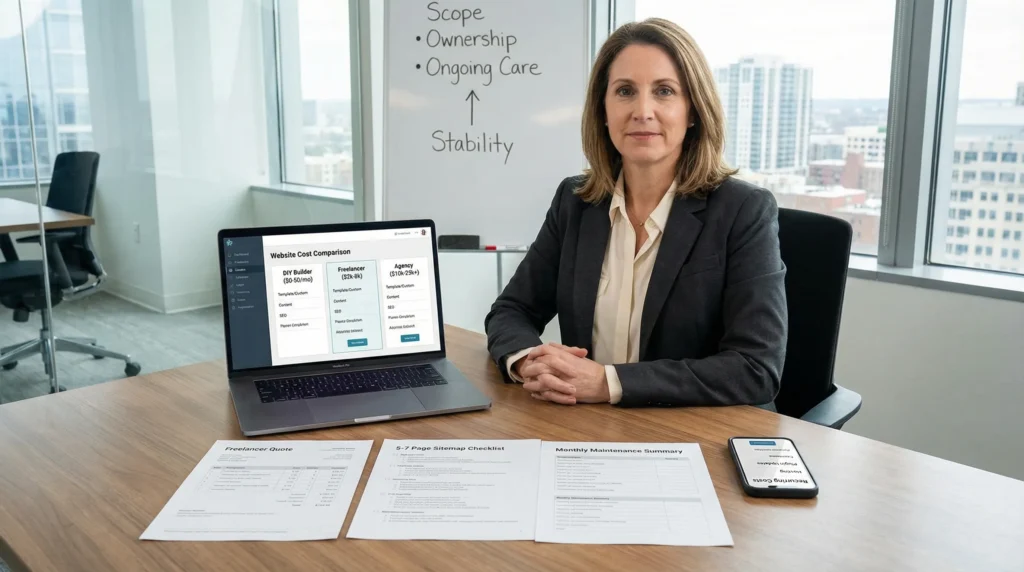
Website cost concerns hit fast when you start pricing a new site and the quotes swing from “$39 a month” to “$25,000 upfront.” We have watched smart owners freeze right there, mouse hovering over “close tab,” because the numbers feel random. Quick answer: pricing jumps because scope, ownership (who does the work), and ongoing care change the real bill. Let’s pin down what you are paying for and where you can keep costs under control without shipping a flimsy site.
Key Takeaways
- Website cost concerns usually come from scope creep and unclear ownership, so define what the site must do and what “done” includes before you compare quotes.
- Separate one-time build costs from ongoing hosting, maintenance, and security costs so your small business budget covers the full website lifecycle.
- Choose templates or a block-based WordPress approach to cut build hours and keep costs predictable, then upgrade to custom work only when you truly need flexibility.
- Reduce project fees by providing finalized copy, photos, and a simple sitemap upfront, since content support can add roughly 10–20% to design and build costs.
- Launch a minimum viable website (about 5–7 essential pages) to look professional fast, then phase in ecommerce, bookings, or memberships after revenue validates the need.
- Protect your budget by demanding clear access and ownership of domains, hosting, and admin accounts, plus QA basics like mobile testing, speed checks, backups, and accessibility.
Why Website Pricing Feels All Over The Place
Website pricing looks chaotic because different sellers price different things.
A DIY builder prices software access. A freelancer prices time. An agency prices time plus planning plus risk reduction. Those choices change the number more than people expect.
Scope -> increases -> build hours. Build hours -> raise -> the quote. Ongoing support -> reduces -> surprise bills.
Template Vs. Custom: Scope Is The Price Driver
Templates cost less because you reuse pre-built layouts and patterns. You trade flexibility for speed.
- Template-based sites often land around $200–$2,000 per year when you count the platform, a theme, and a few add-ons.
- Custom sites usually start higher because someone designs your pages, builds your components, tests them, and handles launch.
If you want a clearer benchmark for WordPress specifically, we break down typical ranges in our guide on WordPress design pricing. It helps you spot when a quote matches your actual scope.
The Hidden Variable: Who Owns Strategy, Copy, And Content
Many quotes cover pages and features, but they skip the hardest parts:
- What you want the site to do (book calls, sell products, get quote requests)
- What you will say on each page
- What images you will use, and whether you have them
When you supply clean copy and photos, you reduce billable hours. When you ask a vendor to write, position, and structure the content, you pay more. That is normal.
A simple rule we use: content work often adds 10–20% on top of design and build fees when a business needs real copywriting and content support.
Sources
- Website Builder Expert, “How Much Does a Website Cost in 2025?”, Website Builder Expert, 2025, https://www.websitebuilderexpert.com/building-websites/how-much-does-a-website-cost/
- Squarespace, “Pricing”, Squarespace, 2026, https://www.squarespace.com/pricing
- Wix, “Premium Plans”, Wix, 2026, https://www.wix.com/upgrade/website
The Real Cost Breakdown (One-Time Vs. Ongoing)
Most budget stress comes from mixing one-time costs with ongoing costs.
Build cost -> gets you -> a launched site. Ongoing cost -> keeps -> the site safe, fast, and up to date. Growth work -> improves -> traffic and conversions over time.
Here is what that means in practice.
Upfront Build Costs: Design, Development, And Launch
Common ranges we see across small business projects:
- DIY WordPress: often $100–$400 upfront for a domain, hosting starter plan, and a theme
- Freelancer brochure site (5–10 pages): often $2,000–$8,000
- Agency builds: often $10,000–$35,000+ when the scope includes strategy, design systems, custom functionality, and launch support
If you want a second angle on pricing, our breakdown of WordPress site pricing factors walks through what pushes a WordPress build up or down.
Recurring Costs: Hosting, Maintenance, Security, And Updates
This is where website cost concerns get real, because nobody wants a “surprise invoice” during a busy week.
Typical ongoing costs:
- Hosting: often $10–$75 per month, depending on shared versus managed WordPress hosting
- Maintenance and care: often $600–$3,000 per year for updates, backups, security checks, and basic fixes
- Extra tools: plugins, email services, stock photos, and forms often add a quiet 10–20% buffer
We see owners under-budget this part the most. If you feel unsure here, this post on ongoing website maintenance costs lays out what those line items usually include.
Growth Costs: SEO, Content, Analytics, And Conversion Work
A website can exist and still fail to earn.
SEO work -> affects -> search visibility. Content -> affects -> trust. Analytics -> affects -> what you fix next.
Some builds include basic on-page SEO, like page titles, meta descriptions, and simple schema. Ongoing SEO and content usually run as a monthly service or a series of projects. If your business depends on search or paid traffic, plan for at least light ongoing work. Otherwise, you launch and then wonder why the phone stays quiet.
Sources
- Website Builder Expert, “How Much Does a Website Cost in 2025?”, Website Builder Expert, 2025, https://www.websitebuilderexpert.com/building-websites/how-much-does-a-website-cost/
- Google Search Central, “Search Essentials”, Google, 2024, https://developers.google.com/search/docs/essentials
Budget-Friendly Builds That Still Look Professional
You do not need a giant build to look credible. You need the right first version.
A smaller first launch -> reduces -> upfront cost. A clean foundation -> speeds up -> future upgrades.
Start With A Minimum Viable Website (MVW) That Can Expand
We like the “minimum viable website” idea because it keeps you honest.
A solid MVW usually includes:
- Home page with a clear offer
- Services or product overview
- About page that earns trust
- Contact page with a form and a real call to action
- Privacy policy (and terms if you sell online)
That is often 5–7 pages. It can support lead gen right away. You can add the blog, the resource library, and the fancy animations later.
If you worry your current site looks a bit DIY, read our notes on the cost of looking unprofessional online. It is blunt, but it matches what buyers do.
Use WordPress Blocks And Reusable Templates To Reduce Design Time
WordPress block editing helps you reuse sections across pages. Reuse -> lowers -> build hours. Lower hours -> lowers -> cost.
Practical examples:
- Reusable FAQ sections across service pages
- A single testimonial block used site-wide
- A consistent “Book a call” row that appears in the same spot
This keeps design consistent without custom code for every page. You still get a professional feel, and you do not pay for reinvention.
Phase Features: Bookings, Ecommerce, Memberships, And Portals Later
Feature creep eats budgets.
Bookings -> adds -> plugin cost and testing time. Ecommerce -> adds -> payment setup, tax rules, shipping rules, and security hardening.
If you are not ready, skip it at launch. Put a “Request a quote” form in place and validate demand. Then upgrade when revenue supports the extra moving parts.
Sources
- WordPress.org, “Block Editor Handbook”, WordPress.org, 2025, https://developer.wordpress.org/block-editor/
- WooCommerce, “WooCommerce Documentation”, Automattic, 2026, https://woocommerce.com/documentation/
How To Vet Quotes Without Getting Burned
A quote should reduce risk, not add mystery.
A clear scope -> prevents -> surprise fees. Clear ownership -> prevents -> lock-in.
Ask For A Line-Item Scope And A Clear Definition Of “Done”
Ask for a line-item list that covers:
- Number of templates and pages
- Features (forms, booking, ecommerce, CRM links)
- Revisions included
- Who uploads content
- Launch steps (domain, SSL, redirects, analytics)
Then ask one blunt question: “What does done mean?”
Done should mean: approved design, built pages, tested forms, working on mobile, and a live site you can log into.
Confirm Ownership: Domains, Hosting Access, Admin Accounts, And Licenses
You should own:
- The domain registrar account
- The hosting account
- Your WordPress admin access
- Theme and plugin licenses that match the vendor’s claims
Ownership -> affects -> your ability to switch vendors. If a vendor insists on keeping everything under their accounts, you can get stuck.
Require QA, Performance, Accessibility, And Backup Plans
You do not need perfection. You do need basics:
- Cross-browser and mobile checks
- Page speed checks and image compression
- Backup and restore plan
- Accessibility pass for common issues (color contrast, headings, form labels)
If a quote skips these, ask why. Fixing them later costs more than doing them during build.
Sources
- FTC, “.com Disclosures: How to Make Effective Disclosures in Digital Advertising”, Federal Trade Commission, 2013, https://www.ftc.gov/business-guidance/resources/com-disclosures-how-make-effective-disclosures-digital-advertising
- W3C, “Web Content Accessibility Guidelines (WCAG) Overview”, World Wide Web Consortium, 2023, https://www.w3.org/WAI/standards-guidelines/wcag/
Cost Traps To Avoid (And What To Do Instead)
Small budgets can still buy strong outcomes, but you need to dodge a few traps.
Cheap shortcuts -> create -> future invoices.
“Cheap Now, Expensive Later” Themes, Builders, And Plugin Stacks
The trap looks like this: a low quote includes a pile of plugins and a heavy builder, then the site slows down and breaks during updates.
Too many plugins -> increase -> attack surface. Heavy themes -> slow -> load time.
What we prefer:
- Fewer plugins, each with a clear purpose
- A reputable theme or block-based approach
- A staging site for testing updates
If you are trying to hit a lower price point without gambling on junk, our guide on affordable WordPress design options can help you choose the “cheap enough” path that still holds up.
Skipping Maintenance: The Fast Track To Downtime And Emergency Bills
A WordPress site needs updates. Plugins change. WordPress core changes. Hosting stacks change.
Skipped updates -> increase -> security risk. Security risk -> increases -> emergency repair cost.
If you want a simple way to think about it: prevention costs less than panic. If you need help planning it, see our overview on the need for ongoing support.
Paying For Pages Instead Of Paying For Outcomes
More pages do not guarantee more leads.
Clear offer -> increases -> conversion rate. Confusing pages -> reduce -> form submissions.
Ask vendors how they handle:
- Call to action placement
- Trust elements (reviews, guarantees, credentials)
- Form friction (too many fields kills leads)
A five-page site that focuses on the buyer’s next step can beat a twenty-page site that reads like a filing cabinet.
Sources
- WordPress.org, “WordPress Security”, WordPress.org, 2025, https://wordpress.org/about/security/
- Google, “Core Web Vitals”, Google Search Central, 2024, https://developers.google.com/search/docs/appearance/core-web-vitals
A Simple Planning Checklist For A Right-Sized Website Budget
Before you touch any tools, write this down. It will save you money and awkward back-and-forth.
A clear checklist -> reduces -> revision cycles. Fewer cycles -> reduce -> cost.
Your Non-Negotiables: Security, Mobile UX, And Basic SEO
Put these in every scope, even on a tight budget:
- SSL on every page
- Mobile-first layouts
- Fast loading pages (aim under ~3 seconds on mobile)
- On-page SEO basics (titles, headings, meta descriptions)
- Backups you can restore
Your Inputs: Sitemap, Brand Notes, Photos, Offers, And Policies
Bring your inputs early:
- A simple sitemap (even a Google Doc works)
- Logo, colors, and fonts
- Photos, or a plan for stock images
- Your offer in one sentence
- Privacy policy and terms (especially for ecommerce and lead gen)
When you hand these over late, the schedule slips and costs creep.
Your Guardrails: Timeline, Approval Workflow, And Change Control
Write guardrails that protect your budget:
- Launch deadline
- One person who approves content and design
- A clear revision limit
- A change list for “phase two” ideas
If you do this, you can move fast without chaos.
Sources
- Google, “PageSpeed Insights”, Google, 2026, https://pagespeed.web.dev/
- Let’s Encrypt, “About Let’s Encrypt”, Internet Security Research Group, 2026, https://letsencrypt.org/about/
Conclusion
Website cost concerns usually shrink once you separate build costs from care costs and you match scope to today’s revenue, not next year’s dream. Our favorite approach stays boring on purpose: launch a clean minimum version, keep ownership in your hands, then add features when the numbers support them. If you want, we can help you map a simple Trigger → Work → Output plan for your site project so the quote reflects real work, not guesswork.
Frequently Asked Questions About Website Cost Concerns for Small Business Budgets
Why do website cost concerns spike when quotes range from $39/month to $25,000 upfront?
Website cost concerns rise because sellers price different things: DIY builders charge for software access, freelancers charge for hours, and agencies price strategy, planning, and risk reduction. Scope, content ownership (copy/images), and ongoing care also change the real total cost dramatically.
What does a small business website typically cost upfront vs. ongoing?
Upfront costs usually cover design, development, and launch: DIY WordPress often runs $100–$400, freelancer brochure sites (5–10 pages) $2,000–$8,000, and agency builds $10,000–$35,000+. Ongoing costs include hosting ($10–$75/month) plus maintenance ($600–$3,000/year).
Is a template website cheaper than a custom site, and what’s the trade-off?
Yes—templates are cheaper because you reuse pre-built layouts, which reduces build hours. Template-based sites often total about $200–$2,000 per year including platform, theme, and add-ons. Custom sites cost more due to unique design, component building, testing, and launch support, but offer greater flexibility.
How much do strategy, copywriting, and content add to website pricing?
Many quotes include pages and features but exclude the hardest work: defining goals, writing page copy, and sourcing images. If you provide clean copy and photos, costs often drop. If the vendor handles positioning and writing, content work commonly adds about 10–20% on top of design/build fees.
How can I reduce website cost concerns without launching a cheap-looking site?
Start with a minimum viable website (often 5–7 pages) that supports lead generation: Home, Services/Products, About, Contact, and a Privacy Policy (plus Terms if selling). Use WordPress blocks and reusable sections to cut design time, and phase in bookings, ecommerce, or portals later.
What’s the best way to compare web design quotes and avoid getting locked in?
Ask for a line-item scope and a clear definition of “done” (mobile checks, tested forms, live login access). Confirm you own the domain, hosting access, WordPress admin, and licenses. Require basics like backups, performance checks, and accessibility fixes—skipping them often leads to costly surprises later.
Some of the links shared in this post are affiliate links. If you click on the link & make any purchase, we will receive an affiliate commission at no extra cost of you.
We improve our products and advertising by using Microsoft Clarity to see how you use our website. By using our site, you agree that we and Microsoft can collect and use this data. Our privacy policy has more details.
