
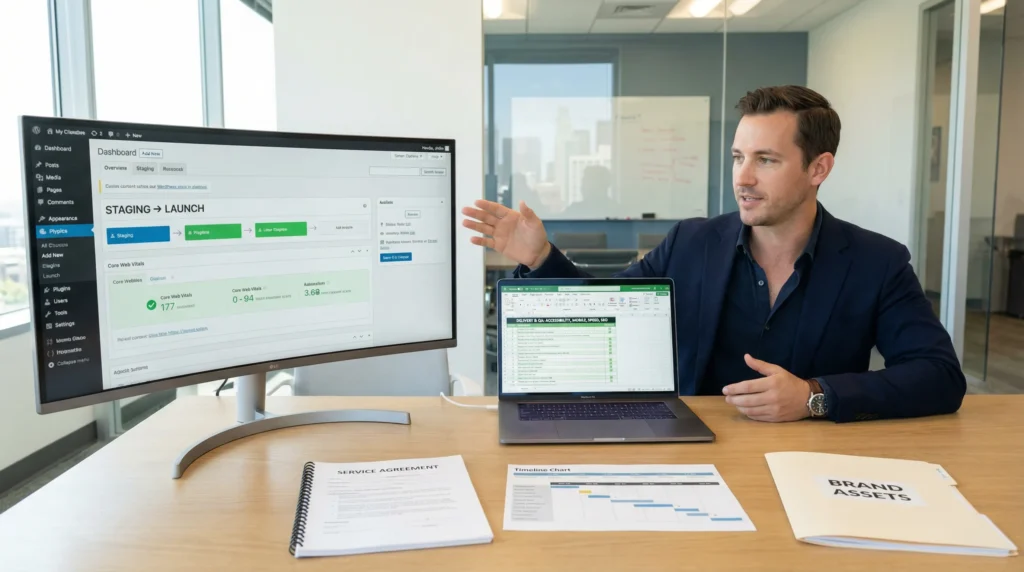
A web design business can look dreamy from the outside. Then you open your inbox and see 19 “quick changes,” a logo in a blurry screenshot, and a client asking if the site can be “more Google-y.” We have been there.
Quick answer: start with a niche you can serve well, sell a clear WordPress offer, run every build through the same delivery checklist, and protect the work with contracts, security, and human review.
Key Takeaways
- Pick a profitable niche and a repeatable WordPress package so your web design business is easier to sell and faster to deliver.
- Define your offer in two clear sentences (who you build for and what pain you fix) to shorten the sales cycle and attract better-fit clients.
- Protect profit with an LLC, tight contracts, and strict scope control—if it changes scope, it changes price.
- Standardize a lean tool stack and a checklist-driven SOP (discovery → staging build → content → QA → review → launch) to scale your web design business without chaos.
- Run every project through baseline QA for accessibility, mobile, speed/Core Web Vitals, and SEO basics to reduce refunds and increase referrals.
- Set guardrails for security and AI use—never paste sensitive data into AI tools, and sell maintenance retainers with backups, updates, monitoring, and an incident plan.
Pick A Profitable Niche And Offer (Without Boxing Yourself In)
Picking a niche makes your web design business easier to sell. A clear niche -> increases -> buyer trust. It also cuts your sales cycle because prospects self-qualify.
In 2026, we keep seeing demand in a few practical lanes: small business service sites, eco-living and sustainable product brands, fitness and wellness programs, and remote-work tools. Each niche has steady marketing needs, and each niche pays for speed, clarity, and credibility.
Here is the trick: you pick a niche for your message, not for your identity. Your positioning -> attracts -> a core group, while your process -> supports -> adjacent industries.
Who You Serve And What You Solve
Start with two sentences you can say without thinking:
- We build WordPress sites for [who].
- We fix [pain] so they get [result].
Concrete examples that sell:
- “We build WordPress sites for local clinics and wellness practices. We fix trust gaps so new patients feel safe booking online.”
- “We build WooCommerce-ready sites for eco-product brands. We fix slow mobile pages so shoppers finish checkout.”
Your offer should match that promise. If you want a simple anchor, sell a repeatable “5-page fast launch” and keep the extras as add-ons. When prospects ask what you do, you can point them to a short explainer on WordPress web design and then bring the conversation back to outcomes.
Positioning That Signals Trust In Regulated And High-Risk Industries
Regulated buyers do not just buy design. They buy risk reduction.
Good positioning -> reduces -> perceived liability.
If you serve legal, medical, finance, insurance, or even “high-stakes” ecommerce (supplements, cosmetics, children’s products), your site choices signal professionalism:
- Clear privacy language and consent flows
- Fast load on mobile
- Accessibility basics (readable type, keyboard navigation)
- Security posture you can explain in plain English
You do not need to promise compliance you cannot guarantee. You do need to show your process.
We like to publish one short case study per niche. A case study -> proves -> competence. Add a screenshot, a performance metric, and one quote. Then keep a page that explains what a WordPress web design company does differently when trust matters.
If you are unsure where to start, start with “trust signals” before “fancy sections.” Your hero section -> affects -> bounce rate. Your booking flow -> affects -> lead quality. Your checkout UX -> affects -> conversion.
Set Up Your Business Foundations: Legal, Finance, And Tools
A web design business runs on two systems: your delivery system and your protection system. Your legal setup -> protects -> your personal assets. Your financial setup -> prevents -> pricing panic.
Business Structure, Contracts, And Scope Control
If you want the short version, form an LLC (talk to a local attorney or CPA for your state rules). Then get serious about scope.
Scope creep -> kills -> profit.
We keep contracts simple and specific:
- Fixed scope (example: 5 pages, contact form, basic SEO setup)
- Clear inputs (client provides copy by a date, brand assets in a folder)
- Change process (new requests go to an estimate)
- Payment schedule (deposit, midpoint, launch)
- Content responsibility (who owns claims, legal statements, and disclaimers)
If you are still shaping your services, write them down in one page. A written offer -> reduces -> misunderstandings. This is also where it helps to point prospects to what your WordPress website design services include so the conversation stays grounded.
Core Tool Stack For A Lean WordPress Studio
You do not need 30 tools. You need a small stack you trust.
A lean stack -> improves -> repeatability.
What we see work for small studios:
- WordPress as the base
- Gutenberg or Elementor for page building (pick one and standardize)
- LocalWP for local builds and quick testing
- WP Rocket (or a similar caching setup) for speed
- Yoast SEO (or Rank Math) for on-page basics
- WP Accessibility (plus manual checks) for accessibility support
- QuickBooks for bookkeeping
If you want to go one level deeper, keep a simple internal guide on web development basics for non-dev clients. That page can pre-answer questions and save you calls.
One more tool note: treat AI like a junior assistant, not a judge. A model draft -> affects -> output quality only when a human edits it.
Build A Repeatable Delivery Workflow (So Every Project Runs The Same)
You do not scale a web design business with motivation. You scale it with a checklist.
A repeatable workflow -> reduces -> mistakes.
We design workflows like this: Trigger → Inputs → Job → Outputs → Guardrails. It sounds simple because it is simple. The magic comes from using it every time.
Discovery To Launch: A Simple SOP You Can Reuse
Here is the SOP we like for WordPress builds:
- Discovery call (30–45 minutes). Confirm goals, audience, offers, and risks.
- Intake form. Collect logins, brand assets, required pages, competitor examples.
- Wireframe the key pages. Home, Services, About, Contact, and one conversion page.
- Build in staging. No work happens on the live site.
- Content pass. Put real copy in early so spacing and hierarchy stay honest.
- QA pass. Accessibility, mobile, speed, forms, tracking.
- Client review (limited rounds). Keep feedback inside one doc.
- Launch + handoff. Training video, admin checklist, maintenance options.
Two small moves that save hours:
- Use templates for 80% of pages.
- Keep a “done means done” checklist for launch.
Quality Checks: Accessibility, Mobile, Speed, And SEO Basics
Quality checks are where trust becomes real. Your QA -> affects -> refunds, reviews, and referrals.
We run four baseline checks:
- Accessibility: Run a scan, then test keyboard navigation and headings by hand.
- Mobile: Test real devices when possible. At minimum, test key breakpoints.
- Speed: Aim for strong Core Web Vitals and a PageSpeed score that is not embarrassing.
- SEO basics: Titles, meta descriptions, index settings, sitemap, and internal links.
For mobile testing, we use Google’s Search Central guidance to keep expectations realistic. For performance, Google’s PageSpeed Insights documentation explains what the metrics mean.
One caution: do not chase a perfect score if it breaks the site. A fast site -> improves -> conversions. A broken checkout -> destroys -> conversions.
Pricing And Packaging For Predictable Revenue
Pricing is where many web design business owners start guessing. Guessing -> creates -> resentment. Packaging -> creates -> clarity.
Project Pricing Vs Retainers: When Each Makes Sense
We like a simple split:
- Projects pay for building and launching.
- Retainers pay for keeping the site healthy and current.
Projects fit:
- New businesses
- Rebrands
- One-time migrations
Retainers fit:
- Ecommerce stores
- Clinics and law firms that update policies and staff
- Fitness brands that publish weekly content
A common pricing band we see for a 5-page WordPress “business package” sits around $3,000 to $7,000, based on complexity and content readiness. Then a maintenance retainer often starts around $200 per month for updates, backups, and support.
If a prospect pushes back, talk about cost in a transparent way. A clear cost page -> reduces -> sticker shock. We keep a separate explainer on WordPress website design cost and link it when pricing questions start piling up.
What To Include In A “Business Website Package” (And What To Exclude)
Your package needs boundaries.
Include:
- Up to 5 core pages
- Mobile-responsive layout
- Basic SEO setup (titles, sitemap, index checks)
- Speed setup (caching, image compression)
- Security basics (strong admin practices, plugin hygiene)
- Hosting setup or coordination
- One training session or short Loom video
Exclude (or price separately):
- Custom plugins or heavy custom code
- Copywriting from scratch
- Ecommerce builds and complex product logic
- Large migrations and data cleanup
- Ongoing marketing
If you want an entry offer that still looks professional, you can frame it as affordable WordPress website design without racing to the bottom. Low price -> attracts -> high-maintenance clients. Fair price -> attracts -> serious clients.
One simple rule we use: if it changes scope, it changes price.
Get Clients Without Relying On Referrals Alone
Referrals feel good. Referrals also go quiet at the worst times. A marketing engine -> stabilizes -> revenue.
Portfolio And Proof: Case Studies, Before-And-After, And Testimonials
Your portfolio should answer one question: “Will this team make me look credible?”
Proof -> shortens -> the sales cycle.
We suggest:
- 3 case studies in your niche
- Before-and-after screenshots
- One metric per project (speed score, leads, bookings, sales)
- Testimonials that mention the problem and the outcome
If you do not have client work yet, build two demo sites:
- A service business (plumber, therapist, law firm)
- A small ecommerce store (10 products)
Then show your process. People buy calm competence.
Lead Intake And Qualification: Forms, Calendars, And CRM Notes
A good intake system protects your time.
Qualification -> prevents -> bad-fit projects.
We like this setup:
- A short Google Form that asks budget, timeline, industry, and required pages
- Calendly for booking calls
- HubSpot CRM (free tier works) for notes and follow-ups
Ask two blunt questions early:
- “Who will approve content and design?”
- “Do you have your copy and photos ready?”
If the answers feel fuzzy, propose a paid planning session before the build. Planning -> reduces -> rework.
And yes, follow up. A polite follow-up -> increases -> close rate.
Risk, Security, And AI-Assisted Work: Guardrails That Protect You And Clients
Trust dies fast when a site leaks data or a plugin update breaks checkout. Guardrails -> prevent -> bad surprises.
Data Handling, Privacy, And “Do Not Paste” Rules
We keep one rule on the wall: Do not paste sensitive client data into AI tools.
Data exposure -> creates -> legal risk.
If you work with medical, legal, finance, or schools, keep humans in the loop:
- Redact personal data before sharing screenshots
- Store credentials in a password manager
- Use least-privilege logins
- Document what AI touched (draft copy, alt text, summaries)
If you serve EU users, read the European Data Protection Board guidance on transfers and cloud services. Start with EDPB’s resources at the European Data Protection Board site.
Also, if you publish AI-assisted copy, follow FTC guidance on truthful advertising. The FTC’s guidance on advertising and endorsements keeps you out of trouble.
Maintenance, Backups, Updates, And Incident Response Basics
A maintenance plan turns one project into long-term trust.
Maintenance -> reduces -> security incidents.
Our baseline maintenance includes:
- Automated backups (plus off-site storage)
- Monthly plugin and theme updates
- Security monitoring
- Uptime checks
- A simple incident plan: notify, isolate, restore, patch
Set expectations in writing: “We acknowledge incidents within 24 hours.” Then meet that promise.
If you want to sell maintenance without sounding salesy, frame it like this: “Your site is a system. Systems need care.” People get that.
Conclusion
A web design business works best when you treat it like a product, not a string of custom favors. Your niche creates focus. Your workflow creates consistency. Your guardrails create trust.
If you want a steady next step, pick one niche, write one package, and run your next project in “shadow mode” with a checklist and a timer. Then measure what took the longest and fix only that. Small fixes compound fast when you repeat the same build 20 times.
Frequently Asked Questions (FAQ)
How do I start a web design business without getting overwhelmed?
Start your web design business with a niche you can serve well, a clear WordPress offer, and a repeatable delivery checklist. Use contracts to control scope, build on staging (not live), and run QA for accessibility, mobile, speed, and basic SEO before launch. Consistency prevents chaos.
What niche should I choose for a web design business in 2026?
Choose a niche for your message, not your identity. In 2026, steady demand often shows up in small business service sites, eco-living brands, fitness and wellness programs, and remote-work tools. A niche increases trust and shortens the sales cycle, while your process can still serve adjacent industries.
What should be included in a WordPress business website package?
A solid WordPress business website package typically includes up to five core pages, mobile-responsive design, basic SEO setup (titles, sitemap, index checks), speed setup (caching and image compression), security basics, hosting coordination, and a training video or session. Exclude custom code, copywriting, and ecommerce unless priced separately.
Project pricing vs retainers: which is better for a web design business?
Projects are best for building and launching new sites, rebrands, or migrations. Retainers are best for ongoing updates, backups, monitoring, and content changes—especially for ecommerce, clinics, and law firms. Many studios price a 5-page WordPress build around $3,000–$7,000, with maintenance starting near $200/month.
How can a web design business get clients without relying on referrals?
Build a simple marketing engine: publish niche case studies, show before-and-after examples, and include one measurable result (speed, leads, bookings, sales). Add an intake form to qualify budget and timeline, use a booking link, and track follow-ups in a CRM. Demo sites can help if you lack portfolio work.
Can I use AI tools safely in a web design business?
Yes, but treat AI like a junior assistant and keep human review mandatory. Don’t paste sensitive client data into AI tools; redact personal info and store credentials in a password manager. Document what AI touched (draft copy, alt text, summaries) and follow truthful advertising rules if you publish AI-assisted content.
Some of the links shared in this post are affiliate links. If you click on the link & make any purchase, we will receive an affiliate commission at no extra cost of you.
We improve our products and advertising by using Microsoft Clarity to see how you use our website. By using our site, you agree that we and Microsoft can collect and use this data. Our privacy policy has more details.
