
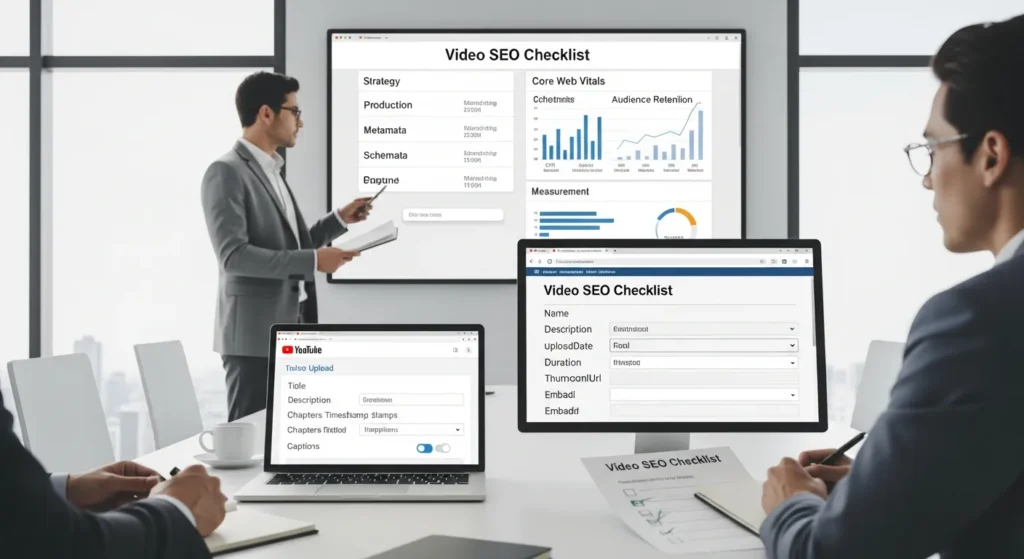
Video SEO checklist. We wrote that on a sticky note after watching a “great” video get 73 views in a month and then die quietly. The video was fine. The process was not.
Quick answer: video rankings come from clear intent, clean production, tight metadata, and a fast page that search engines can understand. Do those things in order, and your videos start working like assets instead of one-off posts.
- Use one goal per video (rank, convert, support, or retain)
- Make the video easy to watch (audio, captions, structure)
- Make the video easy to parse (titles, descriptions, chapters, schema)
- Keep humans in the loop for claims, privacy, and regulated advice
Key Takeaways
- Follow this video SEO checklist in order—intent, production, metadata, website setup, then measurement—so you optimize the right things and avoid wasted work.
- Give each video one clear job (rank on YouTube, rank on Google, convert on-site, or reduce support) and choose a primary keyword to prevent cannibalization.
- Boost watch time with clean audio, captions, and a tight hook-to-steps script that naturally says the primary keyword early without sounding forced.
- Publish for clarity: put the keyword near the front of the title, write a 200+ word description that leads with it, add chapters/timestamps, and upload accurate captions and a reusable transcript.
- If you embed on your site, pair the video with 150–400 words of supporting copy, add VideoObject schema, confirm indexing/canonicals, and keep the page fast for better rankings and conversions.
- Improve results after publishing by driving early signals (internal links, email, playlists), tracking CTR/retention/queries/conversions, and iterating on titles, chapters, and on-page copy over the first month.
Start With Strategy: Search Intent, Goals, And Where The Video Will Live
Start here because intent -> shapes -> everything else. If you skip this, you will “optimize” the wrong things and wonder why results look random.
Checklist (strategy in 10 minutes):
- Define one job for the video: rank on YouTube, rank on Google, convert on your site, or reduce support tickets.
- Write the viewer’s query in plain English.
- Decide where the video will live.
- Pick one primary keyword and 3 to 6 supporting topics.
Choose The Primary Platform First (YouTube Vs. On-Site Vs. Both)
Platform choice -> affects -> your ranking path.
- YouTube-first works when your query lives inside YouTube (how-tos, product reviews, comparisons, tutorials). YouTube can rank the video without your site doing much.
- On-site-first works when your site does the selling (service pages, product pages, lead gen). Your page can rank with an embedded video, and the video boosts engagement.
- Both works when you can commit to a repeatable workflow: publish on YouTube, then embed the same video on a relevant page with supporting copy.
If your site runs on WordPress, treat video like any other content type. A video needs a home page, internal links, and a clear place in your information structure. If you want the broader site tune-up that supports video pages, our WordPress SEO checklist for 2026 pairs well with this.
Pick One Primary Keyword And A Small Set Of Supporting Topics
One keyword -> prevents -> cannibalization. When two videos chase the same query, both usually underperform.
- Pick one primary keyword that matches a real query.
- Pick supporting topics that answer the next questions a viewer asks.
A quick pattern we use:
- Primary keyword: “video SEO checklist”
- Supporting topics: “YouTube description template,” “video schema markup,” “video chapters timestamps,” “captions for SEO,” “Core Web Vitals for video pages”
If you want a clean way to structure supporting topics across a site, this playbook on improving semantic SEO on WordPress explains the cluster approach without making it feel like a grad thesis.
Pre-Upload Checklist: Production Choices That Affect SEO
Production quality -> affects -> watch time. Watch time -> affects -> distribution.
Checklist (before you hit upload):
- Record at 1080p or higher.
- Keep audio clean (people forgive imperfect lighting, not muddy sound).
- Use a script or outline that prevents rambling.
- Add captions and on-screen text.
Script For Clarity: Hook, Structure, And Spoken Keywords
A clear script -> improves -> retention.
We like this simple structure:
- Hook (0 to 10 seconds): say who it is for and what they get.
- Promise (next 10 seconds): explain the outcome and the time cost.
- Steps (the body): 3 to 7 steps, each with one point.
- Proof or example: show the setting, the screen, the result.
- Next action: tell them what to do next.
Say your primary keyword once, early, in a normal sentence. Do not chant it like you are summoning a demon.
Plan Accessibility Early: Captions, Clean Audio, And On-Screen Text
Captions -> increase -> comprehension. Comprehension -> increases -> retention.
Plan for accessibility during production:
- Use a decent mic and reduce echo.
- Avoid fast talking when you list steps.
- Add on-screen text for names, settings, and numbers.
- Prepare a transcript you can reuse as a blog section.
This is also a practical risk move. Clear captions -> reduce -> misinterpretation, which matters when you talk about finance, health, legal topics, or safety.
Publish Checklist: Metadata That Actually Moves Rankings
Metadata -> tells -> platforms what your video is about. Viewers -> confirm -> that promise with clicks and watch time.
Checklist (publish day):
- Title includes the primary keyword and stays readable.
- Thumbnail matches the promise.
- Description hits 200+ words and leads with the keyword.
- Chapters include timestamps and clear labels.
- Tags use variants and related terms.
- Captions and transcript get uploaded.
Title And Thumbnail: Earn The Click Without Clickbait
Title -> drives -> CTR. Thumbnail -> reinforces -> the title.
Rules we use:
- Put the keyword near the front.
- Keep it under about 60 characters when you can.
- Make one clear promise.
Good: “Video SEO Checklist (2026): Rank Videos and Drive Site Traffic”
Not great: “You Won’t Believe What This Video SEO Hack Did…”
Description, Chapters, Tags, And Hashtags: What To Include And Why
A strong description -> improves -> relevance signals.
What we put in descriptions:
- First sentence: include the primary keyword.
- Two to three sentences: who it helps and what it covers.
- Bullets: the steps or resources.
- Link to the related page on your site.
Chapters -> improve -> scanning. They also add visible keyword context.
Tags help, but they do not rescue a weak video. Use:
- The primary keyword
- Close variants
- A couple of long-tail queries
Hashtags add extra context. Use 2 to 5, not 25.
When you build a repeatable publishing workflow, it helps to match how you handle written content too. Our content SEO checklist gives the companion rules for posts, pages, and landing copy.
Captions, Subtitles, And Transcripts: Indexable, Reusable Text
Text -> increases -> indexability.
Upload captions even if the platform auto-generates them. Auto-captions mishear names, numbers, and product terms, which makes you look sloppy.
Then reuse the transcript:
- Turn it into a short blog post.
- Pull quotes for social.
- Add an FAQ section to the landing page.
If your video includes visuals you want to show up in Google Images too, pair this with our image SEO checklist. Video and images share the same truth: search engines need clean text signals.
Website Checklist: Embed, Schema, And Page SEO For Video
Your website -> controls -> conversions. YouTube -> controls -> discovery. When you embed smartly, you get both.
Checklist (site setup):
- Put the video on a page that already matches the query.
- Add a written summary and clear next step.
- Add VideoObject schema.
- Keep the page fast.
Pick The Right Landing Page And Add A Supporting Summary
Page intent -> affects -> rankings.
Pick a page that makes sense:
- Product demo video -> goes on -> product page
- Service explainer -> goes on -> service page
- How-to video -> goes on -> tutorial post
Add supporting copy under the embed:
- 150 to 400 words that restate the promise
- A short checklist or steps
- 3 to 5 FAQs pulled from sales calls or support tickets
On mobile, keep the embed clean and the copy scannable. Our mobile SEO checklist covers the practical stuff that prevents “it loads fine on my laptop” problems.
Add Video Schema Markup And Confirm Indexing
Schema -> helps -> Google understand the video.
At minimum, include:
- name (title)
- description
- uploadDate
- duration
- thumbnailUrl
- embedUrl or contentUrl
Then confirm:
- the page is indexable
- the video is not blocked by robots.txt
- the canonical URL is correct
Improve Performance: Core Web Vitals, Lazy Loading, And Hosting Tradeoffs
Page speed -> affects -> rankings and conversions.
Hosting choice matters:
- YouTube embeds load extra scripts, but they handle streaming well.
- Self-hosted video can slow your server if you do it wrong.
- A third-party video host can balance speed and control.
Use lazy loading where it fits, and test on real devices. Fast pages -> reduce -> bounce. Lower bounce -> raises -> your odds of keeping viewers long enough to click.
If you use WordPress and you want a safer launch checklist that covers staging, security, and AI guardrails too, our WordPress AIO setup checklist lays out the order we follow.
Trust And Safety Checklist: Disclosures, Privacy, And Human Review
Trust -> drives -> conversions. Careless claims -> create -> legal and brand risk.
Checklist (keep it safe):
- Make claims you can support.
- Add disclosures for ads, affiliates, and AI use.
- Keep sensitive data out of prompts and captions.
- Keep regulated advice human-led.
Use Accurate Claims And Add Required Disclosures (Ads, Affiliates, AI)
Disclosures -> reduce -> regulatory risk.
If you run sponsorships or affiliate links, follow the FTC’s disclosure guidance and keep the disclosure close to the claim or link.
If AI helped write your script or generate visuals, you do not need a dramatic confession. You do need honesty when it changes meaning. AI output -> increases -> error risk, so a human review step matters.
Source:
- Disclosures 101 for Social Media Influencers, Federal Trade Commission, 2019, https://www.ftc.gov/business-guidance/resources/disclosures-101-social-media-influencers
Handle Sensitive Data Carefully And Keep Regulated Advice Human-Led
Sensitive data -> increases -> harm risk when it leaks.
Rules we set with clients:
- Do not paste personal health info, legal case facts, or account numbers into public tools.
- Use data minimization. Share only what the model needs.
- Treat medical, legal, and financial advice as human-led. Video can educate, but a licensed professional should review anything that looks like guidance.
If you operate in the EU or serve EU residents, review the EDPB’s guidance on data protection and AI.
Source:
- EDPB Statement on data protection and generative AI, European Data Protection Board, 2024, https://www.edpb.europa.eu/news/news/2024/edpb-statement-data-protection-and-generative-ai_en
Post-Publish Checklist: Distribution, Measurement, And Iteration
A video -> needs -> early signals. Early signals -> influence -> how hard platforms push it.
Checklist (first 14 days):
- Share it in the places that already trust you.
- Link to it from related pages.
- Watch CTR and retention.
- Update chapters and on-page copy based on queries.
Drive Early Signals: Internal Links, Email, Social, And Playlists
Distribution -> creates -> initial momentum.
Use what you control:
- Email your list with one clear reason to watch.
- Post natively on social with a short clip.
- Add it to a YouTube playlist.
- Add internal links from relevant posts.
Off-site mentions also help discovery and brand demand over time. Our off-page SEO checklist covers the safer outreach and citation work that does not feel spammy.
Measure The Right Metrics: CTR, Retention, Queries, And Conversions
Metrics -> tell -> the truth, even when our feelings disagree.
Track:
- CTR on impressions (title and thumbnail test)
- Average view duration and retention drops (script and pacing)
- Search queries that trigger impressions (intent match)
- Clicks to site and conversions (business outcome)
Use YouTube Analytics plus Google Search Console for the page where you embed the video.
Run A Simple Optimization Loop: Update Titles, Chapters, And On-Page Copy
Iteration -> improves -> rankings without new filming.
We run this loop:
- Week 1: leave it alone and gather data.
- Week 2: adjust chapters based on retention dips.
- Week 3: rewrite the first two lines of the description.
- Week 4: update the landing page summary to match real queries.
Small edits -> compound -> results. You do not need a new camera. You need a calmer process.
Conclusion
If you only steal one thing from this video SEO checklist, steal the order: intent first, then production, then metadata, then the website layer, then measurement. That order -> prevents -> wasted work.
If you want help turning this into a repeatable WordPress workflow, we do it the same way every time: map the trigger, define the inputs, run the job, check the output, and log the result. Start small, keep humans in the loop, and let the boring parts run on rails.
Video SEO Checklist: Frequently Asked Questions
What is a video SEO checklist, and what actually helps videos rank?
A video SEO checklist is an ordered process for getting videos discovered and converting viewers. Rankings usually come from clear search intent, solid watch-time-friendly production, tight metadata (title, description, chapters, captions), and a fast, indexable page that search engines can understand.
How do I choose between YouTube-first, on-site-first, or both for my video SEO checklist?
Choose based on where the search demand and conversions happen. YouTube-first fits how-tos, reviews, and comparisons that people search inside YouTube. On-site-first fits service/product pages where your site sells. “Both” works if you can publish on YouTube, then embed on a relevant page with supporting copy.
How do I pick a primary keyword for a video SEO checklist without cannibalizing my own videos?
Use one primary keyword per video so two videos don’t chase the same query and both underperform. Pick a real viewer query as the primary term, then add 3–6 supporting topics that answer the next questions (like video schema markup, captions for SEO, and video chapters timestamps).
What video metadata matters most for a video SEO checklist (title, description, chapters, tags)?
Start with a readable title that includes the primary keyword and a thumbnail that matches the promise. Write a 200+ word description that leads with the keyword, explains who it’s for, and links to your related page. Add timestamped chapters for scanning; use tags as support, not rescue.
Do captions and transcripts help Video SEO, or are they just for accessibility?
Captions and transcripts help both. They improve comprehension and retention (which supports distribution) and add indexable text signals platforms can understand. Upload your own captions instead of relying on auto-captions that often miss names and numbers, then reuse the transcript as supporting on-page content.
How long does it take for Video SEO results, and what should I do in the first 14 days?
Most videos need early engagement signals before algorithms push them harder, so the first 14 days matter. Share to your email list, social, playlists, and link from relevant pages. Then watch CTR and retention, review search queries, and iterate with small edits to chapters, descriptions, and on-page copy.
Some of the links shared in this post are affiliate links. If you click on the link & make any purchase, we will receive an affiliate commission at no extra cost of you.
We improve our products and advertising by using Microsoft Clarity to see how you use our website. By using our site, you agree that we and Microsoft can collect and use this data. Our privacy policy has more details.
