
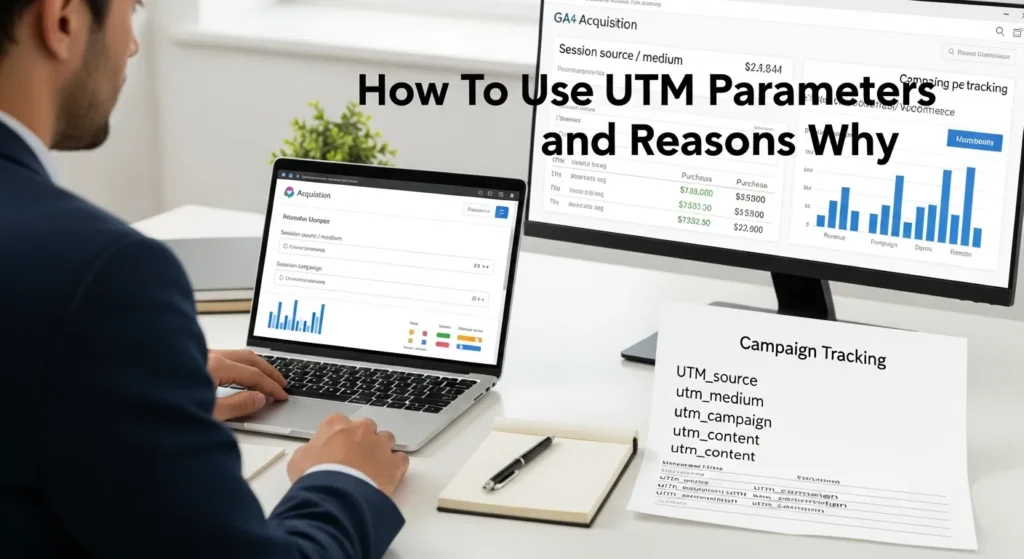
UTM parameters sound boring until you watch a “big” promo drive sales and Google Analytics calls it direct traffic. We have been there, staring at a report, wondering if the email, the Instagram story, or the ad actually did the work.
Quick answer: UTM parameters are small tags you add to a link so analytics tools can label clicks correctly, which helps you prove what earns revenue, fix messy attribution, and make your marketing reports fair across channels.
Key Takeaways
- UTM parameters are small URL tags that tell GA4 exactly where clicks came from, so your marketing attribution reflects reality instead of “direct traffic.”
- Use the five core fields (utm_source, utm_medium, utm_campaign, utm_term, utm_content) to make paid, email, social, and partner performance comparable across channels.
- Adopt a simple naming convention (lowercase, underscores, consistent campaign labels) and store every tagged link in a shared tracking sheet to prevent reporting-breaking typos.
- Shorten long UTM links with tools like Bitly or TinyURL and always test the final link in an incognito window to confirm UTM tracking shows up correctly in GA4.
- Avoid common governance mistakes: never put personal data in UTM parameters, don’t add UTMs to internal links, and configure cross-domain tracking so checkout domains don’t steal credit.
- Turn UTM parameters into decisions by mapping campaigns to conversions (purchases, leads, forms) and reviewing a monthly GA4 checklist to scale what sells and cut what doesn’t.
UTM Parameters In Plain English: What They Are And What They Track
UTM parameters are extra bits you add to the end of a URL. They look like this: ?utm_source=google&utm_medium=cpc&utm_campaign=spring_sale.
Those tags tell tools like Google Analytics 4 (GA4) where a visit came from and what campaign you intended. Entity tags -> influence -> attribution. Better attribution -> improves -> budget decisions.
If you run a WooCommerce store, this is the difference between “sales came from the website“ and “sales came from the retargeting ad set that cost $412.“
The Five Core UTMs (Source, Medium, Campaign, Term, Content)
You only need a few fields to get real clarity. Here are the five core UTMs, with plain-English examples:
- utm_source: the specific origin of traffic.
- Examples:
google,facebook,newsletter,partner_name - utm_medium: the channel type.
- Examples:
cpc,paid_social,email,affiliate,qr - utm_campaign: the campaign label you want in reports.
- Examples:
cyber_sale,spring_launch,retargeting_q1 - utm_term: often used for paid search keywords.
- Examples:
womens_running_shoes,best_credit_union - utm_content: a variant label for A/B tests or creative versions.
- Examples:
video_ad,banner_300x250,header_cta
GA4 also supports optional tags like utm_source_platform, utm_creative_format, and utm_marketing_tactic. Google documents these newer fields for campaign measurement in GA4.
How UTMs Show Up In Google Analytics And Other Tools
In GA4, you will see UTM data in acquisition reports. Look here:
- Reports → Acquisition → Traffic acquisition
- Common dimensions:
- Session source / medium
- Session campaign
UTMs also help other tools parse campaign traffic. A link tag -> affects -> reporting labels across systems.
If you use WordPress forms, ecommerce tracking, or a CRM, UTMs can travel with the lead when you capture them the right way. That is where UTMs stop being “marketing stuff” and become ops-friendly data.
Reasons To Use UTM Parameters (Beyond “Better Reporting”)
UTMs do more than make charts look nice. They reduce guesswork.
A clean UTM setup -> reduces -> “direct traffic” inflation. Clear labeling -> improves -> trust in reporting. Trust -> speeds up -> decisions.
Prove Which Channels And Creators Actually Drive Revenue
If you work with influencers, affiliates, or partners, UTMs can end awkward conversations.
Instead of “we think your posts helped,“ you can answer:
- Which creator drove the most add-to-carts
- Which partner drove the most purchases
- Which campaign drove the best revenue per click
In ecommerce, this matters because spend follows proof. Proof -> shifts -> budget.
Clean Up “Direct” And “Referral” Attribution Confusion
A lot of “direct” traffic is not truly direct. It often comes from:
- untagged email links
- DMs and messaging apps
- QR codes
- some apps that strip referrers
UTM parameters -> fix -> missing context. That makes your acquisition mix more believable.
Make Paid, Email, Social, And Influencer Reporting Comparable
Without UTMs, each channel tends to label itself in its own weird way. UTMs give you a shared language.
A shared language -> creates -> apples-to-apples reporting.
That helps when you ask questions like:
- Should we put more money into paid social or into email list growth?
- Did our PR mention drive high-intent traffic or just window shoppers?
- Which ad creative pulled in buyers, not just clicks?
How To Build UTMs The Safe, Repeatable Way
We treat UTMs like a tiny system, not a one-off trick. You want consistency, because spelling errors -> break -> reporting.
Here is what that means in practice.
Start With A Naming Convention You Can Maintain
Pick rules your whole team can follow on a tired Tuesday.
We like:
- lowercase only (GA4 treats
Facebookandfacebookas separate) - underscores instead of spaces
- clear, short campaign names
A simple pattern:
utm_source={platform_or_partner}utm_medium={channel_type}utm_campaign={offer_or_moment}utm_content={creative_or_placement}
Example: utm_source=instagram&utm_medium=paid_social&utm_campaign=valentines_drop&utm_content=reel_1
Use A UTM Builder And A Shared Tracking Sheet
Google’s free tool helps you avoid typos: Campaign URL Builder.
Then store every live campaign link in a shared sheet with columns like:
- destination URL
- utm_source
- utm_medium
- utm_campaign
- utm_content
- owner
- start date
A shared sheet -> prevents -> duplicate naming.
If you want to go one step further, we often turn the sheet into a simple SOP. Prompts and templates -> reduce -> “random tag soup.“
Shorten Links Without Breaking Tracking
Long UTM links look scary in bios and printed materials. Link shorteners keep UTMs intact.
- Bitly and TinyURL both work fine for most campaigns.
- Always test the final short link in an incognito window.
A quick test click -> confirms -> UTMs appear in GA4 as expected.
Practical UTM Examples You Can Copy For Common Campaigns
Copy these, then swap your own names in.
One note: keep your UTM labels consistent over time. Consistency -> improves -> trend reporting.
Email Newsletters, Automations, And Broadcasts
Use UTMs on every link in email, even if it feels repetitive. Email clicks -> often appear as -> direct without tags.
- Newsletter header button:
?utm_source=newsletter&utm_medium=email&utm_campaign=weekly_digest&utm_content=header_cta- Abandoned cart email:
?utm_source=klaviyo&utm_medium=email&utm_campaign=abandoned_cart&utm_content=step_2- Welcome series:
?utm_source=welcome_series&utm_medium=email&utm_campaign=welcome_01&utm_content=primary_link
Paid Social And Search Ads (Including Retargeting)
Paid campaigns need clean UTMs because spend -> demands -> proof.
- Facebook/Instagram retargeting:
?utm_source=facebook&utm_medium=paid_social&utm_campaign=retargeting_q1&utm_content=video_ad- Google Search ad:
?utm_source=google&utm_medium=cpc&utm_campaign=service_search&utm_term=wordpress_maintenance&utm_content=ad_1
If you use auto-tagging in Google Ads, keep your UTM strategy consistent anyway. Mixed setups -> create -> reporting gaps.
Influencers, Affiliates, Partners, And PR Mentions
Treat each partner like a source. A partner label -> affects -> partner ROI.
- Influencer story link:
?utm_source=influencer_jordan&utm_medium=affiliate&utm_campaign=partner_promo&utm_content=story- Podcast mention:
?utm_source=podcast_name&utm_medium=pr&utm_campaign=founder_interview&utm_content=show_notes- Guest post bio link:
?utm_source=guest_post_site&utm_medium=referral&utm_campaign=thought_leadership&utm_content=author_bio
If you also use affiliate platforms, UTMs still help, since you can reconcile platform reporting with GA4.
Common UTM Mistakes And Governance Guardrails
UTMs are simple. People make them messy.
A messy tag setup -> creates -> messy data. Messy data -> kills -> trust.
Avoid Duplicates, Misspellings, And Inconsistent Casing
These are the repeat offenders we see:
utm_source=Facebookin one link andutm_source=facebookin anotherutm_medium=paid-socialversusutm_medium=paid_social- campaign names that change mid-flight (
spring_salebecomesspring-sale-final2)
Fix: use a shared sheet and enforce lowercase.
Do Not Put Personal Data In UTMs (Privacy And Compliance)
Do not put emails, phone numbers, patient names, or anything sensitive in UTM parameters.
UTM tags -> show up -> logs, analytics tools, and browser history. That can create privacy and legal risk.
If you work in healthcare, legal, finance, or anything regulated, keep UTMs strictly about campaigns and placements. Sensitive content -> stays -> human-led processes.
For privacy guidance, start with regulators and standards voices:
- The FTC’s guidance on privacy and data security in business contexts: Federal Trade Commission.
When Not To Use UTMs (Internal Links And Cross-Domain Caveats)
Do not add UTMs to links that go from one page on your site to another page on your site. Internal UTMs -> overwrite -> original source data.
Also watch cross-domain setups.
- If your checkout sits on a different domain or subdomain, you need clean cross-domain measurement.
- If you do not configure it, your own checkout domain can show up as a referral source.
If your site runs on WordPress and WooCommerce, we usually check this early because checkout tracking -> affects -> revenue reporting.
How To Turn UTM Data Into Decisions In WordPress And WooCommerce
A UTM link is only step one. Decision-ready reporting needs conversions.
UTM tags -> connect -> clicks. Conversion tracking -> connects -> revenue.
Map UTMs To Conversions: Forms, Purchases, And Lead Quality
In GA4, set up events that match what you sell:
- purchase (WooCommerce)
- generate_lead (forms)
- submit_form (if you track form submits)
Then you can answer questions that matter:
- Which
utm_campaigndrives purchases, not just sessions? - Which
utm_sourcedrives qualified leads that close in your CRM?
If you run a service business site on WordPress, capture UTMs into hidden form fields and pass them to your CRM. Source data -> improves -> sales follow-up.
On WordPress, many teams use analytics plugins for dashboards. We often set up a clean GA4 connection, then keep dashboards simple so owners actually check them.
If you want related reads on our site, these are good companions:
Create Simple Campaign Dashboards And Monthly Checklists
You do not need a fancy data warehouse to get value.
A simple monthly checklist works:
- Review Traffic acquisition in GA4.
- Filter by Session campaign.
- Pull top campaigns by revenue or leads.
- Scan for naming errors (casing, typos).
- Pause spend on campaigns that draw clicks but no conversions.
A checklist -> builds -> discipline. Discipline -> builds -> reliable data.
If you want the safest rollout, run UTMs in “shadow mode” for two weeks. You tag links, you watch the data, and you change nothing else. Clean data -> earns -> confidence.
Conclusion
UTM parameters give your marketing a memory. They tell GA4 what you meant when you posted that link, sent that email, or paid for that click.
If you want a low-risk place to start, tag your next newsletter and your next paid campaign, then keep the names consistent for 30 days. After that, you can trim what does not sell and scale what does.
When you want help setting up UTMs alongside WordPress, GA4, and WooCommerce conversion tracking, we do this kind of cleanup work every week. It is not glamorous, but it stops the “where did the sales come from?“ argument fast.
Frequently Asked Questions About UTM Parameters
What are UTM parameters and how do UTM parameters work in GA4?
UTM parameters are short tags added to the end of a URL (like utm_source, utm_medium, and utm_campaign). They tell Google Analytics 4 how to label a click, so traffic shows up correctly in Acquisition reports (e.g., Session source/medium and Session campaign) instead of misclassified “direct.”
Why should I use UTM parameters instead of relying on “direct traffic”?
Because “direct” is often a catch-all for missing attribution from untagged emails, DMs, QR codes, or apps that strip referrers. UTM parameters add the missing context, reduce inflated direct traffic, and make reporting more believable—so you can confidently see which campaigns and channels actually drive revenue.
How do I build UTM parameters the safe, repeatable way for campaigns?
Start with a simple naming convention your whole team can follow: use lowercase, keep names short, and use underscores instead of spaces. A common pattern is utm_source=platform, utm_medium=channel_type, utm_campaign=offer, utm_content=creative. Store every tagged link in a shared tracking sheet to prevent typos and duplicates.
What are the five core UTM parameters (source, medium, campaign, term, content)?
The five core UTMs are: utm_source (origin like google or newsletter), utm_medium (channel type like cpc, email, paid_social), utm_campaign (campaign label), utm_term (often the paid search keyword), and utm_content (creative/variant such as video_ad or header_cta for A/B testing).
When should you not use UTM parameters on links?
Avoid adding UTM parameters to internal links on your own site. Internal UTMs can overwrite the original source data and corrupt attribution, making marketing performance look worse or inconsistent. Also be careful with cross-domain checkouts; without proper cross-domain tracking, your checkout domain may appear as a referral source.
Do UTM parameters affect SEO rankings or make a URL “duplicate content”?
UTM parameters don’t directly boost rankings, but they can create multiple URL versions of the same page. Search engines usually handle this well, yet it’s best practice to use canonical tags and avoid indexing UTM URLs when possible. Keep UTMs for campaign measurement, not for internal site navigation.
Some of the links shared in this post are affiliate links. If you click on the link & make any purchase, we will receive an affiliate commission at no extra cost of you.
We improve our products and advertising by using Microsoft Clarity to see how you use our website. By using our site, you agree that we and Microsoft can collect and use this data. Our privacy policy has more details.
