
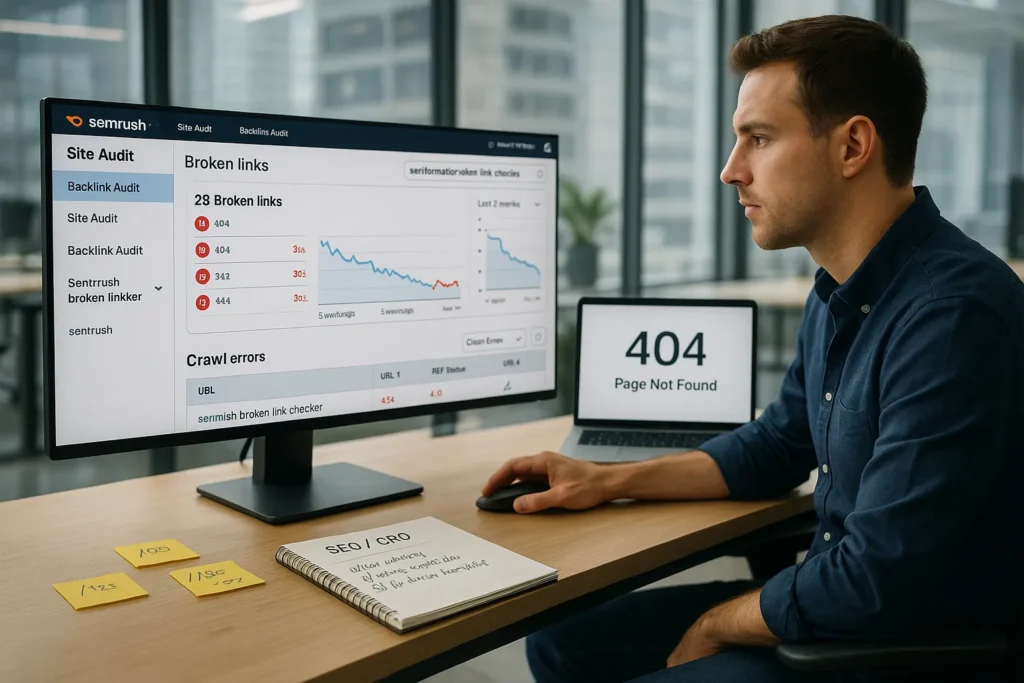
We have all clicked a promising link, waited a second, then hit a cold 404 page. That tiny moment of frustration is exactly what a broken link does to our visitors and to our SEO. In this guide, we use Semrush as a broken link checker to hunt those dead URLs down and clean them up fast. If we care about traffic, leads, and trust, this belongs in our regular SEO routine.
Key Takeaways
- Using Semrush as a broken link checker helps you quickly find and fix 404s, soft 404s, and redirect issues that hurt user experience and conversions.
- Broken links waste crawl budget, break internal link equity, and kill the value of external backlinks, making regular Semrush broken link checker audits essential for SEO health.
- Semrush Site Audit uncovers internal and external broken links, redirect chains, loops, and bad canonicals so you can prioritize fixes by status, traffic, and business impact.
- Semrush Backlink Audit reveals broken backlinks pointing to 4xx/5xx URLs, letting you redirect or recreate pages to recover lost authority and referral traffic.
- Turning semrush broken link checker findings into a clear task list, with owners, priorities, and recurring crawls, creates a sustainable workflow that protects rankings and revenue.
Why Broken Links Hurt Your Website Performance

User Experience And Conversion Impact
Broken links interrupt the path our visitors expect to follow. Instead of helpful content or a product page, they hit an error and often leave.
Here is why that matters. Every broken link can:
- Increase bounce rate, especially from organic traffic
- Break key journeys like checkout, demo requests, or email signups
- Make our brand feel outdated or neglected
A Baymard Institute study on ecommerce checkout usability found that friction in the path to purchase reduces completion rates across the board. A 404 in that flow hurts even more because it feels like a dead end, not just a small delay.
When we treat Semrush as a broken link checker and fold it into our CRO process, we protect revenue as much as rankings. Fixing one broken link on a high intent page can recover leads or sales that we already earned with our marketing budget.
SEO, Crawlability, And Lost Link Equity
Search engines do not like dead ends either. Google clearly states in Search Central documentation that broken internal links waste crawl capacity and can cause pages to be missed during crawling.
From an SEO point of view, broken links hurt in three ways:
- Crawlers waste time on URLs that go nowhere
- Internal link equity does not reach the pages we want to rank
- External links that point to 404s stop passing value
Moz has long documented how link signals help rankings across a site, not only on a single page. When that signal hits a 404, the benefit stops there. Using Semrush broken link checker workflows, we can redirect or restore those URLs so link equity reaches live content again.
Types Of Broken Links Semrush Can Uncover

404 Errors And Soft 404s
The most familiar case is the simple 404: a URL that returns a “Not Found” status. Semrush Site Audit flags these as internal and external broken links, and shows which pages link to them.
Soft 404s are trickier. The server returns a 200 status, but the page looks like an error or has no real content. Google Search Central warns that soft 404s waste crawl and send mixed signals. Semrush highlights these too so we can treat them like real 404s and fix or redirect them.
Redirect Chains, Loops, And Canonical Issues
Not every broken link is a clean 404. Sometimes the trouble comes from messy redirects.
Semrush can reveal:
- Redirect chains, where URL A goes to B, then C, then D
- Redirect loops, where URLs keep pointing back to each other
- Canonical tags that point to non-existent or redirected URLs
These patterns slow down crawlers and users. They also dilute link signals across several URLs. Short, direct redirects with accurate canonicals work better. Our semrush broken link checker routine should treat long chains and loops as issues to trim.
Internal Vs. External Broken Links
Internal broken links live fully under our control. These include menu items, internal references in blog posts, or old product URLs.
External broken links point to other websites that removed or moved their content. Semrush Site Audit will surface both, but we handle them differently:
- Internal: fix the URL, redirect, or restore content
- External: swap the target with a new resource, or remove the link
Both matter. Internal fixes help technical SEO. External fixes protect user trust and keep our content helpful and current.
How To Use Semrush Site Audit As A Broken Link Checker

Setting Up A New Project And Crawl Settings
We start by adding our domain as a new Project in Semrush. In Site Audit, we:
- Set the crawl scope (subdomain or full domain)
- Choose the number of pages to crawl
- Add login details if we audit a protected area
- Respect robots.txt and noindex rules
We run the first crawl, then schedule weekly or monthly recrawls so Semrush broken link checker activity becomes routine. Frequent crawls catch new issues before they affect many users.
Finding Broken Internal Links In The Site Audit Report
Once the crawl finishes, we open the Site Audit report and look for:
- “Broken links” in the Issues tab
- “5xx” and “4xx” status codes
- “Soft 404” warnings
Semrush lists each broken URL along with the “source pages” that link to it. That list is our starting point. We export it and group by:
- Type: 404, 410, server error, soft 404
- Location: navigation, templates, or content body
This gives us a clear map of what went wrong and where.
Prioritizing Issues By Severity And Page Importance
We will never fix everything at once, so we stack the work.
We sort links by:
- HTTP status (5xx and system errors first, then 4xx)
- Number of incoming links
- Organic traffic and revenue of the source pages
That way, the semrush broken link checker process lines up with our business goals. A broken link in the main menu on a high traffic page beats a broken reference in a 2014 blog post.
We can pair this with data from Google Analytics and a technical SEO audit checklist to match technical severity with real business impact.
Finding Broken Backlinks With Semrush Backlink Audit
Identifying Lost Link Opportunities
Broken backlinks are links from other websites that now point to 404s on our domain. These hurt more than internal ones because another site already voted for our content.
In Semrush Backlink Audit, we:
- Run an audit on our domain
- Filter for target URLs with 4xx or 5xx status
- Export the list of referring domains and pages
Now we have a list of sites that tried to send us visitors and authority. With a semrush broken link checker lens, this becomes a recovery project. We restore or redirect those URLs so the link value counts again.
Deciding When To Redirect, Recreate, Or Let Go
Not every broken backlink deserves a fix. Our choices:
- 301 redirect to a current, close-match page
- Recreate the missing content if it still matters
- Let the URL stay gone if the topic is no longer relevant
We look at the quality of referring domains, anchor text, and traffic estimates. A strong editorial link from a trusted publisher is worth extra work. A low quality directory might not be.
Where it makes sense, we can also reach out and suggest that the referring site updates the link to our best current page. That keeps the relationship fresh and may earn extra mentions over time.
Workflow: Fixing Broken Links Efficiently
Creating A Fix List For Your Team Or Clients
Good data is not enough. We need a clear fix list that others can follow.
From Semrush Site Audit and Backlink Audit exports, we build a sheet with columns such as:
- Broken URL
- Type (internal / external / backlink)
- Source page(s)
- Proposed fix (update link, 301, 410, restore content)
- Priority
- Owner and due date
This turns the semrush broken link checker output into tasks for developers, content editors, and SEO managers.
Implementing Redirects, Updates, And Content Restorations
Next, we execute.
Common fixes:
- Update internal links to the correct, current URL
- Add 301 redirects in our CMS, server config, or edge rules
- Restore deleted content when the topic still matters and has good links
- Clean up external links in our content that now break
We test each fix with a crawler or a manual spot check. Then we run another Semrush crawl to confirm the issues cleared. This feedback loop keeps our link graph tight and healthy.
If we manage many sites or large archives, a simple standard operating procedure (SOP) plus a content pruning guide helps new team members follow the same steps.
Ongoing Monitoring And Reporting With Semrush
Broken links return as sites grow and content changes. So we turn Semrush broken link checker tasks into a recurring check.
We:
- Schedule Site Audit weekly or monthly
- Keep historical reports so we see trend lines
- Add broken link counts to our SEO or product dashboards
Sharing a short monthly report with stakeholders shows how technical work protects traffic and revenue. It also prevents old issues from quietly piling up again.
Best Practices And Common Mistakes To Avoid
Balancing Technical Fixes With Business Priorities
It is tempting to chase every single error Semrush reports. That drains time and rarely moves the needle.
Better approach:
- Fix broken links on pages that earn or assist conversions
- Protect content that attracts strong backlinks
- Clean templates that affect many URLs at once
We accept that some low impact 404s will stay on old content. Our semrush broken link checker work should increase revenue or protect key rankings, not just aim for a perfect audit score.
Coordinating With Developers, Editors, And Stakeholders
Broken links touch design, content, and engineering. If we work in a silo, fixes stall.
We get better results when we:
- Share clear examples with screenshots from Semrush
- Explain revenue or risk impact in plain language
- Bundle fixes into planned sprints or content updates
When everyone sees broken link work as part of quality control, it gets attention. Over time, teams learn to update links when they archive or rename content so fewer issues appear in each new Semrush crawl.
Conclusion
Broken links are small technical errors with outsized effects on trust, rankings, and revenue. The good news is that Semrush broken link checker workflows make them visible and manageable.
If we treat Site Audit and Backlink Audit as regular health checks, we keep users on smooth paths, recover lost link equity, and stop sending crawlers into dead ends. Start with one focused audit, fix the worst issues, then build a simple monthly routine. Our site will feel cleaner, faster, and more reliable for both people and search engines.
Sources
- “Crawl errors” and “Soft 404 errors”, Google Search Central, Google, accessed January 2026, https://developers.google.com/search/docs/crawling-indexing/crawl-errors
- “The Beginner’s Guide to SEO”, Moz, updated 2023, https://moz.com/beginners-guide-to-seo
- “Baymard Premium: Checkout Usability Study”, Baymard Institute, 2022, https://baymard.com/research/checkout-usability
Frequently Asked Questions
What is a Semrush broken link checker and how does it work?
A Semrush broken link checker is a workflow built around Semrush’s Site Audit and Backlink Audit tools. Site Audit crawls your website to find internal and external broken links, soft 404s, and redirect issues. Backlink Audit identifies broken backlinks from other sites, so you can recover lost authority and traffic.
How do I use Semrush Site Audit as a broken link checker?
Create a new Project in Semrush, open Site Audit, and set your crawl scope, page limits, and any login details. Run the crawl, then review Issues for 4xx/5xx errors, soft 404s, and “Broken links.” Export the report, group by type and location, then prioritize and fix high‑impact links first.
Why do broken links hurt SEO and conversions?
Broken links send users to error pages, increasing bounce rate and disrupting key flows like checkout or lead forms. For SEO, they waste crawl budget, break internal link equity, and stop external link value from passing. Fixing them improves user experience, protects rankings, and can recover lost leads or sales.
How often should I run a Semrush broken link checker audit?
For most active sites, schedule Semrush Site Audit to run weekly or monthly. High‑change or large ecommerce sites benefit from weekly crawls, while smaller blogs may be fine monthly. The goal is to catch new broken links early, before they affect many users or disrupt important revenue‑driving pages.
Is Semrush the best broken link checker compared with free tools?
Free broken link checkers are fine for small, one‑off scans, but Semrush excels for ongoing SEO. It combines broken link detection with technical SEO insights, backlink data, prioritization, and scheduled crawls. This makes it more suitable for teams that need to tie broken link fixes to rankings and revenue impact.
Some of the links shared in this post are affiliate links. If you click on the link & make any purchase, we will receive an affiliate commission at no extra cost of you.
