

The first time we ran a Rank Math SEO audit for a client, the score came back in the low 40s and everyone went quiet. Traffic had been drifting down for months, and that single number suddenly gave the problem a clear shape. A few weeks and a structured fix plan later, their leads from Google were up, and nobody was guessing anymore. That is the real value of a Rank Math SEO audit: turning vague “SEO worries” into a concrete to‑do list you can handle step by step.
Key Takeaways
- A Rank Math SEO audit turns vague SEO concerns into a clear, prioritized to‑do list that can lift traffic, leads, and visibility when you act on its findings.
- You can run a Rank Math SEO audit in under an hour, then convert the results into a focused 30‑day fix plan that starts with quick wins like titles, meta descriptions, and broken links.
- Preparing your WordPress site with backups, staging, and clear SEO goals makes each rankmath seo audit safer, more targeted, and easier to implement.
- Interpreting the audit by buckets—basic SEO, technical/indexing, and performance/mobile/security—helps you fix the issues that most affect discovery and trust first.
- Building a recurring cadence for rankmath seo audits (monthly for active sites, quarterly for static ones) turns SEO from crisis management into steady, measurable improvement.
When a Rank Math SEO Audit Actually Helps Your Business

Quick answer: A Rank Math SEO audit helps when you are ready to act on what it shows you.
If you just want a pretty score, it will feel like another dashboard. If you want more search traffic, better lead quality, or fewer SEO fires, the Rank Math audit can guide your next month of work.
Here is when it really earns its keep:
- Your organic traffic has stalled or dropped and you do not know why.
- You keep publishing content, but nothing new ranks or brings leads.
- Developers tell you “everything is fine,“ yet Google Search Console shows errors.
- You are migrating, redesigning, or adding WooCommerce and want a safety check.
Rank Math’s SEO Analyzer flags broken links, title and meta problems, thin content, missing schema, slow pages, and more. Google’s own documentation stresses that clear titles, crawlable pages, mobile friendly layouts, and fast loading are among the main search factors.
Here is what that means for you: if your audit shows gaps in these areas, and you are willing to schedule fixes, a Rank Math SEO audit can turn into real business results instead of just another report.
Quick Answer: Your Rank Math SEO Audit in Five Steps
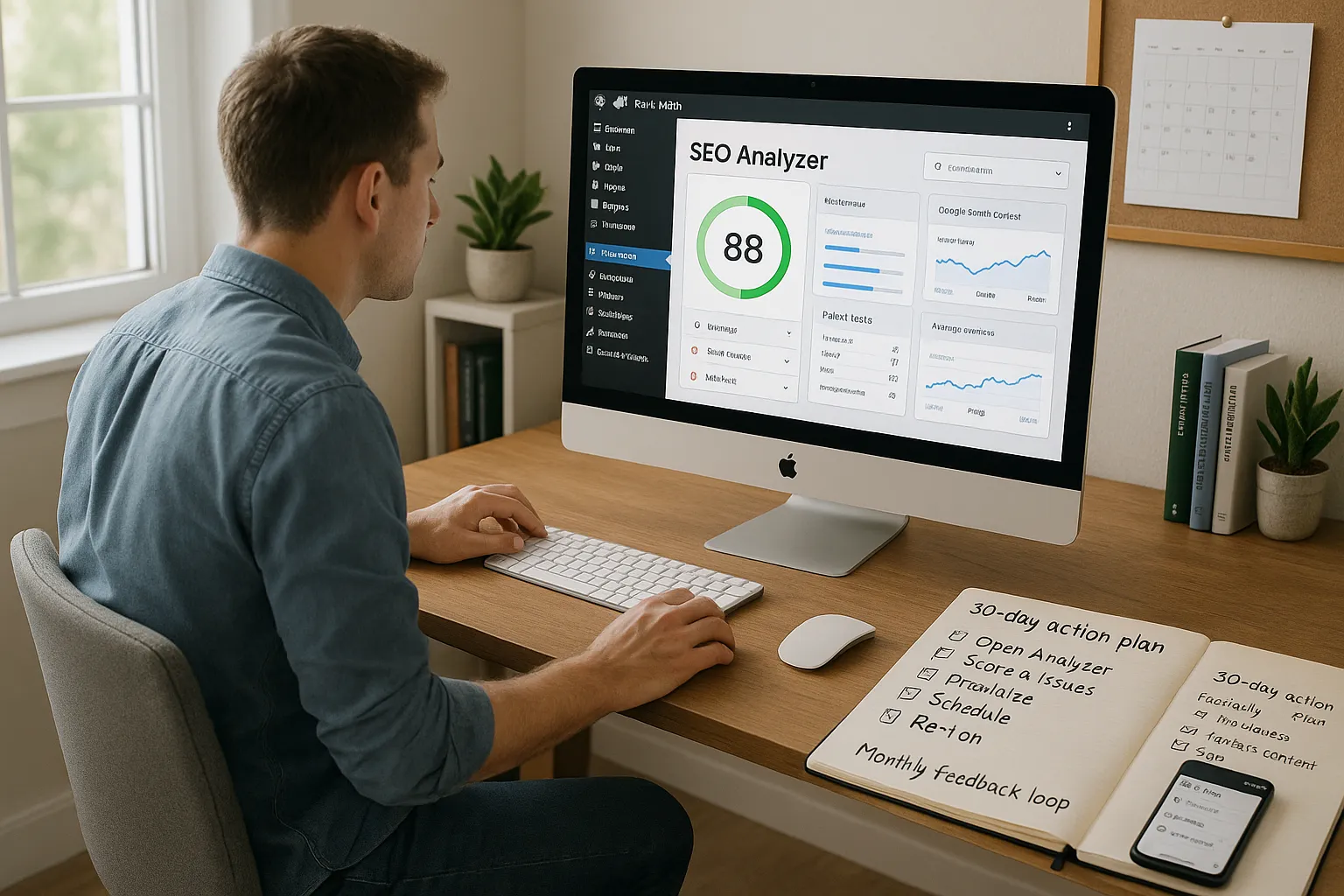
Quick answer: You can run a Rank Math SEO audit in under an hour and turn it into a simple 30‑day action plan.
Here is the basic loop:
- Open the SEO Analyzer
- Inside WordPress, use Rank Math’s built in Analyzer.
- Or use the free Rank Math online Analyzer for a fast check on any URL.
- Get your score and issue list
Rank Math gives you an SEO score from 0 to 100 along with warnings and failed tests.
- Sort by business impact
Fix things that harm discovery and trust first: indexing problems, broken links, security warnings, unreadable pages on mobile.
- Schedule the work
Turn findings into tickets, tasks, or a simple checklist. Spread them across your team so nothing sits in “someday.“
- Re‑run and measure
Use Rank Math Analytics and Google Search Console to see if impressions, clicks, and average position change as you clear issues.
If you follow this pattern each month, a rankmath seo audit stops being a one‑off event and becomes a simple feedback loop that keeps your WordPress site in shape.
Preparing Your WordPress Site Before You Run Rank Math’s SEO Analyzer

Before you press “Analyze,“ get your house in order. A little prep makes the rankmath seo audit far more useful.
Backups, Staging, and User Access
First, protect yourself from mistakes.
- Back up your site. At minimum, take a database and file backup through your host or a plugin.
- Use staging when you can. Many hosts and agencies, including our team at Zuleika LLC, provide staging sites so you can test structural SEO changes without touching your live store or booking site.
- Set user roles. Give Rank Math management rights only to users who understand SEO and WordPress settings. Others can help with content edits, but should not switch indexing or sitemap options.
This is the safest way to start. You keep room for experiments without risking your revenue pages.
Clarifying Goals: Traffic, Leads, or Visibility
Next, decide what “better SEO” means for you.
Ask yourself:
- Are we chasing more organic traffic in general, or specific product and service keywords?
- Do we care most about form fills, calls, or sales, not just visits?
- Do we need more brand visibility on our name, or more discovery on niche topics?
Write these down. When you read the Rank Math SEO audit report, you can match each issue to a goal. A missing meta description on a money page matters far more than a minor header warning on an old blog post.
If you want help setting these goals for a WordPress or WooCommerce site, our WordPress SEO services page walks through common targets for small businesses.
Running a Rank Math SEO Audit: Inside WordPress and With the Online Analyzer
Once you know your goals, it is time to actually run the rankmath seo audit.
Using the Built‑In Rank Math SEO Analyzer in Your Dashboard
Inside WordPress, go to Rank Math in your admin menu and open the SEO Analyzer. Hit the button to start a full scan of your site.
This tool checks:
- Indexing and sitemap visibility
- Title tags, meta descriptions, and headings
- Internal links and basic content signals
- Performance hints like page size
The advantage here is context. You can click straight from a warning into the post or page editor, fix the issue, and update.
Using the Free Online Rank Math Analyzer for Single URLs
If you do not use WordPress or you want to check a single landing page, use the free Rank Math Analyzer on their website. Paste your URL, run the check, and you will get a quick SEO score and issue list.
We often use this for:
- Landing pages built on separate domains
- Microsites
- Quick checks on client content before a full project
It is a handy way to get a taste of a rankmath seo audit without installing anything.
Competitor Analyzer: When and How to Use It
You can also run the online Analyzer on a competitor’s home page or service page.
Here is how this helps:
- Spot patterns in their titles, headings, and schema.
- See where their technical basics are stronger or weaker than yours.
- Identify content angles you have not covered.
Treat this as a reality check, not a copy‑paste guide. Your business goals and brand voice still lead.
Interpreting Rank Math SEO Audit Results Without Panic
A rankmath seo audit report can feel loud the first time you see it. Many warnings, bright colors, and a big score at the top.
Take a breath and sort it into simple buckets.
Basic SEO Issues: Titles, Meta, Headings, and Content Gaps
Start with the things visitors see.
- Missing or duplicated title tags
- Weak or missing meta descriptions
- Headings that skip levels or repeat the same phrase
- Thin pages with very little content
Google’s search documentation points out that descriptive titles and helpful content are among the strongest signals. Fix these first on high intent pages such as services, pricing, and contact.
Technical SEO and Indexing Issues
Next, look at the “can Google find and read this“ problems:
- Pages blocked by robots.txt or noindex tags
- Broken internal links
- Redirect chains
- Sitemap and crawl errors
If Rank Math flags something here, double check in Google Search Console. When both tools complain, raise the priority. These items directly affect whether your content appears at all.
Performance, Mobile, and Security Alerts
Last, scan the performance and security hints:
- Slow pages and large images
- Poor layout on mobile
- Mixed content warnings (HTTP content on HTTPS pages)
Google’s Page Experience guidance and Core Web Vitals documentation explain how speed and mobile layout tie into search. You do not need a perfect score, but you should avoid extremely slow or broken pages, especially on first contact pages like your home or lead forms.
Turning Rank Math Findings Into a 30‑Day SEO Fix Plan
A rankmath seo audit is only useful if it turns into finished work. We like a 30‑day window because it feels real and forces focus.
Quick Wins You Can Fix in a Day
Start with fixes that take minutes:
- Write or clean up title tags and meta descriptions on your main pages.
- Add missing alt text to top traffic images.
- Fix obvious broken internal links.
- Adjust headings on a few pages so each has a clear H1 and logical H2s.
These changes can already help click‑through rates and clarity for both search engines and humans.
Scheduling Larger Fixes Across Your Team
Next, turn the heavier items into planned work:
- Template level changes to headers, footers, and schema.
- Page speed work such as image compression or font changes.
- Restructuring categories or navigation.
Assign owners. Developers take technical tasks. Writers and marketers handle content gaps. Leadership signs off on anything that touches brand or compliance.
If you use business website packages, this work often fits into ongoing maintenance hours or a small upgrade project instead of a big rebuild.
Tracking Impact in Rank Math Analytics and Search Console
Do not guess. Track.
- In Rank Math Analytics, watch overall impressions, clicks, and average position.
- In Google Search Console, track queries for your target services, products, or topics.
Mark when you completed groups of fixes. Then compare 2 to 4 weeks before and after. This makes the effect of each round of rankmath seo audits clear over time.
Working Rank Math Audits Into Your Ongoing SEO Governance
One‑off audits feel dramatic. Calm, repeatable checkups keep you out of crisis mode.
Setting a Recurring Audit Cadence
We suggest:
- Monthly rankmath seo audit for active content sites and stores.
- Quarterly audit for low change brochure sites.
Pair each run with a short review:
- What changed since last month in score and issue count?
- Which fixes tied to clear traffic or lead lifts?
- What new problems appeared after theme changes, plugin installs, or content pushes?
This rhythm keeps SEO as regular maintenance, not an emergency.
Keeping Humans in the Loop and Protecting Sensitive Data
Rank Math and other tools work with your live website data. Treat that data with care.
- Do not paste medical, legal, or financial client details into prompts or third party tools.
- Keep a human in the loop for any changes that affect consent, disclosures, or regulated claims.
- Involve your legal or compliance team when schema or content touches regulated advice.
We design rankmath seo audit workflows so writers, marketers, and owners stay in control. Automation and plugins handle the boring checks. People handle judgment, tone, and risk.
Conclusion
A Rank Math SEO audit is not magic. It is a structured health check that turns fuzzy SEO worries into a list you can finish.
If you back up your site, set clear goals, run regular audits, and schedule fixes, you will see steady gains in search visibility and lead quality. You do not need a full time SEO department to do this. You just need a simple rhythm.
If you want help weaving rankmath seo audits into your WordPress or WooCommerce setup, our team at Zuleika LLC can design, build, and maintain a site that fits this way of working from day one.
Rank Math SEO Audit: Frequently Asked Questions
What is a Rank Math SEO audit and how can it help my business?
A Rank Math SEO audit is a structured health check of your website using Rank Math’s SEO Analyzer. It scans for issues like broken links, weak titles, thin content, and indexing problems, then turns them into an actionable to‑do list so you can improve search visibility, traffic, and lead quality.
How do I run a Rank Math SEO audit step by step?
Open Rank Math’s SEO Analyzer in your WordPress dashboard or use the free online Analyzer, run a full scan, review your SEO score and issue list, sort issues by business impact, schedule fixes as tasks or tickets, then re‑run the audit and compare results in Rank Math Analytics and Google Search Console.
How should I prepare my WordPress site before running a rankmath seo audit?
Before a rankmath seo audit, back up your database and files, ideally work on a staging site, and set proper user roles so only trained users can change Rank Math settings. Then clarify your SEO goals—traffic, leads, or visibility—so you can prioritize issues that affect your most important pages and conversions.
How often should I run a rankmath seo audit for my website?
For active content sites and online stores, a monthly rankmath seo audit works well. For simple brochure sites that rarely change, quarterly is usually enough. Pair each audit with a short review of the score, key issues fixed, and traffic or lead changes so SEO becomes routine maintenance, not crisis management.
Can a Rank Math SEO audit improve my Google rankings, and how long does it take?
A Rank Math SEO audit itself doesn’t boost rankings, but the fixes it uncovers—better titles, stronger content, faster pages, and clean indexing—can improve visibility. After implementing changes, many sites start seeing measurable shifts in impressions, rankings, and clicks within 2–8 weeks, depending on competition and crawl frequency.
What’s the difference between Rank Math’s SEO Analyzer and Google Search Console?
Rank Math’s SEO Analyzer evaluates on‑site factors like titles, meta tags, internal links, and basic performance directly from WordPress or a single URL. Google Search Console focuses on how Google sees your site—index coverage, queries, click‑through rates, and manual actions. Using both together gives a fuller, data‑backed SEO picture.
Some of the links shared in this post are affiliate links. If you click on the link & make any purchase, we will receive an affiliate commission at no extra cost of you.
