
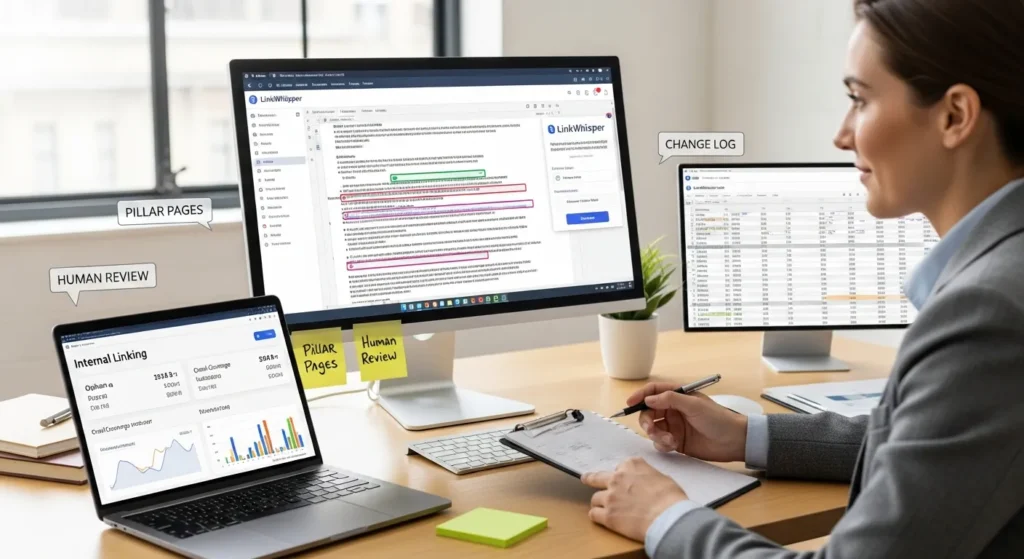
How to use LinkWhisper is one of those questions you only ask after you have stared at a WordPress post and thought, “I know I should add internal links… but to what, exactly?” We have had that moment too, usually with 40 tabs open and a deadline breathing down our neck.
Quick answer: LinkWhisper speeds up internal linking by scanning your site and suggesting relevant, contextual links, but you still need a human review step to keep anchors natural and pages prioritized.
Key Takeaways
- How to use LinkWhisper effectively starts with letting it scan your WordPress site for contextual internal link suggestions, then approving only the ones that truly fit the reader’s intent.
- Use LinkWhisper when internal linking becomes a maintenance job on larger sites (blogs with years of posts, WooCommerce stores, or service sites with many location/FAQ pages), but skip it on tiny sites where manual linking is faster.
- Before your first scan, back up your site and set guardrails in LinkWhisper settings (words to ignore, post types to include, and anchor text controls) to keep links readable and on-brand.
- Build a repeatable workflow—scan, prioritize pillar and high-traffic pages, apply a human checklist, log changes, and re-scan monthly—so internal links steadily improve crawl paths and user flow.
- Use LinkWhisper to find and fix orphan pages and to refresh top-performing older posts with targeted links to pillar guides, service pages, or product categories to improve discoverability and conversions.
- Avoid internal linking mistakes by keeping anchors natural and varied, placing links where they help the reader, and preventing over-linking that can hurt trust and engagement.
What LinkWhisper Does And When It Is Worth Using
LinkWhisper is a WordPress plugin that suggests internal links based on what your content talks about. It can scan existing posts, flag orphan pages (pages with no internal links), and help you add links without playing “site search roulette.”
It is worth using when your site has enough content that internal linking becomes a maintenance job. Think: a WooCommerce store with lots of category guides, a blog with years of posts, or a service business that publishes location pages and FAQs.
It is less worth it if you only have 10 pages and every link already has a clear purpose. In that case, manual linking is faster than setting up any tooling.
Internal Linking Goals It Helps You Hit
Internal links do three practical things when you do them well:
- They help Google discover and crawl pages. Pages with no links pointing to them can sit ignored.
- They help users keep moving. A reader who clicks a relevant internal link often stays longer and views more pages.
- They help you show hierarchy. Your pillar content should act like a hub, with supporting posts pointing in and out.
Here is the cause-and-effect piece that matters: strong internal links affect crawl paths, and crawl paths affect which pages search engines revisit more often.
If you want a deeper tool comparison before you commit, we break it down in our guide to choosing between internal linking plugins. (Save that for later, but it helps.)
When To Skip Automation And Link Manually
We still link manually in a few situations:
- High-stakes money pages: your main service page, checkout flows, legal pages, medical content, regulated topics.
- Brand-sensitive copy: where anchor text tone matters a lot.
- Pages with tight intent: where one “almost relevant” link can distract readers.
Automation affects speed. Humans affect judgment. When stakes go up, judgment wins.
Install And Configure LinkWhisper The Safe Way
Install LinkWhisper like any other plugin: Plugins → Add New → search → Install → Activate.
Before you touch the “scan” button, we suggest one small habit: take a quick backup (or at least confirm you have one). LinkWhisper inserts links into content. You want a clear rollback option if anything looks off.
Core Settings To Review Before Your First Scan
Open LinkWhisper settings and review these items before your first site-wide scan:
- Link behavior: decide if internal links should open in the same tab. For most sites, same tab keeps the experience consistent.
- Words to ignore: add filler words or brand terms you never want used as anchors.
- Post types to include: include posts and pages. Add products only if you have strong product copy and consistent naming.
- Anchor text controls: keep anchors readable. You want phrases that match the sentence, not awkward “SEO anchors.”
Next steps: run your first scan on a quieter day. A scan is not dangerous, but it can take time on larger sites.
Privacy And Access Basics For Client Or Team Sites
For client or team sites, we treat LinkWhisper like any admin-level content tool:
- Limit access to trusted roles. Editors can insert links, so permissions matter.
- Keep a basic change log. If a client asks “what changed,” you can answer.
- Do not paste sensitive data into any AI fields. Treat regulated data as off-limits.
LinkWhisper works inside WordPress. That means your normal WordPress security habits still apply: strong passwords, least-privilege roles, and updates on schedule.
Build Your First Internal Linking Workflow
We like to build internal linking like a repeatable workflow, not a one-off clean-up spree. You want a system you can run monthly, not a weekend you never want to relive.
A simple workflow looks like this:
- Scan the site.
- Review suggestions on priority pages first.
- Approve links with a checklist.
- Log what you changed.
- Re-scan later.
Run A Scan And Interpret Suggestions
After the scan, you will see suggestions that include:
- A source page (where the link would be placed)
- Suggested anchor text
- A target page (where the link would point)
We start with pillar pages and high-traffic posts. Why? Internal links affect distribution of attention. When you strengthen a popular page, you can funnel readers into deeper content that converts.
Watch for two quick red flags:
- Suggestions that feel “topic adjacent” but not truly helpful.
- Anchors that repeat too often across the site.
Approve Links With A Simple Human-Review Checklist
This checklist keeps you safe and keeps your content readable:
- Does the link help the reader right now? If not, skip it.
- Does the sentence still sound human? If it sounds stuffed, edit the anchor.
- Is the anchor unique on that page? Repeating anchors can look forced.
- Does it point to a page you actually want to rank or convert? Prioritize important pages.
We usually edit at least some anchors. That is normal. LinkWhisper affects speed, not taste.
Use LinkWhisper Features That Move The Needle
LinkWhisper has a lot of buttons. Only a few really matter day-to-day. We focus on features that save time and improve internal link coverage without turning your site into a link farm.
Add Links While Writing In The Editor
This is the “right now” feature. While you write or update a post, LinkWhisper can suggest internal links based on the draft.
Our rule: add internal links while the topic is fresh in your head. You will choose better targets because you remember what the article is trying to do.
If you publish client content or do content ops as a team, you can even make internal links part of your definition of done: draft → edit → internal links → publish.
Find Orphan Pages And Fix Them
Orphan pages often happen when:
- you publish a great post and forget to link to it,
- you migrate content,
- category pages change,
- old navigation gets removed.
LinkWhisper flags these pages so you can connect them back into your site.
Here is why this matters: internal links affect discoverability, and discoverability affects indexing.
Update Old Posts With Targeted Links
Old posts can still bring traffic. They just need better paths.
We like to pick a “top 20” list:
- top posts by traffic,
- top posts by conversions,
- posts that rank on page two and need a push.
Then we add a handful of relevant internal links that point to:
- a pillar guide,
- a service page,
- a related product category.
If you want to sanity-check which tool fits your workflow before you scale this, our comparison of LinkWhisper and similar internal linking tools can help you set expectations.
Avoid Common Internal Linking Mistakes
Internal linking looks harmless until it gets weird. We have seen sites where every paragraph had a link, and none of them helped.
Here is what we watch for when we show teams how to use LinkWhisper.
Anchor Text Rules And Over-Optimization Traps
Anchor text should read like normal writing. It should also vary.
Do this:
- Use descriptive phrases that match the sentence.
- Mix anchors across close variants. Keep it natural.
- Link once per concept per page, unless there is a real reason to repeat.
Avoid this:
- “click here” anchors.
- the same exact keyword anchor everywhere.
- anchors that feel like they were glued onto the sentence.
Search engines use anchors as context. Repetitive anchors affect how spammy your linking can look.
Link Placement, Relevance, And Crawl Priority
Placement matters more than most people think.
- Put links where a reader feels a question forming.
- Link early when it helps orientation. Link later when it supports a deeper dive.
- Keep it readable. If links interrupt the flow, readers bounce.
We often aim for a light touch: a few internal links per 1,000 words, focused on relevance.
Internal links affect crawl priority, but relevance affects trust. Trust keeps the whole thing working.
Measure Results And Keep The System Maintained
Internal linking is not a “set it and forget it” task. Sites change. Products change. Content changes.
So we treat LinkWhisper like a small system with checks and receipts.
Track Changes With A Simple Logging And Rollback Plan
You do not need fancy tooling. A simple spreadsheet works.
Log this:
- date
- pages updated
- how many links added
- any anchor edits you made
- notes about why you chose certain targets
If something breaks or rankings wobble, you can reverse changes fast.
A small habit helps a lot: do link batches. Update 10 to 20 posts, then pause and watch.
Monitor Rankings, Indexing, And Engagement Signals
Track outcomes that show real movement:
- Google Search Console impressions and clicks for updated pages
- index coverage for pages that were orphaned
- time on page and pages per session in analytics
- conversions on the pages you linked toward
Internal links affect discovery and user flow. Those signals show if the flow improved.
If you work in regulated areas like legal, healthcare, or finance, keep humans in the loop. Keep disclosures clear. Keep sensitive content human-led.
Conclusion
LinkWhisper can save you hours, but it cannot know what your business cares about this quarter. You do.
If you want the safest path: start small, run a scan, link your pillar pages first, and approve every suggestion with a human checklist. That is how you use LinkWhisper without turning internal linking into a guessing game.
Frequently Asked Questions About How To Use LinkWhisper
How to use LinkWhisper to speed up internal linking in WordPress?
To use LinkWhisper, install and activate the plugin, review core settings (ignored words, post types, anchor controls), then run a scan. It generates contextual internal link suggestions with source pages, anchors, and targets. Always review and edit anchors before inserting links to keep them natural.
When is it worth using LinkWhisper vs manual internal linking?
LinkWhisper is worth it when internal linking becomes a maintenance job—sites with lots of posts, WooCommerce catalogs, location pages, or large FAQ libraries. If you only have a small site (around 10 pages) and each link has a clear purpose, manual linking is often faster.
What settings should I check before my first LinkWhisper site scan?
Before your first scan, confirm link behavior (same tab is usually best), add words to ignore (filler and brand terms), choose post types to include (posts/pages; products only if naming is consistent), and set anchor text controls to keep links readable. Back up first for easy rollback.
How do I review LinkWhisper suggestions without over-optimizing anchor text?
Use a human checklist: only approve links that help the reader now, edit anchors so the sentence still sounds natural, avoid repeating the same anchor on a page, and prioritize targets you actually want to rank or convert. Watch for “topic-adjacent” suggestions and repeated exact-match anchors.
Can LinkWhisper improve SEO rankings, or does it only help with crawling?
LinkWhisper mainly helps you build better internal linking at scale, which can improve crawl discovery, indexing, and how authority flows through your site. That can support rankings indirectly, especially for orphan or page-two posts. Results depend on relevance, page quality, and prioritizing the right targets.
How often should you run LinkWhisper scans and update internal links?
A practical cadence is monthly or in batches: scan, start with pillar or high-traffic pages, add and log 10–20 posts worth of links, then pause to monitor Search Console and engagement signals. Re-scan after publishing new content, migrating pages, or changing categories/navigation.
Some of the links shared in this post are affiliate links. If you click on the link & make any purchase, we will receive an affiliate commission at no extra cost of you.
We improve our products and advertising by using Microsoft Clarity to see how you use our website. By using our site, you agree that we and Microsoft can collect and use this data. Our privacy policy has more details.
