
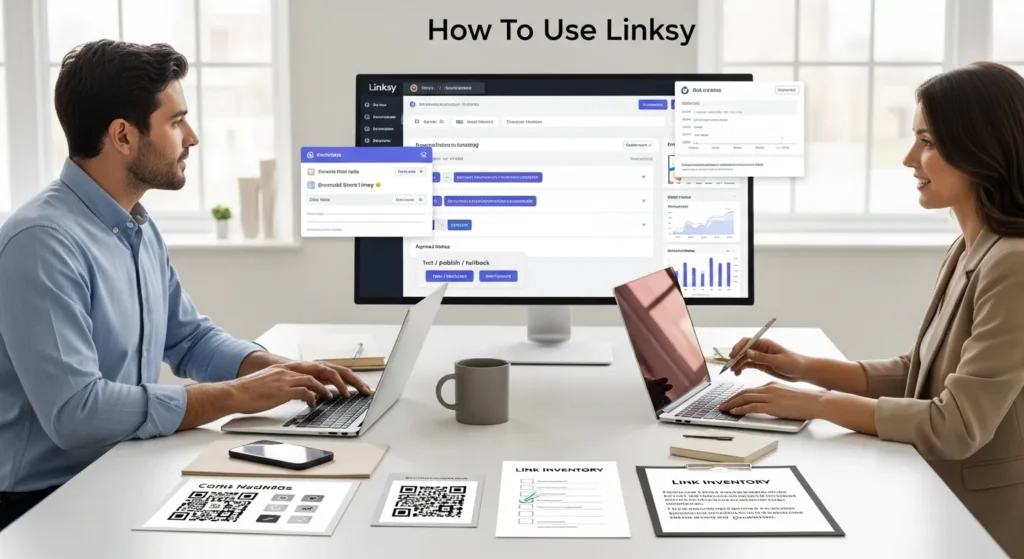
How to use Linksy comes down to one thing: treat links like inventory, not like sticky notes. We have watched a single “quick link swap” turn into broken checkout buttons, lost attribution, and a Slack thread nobody wanted to own.
Quick answer: set a tracking plan, create a clean workspace, publish links with testing and rollback, then add light automation with tight guardrails so your team can move fast without stepping on legal, privacy, or brand landmines.
Key Takeaways
- How to use Linksy effectively starts with treating links like inventory—centralize destinations, standardize tracking, and keep testing and rollback ready to avoid broken buttons and lost attribution.
- Use Linksy when links appear across multiple channels or teammates publish them, because one controlled update can fix every placement and keep campaign reporting clean.
- Before you build anything, set a tracking plan (UTM naming rules, campaign source of truth, and success metrics) and inventory where each link lives, where it goes, and who owns it.
- Configure your Linksy workspace with baseline settings, clear roles, and a light approval flow so high-stakes links ship safely while low-risk links move fast.
- Build your first branded short link in a sandbox, add UTMs consistently, then test on mobile/desktop and confirm analytics—rollback quickly if anything looks off.
- Add automation only after the manual process is stable, using guardrails like draft-only creation, destination allowlists, and human review for privacy, compliance, and brand safety.
What Linksy Does And When It Is Worth Using
Linksy is a link management layer. It sits between the places you share links (email, ads, social, QR codes, bios, WordPress buttons) and the destinations you control (product pages, booking pages, lead magnets, forms).
That one “middle layer” changes the math:
- Linksy -> centralizes -> destinations, so one update can fix many placements.
- Linksy -> standardizes -> tracking, so your reports stop looking like a junk drawer.
- Linksy -> reduces -> risk, because you can test, approve, and roll back.
When is it worth it? Use Linksy when you share links in more than one channel, more than one person posts them, or you run campaigns where attribution matters.
Common Use Cases For Businesses And Creators
We see Linksy pay off fastest in these situations:
- Campaign links that live everywhere. A launch link goes into Instagram, a newsletter, a podcast description, and a QR code on a flyer. Linksy -> updates -> all placements when the destination changes.
- Affiliate or partner promotions. Teams -> need -> consistent UTM tags so partners do not “invent” their own tracking.
- Bio link hygiene. Creators -> rotate -> offers weekly. A managed link -> avoids -> dead buttons.
- Time-sensitive redirects. Restaurants and hotels -> change -> seasonal menus and booking pages. A redirect -> prevents -> 404s.
- Regulated pages. Legal, finance, and healthcare teams -> require -> review before publishing. A workflow -> prevents -> accidental claims.
If you are a solo creator sharing two links a month, a spreadsheet might work. If you are a business with ads, email, and a WordPress site, Linksy tends to save time and headaches fast.
What You Need Before You Start (Links, Domains, Access, And Tracking Plan)
Before you touch any tools, map the workflow. We use a simple checklist so the “link layer” does not become a second job.
Here is what you need:
- A branded domain (or subdomain) you can use for short links (example: go.yourbrand.com). Your DNS access -> controls -> whether branded short links work.
- Access to analytics (GA4, ad platforms, email platform reporting). Tracking -> affects -> budget decisions.
- A tracking plan that your whole team follows. Consistency -> improves -> attribution.
- A list of current links you already use in profiles, buttons, ads, and PDFs.
Define Your Goal And Success Metrics
Pick one goal per link group. A link can support many stories, but it needs one job.
Examples we use with clients:
- “This QR code -> drives -> table reservations.” Metric: completed bookings.
- “This email CTA -> drives -> demo requests.” Metric: form submits.
- “This influencer link -> drives -> product revenue.” Metric: purchases and AOV.
Then set simple success rules:
- One naming standard for UTM source and medium.
- One place where the “official” campaign name lives.
- A review step for regulated or high-stakes links.
Inventory Your Existing Links And Destinations
Do a quick sweep. Most teams already have link sprawl.
Look in:
- Instagram/TikTok/YouTube bios
- Link-in-bio pages
- Email templates and automations
- Google Ads and Meta ads
- WordPress menus, buttons, popups, and footers
- PDFs, lead magnets, and slide decks
We recommend you note three fields per link: where it lives, where it goes, and who owns it. Ownership -> drives -> maintenance. Without an owner, broken links stick around for months.
Create Your Linksy Workspace And Baseline Settings
Set up your workspace like you set up bookkeeping: boring up front, relaxing later.
Start with baseline settings that you do not want every teammate to reinvent:
- Default domain for short links
- Default UTM rules (what you require, what you block)
- Default link status (draft vs published)
- Default retention and logging settings
If you are evaluating internal linking tools too, we broke down the tradeoffs in our comparison of Linksy and other internal linking options so you can match the tool to the job.
Account, Team Roles, And Approval Flow
Role design -> prevents -> “everyone can change everything.”
A simple setup that works:
- Owner/Admin: manages domains, permissions, and integrations.
- Publisher: can create and publish links.
- Contributor: can create drafts only.
- Viewer/Analyst: can view reports.
For approval, keep it light:
- Draft -> review -> publish for paid ads, regulated pages, and homepage links.
- Auto-publish allowed for low-risk links (blog shares, internal testing).
Naming Conventions That Prevent Chaos Later
Naming -> improves -> search and reporting. It also prevents “link_23_FINAL_v2” behavior.
We use a pattern like this:
- Campaign:
2026-02_product-launch - Channel:
email,meta,youtube,qr - Asset:
banner-a,bio,podcast-ep14 - Destination type:
product,blog,leadmagnet,booking
So a link name becomes: 2026-02_product-launch_email_banner-a_product
Yes, it looks nerdy. It also works when you are tired and in a hurry.
Build Your First Link The Safe Way
Your first link should feel slow. Slow -> prevents -> silent failures.
We like to build the first link in a “safe sandbox”:
- Use a non-critical destination page.
- Use test UTMs.
- Click it on mobile and desktop.
Create A Branded Short Link And Set The Destination
Steps we follow:
- Pick the branded domain.
- Write a short slug people can read out loud.
- Paste the destination URL.
- Save as draft.
Slug tips that avoid future regret:
- Keep it lowercase.
- Avoid dates in the slug unless the link must expire.
- Make the slug match the offer name.
A readable short link -> increases -> trust in ads and QR codes.
Add UTM Parameters Without Breaking Attribution
UTMs -> affect -> reporting. Small mistakes can break channel attribution.
Our rules:
- Set utm_source to the platform or partner.
- Set utm_medium to the channel type (paid-social, email, influencer).
- Set utm_campaign to your campaign name standard.
- Use utm_content only when you need A/B or creative tracking.
Do not do this:
- Do not mix naming styles (springSale vs spring_sale).
- Do not change UTMs mid-campaign unless you accept split reporting.
If you want a second set of eyes, this is the type of work we often pair with WordPress builds and SEO so your site and tracking tell the same story.
Test, Publish, And Roll Back If Needed
Testing -> catches -> expensive mistakes.
We run a quick test loop:
- Click the short link.
- Confirm it lands on the right page.
- Confirm the page loads fast on mobile.
- Confirm UTMs appear in the address bar on the destination.
- Confirm analytics receives the visit.
Rollback plan:
- Keep the previous destination saved.
- Document what changed and why.
- If a paid ad points to it, pause ads during a major swap.
A rollback option -> reduces -> stress. You will use it sooner than you think.
Organize, Redirect, And Maintain Links Over Time
Linksy starts as a creator tool and turns into an ops tool. Maintenance -> protects -> revenue.
The goal is simple: any teammate should find the right link in 10 seconds.
Folders, Tags, And Campaign Structure
Folders -> group -> work. Tags -> slice -> reporting.
A structure we like:
- Folders by quarter or initiative:
2026 Q1,Evergreen,Partnerships - Tags by channel:
email,paid,organic-social,qr - Tags by status:
evergreen,seasonal,expired
Then you can filter “evergreen + email” and know what should stay stable.
Updating Destinations Without Losing History
Redirects -> protect -> old placements.
Rules we use:
- Change the destination when the offer moves.
- Keep the same short link when the public promise stays the same.
- Create a new short link when the promise changes.
Example:
- “Free sizing guide” stays the same offer, so update destination.
- “50% off flash sale” changes weekly, so use a new link.
History -> supports -> audit trails. Audit trails -> reduce -> finger-pointing.
Preventing Broken Links Across WordPress And Social Profiles
WordPress changes -> break -> old URLs. Theme updates and slug edits cause the quiet kind of damage.
Practical steps:
- Keep a list of “high-traffic links” and review monthly.
- Use 301 redirects on your WordPress site when you change slugs.
- Avoid hardcoding long URLs in buttons when a managed short link will do.
If you run WooCommerce, treat product URL changes like inventory moves. A new slug -> affects -> ads, email, and affiliates. Linksy -> gives -> you one place to control the blast radius.
Automate Link Creation With WordPress And Your Marketing Stack
Automation saves time when the process is already stable. A messy process -> creates -> faster mess.
Start small. Run it in shadow mode first. Shadow mode -> reveals -> edge cases.
Trigger / Input / Job / Output / Guardrails Framework
We map every automation the same way:
- Trigger: what starts the flow (new WordPress post, new product, new campaign row).
- Input: the data you pass (title, canonical URL, campaign name, channel).
- Job: what the system does (create Linksy link, append UTMs, assign tags).
- Output: what you get (published link, Slack message, spreadsheet row).
- Guardrails: what stops bad output (draft-only, approval required, blocklists).
Guardrails -> prevent -> embarrassing links.
Zapier, Make, And Webhooks For Repeatable Campaign Links
Zapier and Make -> connect -> tools when teams do not want custom code.
A simple pattern:
- Trigger: new row in Google Sheets called “Campaign Links.”
- Job: create a Linksy short link with UTMs.
- Output: send the short link to Slack and write it back to the sheet.
- Guardrail: require the destination to match your domain allowlist.
If you want to sanity-check tool choice, we cover Linksy positioning against other link tools in our Linksy comparison guide.
WordPress Patterns: New Post, New Link
WordPress -> triggers -> automation cleanly when you standardize fields.
Two reliable patterns:
- New post -> creates -> a draft Linksy link. You publish after review.
- New product -> creates -> a tagged Linksy link for affiliates.
If you build on WordPress, a developer can hook into save_post or WooCommerce product updates. If you prefer no-code, a plugin that pushes post data via webhook -> feeds -> Linksy.
We keep the same safety rule either way: new links start as drafts unless they are low-risk evergreen pages.
Privacy, Compliance, And Brand Safety Guardrails
Links look harmless. Links -> carry -> data. Data -> creates -> risk.
If you work in healthcare, finance, legal, insurance, or even education, treat link workflows like a mini system that needs boundaries.
Data Minimization And Sensitive-Info Rules
Data minimization -> reduces -> exposure.
Rules we set:
- Do not put names, emails, order numbers, or health details in UTMs.
- Do not paste sensitive notes into link descriptions.
- Use internal IDs if you need to trace a campaign.
If your team uses Google Analytics, review Google’s guidance on UTM parameters so you keep tracking consistent.
Disclosures, Regulated Industries, And Human Review
Disclosures -> protect -> trust.
Situations that need human review before publishing:
- Medical claims, supplement claims, or before-and-after language
- Financial promises or performance statements
- Legal advice language on landing pages
- Affiliate and sponsored links that need clear disclosure
The FTC -> requires -> clear disclosure for endorsements. We keep the FTC endorsement guides bookmarked and we build review steps around them.
Logging, Access Controls, And Incident Response Basics
Logging -> supports -> accountability.
What we recommend:
- Keep a change log of destination edits.
- Limit who can publish.
- Use 2FA on accounts.
- Set a simple incident plan: who pauses ads, who edits links, who posts the update.
If a bad link goes live, speed matters. A clear owner -> reduces -> downtime and blame.
Conclusion
Linksy works best when you treat it like a small system: clear naming, clear ownership, and a clear path to roll back. Start with one campaign, get the tracking clean, then add automation only after the manual flow feels boring.
If you want us to help, we usually pair Linksy setup with WordPress work so links, landing pages, and analytics all point in the same direction. The goal is not more links. The goal is fewer surprises.
Frequently Asked Questions About How To Use Linksy
How to use Linksy the right way for marketing campaigns?
How to use Linksy comes down to treating links like inventory. Start with a tracking plan, then set up a clean workspace with a branded domain, roles, and naming conventions. Build links as drafts, add consistent UTMs, test on mobile/desktop, publish, and keep a rollback plan.
When is Linksy worth using instead of a spreadsheet?
Linksy is worth using when links are shared across multiple channels, multiple people publish them, or attribution matters. It centralizes destinations, standardizes tracking, and reduces risk with testing and rollback. If you only share a couple links monthly, a simple spreadsheet may be enough.
What do I need before I start using Linksy (domains, access, tracking)?
Before you use Linksy, prepare a branded domain or subdomain (and DNS access), analytics access (GA4, ad platforms, email reporting), a team-wide tracking plan, and an inventory of existing links. Define one goal per link group and standard UTM naming so reporting stays clean.
How do I add UTM parameters in Linksy without breaking attribution?
Use consistent UTM rules: set utm_source to the platform/partner, utm_medium to the channel type (email, paid-social, influencer), and utm_campaign to your standardized campaign name. Use utm_content only for creative/A-B tracking. Avoid changing UTMs mid-campaign unless you accept split reporting.
Can Linksy help prevent broken links on WordPress, social profiles, and QR codes?
Yes. Linksy acts as a “middle layer,” so you can update destinations without editing every placement. Pair it with good hygiene: maintain a high-traffic link list, review monthly, and use 301 redirects in WordPress when slugs change. Keep the same short link when the public offer promise stays the same.
What are the best practices for automating Linksy link creation safely?
Automate only after the manual process is stable. Use a Trigger/Input/Job/Output/Guardrails plan: start links as drafts, require approval for regulated or paid links, and enforce an allowlist for destinations. Tools like Zapier, Make, or webhooks can create links from Sheets or WordPress and notify Slack.
Some of the links shared in this post are affiliate links. If you click on the link & make any purchase, we will receive an affiliate commission at no extra cost of you.
We improve our products and advertising by using Microsoft Clarity to see how you use our website. By using our site, you agree that we and Microsoft can collect and use this data. Our privacy policy has more details.
