
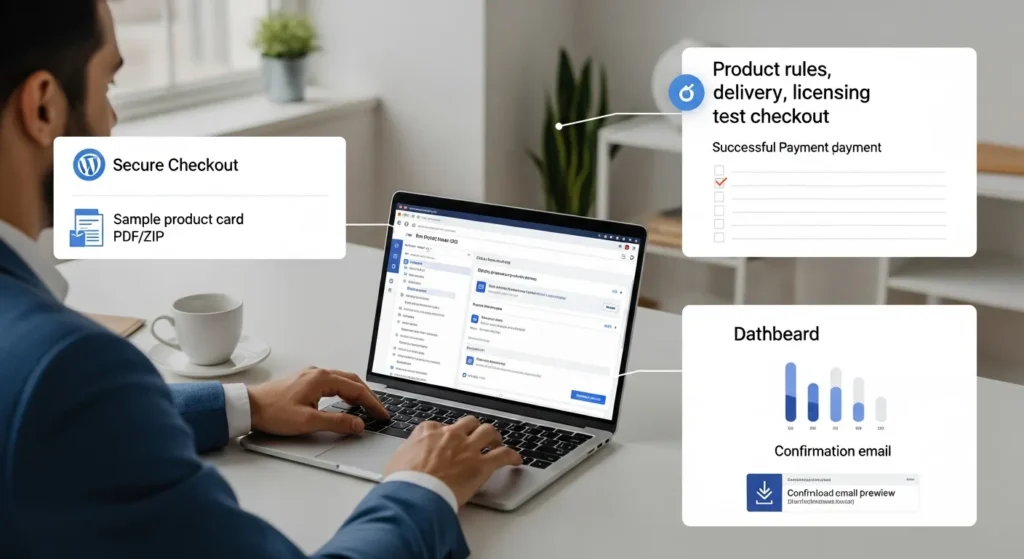
Easy Digital Downloads (EDD) looks simple until your first customer email lands: “I paid, but where’s my file?” We have seen that moment turn a calm afternoon into a tab-explosion sprint through WordPress settings. Quick answer: decide your product and access rules first, then install EDD, run the wizard, connect Stripe, add one product, and test the full checkout before you sell to real people.
Key Takeaways
- Plan what you’re selling, how buyers get access, and your update/licensing rules before you install Easy Digital Downloads (EDD) to avoid support headaches later.
- Use the EDD setup wizard to lock in store basics (currency, taxes, receipts) and set up reliable SMTP so customers actually receive download links and proof of purchase.
- Connect Stripe early, enable HTTPS, and require a valid billing email to reduce checkout friction while adding basic fraud and trust protections.
- Create your first EDD product as a “boring” baseline (one file, one price) and upload deliverables through EDD file fields—not the WordPress Media Library—for proper protection and delivery.
- Test Easy Digital Downloads end-to-end in Stripe sandbox mode (checkout, receipt email, download link, mobile, and logged-out scenarios) before taking real payments.
- Set simple support and admin guardrails (refund inbox, fast order lookup, restricted roles, logs, minimal data) to keep operations stable as sales and traffic grow.
Decide What You Are Selling And How You Will Deliver It
Most EDD problems start before you install the plugin.
Product decisions -> shape -> your checkout, email receipts, support load, and refund policy. If you lock this down early, EDD setup stays boring (which is the goal).
Start with two questions:
- What is the file (or access) you sell? PDF, ZIP, video bundle, design assets, templates, plugins, or a “membership-style” library.
- What does the customer expect right after payment? A download link, a license key, a login, or all of the above.
If you sell anything that changes over time (software, updated templates, monthly asset drops), you also need a plan for updates. Customers do not get mad about rules. They get mad about surprise rules.
Choose Product Types And Licensing Needs
You have a few common patterns:
- One-time file purchase: Great for ebooks, one-off kits, single template packs.
- Versioned product with updates: Common for software, plugins, and “living” design systems.
- All-access pass: Customers pay once per month or year for access to a library.
Licensing rules -> reduce -> support tickets. If you sell software, do not wing license handling. Decide now:
- Do you need one site per license or “use it anywhere”?
- Do you want renewals for continued updates/support?
- Do you want time-limited downloads or unlimited re-downloads?
Write the rule in one sentence that a customer can understand. If you cannot explain it simply, your checkout copy will confuse people.
Plan File Delivery, Updates, And Access Rules
EDD works best when you treat file delivery like a workflow, not a button.
Here is the checklist we use:
- Delivery method: direct file download link vs. account-based access.
- Download limits: number of downloads, link expiration, and device expectations.
- Update policy: who gets updates and for how long.
- Support boundary: what counts as support, and what counts as paid work.
One practical tip: keep your “what happens after purchase” message short and concrete. “Check your email for the download link and your receipt” beats a paragraph of marketing copy.
If you plan to publish a lot of product pages, your SEO tool choice matters early. EDD product pages -> influence -> search snippets. If you want a focused setup, our guide on using an SEO plugin with EDD can help once the store basics work: setting up SEO for EDD product pages. (We mention this here on purpose, not in the intro, so you can keep your first setup steps clean.)
Sources: Easy Digital Downloads documentation, “Getting Started” (Easy Digital Downloads, accessed 2026).
Install And Configure EDD The Right Way
Install time -> stays -> short if you follow the wizard. EDD’s setup wizard exists for a reason, so do not skip it.
Here is the clean install path we use:
- Log in to WordPress admin.
- Go to Plugins > Add New.
- Search Easy Digital Downloads.
- Click Install Now and then Activate.
You will see a new Downloads menu item in your sidebar after activation.
Core Settings: Store, Currency, Taxes, And Email Receipts
The setup wizard walks you through:
- Store location and business info
- Currency
- Taxes
- Email receipt basics
Email delivery -> affects -> refunds and trust. So do this early: set up SMTP (or a reputable transactional email service) so receipts actually land in inboxes.
Quick gut-check we like:
- You place a test order -> you receive -> receipt email within 1 minute.
- The receipt includes -> a clear -> download link and support contact.
If that chain breaks, customers will assume your store is broken.
Payment Gateways And Basic Fraud Controls
Most stores start with Stripe.
Stripe -> reduces -> payment friction because customers can use cards and wallets depending on your setup. It also includes built-in fraud screening tools, which matters once you start seeing higher order volume or higher-priced products.
Basic controls we recommend right away:
- Require a valid billing email.
- Use HTTPS site-wide.
- Keep WordPress, themes, and plugins updated.
If you operate in legal, healthcare, finance, or any regulated space, keep the rule simple: do not sell or deliver sensitive personal data through download links. Keep that material behind a controlled portal and keep humans in the loop.
Sources: Easy Digital Downloads documentation, “Installation” and “Configuration” (Easy Digital Downloads, accessed 2026). Stripe Documentation, “Radar” (Stripe, accessed 2026).
Create Your First Download Product And Checkout Flow
Your first product should feel boring. One file, one price, one clean confirmation message. You can get fancy later.
Product setup -> determines -> whether EDD can protect the file and generate the right links.
Go to Downloads > Add New and create your first item.
One warning we repeat because it saves real pain: do not upload your sellable files through the WordPress Media Library. Upload through EDD’s file fields so EDD can apply its protection rules and delivery logic.
Add Files, Pricing Options, And Purchase Confirmation
In the product editor, you will:
- Add the Download Files (your deliverables)
- Set pricing (single price or variable pricing)
- Write a product description that says what the buyer gets
On the confirmation side, keep it direct:
- “Your download link is in your email.”
- “You can also access your purchases from your account page.”
- “Need help? Reply to this receipt.”
Confirmation copy -> reduces -> chargebacks. The customer needs reassurance that the system worked.
Test Checkout End-To-End In Sandbox Mode
Do not launch until you test like a skeptic.
Testing -> prevents -> public embarrassment.
Run this exact test:
- Enable Stripe test mode.
- Place an order using a test card.
- Confirm the thank-you page loads.
- Confirm the receipt email arrives.
- Click the download link.
- Confirm the file opens and matches the product.
Then test failure cases:
- Use a different email address.
- Try the link on mobile.
- Try the link after logging out.
If any step feels shaky, fix it now. You want your first live buyer to feel like the 50th.
Sources: Easy Digital Downloads documentation, “Creating a Download” (Easy Digital Downloads, accessed 2026).
Set Up Customer Management, Order Admin, And Support Basics
Support systems -> protect -> your time.
EDD includes customer and order tools, but you need a light process so you do not dig through emails at 10:47 PM trying to find a transaction.
Customers, Purchase History, Refunds, And Resends
Inside EDD, you can:
- View customers and purchase history
- Find orders fast
- Resend receipt emails
- Handle refunds (depending on gateway setup)
We suggest you create a simple internal rule:
- “Refund requests go to one inbox.”
- “We answer within one business day.”
- “We resend downloads after we confirm the buyer email matches the order.”
Order lookup -> speeds up -> support replies. Your customer feels taken care of, and you do not lose half an hour per ticket.
Operational Guardrails: Roles, Logs, And Data Minimization
This is the part most people skip, then regret.
Access control -> reduces -> accidental damage.
Set guardrails:
- User roles: Only admins manage payments and settings. Editors should not touch store settings.
- Logging: Keep a record of refunds, manual order changes, and plugin updates.
- Data minimization: Collect only the data you need to deliver the product and meet tax rules.
If you work with clients or contractors, separate duties. One person can manage product pages while another person controls payments. That setup prevents “oops” edits that break checkout.
Sources: Easy Digital Downloads documentation, “Customers” and “Payment History” (Easy Digital Downloads, accessed 2026).
Optimize The Store For Conversion, SEO, And Reliability
Small changes -> lift -> conversion rates more than most people expect.
We focus on three levers: checkout clarity, trust, and site speed.
Checkout UX, Trust Signals, And Performance Hygiene
Checkout friction -> kills -> sales.
Here is what we tune first:
- Fewer fields: Ask only what you need.
- Clear totals: Show tax and discounts before the last click.
- Trust signals: Show your refund policy, support email, and secure payment messaging near the button.
- Mobile testing: A checkout that looks fine on desktop can break on a phone.
Reliability also comes from boring maintenance:
- Keep WordPress updated.
- Keep EDD and extensions updated.
- Use quality hosting.
- Run backups you can restore.
If you want help tightening the whole WordPress side, we keep resources and service notes on our site for businesses that want a store that does not wobble under real traffic.
Analytics And A Simple Pilot Plan For Iteration
Analytics -> tells -> the truth.
You do not need a 40-step measurement plan. Start with a two-week pilot:
- Track page views on product pages.
- Track checkout starts.
- Track completed purchases.
- Track support tickets per 100 orders.
Then adjust one thing at a time:
- Rewrite the product headline.
- Add a short FAQ under the buy button.
- Improve the receipt email clarity.
If you plan to scale content around your products, connect your SEO work to product pages early. That is where many EDD stores leave money on the table.
Sources: Google, “Measure ecommerce” (Google Analytics documentation, accessed 2026).
Conclusion
EDD rewards calm planning. When you decide your product rules first, run the setup wizard, connect Stripe, and test the full purchase path, your store behaves like a real business system instead of a weekend experiment.
If you want, start with one product and one traffic source. Keep humans in the loop for refunds, edge cases, and any regulated content. When the flow stays stable for two weeks, then you can add more products, pricing options, and content without breaking what already works.
Frequently Asked Questions About Using Easy Digital Downloads (EDD)
How to use Easy Digital Downloads (EDD) to sell a digital product in WordPress?
Start by defining what you sell and what buyers receive after payment (download link, license key, or account access). Install and activate Easy Digital Downloads, run the setup wizard for store, currency, taxes, and receipts, connect Stripe, create one Download product, then test the entire checkout flow before going live.
Why should I decide download limits, updates, and access rules before installing Easy Digital Downloads (EDD)?
Most Easy Digital Downloads (EDD) issues come from unclear product rules, not the plugin itself. Decide whether customers get direct downloads or account access, set link expiration and download limits, and define update/support terms. Clear rules reduce surprise, lower support tickets, and make receipts and checkout messaging straightforward.
What’s the best way to set up Stripe in Easy Digital Downloads (EDD) and reduce fraud?
Use Stripe as your primary gateway because it supports cards and wallets and includes fraud screening tools. In EDD, connect Stripe, require a valid billing email, and ensure your site runs HTTPS. Keep WordPress, EDD, and extensions updated—basic maintenance is a practical fraud and reliability control.
Should I upload my digital files to the WordPress Media Library when using Easy Digital Downloads (EDD)?
No. Upload sellable files through the EDD Download Files fields in the product editor, not the WordPress Media Library. EDD applies file protection and generates secure delivery links based on its settings. Uploading elsewhere can bypass protection rules and create “I paid, but where’s my file?” support problems.
How do I test an Easy Digital Downloads (EDD) checkout before launching?
Enable Stripe test mode, place a test order with a Stripe test card, and confirm the thank-you page loads. Verify the receipt email arrives within about a minute, click the download link, and open the file. Also test failure cases: different emails, mobile devices, and using links while logged out.
Can Easy Digital Downloads (EDD) handle software licensing and subscription-style access?
Yes, but plan it upfront. EDD can support common models like one-time file sales, versioned products with updates, and all-access library memberships using extensions. Decide whether licenses are per-site or unlimited, whether renewals are required for updates/support, and whether re-downloads are time-limited.
Some of the links shared in this post are affiliate links. If you click on the link & make any purchase, we will receive an affiliate commission at no extra cost of you.
We improve our products and advertising by using Microsoft Clarity to see how you use our website. By using our site, you agree that we and Microsoft can collect and use this data. Our privacy policy has more details.
