
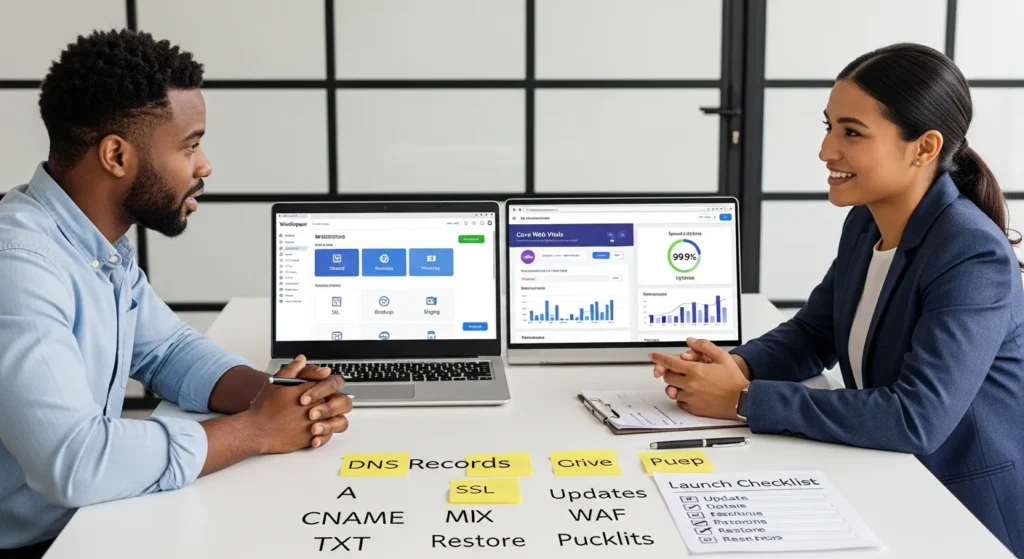
Hostinger looks cheap on paper, and that is exactly why most WordPress site owners get nervous right after checkout. We have seen it too: a founder buys a 48‑month deal, launches a WooCommerce store, then panics when a plugin update breaks checkout the night before a promo. Quick answer: Hostinger is a solid budget host for many WordPress sites if you pick the right plan, plan for renewals, and lock down the basics before you publish anything.
Key Takeaways
- Hostinger can run professional WordPress and WooCommerce sites safely when you pick the right plan and treat setup like a repeatable process, not a one-time click-through.
- Start with a plan that includes staging and stronger resources (often Hostinger Business+) so you can test updates, reduce checkout risk, and roll back quickly when something breaks.
- Optimize performance on Hostinger by keeping plugins and themes lean, using one clear caching approach (especially with LiteSpeed), and adding a CDN when your audience or traffic spikes demand it.
- Make backups non-negotiable—weekly backups may leave a larger recovery gap, so consider daily backups or off-site options if lost changes would cost you revenue.
- Protect security and compliance by enforcing least-privilege access, removing unused accounts fast, using 2FA/password managers, and updating WordPress in staging before pushing to production.
- Upgrade from shared to cloud or VPS before customers feel pain—move up when WooCommerce checkout slows during campaigns, your catalog grows, or you need steadier resources and server-level control.
What Hostinger Is (And What It Is Not)
Hostinger is a budget-friendly hosting provider that sells the “normal” building blocks most WordPress sites need: shared hosting, managed WordPress plans, cloud hosting, VPS, and a website builder.
Hostinger is not a dedicated-server shop, and it is not an enterprise managed host where you get white-glove support, guaranteed compute, and deep compliance paperwork. That matters because hosting choice affects risk.
Here is the simple cause-and-effect: your traffic and data sensitivity affect your hosting needs, and your hosting plan affects how much control and isolation you get.
Hosting Types You Will See In Hostinger Plans
You will usually run into these buckets:
- Shared hosting (Premium): A lower-cost plan that can cover up to 25 sites with 25 GB SSD storage and weekly backups. Hostinger markets it around ~25k visits per month. Intro pricing often starts around $1.99 to $2.69 per month on long terms. Source: Hostinger plan pages and pricing disclosures.
- Shared hosting (Business): A step up that supports up to 50 sites with 50 GB NVMe storage, daily backups, CDN, and staging. Hostinger markets it around ~100k visits per month. Intro pricing often starts around $2.69 to $2.99 per month on long terms.
- Cloud hosting: More dedicated resources than shared, with plans like Cloud Startup (100 sites, 100 GB NVMe, 2 CPU, 3 GB RAM, marketed around ~200k visits per month, dedicated IP), then Professional and Enterprise tiers that add CPU, RAM, and storage.
- VPS: More control than shared or cloud. You manage more of the stack, so it suits technical teams.
Across many plans, you will see these included items: free SSL, Hostinger’s hPanel, WordPress tools, and “AI” helpers. Treat those helpers as convenience features, not a substitute for good process.
If you are choosing Hostinger for WordPress, the main question is not “Is it good?“ The question is “Which tier matches our risk and growth curve?“
The Real Tradeoffs: Price, Performance, Support, And Control
Hostinger’s pitch is clear: low intro price and a fast path to a live site. The tradeoffs show up after launch.
Price affects commitment. Hostinger’s best pricing usually requires a long term, and you pay upfront. A Premium shared promo can look like a no-brainer, until you notice the billing math and renewal line.
Performance affects revenue. WordPress speed affects conversion, SEO, and bounce. If you run WooCommerce, speed also affects cart and checkout completion.
Support affects recovery time. Hostinger offers 24/7 chat and email. Cloud plans tend to get faster attention than entry shared plans.
Control affects what you can fix yourself. On shared and cloud plans you get a lot of tools, plus SSH and WP-CLI support on many tiers, but you do not get full root access. Less control can be a blessing when you want guardrails, and a headache when you need custom server rules.
Speed Basics That Matter For WordPress And WooCommerce
These are the speed pieces we care about when we build and maintain WordPress and WooCommerce sites:
- NVMe or SSD storage reduces database and file latency. Faster storage affects admin actions, product searches, and checkout queries.
- LiteSpeed web server improves WordPress response times on many setups. LiteSpeed affects how quickly pages render and how well caching works.
- Object caching helps WooCommerce scale past “small shop” traffic. Hostinger often includes object cache features on Business and above. Caching affects repeat queries, cart fragments, and “category page” load.
- CDN reduces load time for visitors far from your origin server. A CDN affects image and asset delivery, which affects Core Web Vitals.
- Staging reduces risk. Staging affects how safely you can test plugins, theme changes, and WooCommerce extensions.
We treat this as a chain: hosting resources affect page speed, and page speed affects sales and lead flow.
Uptime, Backups, And Restore Expectations
Hostinger generally markets strong uptime (often 99.9%+), but the practical question is what happens during the rough moments.
We want you to know exactly what you are buying:
- Backups: Premium shared commonly includes weekly backups. Business and above commonly include daily backups and sometimes on-demand restore points.
- Restore workflow: hPanel makes restores approachable, but you still need a plan. A restore affects orders, form leads, and content changes since the backup point.
If your site takes payments or collects health or legal data, treat backups like a business system, not a checkbox. Backups affect how quickly you can recover, and recovery time affects customer trust.
Sources: Hostinger plan feature lists and knowledge base pages that describe backup frequency and restore tooling.
Who Hostinger Is Best For (And Who Should Choose Something Else)
Hostinger for WordPress works best when the site has clear boundaries: moderate traffic, standard plugin stacks, and a team that can follow basic operational discipline.
Good Fits: Brochure Sites, Portfolios, Content Creators, And Early Ecommerce
We see Hostinger succeed for:
- Service businesses that need a fast, credible site: HVAC, plumbing, legal practices, clinics, consultants, restaurants, local travel brands.
- Creators who publish consistently: bloggers, influencers, photographers, designers, artists.
- Early WooCommerce stores with low to moderate order volume, a small catalog, and predictable traffic spikes.
In these cases, low hosting cost affects cash flow, and simple tooling affects speed to launch.
If your WordPress site mainly needs solid performance, SSL, backups, and a sane admin panel, Hostinger can be a good fit.
Better Alternatives For High-Risk Or High-Complexity Sites
We usually push clients away from entry shared hosting when any of these are true:
- High-risk data: finance, insurance, medical, legal case files, or anything that triggers strict internal policies.
- High traffic volatility: major campaigns, viral creator spikes, large paid media pushes.
- Custom server needs: special security modules, strict isolation, unusual caching rules, or deep observability.
In those cases, you often want a provider with stronger isolation guarantees, clearer compliance support, or a VPS or dedicated approach where you control the environment.
A simple rule we use: risk affects hosting class. If the downside of downtime or a breach feels career-ending, choose the calmer path, even if it costs more.
A Safe WordPress Setup Checklist On Hostinger
We build WordPress systems like we build workflows: Trigger, Input, Job, Output, Guardrails. Hosting is part of the guardrails.
Below is the checklist we use when a client chooses Hostinger for WordPress.
Before You Touch Any Tools: Domain, DNS, Email, And Access
Start here. This step prevents the “why is nothing working“ spiral.
- Confirm your domain owner account: You need clean access to your registrar. Domain control affects DNS control.
- Map DNS records on paper first: A record, CNAME, MX, TXT. DNS affects site reachability and email deliverability.
- Decide where email lives: Hostinger sells email add-ons (often priced per inbox). Google Workspace and Microsoft 365 also work fine. Email choice affects password resets, order receipts, and support replies.
- Lock admin access: Create named admin accounts, then remove shared logins. Access policy affects breach risk.
- Enable 2FA where you can: 2FA affects account takeover risk.
If you want a calmer day-two experience, write down these items in a shared doc: registrar login owner, DNS records, WordPress admin users, and your backup plan.
Hardening And Guardrails: SSL, Admin Policies, Updates, And WAF
This is where most “budget hosting” horror stories start. It is not the host. It is the missing guardrails.
- Force HTTPS: Enable SSL and redirect all HTTP to HTTPS. SSL affects login safety and customer trust.
- Set update rules: Auto-update WordPress core. Auto-update security releases. Hold major plugin updates for staging first.
- Add a WAF and malware scanning: Host-level security and a WordPress security plugin can help. A WAF affects bot traffic and brute-force attempts.
- Limit plugins: Fewer plugins reduce attack surface. Plugin count affects speed and breakage risk.
- Log changes: Track theme edits, plugin installs, and admin logins. Logging affects incident response.
If you run WooCommerce, add one more guardrail: test checkout after every update. Checkout health affects revenue more than any design tweak.
If you want help doing this cleanly, our team at Zuleika LLC often sets up hosting, WordPress, and governance together, so marketing teams can publish without sweating every update.
Common Hostinger Pitfalls (And How To Avoid Them)
Most Hostinger issues we see come from expectations, not defects. Here are the big ones.
Migration Gotchas: URLs, Permalinks, Media, And Staging
Migration breaks trust fast because it breaks pages people already bookmarked.
Watch for these:
- URL changes: Old URLs affect SEO and paid traffic. Set 301 redirects.
- Permalink mismatch: WordPress permalink structure affects every post and product URL.
- Missing media: Image paths and the uploads folder can fail during migration.
- Mixed content warnings: HTTP images on an HTTPS site trigger browser warnings.
- Skipping staging: Staging prevents public breakage. Staging affects your ability to test safely.
We like a two-step move: run the migration, test in staging, then point DNS. That keeps the public site steady.
Plugin And Theme Bloat That Slows Sites Down
WordPress makes it easy to add “just one more plugin.“ Then you check PageSpeed and quietly regret everything.
This pattern causes problems:
- A heavy page builder affects Time to First Byte and layout shift.
- Too many WooCommerce add-ons affect checkout scripts.
- Multiple caching tools fight each other and break pages.
Our rule: every plugin needs a reason to exist. If the plugin does not increase sales, reduce support load, or satisfy a legal requirement, it probably does not belong.
If you need a clean build, we usually start with a custom theme or a lean block-based setup, then add only what the workflow requires. See our approach to WordPress website development and ongoing website maintenance services if you want a steady hand.
Cost, Renewal Pricing, And What To Budget For Beyond Hosting
The lowest Hostinger price often comes from a long upfront term. That is fine, but you should plan the full cost line.
Here is what we tell clients to budget for:
- Renewal pricing: Intro rates can jump a lot at renewal. Business shared renewals can land around $8.99 to $13.99 per month depending on term and promos. Your renewal price affects your long-term marketing budget.
- Email: Hostinger email can cost extra per inbox. Workspace or Microsoft can cost more, but they can reduce deliverability headaches.
- CDN and security: Some CDN and WAF features come with plans, but you may still pay for a premium security layer.
- Backups: Daily backups often come on higher tiers. External backups add safety.
- Maintenance: Someone has to test updates, watch uptime, and fix surprises. Maintenance affects how often your site breaks at the worst time.
If you run a store, add one more budget line: time. A broken checkout during a campaign costs more than the difference between shared and cloud.
If you want a predictable monthly cost, we often bundle hosting guidance with WordPress SEO services and maintenance so your site keeps earning instead of turning into a weekend project.
Conclusion
Hostinger for WordPress can be a calm choice when you treat hosting like a system, not a purchase. Pick a plan that matches your traffic and risk, set up DNS and email with care, then add guardrails that stop small problems from becoming big ones.
If you want the safest path, start with a low-risk pilot: launch on Hostinger, run updates in staging, log changes, and measure site speed and conversions for 30 days. If the site outgrows shared hosting, move up to Business or Cloud before your next big campaign.
And if you want us to sanity-check your plan, we do that every week. You do not need a “perfect” stack. You need a stack you can run without losing sleep.
Frequently Asked Questions About Hostinger
Is Hostinger good for WordPress sites on a budget?
Hostinger can be a solid budget host for many WordPress sites if you choose the right plan and add basic guardrails. Prioritize SSL, backups, and a staging workflow before publishing. Plan for renewal pricing, and test key pages (especially WooCommerce checkout) after updates to avoid surprises.
Which Hostinger plan should I choose for WordPress: Premium, Business, Cloud, or VPS?
Match the Hostinger tier to your traffic and risk. Premium shared fits smaller sites with weekly backups. Business adds daily backups, CDN, and staging for growing WordPress or early WooCommerce. Cloud offers more dedicated resources and a dedicated IP. VPS suits technical teams needing more control.
Why is Hostinger so cheap at first, and what happens at renewal?
Hostinger’s lowest pricing usually requires a long upfront term, which makes the intro rate look extremely low. The tradeoff is renewal pricing, which can jump significantly depending on plan and term. Budget beyond hosting for email, security layers, and ongoing maintenance so costs stay predictable.
What performance features should I look for in Hostinger for WooCommerce?
For WooCommerce, focus on fast storage (NVMe/SSD), LiteSpeed support, object caching, and a CDN to improve Core Web Vitals and checkout speed. Staging is also key for safely testing plugin and theme updates. These basics reduce cart friction and help protect revenue during promos.
How do I safely migrate a WordPress site to Hostinger without breaking SEO?
To migrate to Hostinger safely, preserve URLs and permalink structure, verify media uploads, and fix mixed-content issues after enabling SSL. Use a two-step approach: migrate and test in staging first, then update DNS. Add 301 redirects where needed so old links and rankings don’t collapse.
Do I need a security plugin or WAF if I host WordPress on Hostinger?
Yes—hosting alone isn’t a complete security plan. Even on Hostinger, use HTTPS, strong admin policies, and disciplined update rules. A WAF and malware scanning can reduce brute-force and bot traffic, while limiting plugins lowers attack surface. For stores, always re-test checkout after updates.
Some of the links shared in this post are affiliate links. If you click on the link & make any purchase, we will receive an affiliate commission at no extra cost of you.
We improve our products and advertising by using Microsoft Clarity to see how you use our website. By using our site, you agree that we and Microsoft can collect and use this data. Our privacy policy has more details.
