
Free AI GEO tools sound like a cheat code, until you publish a “perfect” post and ChatGPT still cites someone else. We have watched this happen in real time: traffic looks fine, rankings look fine, and the AI answer box acts like your brand does not exist.
Quick answer: GEO (Generative Engine Optimization) is about making your pages easy for AI systems to trust, extract, and cite, using clear structure, clean sources, and tight workflow control. You can start with free tools, but you need a stack and a process, not a grab bag.
Key Takeaways
- Free AI GEO tools work best when they support a repeatable workflow (discover → create → publish → measure) rather than a random collection of one-off generators.
- GEO (Generative Engine Optimization) is content engineering for citations—use tight definitions, named entities, and clean sources so AI systems can trust, extract, and attribute your pages.
- Use free research tools like Google Autocomplete/People Also Ask, Bing suggestions, AlsoAsked, and AnswerThePublic to build question-based sections that can stand alone and be quoted.
- Strengthen attribution by finding and citing primary sources with Google Scholar, the “site:” operator, and Perplexity (then verify), placing key claims close to the source link with descriptive anchor text.
- Improve machine readability with schema and validation tools—Google Rich Results Test, Schema Markup Validator, and Rank Math or Yoast—to publish accurate Organization, WebSite, Article, and FAQPage markup.
- Start a 7-day pilot with one money page and one supporting article, add 2–4 answer blocks plus internal links and human review gates, then measure in Search Console/Bing Webmaster Tools and scale only what proves impact.
What “GEO” Means Now (And What It Does Not)
GEO is not “sprinkle AI keywords” or “rewrite your blog with a chatbot.” GEO is content engineering for citation. You help systems like Google AI Overviews, Perplexity, Gemini, and ChatGPT identify: who you are, what you claim, what you cite, and where the proof lives.
GEO also does not replace SEO. SEO still feeds authority signals. GEO makes your answers easy to lift and attribute.
Generative Engine Optimization Vs. Traditional SEO
Traditional SEO -> affects -> ranking positions. GEO -> affects -> inclusion inside generated answers.
Here is what that means in practice:
- Traditional SEO rewards pages that win clicks from a results list.
- GEO rewards pages that answer cleanly and cite cleanly, even when no one clicks.
You still care about titles, internal links, and page speed. You also care about:
- Tight definitions up top
- Short, self-contained sections
- Named entities (products, people, standards)
- Sources that a model can attribute
Industry data points help set expectations. AI-referred traffic can convert better than classic search traffic, and AI answer surfaces can reduce click-through for standard rankings. Your goal shifts from “rank #1” to “be the referenced source.” The exact uplift varies by niche, but the direction is clear.
Where GEO Shows Up: AI Overviews, Chat Assistants, And “Answer” Surfaces
GEO shows up where users ask a question and get a synthesized response:
- Google AI Overviews (and other answer-first features)
- Perplexity citations and source cards
- Chat assistants used for vendor shortlists (ChatGPT, Gemini, Claude)
- Browser and OS assistants that summarize pages
If your business sells services through a WordPress site, this matters because:
- AI answers -> affect -> vendor selection.
- Vendor selection -> affects -> your lead flow.
If AI names three agencies and you are not one of them, your funnel narrows before a prospect even opens a browser tab.
How We Evaluate Free AI GEO Tools (So You Do Not Waste Time)
Most “free GEO tools” lists fail because they mix toys with work tools. We screen tools with one question: Does this tool shorten a repeatable workflow without raising risk?
We like tools that support:
- Clear inputs (what you feed it)
- Clear outputs (what you publish)
- Logging (what changed, when)
- Rollback (how you undo it)
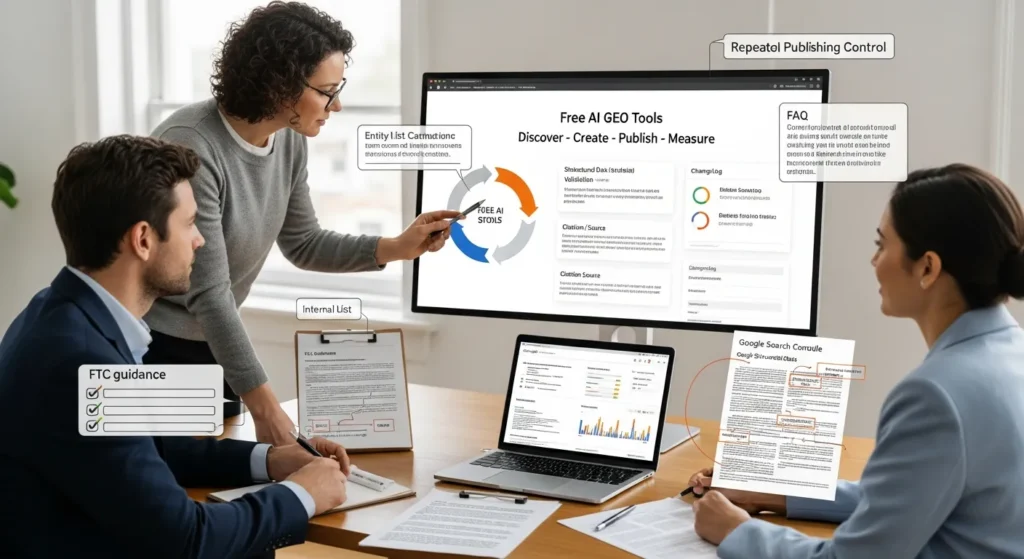
The Minimum Workflow: Discover → Create → Publish → Measure
You do not need a giant stack. You need a loop.
- Discover: find questions, entities, and missing coverage.
- Create: produce sections that read like answers, not essays.
- Publish: ship in WordPress with structure, schema, and internal links.
- Measure: check what got impressions, what got cited, what got ignored.
Tool choice -> affects -> cycle time. Cycle time -> affects -> learning speed.
If you only do one thing this week, do this: take one service page and add two or three answer blocks that a model can quote without rewriting.
Guardrails For Regulated Teams: Privacy, Claims, And Human Review
If you work in legal, medical, finance, insurance, or anything with real liability, tool choice also affects risk.
Our baseline guardrails:
- Data minimization: you do not paste client data into public tools.
- Claims control: you avoid medical, legal, and financial “guarantees.”
- Human review: a qualified human signs off before publish.
- Source discipline: you cite primary sources (government, standards, recognized publishers).
AI drafting -> affects -> error rate. Human review -> reduces -> publish risk.
If your team needs stricter handling, keep AI in “draft only” mode and route content through a checklist before it reaches production WordPress.
Free AI GEO Tools For Research And Entity Coverage
Research for GEO is not just “keywords.” You want entity coverage: the people, products, standards, and terms that define your topic.
Entity coverage -> affects -> model confidence. Model confidence -> affects -> citations.
Query Expansion And Topical Maps
Free tools we use for query expansion and topical mapping:
- Google Autocomplete + People Also Ask: fast signals on real phrasing.
- Bing search suggestions: useful variation, often less “SEO-polished.”
- AlsoAsked (limited free usage): visual PAA trees for question paths.
- AnswerThePublic (limited free): question clusters you can turn into modular sections.
Simple workflow:
- Start with one “money” query (example: “WordPress website development for accountants”).
- Expand to 15 to 30 question variants.
- Group into 5 to 8 sections that can stand alone.
We also like to build a lightweight topical map in a spreadsheet:
- Column A: question
- Column B: page that answers it
- Column C: source we will cite
A spreadsheet -> affects -> consistency. Consistency -> affects -> publishing speed.
Source And Citation Discovery (So AI Can Attribute You)
Citations matter because models prefer claims that connect to known sources.
Free tools for source discovery:
- Google Scholar for research-backed claims (watch the publication dates).
- Google Search “site:” operator for primary sources (example: site:ftc.gov endorsements).
- Perplexity (free tier) for fast source lists, then you verify manually.
- Wikipedia for entity discovery (not for final citations). Wikipedia -> affects -> entity lists. Entity lists -> affect -> your outline.
When you cite, cite cleanly:
- Put the key claim near the link.
- Use descriptive anchor text.
- Avoid hiding sources in a dump at the bottom.
If you serve regulated clients, stick to sources like the FTC, EU data protection guidance, and major platform documentation for product claims. We do not treat random blogs as proof.
Free AI GEO Tools For Content Drafting And On-Page Structure
Drafting is the easy part. Structure is the part that gets you cited.
Structure -> affects -> extraction. Extraction -> affects -> whether your wording appears in an AI answer.
Briefs, Outlines, And Section Prompts That Read Like SOPs
We like prompts that behave like an SOP: role, rules, inputs, outputs.
Free or freemium tools that help:
- ChatGPT (free) for section drafts, rewrite passes, and tone tightening.
- Claude (free tier in many regions) for longer context and cleaner prose.
- Google Gemini for quick variations and SERP-aligned phrasing.
Our drafting pattern for GEO-friendly sections:
- Start with the answer in 1 to 2 sentences.
- Add a short list of steps or checks.
- Add one example that uses real named entities.
- Add one source link if you claim a fact.
We also keep a “banned claims” list for clients:
- “Guaranteed results”
- “Compliant by default”
- “Doctor-approved” unless you can prove it
Claims -> affect -> trust. Trust -> affects -> whether AI repeats you.
Schema And Snippet Helpers For Cleaner Machine Reading
Schema does not guarantee citations, but it helps machines parse meaning.
Free tools and helpers:
- Google Rich Results Test to validate schema output.
- Schema Markup Validator (Schema.org validator) to catch structural issues.
- Rank Math SEO (free) or Yoast SEO (free) for basic schema controls in WordPress.
On service sites, we usually prioritize:
- Organization
- WebSite
- Article (for blog posts)
- FAQPage (when FAQs are real and not spam)
Schema -> affects -> machine readability. Machine readability -> affects -> how cleanly answers extract.
If you run WooCommerce, also check Product markup, but keep it accurate. Incorrect schema -> affects -> trust in a bad way.
Free AI GEO Tools For WordPress Publishing And Workflow Automation
If your site lives on WordPress, you can turn GEO from “random writing” into a controlled content pipeline.
Pipeline control -> affects -> quality. Quality -> affects -> citations.
Content Ops In WordPress: Draft → Review → Publish With Checklists
Free tools inside WordPress that support a real workflow:
- Editorial calendar plugins (many have free tiers) for visibility.
- Revision control (built into WordPress) for change history.
- User roles and approvals so interns do not publish medical advice at 11 PM.
We often add a simple checklist before publish:
- Does the first paragraph answer the headline?
- Do headings match real questions?
- Do we cite sources for factual claims?
- Did a human reviewer sign off?
- Did we add internal links to related pages?
If you want a clean internal linking pattern on a WordPress service site like ours at Zuleika LLC, we usually link:
- Money page -> supporting article
- Supporting article -> money page
- Supporting article -> glossary or FAQ
Low-Code Automations: Forms, Webhooks, Zapier/Make/n8n Free Tiers
Automation keeps GEO work from dying in someone’s inbox.
Free tiers to consider:
- Zapier free plan for simple triggers (form submission -> task creation).
- Make free plan for more complex branching.
- n8n self-hosted option if you want more control.
Common workflow:
- Form submission -> creates -> content ticket
- Content ticket -> triggers -> outline template
- Draft -> routes -> reviewer
- Approved draft -> schedules -> WordPress post
Automation -> affects -> speed. Speed -> affects -> publishing consistency.
For privacy-heavy teams, we keep sensitive fields out of automation payloads. Your automation should pass titles and URLs, not patient notes.
Free AI GEO Tools For Measurement And Feedback Loops
If you do not measure, you will guess. Guessing costs time.
Measurement -> affects -> what you repeat.
Track Visibility: Search Console, Bing Webmaster Tools, And Log Checks
Start with the free basics:
- Google Search Console for impressions, queries, and indexing.
- Bing Webmaster Tools because Bing feeds some assistant ecosystems.
What we check weekly:
- Which pages gained impressions on question-like queries
- Which pages lost clicks after AI answers appeared
- Which snippets Google shows (titles and descriptions)
If you can, add light log checks:
- Server logs -> show -> crawler activity.
- Crawler activity -> hints -> what systems read your pages.
This does not tell you “ChatGPT cited you,” but it helps you see whether machines access your content reliably.
Run “Shadow Mode” Tests And Versioning For Safer Iteration
Shadow mode means you test without risking your public pages.
Two easy shadow mode plays:
- Publish updates to a staging site first.
- Draft new FAQ blocks and hold them in pending review for a week.
Versioning matters because:
- Version A -> affects -> impressions.
- Version B -> affects -> conversions.
Keep a simple changelog:
- Date
- Page
- What changed (headline, FAQ, schema, sources)
- Outcome after 7 to 14 days
When teams skip this, they “improve” pages into a hole and never know which change caused the drop.
A 7-Day Pilot Plan To Start Using Free AI GEO Tools
You do not need a quarter-long project. You need one clean pilot with proof.
Pilot scope -> affects -> learning speed.
Day 1–2: Map One Money Page And One Supporting Article
Pick:
- One money page (service or product category)
- One supporting article (how-to, checklist, FAQ)
Do this in a doc:
- List the top 10 questions buyers ask.
- List the entities you must mention (tools, standards, locations, roles).
- List 3 to 5 sources you will cite.
If you want a practical model, start from your main service page and pair it with an explainer. If you sell WordPress builds, pair “WordPress website development” with “how website maintenance affects security and uptime.”
Day 3–5: Publish With Schema, Internal Links, And Review Gates
In WordPress:
- Add 2 to 4 answer blocks near the top of each page.
- Add FAQ only if questions come from real sales calls or support tickets.
- Validate schema with Google’s Rich Results Test.
- Add 2 to 3 internal links to closely related pages.
Internal links you can copy:
- Link to your service overview like WordPress website development.
- Link to your ecommerce offer like WooCommerce solutions.
- Link to ongoing care like website maintenance services.
Review gate:
- One editor checks claims.
- One stakeholder approves tone and scope.
Day 6–7: Measure, Log Findings, And Expand Only What Worked
Pull early signals:
- Search Console impressions and query mix
- Crawl and index status
- Lead form conversion rate (even if small)
Log what changed and what moved.
Then make one decision:
- If impressions rise and leads stay stable, expand to the next pair of pages.
- If impressions rise and leads drop, tighten intent and reduce fluff.
- If nothing moves, your topic may lack demand, or your page lacks authority signals.
This is where most teams go wrong: they scale a workflow before it proves itself.
Conclusion
Free AI GEO tools can get you started, but the real win comes from the loop: discover, publish, measure, repeat. We treat GEO like workflow design, not a writing sprint, because workflow design -> affects -> consistency, and consistency -> affects -> trust.
If you want the safest path, start with one money page, one supporting article, and a strict review checklist. Keep sources tight. Keep claims modest. Keep humans in the loop. Then scale the parts that show real signal, not the parts that merely feel productive.
Sources
- Generative Engine Optimization (GEO), definition and overview, Search Engine Land, 2024, https://searchengineland.com/generative-engine-optimization-geo-what-it-is-what-to-do-442120
- AI traffic conversion and referral trends (AI referrals YoY), Search Engine Land, 2025, https://searchengineland.com/ai-overviews-ctr-study-analytics-450000
- Endorsements and advertising guidance for claims and disclosures, Federal Trade Commission, 2023, https://www.ftc.gov/business-guidance/resources/endorsements-advertising
- Google Search Central documentation on structured data and rich results, Google, 2024, https://developers.google.com/search/docs/appearance/structured-data/intro-structured-data
Frequently Asked Questions About Free AI GEO Tools
What are free AI GEO tools, and what does GEO mean in 2026?
Free AI GEO tools help you practice Generative Engine Optimization—making pages easy for AI systems to trust, extract, and cite. GEO is not “adding AI keywords” or rewriting with a chatbot. It’s content engineering for citation across AI Overviews and assistants, supported by clean structure and sources.
How is Generative Engine Optimization (GEO) different from traditional SEO?
Traditional SEO mainly influences ranking positions in search results. GEO influences whether your content is included and cited inside generated answers, even when users don’t click. You still need SEO fundamentals, but GEO emphasizes tight definitions, self-contained sections, named entities, and clearly attributed sources.
What’s the minimum workflow to use free AI GEO tools without wasting time?
Use a repeatable loop: Discover → Create → Publish → Measure. Discover questions and entities; create answer-first sections; publish with WordPress structure, schema, and internal links; then measure impressions and changes in query mix. The goal is shorter cycle time so you learn faster, not a random tool pile.
Which free AI GEO tools help with research, entity coverage, and citations?
For question discovery, use Google Autocomplete/People Also Ask, Bing suggestions, AlsoAsked (limited free), and AnswerThePublic (limited free). For citations, use Google Scholar, the “site:” operator for primary sources, and Perplexity’s free tier for source lists (then verify). Use Wikipedia for entity discovery, not final proof.
What free tools help with GEO-friendly structure, schema, and WordPress publishing?
Drafting tools like ChatGPT (free), Claude (free tier), and Gemini can create answer-first sections, but structure is what gets cited. For machine readability, validate structured data with Google Rich Results Test and Schema Markup Validator. In WordPress, Rank Math or Yoast (free) can help manage basic schema types like Organization, Article, and FAQPage.
Do free AI GEO tools work for regulated industries, and how do you reduce risk?
They can, but you need guardrails: minimize data (don’t paste client/patient details into public tools), control claims (avoid guarantees), require qualified human review, and cite primary sources like regulators and platform documentation. Keep AI in “draft only” mode, use checklists, and log changes so you can roll back safely.
Some of the links shared in this post are affiliate links. If you click on the link & make any purchase, we will receive an affiliate commission at no extra cost of you.
We improve our products and advertising by using Microsoft Clarity to see how you use our website. By using our site, you agree that we and Microsoft can collect and use this data. Our privacy policy has more details.
