
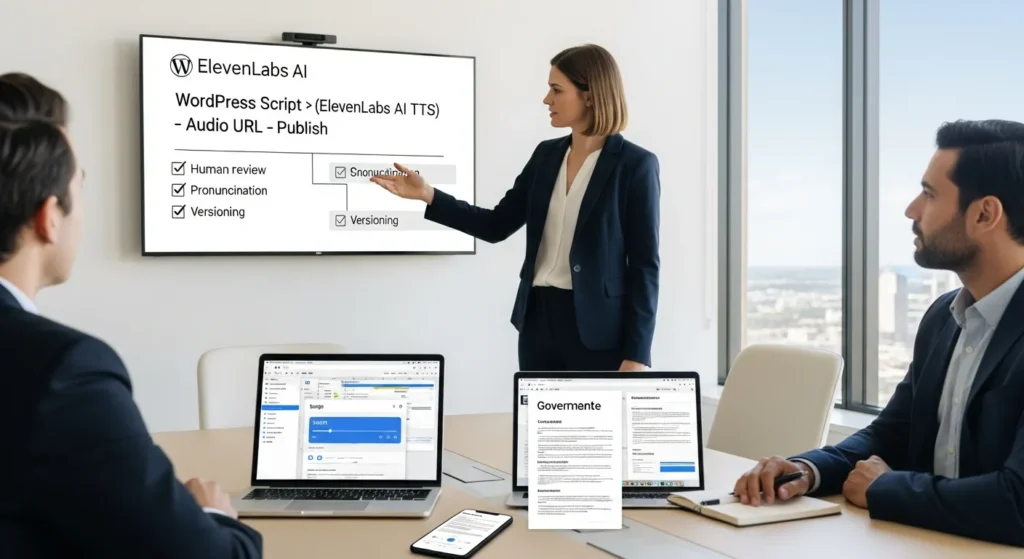
ElevenLabs AI can make your next product update sound like a real person, not a robot reading a grocery list. We learned that lesson the hard way after publishing audio that was “technically correct” and still weirdly… unsettling. Quick answer: ElevenLabs is great for turning approved words into consistent voice content, as long as you keep humans in the loop and treat audio like a governed asset, not a magic button.
Key Takeaways
- Use ElevenLabs AI as the audio rendering step for approved scripts—not as your brand voice strategy or a substitute for consent and claims review.
- Choose the right mode: Text-to-Speech for scalable narration from text, and voice cloning only with written permission because realism increases impersonation risk.
- In a WordPress workflow, store the final script in WordPress, generate audio in ElevenLabs AI, and publish the returned audio URL with clear controls and metadata.
- Prioritize high-ROI use cases like ad variations, product-page summaries, tutorials, and narrated help articles where audio boosts retention but still stays easy to review.
- Build a safety-first pipeline with triggers, guardrails, human pronunciation checks, and strict versioning so page updates always trigger audio regeneration.
- Run a low-risk pilot on one proven page, track time saved, conversion lift, and support deflection, then scale only after the workflow proves repeatable.
What ElevenLabs AI Is (And What It Is Not)
ElevenLabs is an AI voice platform that turns text into lifelike speech and can also clone or change voices. It supports 70+ languages and includes Text-to-Speech (TTS), Speech-to-Text, voice cloning, and voice changing.
What it is not: it is not your brand voice “strategy,” and it is not a replacement for consent. ElevenLabs AI produces audio. Your team still owns the script, the claims, the approvals, and the risk.
Text-To-Speech Vs Voice Cloning In Plain English
Text-to-Speech means you give the system text, and it generates speech. The model reads cues from the text. Punctuation and stage directions change the delivery. If you write “She said quietly,” you often get a softer take. If you add excitement, you get more lift.
Voice cloning means you provide voice samples, and the system recreates that person’s sound. It can keep details like pacing, emotion, accents, and even little quirks like laughs or breathiness. That power cuts both ways. Voice cloning -> increases realism -> increases impersonation risk. So we treat it like access to a signature.
Where It Fits In A WordPress-Centered Content Stack
Most teams we work with live inside WordPress. That includes blog posts, landing pages, WooCommerce product pages, and help center articles. ElevenLabs AI fits as the “audio rendering step,” not the content source.
Here is what that means in practice:
- WordPress -> stores -> the approved script
- ElevenLabs AI -> converts -> the script into audio
- Your site -> serves -> the audio with the right controls
If you already invest in content systems, pair this with a simple prompt and publishing discipline. We cover that mindset in our guide on improving AI optimization for modern teams, because voice output still needs goals, guardrails, and tracking.
High-ROI Use Cases For Founders, Marketers, And Creators
Voice pays off when it removes repeat work or increases clarity at scale. Audio -> increases attention -> increases message retention for many audiences, especially on mobile. At the same time, audio -> increases perceived authority -> increases the cost of mistakes. So we pick use cases where the upside is clear and the review step stays realistic.
Marketing And Social: Short-Form, Ads, And Product Launches
If you ship weekly content, you know the bottleneck: you can write faster than you can record. ElevenLabs AI helps when you need consistent reads across variations.
Good fits:
- Hook testing: one script, five intros, same voice
- Retargeting ads: small copy changes without booking new studio time
- Founder-led updates: a clean audio version of a launch thread or email
We keep the script short and specific. A 20-second ad read -> reduces fatigue -> improves performance review speed. Also, you can produce multilingual versions with one approval path, then generate localized audio.
Web And Ecommerce: Product Pages, Tutorials, And Accessibility Audio
On product pages, audio can answer questions that make people bounce. A “how it works” clip -> reduces confusion -> increases add-to-cart.
Practical examples:
- Product page audio summary for long descriptions
- Setup tutorials for devices, apps, or subscription steps
- Policy pages read-aloud for users who prefer listening
Accessibility note: audio does not replace good HTML structure, alt text, or captions. But it can help users who want a quick spoken overview.
Support And Ops: Help Desk Replies, Internal SOP Narration, And Training
Support teams write the same explanation over and over. Audio answers can help when the problem is procedural.
A help article -> becomes -> a 60-second narrated walkthrough. That audio -> reduces back-and-forth -> reduces ticket time.
Internal ops also benefits:
- Narrated SOPs for new hires
- Short training clips for repeat tasks
- Voice guidance for field teams who cannot read a screen easily
We still keep a human owner on the content. If a policy changes, someone updates the script, regenerates audio, and logs the change.
A Safety-First Workflow: From Script To Published Audio
The mistake we see: teams treat voice like “export MP3” and skip governance. Then the wrong audio ships, and nobody knows where it came from. A workflow -> creates audit trails -> reduces risk.
Trigger / Input / Job / Output / Guardrails (The Repeatable Pattern)
Before you touch any tools, map the flow:
- Trigger: What starts the work?
- A post moves to “Ready for Audio” in WordPress.
- Input: What do we send?
- Only the final script text, plus pronunciation notes.
- Job: What does ElevenLabs do?
- Generate speech using the chosen model and approved voice.
- Output: What do we get back?
- An audio file URL, duration, and generation metadata.
- Guardrails: What stops bad outcomes?
- Limit who can run voice cloning.
- Block sensitive data.
- Require a review checkbox before publish.
This pattern matters because Trigger -> controls volume -> controls cost. Guardrails -> reduce misuse -> protect your brand.
Human Review, Pronunciation Checks, And Versioning
Human review is not optional if the audio makes claims.
Our checklist looks like this:
- Listen at 1.0x, not 2.0x
- Confirm names, cities, and product SKUs
- Confirm disclaimers and dates
- Flag odd pacing or wrong emphasis
Then we version it.
- Script v1.2 -> generates -> Audio v1.2
- Page update -> requires -> audio regen
Versioning sounds boring. It also saves you from the “Why does the page say one thing but the audio says another?” email from a client at 9:47 pm.
WordPress Implementation Patterns (No-Code And Light Dev)
You can add ElevenLabs AI to WordPress without turning your site into a science project. Start with no-code. Add light dev only when you need tighter controls.
Zapier/Make Webhooks To Generate Audio And Return URLs
A common build looks like this:
- WordPress -> sends -> script text via webhook
- Make or Zapier -> calls -> ElevenLabs TTS API
- ElevenLabs -> returns -> an audio URL or file
- Automation -> writes -> the URL back to WordPress (custom field)
This works well for blog posts, tutorials, and product page summaries. It also keeps the “brain” in the middle. Your automation -> enforces steps -> avoids accidental publishing.
If your team already runs content ops inside WordPress, we usually place the script in an ACF field and store the audio URL beside it. That structure -> enables reuse -> reduces copy-paste errors.
Store Files, Attach To Posts, And Control Access
Next decision: where do you store audio?
Options we use often:
- WordPress Media Library for small sites and simple access needs
- Object storage (like S3-compatible storage) when files grow and you need tighter access rules
Control matters because audio -> becomes shareable -> becomes hard to retract.
Quick controls that help:
- Restrict audio URLs for internal training
- Add basic hotlink protection where possible
- Use post meta to track: voice used, date generated, reviewer name
If you sell courses or gated content, you can also attach audio to membership rules so only paid users can access it.
Governance: Consent, IP, Privacy, And Disclosure
Voice tech triggers strong reactions because it touches identity. Governance -> builds trust -> protects revenue.
Voice Rights And Permission: Avoiding Impersonation Pitfalls
If you clone a voice, get written permission. Full stop.
Voice cloning -> increases realism -> increases the chance someone believes it is “them.” That leads to brand damage fast, even when you did not mean harm.
Set rules your team can follow:
- Keep a signed consent record tied to the voice profile
- Limit access by role (not “everyone with the login”)
- Ban celebrity or competitor impersonations
- Require disclosure for synthetic audio when it can mislead
The U.S. Federal Trade Commission has warned that AI can drive deception and impersonation scams, and businesses still carry responsibility for deceptive practices. Source: Generative AI Raises Competition and Consumer Protection Issues.
Data Minimization For Regulated Teams (Legal, Medical, Finance)
If you work in legal, medical, finance, or insurance, treat scripts like controlled documents.
Rules we use:
- Do not paste client names, case facts, diagnoses, account numbers, or anything you would not email
- Strip details: “Client A” beats a real name
- Keep claims human-led, especially medical or financial guidance
Data minimization -> reduces exposure -> reduces reporting headaches.
If you operate in the EU, read the European Data Protection Board guidance on generative AI and align your process with lawful basis, purpose limits, and security controls. If that sounds heavy, start with one simple rule: send less data.
Picking A Pilot: Start Small, Measure, Then Expand
A pilot should feel boring. Boring means you can measure it and roll it back.
A 30-Minute Low-Risk Pilot You Can Run This Week
Pick one existing WordPress page that already performs well.
We like a “Top 5 FAQ” page or a best-selling product page.
Steps:
- Copy the approved text into a “Script” custom field.
- Generate a 45 to 75 second audio summary in ElevenLabs.
- Add it under the first paragraph with a clear label: “Listen to a short summary.”
- Review pronunciation. Fix. Regenerate.
- Track engagement for 7 days.
This pilot -> tests value -> avoids legal headaches because you are not inventing new claims. You are re-voicing approved copy.
Metrics That Matter: Time Saved, Conversion Lift, Support Deflection
Pick metrics that connect to money or time.
- Time saved: Minutes to produce audio vs recording manually
- Conversion lift: Add-to-cart rate, checkout starts, or lead form submits
- Support deflection: Fewer tickets that match the page topic
Also track quality:
- Number of regen cycles per clip
- Number of reported errors
If the audio takes five rounds to sound right, the workflow needs work. If it takes one round, you just found a repeatable play.
If you want to scale beyond one page, we recommend you also tighten your prompt and review process. Our article on AI optimization for modern professionals helps teams turn “random prompting” into a stable SOP.
Conclusion
ElevenLabs AI works best when you treat voice like a product asset: scripted, reviewed, versioned, and governed. If you start with one low-risk page inside WordPress, you can learn fast without betting your reputation on automation. When you are ready, we can help you map the workflow, set guardrails, and ship audio that sounds human because your process stays human.
Frequently Asked Questions About ElevenLabs AI
What is ElevenLabs AI, and what can it do for voice content?
ElevenLabs AI is an AI voice platform that turns text into lifelike speech and can also clone or change voices. It supports 70+ languages and includes Text-to-Speech (TTS), Speech-to-Text, voice cloning, and voice changing—making it useful for consistent, human-sounding audio at scale.
What’s the difference between Text-to-Speech and voice cloning in ElevenLabs AI?
Text-to-Speech generates speech from your written script, and small cues like punctuation or stage directions can change delivery. Voice cloning recreates a specific person’s sound from samples, preserving traits like pacing and emotion. Because it raises impersonation risk, voice cloning should be treated like controlled access to a signature.
How do you use ElevenLabs AI with a WordPress site without breaking your workflow?
A practical setup keeps WordPress as the source of truth: WordPress stores the approved script, ElevenLabs AI renders the audio, and your site serves the file with controls. Many teams automate this via Zapier/Make webhooks and store the audio URL back in WordPress (often in a custom field).
What’s a safety-first workflow for publishing ElevenLabs AI audio?
Treat audio as a governed asset: define a trigger (“Ready for Audio”), send only final script text plus pronunciation notes, generate with an approved voice, and store the output URL and metadata. Add guardrails like restricted voice-cloning access, sensitive-data blocks, and a required human review checkbox before publishing.
Is ElevenLabs AI good for ecommerce and support teams, or mainly for marketing?
It’s useful across teams when it removes repeat work. Marketing can use it for ad variations and founder updates. Ecommerce pages can add “how it works” clips to reduce confusion and boost add-to-cart. Support teams can turn help articles into short narrated walkthroughs to reduce ticket back-and-forth and time.
Do you need permission to clone a voice with ElevenLabs AI, and should you disclose synthetic audio?
Yes—get written permission before cloning any voice, and keep consent records tied to the voice profile. Limit access by role and ban impersonation use cases. Disclosure is recommended when synthetic audio could mislead listeners, since voice realism can increase deception risk and businesses can still be accountable for misleading practices.
Some of the links shared in this post are affiliate links. If you click on the link & make any purchase, we will receive an affiliate commission at no extra cost of you.
We improve our products and advertising by using Microsoft Clarity to see how you use our website. By using our site, you agree that we and Microsoft can collect and use this data. Our privacy policy has more details.
