
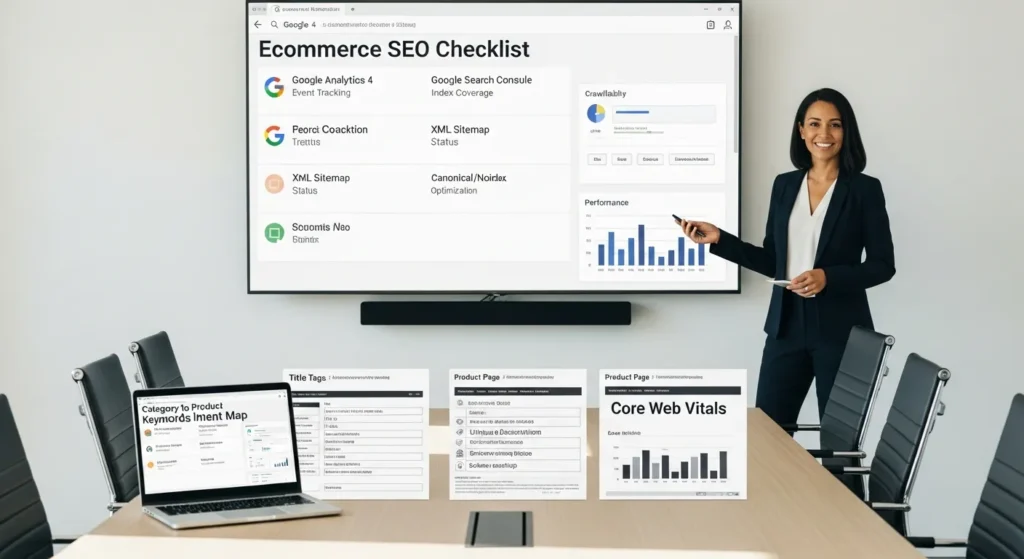
Our ecommerce SEO checklist starts the same way most real projects start: with us staring at a product page that “looks fine” while organic traffic stays flat. Then someone asks the painful question. “Are we sure Google can even find the page… and does it know who it is for?”
Quick answer: focus on tracking and indexation first, then lock in keyword intent, then tighten templates, performance, and trust signals. That sequence turns SEO from a guessing game into a repeatable workflow.
Key Takeaways
- Start your ecommerce SEO checklist with clear goals plus GA4 and conversion tracking so you can tie organic traffic to revenue, add-to-cart, and purchases.
- Submit XML sitemaps in Google Search Console, monitor index coverage, and fix index bloat with canonicals and noindex rules for low-value filters and internal search pages.
- Map keywords by shopper intent (category, product, and problem) and assign one “owner” page per intent to prevent cannibalization across categories, filters, and blog content.
- Standardize category and product templates with buyer-intent title tags, H1s, and meta descriptions, then add unique product content (descriptions, specs, FAQs, and optimized images) instead of relying on manufacturer copy.
- Improve crawlability and conversions by tightening site architecture, controlling faceted navigation, and meeting Core Web Vitals with image compression, caching, and script cleanup—especially on mobile.
- Increase qualified clicks and trust by adding Product/Offer/Review/Breadcrumb schema and making shipping, returns, contact details, and authentic reviews/UGC highly visible on money pages.
Start With Foundations: Goals, Tracking, And Indexing
If your foundations are shaky, every other ecommerce SEO checklist item turns into busywork. Tracking tells you what worked. Indexing tells you what exists. Goals tell you what “better” means.
Confirm Analytics And Conversion Tracking
Start with one decision: what counts as success.
- Ecommerce revenue
- Add-to-cart rate
- Checkout started
- Purchase
- Lead form submissions (if you sell services)
Then you wire the tracking.
Google Analytics 4 -> measures user actions. Your checkout events -> prove which pages drive sales. That cause-and-effect is the whole point.
Practical checks we run:
- Confirm GA4 is installed on every template.
- Confirm your purchase event fires on the thank-you page.
- Confirm revenue values pass through (not just “1 conversion”).
- Confirm you filter internal traffic (your team’s visits can wreck your data fast).
If you are on WooCommerce, Shopify, or a headless setup, the tool changes. The logic stays.
Submit XML Sitemaps And Audit Index Coverage
Submit your XML sitemap in Google Search Console. Then look at Indexing reports like you are checking vitals.
- “Submitted and indexed” should trend up.
- “Crawled currently not indexed” needs review.
- “Duplicate, Google chose different canonical” can signal faceted navigation problems.
Google Search Console -> affects crawl discovery -> affects organic landing pages. You want that chain working in your favor.
Google’s docs are plain and useful here: Search Console sitemap guidance and Indexing and coverage concepts.
Set Canonicals And Noindex Rules For Low-Value Pages
Most ecommerce sites create page bloat by accident.
Filters -> create near-duplicate URLs -> waste crawl budget -> dilute rankings.
Use two levers:
- Canonical tags for duplicates that should consolidate signals into a main page.
- Noindex for pages that add little value (thin filter combos, internal search results, tag archives you do not need).
Google is direct about keeping internal search results out of the index: Google guidance on internal search results.
Rule of thumb we use: if you would not send a customer that URL in an email, it probably does not deserve to be indexed.
Get Category And Product Page Keywords Right
Keyword work for ecommerce is not about finding “the best keyword.” It is about assigning intent so Google knows which page should rank.
Build A Category Keyword Map (By Intent)
We map keywords by what a shopper wants.
- Category intent: “organic face cream” (browse and compare)
- Product intent: “Brand X vitamin C face cream 50ml” (buy this)
- Problem intent: “face cream for rosacea” (needs guidance)
Intent -> affects page type -> affects template copy.
Tools like Ahrefs or Semrush help you pull candidates, but your map is the real asset. It prevents random content decisions later.
Choose Primary And Secondary Keywords Per Template
For each template (category, product, brand, collection), pick:
- Primary keyword: the main query you want the page to win
- Secondary keywords: close variants that fit naturally in headings, FAQs, and specs
Keep the primary keyword consistent across:
- Title tag
- H1
- Intro copy on the page
- Internal anchor text
If you are building on WordPress, keep your SEO fields consistent in one tool (Rank Math, Yoast, or similar). If you also run Shopify, our notes on applying the same discipline are in our RankMath approach for Shopify SEO (the principle matters more than the platform).
Avoid Cannibalization Between Categories, Filters, And Blog Posts
Cannibalization happens when two pages answer the same intent.
Two “organic face cream” pages -> split signals -> both underperform.
Common culprits:
- A category page and a blog “best organic face creams” post that targets the same phrase
- Filter pages that look like categories
- Auto-generated tag pages
Fixes we use:
- Assign one “owner” page per intent.
- Change the blog post intent to informational (“how to choose organic face cream”) and link it to the category.
- Noindex thin tag pages.
If you are scaling lots of pages, use strict templates and rules. Our programmatic SEO checklist covers how to keep that scale from turning into a duplicate-content problem.
On-Page Checklist For Category And Product Templates
On-page SEO is where your ecommerce SEO checklist meets the shopper. Templates win because they create consistency. Consistency wins because it reduces mistakes.
Title Tags, H1s, And Descriptions That Match Buyer Intent
Write like a human, but structure like a machine.
- Title tags: aim for about 50 to 60 characters.
- Meta descriptions: aim for about 150 to 160 characters.
- H1: match the primary keyword and the page’s intent.
Category example:
- Title: Organic Face Cream | Sensitive Skin Options
- H1: Organic Face Cream
- Description: Shop organic face cream for sensitive skin. Fast shipping, easy returns, and verified customer reviews.
Product example:
- Title: Brand X Vitamin C Face Cream 50ml
- H1: Brand X Vitamin C Face Cream
- Description: Brightening vitamin C cream in a 50ml jar. Ingredients, directions, and reviews.
Google rewrites snippets sometimes. You still write them because clear copy -> improves click behavior -> sends better signals over time.
Unique Product Content: Descriptions, Specs, FAQs, And Media
Do not let manufacturers write your entire store.
Duplicate descriptions -> affect index quality -> reduce rankings.
We like a simple block structure:
- 2 to 3 sentence plain-language description
- Bullet specs (size, materials, compatibility, care)
- FAQs (shipping, sizing, use cases)
- Media (photos, short video, diagrams)
Image basics matter more than people admit.
- Descriptive filenames
- Alt text that describes what is in the image
- Compressed, modern formats when possible
If images drive a lot of your discovery, use a repeatable checklist like our image SEO checklist so teams do not “wing it” on uploads.
Internal Links: Breadcrumbs, Related Products, And Editorial Links
Internal links create paths for crawlers and shoppers.
Breadcrumbs -> clarify hierarchy -> help Google understand categories.
Related products -> increase time on site -> increase page discovery.
Editorial links -> pass relevance -> help key pages rank.
We usually set a minimum:
- Category pages link to subcategories and top sellers.
- Product pages link to the parent category and 4 to 8 related items.
- Buying guides link to the best-fitting category page.
If you want the longer WooCommerce version of this whole section, we keep it updated here: our WooCommerce SEO guide for organic sales.
Technical SEO: Crawlability, Performance, And Mobile UX
Technical SEO is not a flex. It is a checkout line. If it feels slow, people leave.
Site Architecture And Faceted Navigation Controls
Keep your structure boring in a good way.
- Home -> Category -> Subcategory -> Product
- Clean URLs
- Consistent internal linking
Faceted navigation needs rules.
Filters -> create many URL variants -> waste crawl attention.
Controls we commonly apply:
- Noindex on thin filter combinations
- Canonical back to the main category
- Block crawl paths only when you understand the side effects (robots.txt is a blunt tool)
Core Web Vitals: Images, Caching, And Script Hygiene
Core Web Vitals reflect what users feel.
Slow LCP -> affects engagement -> affects conversions.
Start with the usual wins:
- Compress images and serve correct sizes
- Use caching (server and plugin level, depending on your stack)
- Lazy-load below-the-fold images
- Remove scripts you do not need (chat widgets and trackers add up)
Google explains the metrics here: Core Web Vitals overview.
Mobile-First UX And Checkout Friction Checks
Mobile-first indexing means Google judges your mobile version first.
Mobile UX -> affects crawl rendering -> affects rankings.
Checks we run on phones, not desktops:
- Can you tap size selectors and variants without zooming?
- Does the sticky add-to-cart cover content?
- Do pop-ups block the screen?
- Does checkout allow Apple Pay or Google Pay where relevant?
If your team wants a focused audit list, we keep one here: our mobile SEO checklist.
Schema And Trust Signals For Rich Results And Conversion
Trust is a ranking factor in the real world. It also changes how your snippets look.
Product, Offer, Review, And Breadcrumb Schema
Schema helps search engines label your page.
Product schema -> affects rich results -> improves qualified clicks.
Most ecommerce stores should cover:
- Product
- Offer (price, availability)
- Review (when you have real review content)
- Breadcrumb
Google keeps the rules and examples here: Product structured data.
Do not fake reviews. Google can penalize that, and customers will roast you in public.
Merchant Policies, Shipping, Returns, And Contact Transparency
Money pages need clarity.
Clear shipping and returns -> reduce purchase anxiety -> raise conversion rate.
On product and cart pages, we like:
- Shipping costs and delivery windows
- Returns window and conditions
- Contact email and phone (or at least a real support form)
- Business address when relevant
If you want to connect SEO work to conversion, our WordPress SXO checklist lays out how we audit “rankings plus revenue” together.
Reviews, UGC, And E-E-A-T Signals On Money Pages
Reviews create content that customers trust and Google can parse.
UGC -> adds long-tail wording -> improves query match.
E-E-A-T is not a tag you add. It is proof.
- Real photos from customers
- Verified purchase badges
- Expert notes (especially for health, finance, legal, and safety-related products)
FTC rules also matter if you use endorsements and influencers. The FTC’s guide is the reference: FTC Endorsement Guides.
Content And Links That Support Your Store (Without Hype)
Your store does not rank on product pages alone. Supporting content gives you more doors into the site.
Collection Pages, Buying Guides, And Comparison Content
We like content that answers shopper questions right before they buy.
- “Best X for Y” buying guides
- Comparisons (“A vs B”)
- Use-case collections (“Gifts for new runners”)
Content -> earns links -> lifts category pages.
If you want a tight editorial checklist for this work, use our content SEO checklist and keep it near your publishing process.
Digital PR And Linkable Assets (Tools, Data, Templates)
Links still matter because links signal credibility.
A useful tool -> earns mentions -> improves authority.
Ideas that work even for small brands:
- A sizing calculator
- A public spreadsheet (materials, compatibility, airline rules, whatever fits your niche)
- A simple template (return request email template, spec sheet template)
- A small data study from your own sales trends (anonymized)
Keep outreach honest. Pitch what is actually useful.
Keep It Safe: AI-Assisted Content Guardrails And Human Review
AI can speed up drafts. Humans need to own the final claim.
AI drafts -> risk mistakes -> create legal and brand problems.
Guardrails we use:
- Do not paste sensitive customer data into prompts.
- Keep medical, legal, and financial advice human-led.
- Fact-check ingredients, warranties, pricing, and safety claims against primary sources.
- Run plagiarism checks when you scale.
Use AI like a junior assistant, not a publisher.
Sources
- Sitemaps Overview, Google Developers, n.d., https://developers.google.com/search/docs/crawling-indexing/sitemaps/overview
- Indexing: How Google Search Works, Google Developers, n.d., https://developers.google.com/search/docs/crawling-indexing/indexing
- Avoid indexing internal search results, Google Developers, n.d., https://developers.google.com/search/docs/crawling-indexing/avoid-indexing-search-results
- Product structured data, Google Developers, n.d., https://developers.google.com/search/docs/appearance/structured-data/product
- Web Vitals, Google for Developers (web.dev), 2024-03-06, https://web.dev/articles/vitals
- FTC Endorsement Guides, Federal Trade Commission, 2023-06-29, https://www.ftc.gov/business-guidance/advertising-marketing/endorsements-influencers-reviews
Conclusion
If you only do five things from this ecommerce SEO checklist, do these: confirm tracking, fix index bloat, map intent to page types, write unique product copy, and make the mobile checkout feel easy.
When you want, we can help you run this as a low-risk pilot on one category first, measure the lift, then expand. That is how we keep SEO calm, measurable, and tied to revenue.
Ecommerce SEO Checklist: FAQs
What should I prioritize first in an ecommerce SEO checklist?
Start with foundations: clear goals, accurate tracking, and clean indexation. Confirm GA4 and purchase events work, then use Google Search Console to validate XML sitemaps and index coverage. Once Google can find and understand pages, move to keyword intent, templates, performance, and trust signals.
How do I check if Google is indexing my ecommerce pages correctly?
Submit your XML sitemap in Google Search Console and review the Indexing reports. “Submitted and indexed” should rise over time, while “Crawled – currently not indexed” needs investigation. Watch for “Duplicate, Google chose different canonical,” which often points to faceted navigation creating near-duplicate URLs.
How do canonical tags and noindex rules reduce ecommerce SEO index bloat?
Filters and internal search can generate many low-value, near-duplicate URLs that waste crawl budget and dilute rankings. Use canonical tags to consolidate signals to the main category or product URL, and apply noindex to thin filter combinations or internal search results you wouldn’t confidently send customers.
How do I build a keyword map for an ecommerce store without causing cannibalization?
Assign keywords by shopper intent and page type: category (browse), product (buy), and problem (learn). Pick one “owner” page per intent and keep primary keywords consistent across title tags, H1s, intro copy, and internal anchors. Shift blog posts to informational intent and link them to the money pages.
What is the best on-page template for category and product pages in an ecommerce SEO checklist?
Use consistent templates that match buyer intent: title tags around 50–60 characters, meta descriptions around 150–160 characters, and an H1 aligned with the primary keyword. Add unique product content (short description, bullet specs, FAQs, media), plus strong internal links like breadcrumbs and related products.
How long does ecommerce SEO take to show results after applying an ecommerce SEO checklist?
Timelines vary, but technical and indexation fixes can improve crawl and discovery within days to weeks, while ranking and revenue lifts usually take weeks to a few months. Start with a pilot category, measure changes in indexed pages, impressions, and conversions, then scale what works across templates.
Some of the links shared in this post are affiliate links. If you click on the link & make any purchase, we will receive an affiliate commission at no extra cost of you.
We improve our products and advertising by using Microsoft Clarity to see how you use our website. By using our site, you agree that we and Microsoft can collect and use this data. Our privacy policy has more details.
