
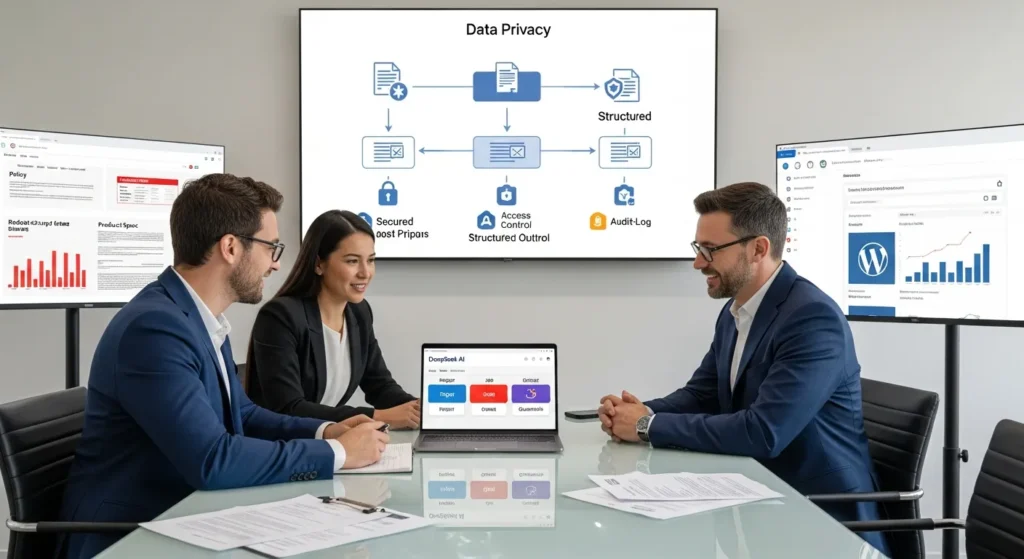
DeepSeek AI shows up in team chats when someone wants ChatGPT-level answers without ChatGPT-level bills. We have watched founders light up at the speed, then freeze when the next question hits: “Wait, what data did we just send?” Quick answer: DeepSeek AI can be a strong pick for technical research and internal workflows, as long as you treat it like a system you govern, not a chatbot you wing.
Key Takeaways
- DeepSeek AI can deliver ChatGPT-level research and coding performance at lower unit cost, but it only stays safe when you govern it like a system with rules, reviews, and logs.
- Choose DeepSeek AI when you need long-document search, technical Q&A, repeatable outputs, customization, or private hosting—not when the job is mainly brand-voice marketing copy.
- Pilot DeepSeek AI in “shadow mode” on one workflow first, then define success metrics like time saved, acceptable error rate, review time, and a rollback plan before scaling.
- Build every workflow with a clear Trigger, minimal Input, narrow Job, structured Output, and strong Guardrails so failures are contained and easy to catch.
- Set privacy and compliance controls upfront—data minimization, access control, and logging—and never paste personal data, payment info, credentials, unredacted legal/medical details, or unreleased pricing/designs into any AI prompt.
- Start with simple, reversible no-code automations (Zapier/Make/n8n) for quick wins, and move to WordPress hooks or lightweight custom plugins when volume, data handling, or auditability demands tighter control.
What DeepSeek AI Is (And What It Is Not)
DeepSeek AI is an open-source large language model platform that teams use for enterprise search, data discovery, and reasoning across large piles of text. It reads unstructured data and returns structured answers, summaries, and patterns you can act on.
DeepSeek AI is not a consumer-first assistant you log into and forget about. It usually asks more of you: model choice, deployment decisions, and clear rules about what data can enter the prompt.
Here is why that matters. Open-source options can lower costs and raise control, but they also move responsibility onto your team. Your process determines whether DeepSeek becomes a helpful “brain” in your workflow or a quiet risk.
DeepSeek’s recent technical claims get attention because they speak to day-to-day usability: long context (reported up to 128K tokens) and faster generation (reported around 60 tokens per second in some settings). Those numbers sound abstract until you run a workflow that needs to read a long policy, a backlog of tickets, or a month of product reviews in one pass.
DeepSeek Vs. ChatGPT, Claude, And Gemini: Practical Differences That Matter
If you are choosing tools for a business workflow, the question is not “Which AI is smartest?” The question is “Which AI fails in the least expensive way for our use case?”
- DeepSeek tends to shine in coding, technical Q&A, and research-style tasks. Open-source access also means you can host it and control the environment.
- ChatGPT (OpenAI) often wins on general-purpose writing, brainstorming, and broad usability. You get a polished product experience, with less setup.
- Claude (Anthropic) often performs well on policy-heavy and compliance-sensitive writing. Many legal teams like the tone and guardrails.
- Gemini (Google) connects naturally with Google’s ecosystem and can be strong for multimodal work and search-linked tasks.
One simple way we explain it to clients: tool choice affects workflow risk. A model’s style affects what reviewers catch. A model’s hosting options affect what compliance teams approve.
When DeepSeek Is A Good Fit For Your Team
DeepSeek AI fits best when you want technical strength, repeatable outputs, and cost control, and you can handle a little setup.
We like DeepSeek when a team has at least one of these conditions:
- You run engineering, data, or analytics work where “show your work” matters.
- You need search and summarization across long documents or many records.
- You want customization (fine-tunes, private hosting, or strict prompt templates).
- You care about unit cost because you run lots of jobs, not a few chats.
DeepSeek is a weaker fit when the job is mostly brand voice writing, ad concepts, or punchy campaign copy. You can still use it there, but you will spend more time editing.
Let’s keep one boundary clear. In regulated areas (legal, medical, financial advice), DeepSeek can help with drafting and sorting, but a qualified human must own the final call. Model output affects decisions. Decisions affect people.
Common Use Cases In WordPress, Ecommerce, And Marketing Ops
Most teams do not need “AI everywhere.” They need 2 or 3 boring workflows to stop eating the week.
Here are use cases we see work well around WordPress and WooCommerce:
- Support-ticket triage: DeepSeek classifies incoming tickets, pulls key fields, and suggests replies. A human approves.
- Product catalog cleanup: DeepSeek rewrites messy product specs into consistent bullets and extracts attributes into ACF fields.
- Review mining: DeepSeek summarizes themes from product reviews and flags issues like sizing complaints or shipping damage.
- Content research briefs: DeepSeek turns source notes into a structured outline your writer can trust.
- Internal SOP drafts: DeepSeek converts raw team notes into checklists and “if this, then that” steps.
On our side, we often connect these outputs into WordPress workflows, then enforce review gates before anything publishes on a live site like Zuleika LLC. If you want related reading, our clients usually start with guides on WordPress website development and WooCommerce solutions to understand what can be automated safely.
How To Pilot DeepSeek Safely: A Simple Workflow Blueprint
A safe pilot looks boring on purpose. You pick one workflow. You limit the data. You log everything. You keep a human approval step.
We like to run pilots in “shadow mode” first. The model produces outputs, but the business does not act on them yet. This lets you measure accuracy and spot failure patterns without breaking anything.
Next steps: define success like you mean it.
- Time saved per task
- Error rate you can tolerate
- Review time (because humans will still review)
- A rollback plan if outputs drift
Trigger, Input, Job, Output, Guardrails
We build almost every AI workflow with the same five boxes. You can sketch this on a napkin before you touch Zapier.
- Trigger: What event starts the run? A new WooCommerce product, a form submission, a weekly schedule.
- Input: What exact text goes to DeepSeek? Keep it minimal and scrubbed.
- Job: What does the model do? Summarize, classify, extract fields, draft copy.
- Output: Where does the result land? Draft post, Google Doc, Slack message, help desk note.
- Guardrails: What stops bad output from shipping? Human approval, banned claims list, formatting rules, and logs.
Cause and effect stays clear here. A clean trigger reduces surprise runs. A small input reduces data exposure. A narrow job reduces hallucinations. A constrained output format reduces editing time. Guardrails reduce business risk.
If you run WordPress, we often route outputs into drafts and custom fields first, then require an editor click before publish. That one click saves reputations.
Data, Privacy, And Compliance Guardrails To Set Up First
If you do one thing before you roll out DeepSeek AI, do this: set data rules that a stressed teammate can still follow on a Tuesday at 6:40 pm.
We frame it like this. Data policy affects prompt content. Prompt content affects model exposure. Exposure affects legal and brand risk.
Start with three controls:
- Data minimization: Only send what the job needs.
- Access control: Limit who can run jobs and who can approve outputs.
- Logging: Store what ran, when it ran, who approved it, and what data category it used.
If you operate in the US and you touch health data, remember HIPAA rules can apply. If you operate with EU residents, GDPR rules can apply. Your lawyer should confirm your obligations, but your workflow should assume stricter rules by default.
What Not To Paste Into Any AI Tool (And How To Minimize Data)
We keep this list taped to the metaphorical wall:
Do not paste:
- Customer personal data (names, emails, phone numbers, addresses)
- Payment data (card numbers, bank info)
- Credentials (API keys, passwords, tokens)
- Full contracts or legal filings without redaction
- Medical records or patient details
- Unreleased product designs or supplier pricing
Here is what that means in practice:
- Replace names with roles like Customer_A.
- Remove order numbers and exact addresses.
- Send a product spec without supplier notes.
- Use synthetic examples for testing.
If your team cannot reliably redact data, you need a different approach, such as local hosting, strict middleware, or avoiding AI on that workflow entirely.
For policy grounding, review the FTC guidance on AI claims and advertising and the European Data Protection Board guidance on GDPR principles. These sources will not run your workflow for you, but they set the tone: say less, collect less, prove more.
Implementation Options: No-Code Automations Vs. WordPress Integrations
You have two common paths: no-code automation or a WordPress-side build. The right choice depends on volume, risk, and how much control you need.
We usually start with no-code when the workflow is simple and reversible. We move to WordPress hooks and custom plugins when the workflow becomes a real system.
This decision has a clean cause chain. Tool choice affects visibility. Visibility affects review. Review affects safety.
Zapier/Make/n8n Patterns Vs. WordPress Hooks And Lightweight Custom Plugins
No-code patterns (Zapier, Make, n8n) work well for:
- Quick pilots
- Low to medium volume jobs
- Easy approvals via Slack, email, or Google Docs
Typical pattern:
- New WooCommerce product created
- Formatter step scrubs fields
- DeepSeek generates bullets and SEO draft
- Result saves as a WordPress draft
- Editor reviews and publishes
WordPress hooks and lightweight custom plugins work well for:
- Higher volume stores
- Strict data handling needs
- Custom logic tied to your theme, ACF, or WooCommerce metadata
Common hooks:
save_postto create or update drafts before publishwoocommerce_product_updatedto enrich product fields
We prefer lightweight plugins because you can version them, audit them, and roll them back. You can also keep prompts as templates, which makes reviews and training much easier.
If you want a safer build path, we bundle this into ongoing support so you are not stuck maintaining a half-finished automation. That fits naturally inside website maintenance services, not a one-off “AI experiment.”
Conclusion
DeepSeek AI can do serious work for serious teams, but only if you treat it like an employee who needs clear rules and supervision. Start with one workflow. Keep the input small. Put a human in the approval step. Log the run.
If you want a practical place to begin, pick a single WordPress workflow that already has a draft stage: product descriptions, support replies, or content briefs. Then run it in shadow mode for two weeks and measure what really changes: time spent, error rate, and reviewer confidence.
When you are ready, we can help you map the Trigger, Input, Job, Output, and Guardrails and connect it to your WordPress stack in a way that does not scare your lawyer or your future self.
Frequently Asked Questions About DeepSeek AI
What is DeepSeek AI, and what is it used for?
DeepSeek AI is an open-source large language model platform used for enterprise search, data discovery, and reasoning across large volumes of text. It can turn unstructured content into structured outputs like summaries, extracted fields, classifications, and patterns—especially useful for technical research and repeatable internal workflows.
How does DeepSeek AI compare with ChatGPT, Claude, and Gemini for business workflows?
DeepSeek AI often excels in coding, technical Q&A, and research tasks, with added control if you self-host. ChatGPT is typically easiest for general writing and brainstorming. Claude is often favored for policy-heavy, compliance-sensitive drafting. Gemini integrates well with Google’s ecosystem and multimodal/search-linked workflows.
When is DeepSeek AI a good fit for a team (and when is it not)?
DeepSeek AI is a strong fit when you need technical strength, long-document summarization, customization, and lower unit costs across many jobs. It’s usually a weaker fit for brand-voice marketing copy and ad concepts where polish and tone matter most, unless you plan for heavier editing and review.
How do you pilot DeepSeek AI safely in a real workflow?
A safe DeepSeek AI pilot starts with one narrowly defined workflow, minimal input data, full logging, and a human approval step. Run “shadow mode” first—generate outputs without acting on them—then measure time saved, acceptable error rate, reviewer effort, and define a rollback plan if performance drifts.
What data should you avoid putting into DeepSeek AI prompts?
Avoid sending personal customer data, payment details, credentials, unredacted contracts, medical records, and unreleased designs or sensitive pricing. Minimize exposure by redacting specifics, replacing names with roles (e.g., Customer_A), removing order numbers/addresses, and using synthetic test data when possible.
Should I self-host DeepSeek AI or use a hosted option for privacy and compliance?
Self-hosting can improve control over data handling, access, and logging, which helps with privacy and compliance needs. Hosted options are faster to start but may add vendor and data-transfer considerations. In regulated contexts (HIPAA/GDPR), use data minimization, strict access controls, and legal review either way.
Some of the links shared in this post are affiliate links. If you click on the link & make any purchase, we will receive an affiliate commission at no extra cost of you.
We improve our products and advertising by using Microsoft Clarity to see how you use our website. By using our site, you agree that we and Microsoft can collect and use this data. Our privacy policy has more details.
