
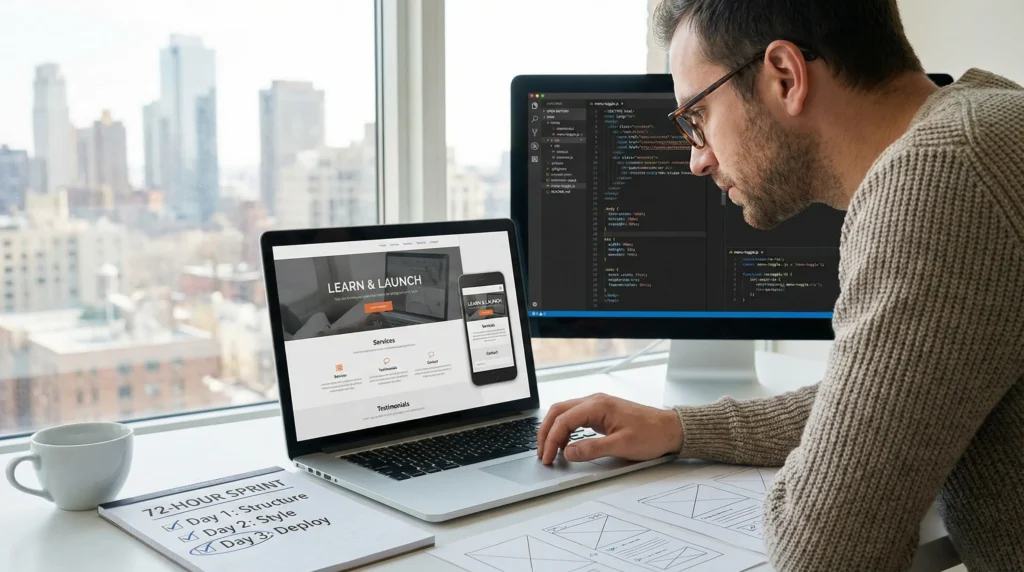
Can I learn web development in 3 days? We have watched smart, busy business owners try this sprint between client calls, kid pickup, and a half-cold coffee. Quick answer: you cannot become job-ready in 3 days, but you can build a clean, functional one-page site and learn the “why” behind it.
If you want a real win in 72 hours, you need a tight scope, the right tools, and a few guardrails that keep you from spiraling into tutorial purgatory.
Key Takeaways
- You can’t learn web development in 3 days well enough to be job-ready, but you can ship a clean, responsive one-page site if you keep the scope tight.
- Focus your 72-hour sprint on the fundamentals—semantic HTML for structure and SEO, mobile-first CSS for layout, and a little JavaScript for simple interactions that improve usability.
- Follow a simple 3-day plan: Day 1 write real content and build the HTML outline, Day 2 style it with Flexbox/Grid and clear spacing, and Day 3 add minimal JS, a basic form, and deploy.
- Use beginner-friendly tooling (VS Code, a modern browser, Live Server, and DevTools) to stay in a fast feedback loop and fix issues before they snowball.
- Avoid common traps like tutorial hopping, overengineering with frameworks, and skipping accessibility basics (headings, contrast, alt text), and never hardcode secrets or sensitive data.
- If you need a business-ready site fast, WordPress can launch polished pages with SEO, analytics, and forms in 3 days while you learn web development skills in parallel over the next 30 days.
What You Can (And Cannot) Learn In 3 Days
Most people ask “Can I learn web development in 3 days?” when they really mean: “Can I make something real fast, without it looking like a 2009 MySpace tribute page?” Yes, if you keep the target small.
If you are brand new, three days gives you enough time to learn how a webpage is built and to ship a simple result. It does not give you enough reps to build instincts.
Here is a realistic line in the sand:
- You can learn the basics of HTML structure, CSS layout, and a little JavaScript interaction.
- You can publish a one-page site for a business, portfolio, or event.
- You cannot learn full-stack development, master JavaScript, or become “hireable” in 72 hours.
Job-ready skill usually takes months of steady practice. Some estimates put it around 600 to 1,200 hours for entry-level competence, which tracks with what we see in the real world when people move from “I followed a tutorial” to “I can build this alone.”
Day 3 Outcomes: A Functional One-Page Site, Not A Full Developer Skillset
By the end of day 3, a good outcome looks like this:
- A responsive one-page site (phone to desktop)
- Clear sections: hero, services, about, testimonials, contact
- A working contact form (or a mailto link if you keep it simple)
- Basic on-page SEO: title tag, headings, readable URLs
- Deployed to a public URL (GitHub Pages or a simple host)
A not-so-good outcome looks like this:
- 14 half-finished pages
- A navbar that breaks on mobile
- Copy that says “Lorem ipsum” because you ran out of time
And no, you will not ship a complex app. Multi-page apps with authentication, databases, and production deployment usually take weeks to months, even for people who already know the basics.
The Core Concepts That Matter Most: HTML, CSS, And A Little JavaScript
When time is short, focus on the parts that give you the most control.
- HTML affects structure. Structure affects accessibility and SEO. Use semantic tags like
header,main,section, andfooter. - CSS affects layout. Layout affects trust. Your page either feels professional, or it feels “made last night.”
- JavaScript affects interaction. Interaction affects conversions. A form that validates input or a button that toggles a menu goes a long way.
If you only learn one mental model in your first sprint, learn this: HTML is the skeleton, CSS is the clothing, JavaScript is the behavior. That simple framing keeps you from mixing concerns and getting stuck.
A 3-Day Learning Sprint That Actually Works
We treat a 3-day sprint like a mini project, not a class. You pick one outcome, you build it, and you ship it.
Time box helps. Aim for 4 to 6 focused hours per day. Put your phone in another room. (Yes, we know that sentence hurts.)
Day 1: Build The Page Structure With HTML And Good Content
Day 1 goal: create a complete page outline that reads well even with zero styling.
Steps that keep you moving:
- Write real content first. A headline, a short value statement, 3 services, a short bio, and a contact block.
- Lay out the sections in HTML. Use semantic elements. Use one
h1. Useh2for section headers. - Add images last. Use placeholders until the structure feels right.
A practical “business one-pager” section order:
- Hero: what you do + who it is for
- Proof: testimonials, logos, or numbers
- Services: 3 cards max
- About: 4 to 6 sentences
- Contact: email, phone, location, hours
If you want context on where this fits in the larger skill path, our longer breakdown on web development basics can help you set expectations beyond the sprint.
Day 2: Make It Look Professional With CSS And Mobile-First Layout
Day 2 goal: make it clean on a phone first. Then scale up.
Here is why: mobile layout affects bounce rate. Bounce rate affects leads.
Your Day 2 checklist:
- Set base styles: font, line height, max content width
- Use Flexbox or Grid for layout, not random margins
- Make sections breathe: padding and spacing matter more than fancy effects
- Add a simple color system: 1 primary, 1 accent, neutrals
Try this constraint: no more than two font sizes per section. That rule keeps you out of design chaos.
Day 3: Add Lightweight Interactivity, Forms, And Basic Deployment
Day 3 goal: add only the JavaScript you need, then publish.
Good beginner wins:
- Mobile menu toggle
- Form validation (required fields, email format)
- Button scroll-to-section
Skip these on day 3:
- Frameworks
- State management
- Anything that needs a build pipeline you do not understand
Then deploy. Shipping teaches you the last 20 percent: paths, assets, caching surprises, and the joy of “why is my image not loading?” (It is usually the filename.)
The Fastest Tooling Setup For Beginners
Tool choice affects momentum. Momentum affects whether you finish.
Keep the stack boring:
- VS Code
- A modern browser (Chrome, Edge, Firefox)
- A live preview (so you see changes instantly)
Editor, Browser DevTools, And A Simple Local Preview Workflow
Set up a workflow you can repeat:
- Install VS Code.
- Add the Live Server extension (or use any local server you like).
- Open DevTools in your browser.
DevTools is your truth serum.
- The Elements panel shows what your HTML really looks like.
- The Console shows why your JavaScript fails.
- The Network tab shows missing files and slow images.
A simple rule we teach: change one thing, refresh, confirm. That feedback loop keeps you calm.
GitHub Pages Vs. Simple Hosting: How To Publish Without Getting Stuck
If the goal is “public link in a day,” use one of these paths:
- GitHub Pages: great for static sites, free, fast to publish.
- Netlify: also great for static sites, friendly UI, easy redeploys.
- Basic shared hosting: fine if you already pay for it, but setup steps can slow beginners.
If you are a business owner who wants leads, you may outgrow a static one-pager fast. You will want analytics, SEO controls, forms that route to a CRM, and edit access for your team. That is where a CMS starts to make more sense.
Common 3-Day Pitfalls (And The Guardrails We Recommend)
Three days is short. Mistakes feel louder.
The fix is not “work harder.” The fix is guardrails.
Tutorial Hopping, Overengineering, And Skipping Accessibility
Tutorial hopping breaks learning because it resets the context every hour.
Guardrails that work:
- Pick one course or guide for the sprint. Finish the project.
- Build one page. Do not add pages until the first one ships.
- Use semantic HTML. It helps screen readers and it helps your own structure.
Accessibility does not mean perfection. It means basics:
- Real headings in order (
h1, thenh2) - Buttons for actions, links for navigation
- Color contrast you can read in daylight
- Alt text for meaningful images
Security And Privacy Basics: What Not To Hardcode Or Paste Into Code
We need to say this plainly: do not paste secrets into code.
- Do not hardcode API keys.
- Do not paste client data into prompts or sample files.
- Do not collect medical, legal, or financial details in a DIY form without a real plan.
Data exposure affects trust. Trust affects revenue.
If your work touches regulated areas, keep humans in the loop and keep sensitive data out of experiments. The FTC also has clear guidance on truthful marketing claims and endorsements, which matters if your new site includes testimonials or influencer partnerships.
When WordPress Is The Smarter “3-Day” Path
Sometimes the honest answer to “Can I learn web development in 3 days?” is: you should not try to learn it for this project. You should launch the site and learn the skills in parallel.
WordPress helps because it separates content editing from code. That separation affects speed. Speed affects go-live.
What You Can Launch In 3 Days With WordPress Themes And Blocks
In three days, WordPress can get you:
- A polished marketing site with a theme and block editor
- Core pages (Home, About, Services, Contact)
- Basic SEO setup (titles, meta descriptions, index settings)
- Analytics and forms
- A blog that you can publish to without touching code
This is the path we often recommend for small businesses that need a site that supports sales, bookings, or lead capture now.
If you wonder how long it takes to learn the deeper skills, we mapped the longer runway in our guide on learning web dev in 3 months.
Where Custom Development Fits: Child Themes, Lightweight Plugins, And Hooks
WordPress does not block you from code. It gives you a safe ladder.
Common “light dev” steps after you launch:
- Create a child theme for CSS and template overrides
- Add a lightweight custom plugin for small features
- Use hooks like
save_postto automate content rules
That hybrid approach works well for teams that want control without turning the website into a science project.
And if you run WooCommerce, the same idea applies. A stable theme plus a few targeted customizations beats a pile of plugins you do not understand.
How To Turn A 3-Day Sprint Into A 30-Day Skill Plan
A 3-day sprint gives you a win. A 30-day plan gives you skill.
Think of this as reps, not cram school.
Practice Projects That Build Real Competence
Pick projects that force you to repeat the same fundamentals in new shapes:
- Rebuild your one-pager from scratch without looking
- Clone a simple landing page layout you like (no copying text)
- Build a pricing table with CSS Grid
- Create a contact form with validation and error messages
- Add a simple FAQ accordion with JavaScript
Each project affects confidence. Confidence affects consistency.
Aim for 5 to 7 small sites over a month. You will start to notice patterns, and that is when things click.
A Simple Checklist For Measuring Progress And Staying Consistent
Use a checklist so you do not guess.
Weekly scorecard:
- You wrote HTML with semantic structure (yes or no)
- You shipped one layout that works on mobile and desktop (yes or no)
- You fixed three bugs using DevTools (yes or no)
- You deployed updates twice (yes or no)
- You documented what broke and how you fixed it (yes or no)
If you get four “yes” answers each week, you are learning fast.
One more guardrail: keep a “parking lot” list. When you want to chase a new idea, write it down and return to the plan. Your future self will thank you.
Conclusion
You cannot learn web development in 3 days in the way people mean it. You can learn enough to build and publish a solid one-page site, and that is a real result.
If you want the safest path, scope the sprint tightly, ship something public, then keep practicing for 30 days. If you need a business-ready site fast, use WordPress to launch first and learn the code layer after. That approach keeps momentum high and risk low, which is usually the whole point.
Frequently Asked Questions
Can I learn web development in 3 days?
You can’t become job-ready in 3 days, but you can learn enough web development basics to build and publish a clean one-page site. Focus on HTML structure, CSS layout, and a little JavaScript for simple interactions. Treat it like a mini project with a tight scope.
What can I realistically build if I learn web development in 3 days?
A realistic 72-hour win is a responsive one-page site with clear sections (hero, services, about, testimonials, contact), basic on-page SEO, and a simple contact method (form or mailto). You can deploy it to a public URL using GitHub Pages, Netlify, or simple hosting.
What should I learn first in a 3-day web development sprint—HTML, CSS, or JavaScript?
Start with HTML for structure and semantic sections, then add CSS for a clean mobile-first layout, and finish with a small amount of JavaScript for lightweight interaction. A helpful model is: HTML is the skeleton, CSS is the clothing, and JavaScript is the behavior.
How many hours per day do I need to learn web development in 3 days?
Plan for about 4 to 6 focused hours per day to make real progress without burning out. Time-boxing helps you avoid tutorial hopping and overbuilding. The goal is a shipped, functional one-page site—not mastering full-stack development or complex frameworks in one weekend.
Should I use WordPress instead of learning web development in 3 days?
If you need a business-ready site fast, WordPress is often the smarter 3-day path. Themes and the block editor let you launch core pages, forms, basic SEO settings, and analytics quickly. You can then learn web development gradually by customizing with child themes, plugins, and hooks.
How long does it really take to become job-ready in web development?
Most people need months of steady practice to become entry-level competent, often estimated around 600 to 1,200 hours. That time builds problem-solving “instincts,” not just tutorial memory. A practical approach is using a 3-day sprint to ship something, then following a 30-day plan for repetition and growth.
Some of the links shared in this post are affiliate links. If you click on the link & make any purchase, we will receive an affiliate commission at no extra cost of you.
We improve our products and advertising by using Microsoft Clarity to see how you use our website. By using our site, you agree that we and Microsoft can collect and use this data. Our privacy policy has more details.
