
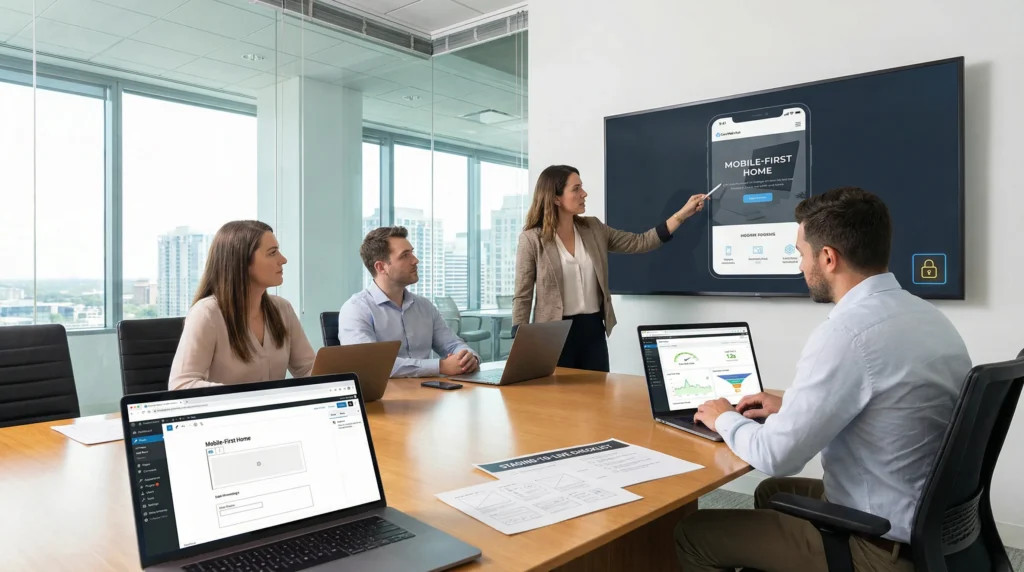
WordPress website design services sound simple until you are staring at a half-finished homepage at 11:47 p.m., wondering why your site feels “off” on mobile. We have seen it a lot: the visuals look fine, but the checkout leaks sales, the pages load slow, and nobody wants to touch the editor.
Quick answer: good WordPress website design services cover strategy, design, build, SEO setup, and post-launch care, with clear guardrails for speed, security, and ownership. If you treat it like a workflow (not an art project), you get a site that sells, ranks, and stays easy to run.
Key Takeaways
- Effective WordPress website design services follow a repeatable workflow—strategy, design, build, QA, launch, and support—to prevent scope creep and plugin chaos.
- Start with clear discovery (primary user action, audience fears, and measurable success metrics) so every page, CTA, and tracking decision supports revenue goals.
- Choose templates for fast, simple brochure sites, but invest in custom design when you need a distinct brand, funnel-aligned landing pages, and reusable section libraries your team can assemble safely.
- A professional build should prioritize speed and Core Web Vitals with mobile-first layouts, disciplined plugin choices, real-device testing, and one primary CTA per page to boost conversions.
- Bake in SEO setup from day one with clean URLs, logical navigation, optimized titles/meta, intentional headings, internal linking, and basic schema to improve crawling and indexing.
- Reduce long-term risk by demanding ownership clarity, staging + backups + rollback plans, and post-launch maintenance (updates, monitoring, and data-driven iterations) as part of WordPress website design services.
What “WordPress Website Design Services” Actually Include
WordPress website design services usually mean more than “make it pretty.” The best engagements follow a repeatable chain: goals -> layout -> build -> QA -> launch -> support. That chain protects timelines and keeps your site from turning into a plugin pile.
If you want the long story short, you are buying four things: a plan, a design system, a working WordPress build, and a way to keep it healthy after launch.
Strategy And Discovery: Goals, Audience, And Success Metrics
Strategy sets the rules for everything that follows. Your goal affects your pages. Your pages affect your tracking. Your tracking affects your next marketing spend.
We ask direct questions because they save weeks later:
- What is the one action you want visitors to take (book, buy, call, subscribe)?
- Who is the buyer, and what do they fear (risk, wasted time, hidden fees)?
- What does “done” mean in numbers (leads per week, conversion rate, average order value)?
This is also where we decide what stays human-led. Legal, medical, and financial claims need human review. That one rule prevents a lot of regret.
Design And UX: Templates Vs. Custom, Mobile-First Layouts
Design creates trust fast. UX creates movement. Both matter, but UX pays the bills.
A template can work when:
- You need a clean brochure site fast.
- Your brand rules are simple.
- You can accept small limits on layout.
Custom design makes sense when:
- You need a distinct look for a competitive market.
- You run campaigns and need landing pages that match funnels.
- You need a library of reusable sections your team can assemble safely.
If you are comparing options, our deeper guide on WordPress web design breaks down what “good” looks like in real projects.
Build And Launch: WordPress Setup, Performance, And QA
Build turns mockups into a working system. WordPress powers the admin. Your theme and plugins power the features. Hosting powers the speed. Each layer affects the next.
Here is what we treat as non-negotiable:
- A staging site for safe testing
- Clean theme structure (block theme or classic theme, picked on purpose)
- Performance basics (image handling, caching, careful plugin choices)
- QA on real devices, not just a desktop browser
If you are looking for what a full service setup can include, see how we structure projects on our WordPress development services. (No fluff, just what we build and support.)
SEO And Content Setup: Site Structure, On-Page Basics, And Copy Support
SEO starts with structure. Structure affects crawling. Crawling affects indexing. Indexing affects traffic.
A solid WordPress website design services package usually includes:
- Clean URLs and logical navigation
- Title tags and meta descriptions for core pages
- Header structure (H1, H2, H3 used with intent)
- Internal linking that matches your offers
- Basic schema where it fits (business info, products, FAQs)
Many teams also need copy support. If your page says “We do everything for everyone,” visitors bounce. Clear offers reduce bounce rates and increase inquiries. That is not magic. That is messaging.
For the baseline expectations, Google’s own SEO starter guide stays useful because it focuses on fundamentals, not hacks.
What A Professional WordPress Site Should Deliver (Beyond Looking Good)
A professional site should reduce effort for your visitors and your team. Design affects trust, but performance and clarity affect revenue.
We like to frame it as cause and effect:
- Faster pages reduce abandonment.
- Clear CTAs increase conversions.
- Strong security reduces business risk.
Speed, Core Web Vitals, And Conversion-Focused Pages
Speed shapes first impressions. Google also uses Core Web Vitals as part of its page experience systems.
What we aim for:
- Lean pages that load fast on mobile
- Layouts that avoid shifting elements (no surprise jumps)
- Clear page goals: one primary CTA per page
If you want the official definition and metrics, Google explains Core Web Vitals on web.dev.
Security, Privacy, And Accessibility Basics
Security is not a plugin you install once. Security is a habit.
A professional WordPress website design services provider should cover:
- HTTPS and secure admin practices
- Least-privilege user roles (not everyone needs admin)
- Update and backup plans
- Privacy basics like cookie consent where required
For regulated teams, we push data minimization. Do not paste sensitive client info into AI tools. Do not store more form data than you need. Those two rules reduce exposure fast.
Editor-Friendly Admin: Blocks, Patterns, And Reusable Templates
If your team cannot edit the site, the site will rot. It always happens.
We build with editors in mind:
- Reusable block patterns for common sections
- Guardrails that prevent broken layouts
- Simple fields for repeatable content (services, locations, bios)
If you want a plain-English explanation of what you are really buying when you hire a wordpress web design company, that guide can help you compare agencies without guessing.
How Pricing Works For WordPress Website Design Services
Pricing feels mysterious until you map it to inputs. More pages add design time. Custom features add dev time. Ecommerce adds testing time. Integrations add risk time.
WordPress website design services pricing is less about WordPress itself and more about scope control.
Common Pricing Models: Packages, Fixed Bid, And Retainers
You will usually see three models:
- Packages: predictable scope, fixed deliverables, fast starts
- Fixed bid: defined scope, milestones, change control
- Retainers: ongoing work, best for iteration and marketing teams
Packages work well when you need a clean launch without a long planning cycle. Retainers work well when you publish often, run campaigns, or manage WooCommerce changes weekly.
Cost Drivers: Page Count, Custom Features, Ecommerce, Integrations
These items push cost up quickly:
- More templates (home, service, case study, landing page, blog)
- Custom post types and complex content models
- WooCommerce variations, subscriptions, or memberships
- Third-party systems like CRMs, ERPs, or shipping tools
If you are trying to “just add one thing,” pause. One feature affects QA. QA affects timeline. Timeline affects launch windows.
Budget Ranges For Small Business Sites And WooCommerce Builds
You will see a wide range, but the pattern stays consistent:
- Simple small business sites can start in the hundreds to low thousands when scope stays tight.
- WooCommerce builds cost more because payments, taxes, shipping, and edge cases need testing.
We keep a running breakdown of what usually drives quotes in our wordpress website design cost guide, plus a second angle in wordpress site design cost. Read both if you want to spot “too good to be true” pricing.
For ecommerce teams, WooCommerce itself publishes documentation that helps you understand the moving parts, from products to payments. Start with the official WooCommerce documentation.
The Selection Checklist: How To Vet A WordPress Design Partner
Choosing a partner affects your business for years. The wrong build increases support tickets. The wrong editor setup increases content delays. The wrong security posture increases risk.
Here is what we ask clients to check before they sign.
Questions To Ask About Process, Timeline, And Ownership
Ask these, then listen for crisp answers:
- What is your process from discovery to launch?
- Where do we review work, and how many revision rounds do we get?
- Who owns the design files, code, domain, and hosting accounts?
- What happens after launch if something breaks?
Ownership matters. If your provider holds your site hostage through “special hosting,” you pay forever.
What To Look For In Portfolios, Case Studies, And References
Portfolios can trick you because screenshots hide a lot.
Look for proof of:
- Fast loading pages on mobile
- Clear page goals and CTAs
- Real case studies that mention results (leads, sales, time saved)
- References that talk about communication, not just aesthetics
If a provider can show before-and-after numbers, you can trust their process more than their pitch.
Red Flags: Overpromises, No Scope Control, And Weak Security Practices
Red flags show up early:
- “We can build anything in a week” with no discovery
- No written scope, no change control, no timeline gates
- Admin access for everyone
- No staging site, no backups, no rollback plan
If you want to compare options without blowing your budget, our guide on affordable wordpress website design explains where to save money safely and where saving money backfires.
A Low-Risk Way To Start: Pilot, Staging, And Clear Deliverables
If you feel stuck, start smaller. A pilot reduces risk because it limits scope and forces clarity.
We like this sequence: pilot -> staging -> launch -> iterate. It keeps humans in the loop and keeps your operations calm.
Staging Environment, Backups, And Rollback Plans
Staging protects production. Backups protect your time. Rollback plans protect your sleep.
A safe setup includes:
- Staging that mirrors live hosting
- Automated backups stored off-site
- A documented rollback step (who clicks what, and when)
This approach also helps with compliance reviews because you can show what changed and when.
Content Migration And Launch Day Checklist
Content migrations fail when teams treat them like copy-paste.
We use a checklist so nothing slips:
- Redirect plan for old URLs
- Image compression and naming rules
- Form tests (every form, every device)
- Analytics checks (events, conversions, checkout)
- Payment tests for WooCommerce stores
If you are at the “please just build my website” stage, you are not alone. Most owners hit that wall after the third late-night plugin conflict.
Post-Launch Maintenance: Updates, Monitoring, And Small Iterations
Launch is the start of operations, not the finish line.
Post-launch care should include:
- WordPress core, theme, and plugin updates on a schedule
- Uptime and security monitoring
- Small monthly fixes and improvements based on real data
We also recommend a simple log: change made -> reason -> result. That log turns “random tweaks” into steady progress.
Conclusion
WordPress website design services work best when you treat them like a system: clear goals, clean build, measured launch, and steady care. That mindset beats flashy visuals every time.
If you want a practical next step, pick one high-value page (home, service, or a top product) and audit it for speed, clarity, and editability. Then decide if you need a quick package, a fixed-scope build, or ongoing support. The right partner will welcome that kind of clarity, because it makes the work better for everyone.
Sources
- SEO Starter Guide, Google, (accessed 2026), https://developers.google.com/search/docs/fundamentals/seo-starter-guide
- Web Vitals, Google (web.dev), (accessed 2026), https://web.dev/vitals/
- WooCommerce Documentation, Automattic, (accessed 2026), https://woocommerce.com/documentation/
Frequently Asked Questions About WordPress Website Design Services
What do WordPress website design services include from start to finish?
WordPress website design services typically cover a full workflow: strategy and discovery, design and UX, build and QA, launch, and post-launch support. A solid package also includes speed and security guardrails, basic SEO setup, and an editor-friendly admin so your team can update pages without breaking layouts.
How do I choose between a template and custom WordPress website design services?
Choose a template if you need a clean brochure site fast, have simple brand rules, and can accept layout limits. Choose custom WordPress website design services if you need a distinct look, campaign-ready landing pages, or reusable sections your team can safely assemble to match funnels and scale content.
Why are speed and Core Web Vitals a priority in WordPress web design?
Speed shapes first impressions and directly affects abandonment and conversions—especially on mobile. Core Web Vitals also matter for Google’s page experience systems. Good WordPress website design services focus on lean pages, stable layouts (no shifting elements), smart caching, and careful plugin choices to keep performance consistent.
What should I ask a WordPress design partner about ownership and post-launch support?
Ask who owns the design files, code, domain, and hosting accounts—and get it in writing. Also confirm the process from discovery to launch, revision rounds, and what happens if something breaks after launch. Strong WordPress website design services include updates, monitoring, backups, and small iteration support.
How much do WordPress website design services cost for a small business or WooCommerce site?
Pricing depends more on scope than WordPress itself. More templates, custom features, ecommerce, and integrations drive costs up because they add development, testing, and QA. Simple small business sites can start in the hundreds to low thousands, while WooCommerce builds cost more due to payments, taxes, shipping, and edge cases.
Do WordPress website design services include hosting, or do I need to buy it separately?
It varies by provider. Some include managed hosting, while others require you to purchase hosting separately and then deploy to it. Either way, confirm performance responsibilities (caching, image handling, monitoring) and avoid “special hosting” arrangements that limit access or make it hard to move your site later.
Some of the links shared in this post are affiliate links. If you click on the link & make any purchase, we will receive an affiliate commission at no extra cost of you.
We improve our products and advertising by using Microsoft Clarity to see how you use our website. By using our site, you agree that we and Microsoft can collect and use this data. Our privacy policy has more details.
