
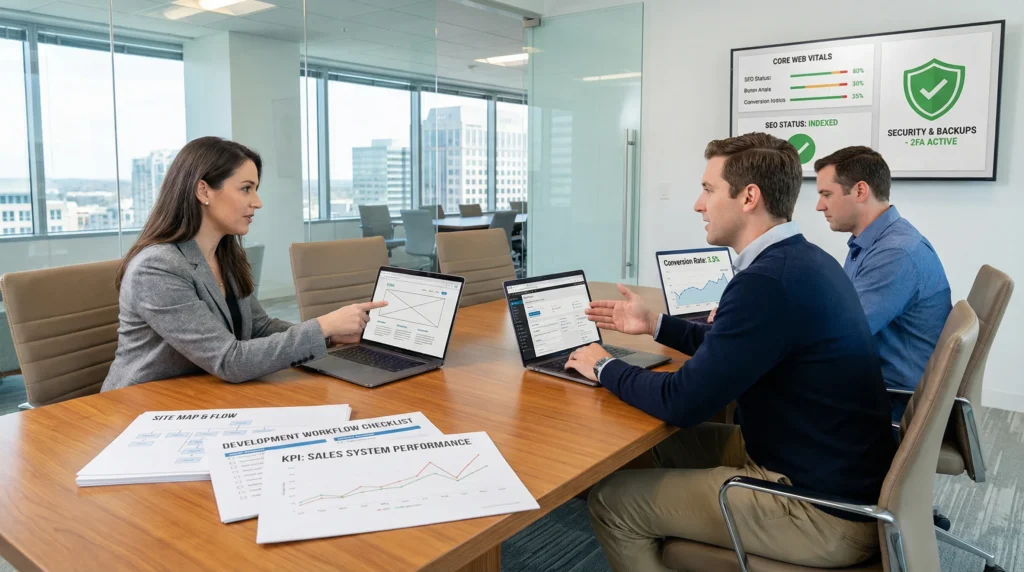
Website development can feel weirdly backwards. People pick a theme, crank out pages, and then wonder why the phone never rings or the cart stays empty. We have watched that movie too many times.
Quick answer: treat website development like building a sales system, not a digital brochure. Start with outcomes, map the workflow, then design and build with SEO, speed, and security baked in.
Key Takeaways
- Treat the development of website like building a sales system: start with one primary goal, define the primary conversion, and track metrics like conversion rate and lead quality.
- Choose the right site type (brochure, eCommerce, booking, or membership) because it determines the tools, integrations, and the user journey that drives revenue.
- Map the workflow before touching tools by defining triggers, inputs, owners, approvals, and guardrails to prevent content delays and keep launches on schedule.
- Use clear information architecture and intent-matched copy—short navigation, core pages that “do a job,” and repeated CTAs—to help busy visitors find what they need and convert.
- Make SEO, speed, and security non-negotiables in website development by setting up indexing, schema, and Core Web Vitals performance alongside updates, backups, WAF, and least-privilege access.
- Launch calmly with QA (forms, tracking, redirects, legal pages) and keep results improving through a post-launch rhythm of monitoring, content iteration, and maintenance.
Start With Outcomes, Not Pages
Most website projects fail in a boring way. The site launches. Everyone claps. Then nothing changes.
Outcomes fix that. Outcomes turn a “nice site” into a tool that earns its keep.
Define The Primary Goal, Primary Conversion, And Success Metrics
Pick one primary goal. One. When you pick three, you pick none.
- A local law firm -> wants qualified consult requests
- A DTC brand -> wants completed orders
- A medical practice -> wants booked appointments (with clear disclaimers and human review)
Next, define the primary conversion. Conversions are the actions that move money or trust.
Then set success metrics you can actually measure:
- Sessions and traffic sources (Who shows up?)
- Conversion rate (Who takes the next step?)
- Bounce rate and time on page (Did the page match intent?)
- Lead quality (Did sales say “these are real”?)
Entity A affects Entity B in a simple way here: a clear primary goal affects page structure, and page structure affects conversion rate.
If you want a deeper primer on the broader process, our guide to web development gives the bigger picture without the buzzwords.
Choose The Right Website Type: Brochure, Ecommerce, Booking, Or Membership
Your site type should match the job.
- Brochure site: best when the sale happens off-site (calls, quotes, referrals). Outcome -> lead form or call.
- eCommerce: best when checkout is the product. Outcome -> add-to-cart and purchase.
- Booking: best for clinics, salons, consultants, home services. Outcome -> scheduled time slot.
- Membership: best when content or community drives revenue. Outcome -> sign-up and renewals.
This choice affects your tool stack. A WooCommerce shop needs payments, tax logic, shipping rules, and cart recovery. A booking site needs calendar sync and reminders. A membership site needs access control and churn tracking.
If you are at the “please just help us build my website” stage, that is normal. Start by deciding the job first, then pick the parts.
Map The Workflow Before You Touch Tools
We like tools. We also like sleep.
Workflows protect both.
Before you open WordPress, Figma, or a page builder, map the flow in plain English:
- Trigger -> “We need a new product page”
- Input -> specs, photos, pricing, claims, disclaimers
- Job -> draft copy, design, build, review
- Output -> published page with tracking
- Guardrails -> approvals, privacy rules, rollback plan
Entity A affects Entity B again: clear owners affect faster approvals, and faster approvals affect launch date.
Content Inputs, Owners, Approvals, And Timelines
Content causes more delays than code. That is not an insult. It is just math.
Define inputs and owners early:
- Who writes the first draft?
- Who supplies images, brand guidelines, and product details?
- Who approves legal claims, medical language, or financial statements?
- Who gives the final “ship it”?
Set a timeline that matches reality. If your team checks email twice a week, do not promise a two-week launch.
If you need a sanity check on duration, this breakdown of website project timelines helps you spot the usual bottlenecks.
Integrations That Usually Matter: Email, CRM, Payments, Analytics, And Support
Most businesses run on a small set of connected systems:
- Email marketing (Klaviyo, Mailchimp)
- CRM (HubSpot, Salesforce)
- Payments (Stripe, PayPal)
- Analytics (Google Analytics 4, Google Tag Manager)
- Support (Help Scout, Zendesk)
Integrations reduce manual work. They also raise risk if you share too much data.
Our rule: data minimization. Only send the fields you need.
- A form submission -> should create a CRM lead
- A purchase -> should trigger a receipt and a follow-up email
- A support request -> should land in the help desk with context
If you work in regulated industries, keep humans in the loop. Do not pipe sensitive notes into random tools. Treat personal data like a hot pan. You can touch it, but you do not grab it barehanded.
Information Architecture And Copy That Convert
Pretty pages do not save a confusing site.
Information architecture sets the “map.” Copy sets the “why.”
Sitemap And Navigation Patterns For Busy Visitors
Busy visitors scan. They do not study.
A clean sitemap helps them move:
- Keep top navigation short (5 to 7 items)
- Use labels people expect (Services, Pricing, Contact)
- Put the money page one click away (Shop, Book, Get a Quote)
- Repeat the primary call-to-action across key pages
When we plan IA, we often start with a wireframe. A wireframe forces decisions early, before anyone argues about button colors. This guide on planning with wireframes shows the approach we use to reduce scope creep.
Entity A affects Entity B: a clear navigation structure affects time-to-find, and time-to-find affects form completions.
Core Pages Most Businesses Need (And What Each Must Do)
Most business sites need a familiar set of pages. The trick is making each page do a job.
- Home: state who you help, what you offer, and what to do next.
- About: build trust with proof, not biography fluff. Add credentials, process, and values.
- Services or Products: explain outcomes, show pricing logic, answer objections.
- Contact: reduce friction. Short form. Clear response time. Map if local.
- Legal: privacy policy, terms, disclaimers, cookie notices when needed.
For eCommerce, add:
- Product detail pages with clear photos, shipping and returns, and reviews
- Cart and checkout with fewer fields and obvious trust signals
Copy should match intent. A visitor from “emergency plumber near me” wants availability and phone number. A visitor from “best CRM for clinics” wants comparison and next steps.
We build many of these on a WordPress website because clients need control after launch, not a site that only a developer can touch.
Design And Build Decisions That Protect Performance
Design choices change load time. Build choices change maintenance. Both change revenue.
Mobile-First Layout, Accessibility Basics, And Brand Consistency
Mobile-first means you design for the small screen first, then scale up.
Here is why: mobile visitors often carry the highest purchase intent and the lowest patience.
Accessibility also matters. It helps users and it reduces legal risk.
Start with basics:
- Alt text for meaningful images
- Sufficient color contrast
- Keyboard-friendly menus and forms
- Clear focus states on buttons and links
Brand consistency makes your site feel “real.” Use a small design system:
- A defined type scale
- A limited color palette
- A repeatable button style
- Reusable sections for testimonials, FAQs, and CTAs
Entity A affects Entity B: accessible forms affect completion rates, and completion rates affect lead volume.
WordPress Build Options: Theme, Page Builder, Or Custom Blocks
On WordPress, you usually pick one of three build paths:
- Theme + core blocks: fast, stable, lower long-term cost.
- Page builder (Elementor, Divi): fast layout control, but you must watch bloat.
- Custom blocks or custom theme: best performance and control, higher upfront build time.
We match the build to the business.
- A restaurant that needs menus and bookings -> theme + blocks often wins.
- A brand with lots of landing pages -> a builder can work if you keep guardrails.
- A high-traffic WooCommerce shop -> custom blocks can pay back in speed and conversion.
If you want to chase the “perfect” site, pause. “Perfect” often ships never. We prefer a realistic target: a dream website that launches, measures results, and improves on purpose.
SEO, Speed, And Security As Non-Negotiables
SEO brings qualified visitors. Speed keeps them. Security protects trust.
When teams treat these as add-ons, website development turns into expensive rework.
Technical SEO Setup: Indexing, Schema, And On-Page Hygiene
Start with the basics that search engines need:
- Indexing rules (no accidental noindex on key pages)
- XML sitemap submission in Google Search Console
- Clean titles and meta descriptions that match intent
- Canonicals to prevent duplicate page confusion
- Structured data (schema) where it fits, like Organization, Product, FAQ
Google documents the role of structured data in search features in its Search Central structured data documentation.
Speed also supports SEO. Google treats Core Web Vitals as a page experience signal. See Core Web Vitals for the current guidance.
Entity A affects Entity B: clean indexing affects crawl coverage, and crawl coverage affects ranking potential.
Security And Reliability: Updates, Backups, WAF, And Least-Privilege Access
Security needs boring habits. Boring is good.
Start here:
- Keep WordPress core, themes, and plugins updated
- Run daily backups (and test restores)
- Use a Web Application Firewall (WAF) when traffic or risk justifies it
- Use least-privilege access (admins stay rare)
- Add 2FA for admin accounts
OWASP’s Top 10 Web Application Security Risks gives a plain list of what attackers target most.
If your team handles health, legal, or financial data, set stricter boundaries. Do not paste private client details into tools that you do not control. Keep intake and advice human-led. Let automation handle routing and reminders, not judgment.
Launch, QA, And What Happens After Go-Live
Launch day should feel calm. If it feels like a casino, you missed steps.
Pre-Launch Checklist: Forms, Tracking, Redirects, And Legal Pages
Here is our go-live checklist that saves the most pain:
- Test every form (and confirm the email lands in the right inbox)
- Verify analytics events (form submits, purchases, phone clicks)
- Check checkout end-to-end on mobile and desktop
- Set 301 redirects from old URLs to new ones
- Review robots.txt and noindex tags
- Confirm legal pages exist and match your data handling
- Run cross-browser tests (Chrome, Safari, Firefox)
Entity A affects Entity B: correct tracking affects decision quality, and decision quality affects what you fix next.
Post-Launch Operating Rhythm: Monitoring, Content Iteration, And Maintenance
A website is not a poster. It is a system.
Post-launch, set a simple rhythm:
- Weekly: scan Search Console for coverage issues and spikes in errors
- Monthly: review pages that lose traffic or convert poorly
- Quarterly: refresh key pages and offers based on what customers ask
- Ongoing: updates, backups, security checks
Content iteration beats big redesigns. A small change to a headline or checkout field can lift results without another six-week project.
And if you want a safe way to test changes, use staging. Staging affects reliability. Reliability affects revenue. It is that direct.
Conclusion
If you only remember one thing, make it this: website development works best when you treat it like an operating system for your business.
Start with outcomes. Map your workflow. Build with performance, SEO, and security in the plan from day one. Then run the site with a steady cadence so it keeps earning trust and sales while you sleep.
Frequently Asked Questions About Website Development
What is the best approach to the development of a website if I want more leads or sales?
The development of a website works best when you build a sales system, not a digital brochure. Start by defining one primary goal and primary conversion, then design pages and navigation around that outcome. Bake in SEO, speed, and security early so results improve after launch.
How do I choose the right website type during the development of a website (brochure, ecommerce, booking, or membership)?
Match the website type to the job you need it to do. Brochure sites support calls and quotes, ecommerce focuses on checkout, booking sites drive scheduled appointments, and membership sites rely on sign-ups and renewals. This choice also determines your tools, integrations, and success metrics.
What pages should most business websites include to improve conversions?
Most sites need a Home page that clarifies who you help and the next step, an About page with proof, Services/Products that explain outcomes and objections, and a frictionless Contact page. Add Legal pages (privacy, terms, disclaimers). Ecommerce sites also need strong product, cart, and checkout pages.
What should I test before launching a new site to avoid costly issues?
Before go-live, test every form and confirm emails route correctly, verify analytics events (submissions, purchases, phone clicks), and run checkout end-to-end on mobile and desktop. Set 301 redirects from old URLs, review robots/noindex settings, confirm legal pages, and do cross-browser QA for stability.
How long does the development of a website usually take, and what causes delays?
Timelines vary by scope, but delays usually come from content, not code. Missing inputs (photos, pricing, claims), unclear owners, and slow approvals can push launch dates quickly. Map your workflow early—draft, design, build, review, publish—and set a timeline that matches how fast your team can respond.
Do I really need a staging site for website development changes after launch?
Yes—staging is one of the safest ways to test updates, new pages, and design tweaks without risking downtime or broken checkout on your live site. It supports a steady post-launch rhythm of iteration, maintenance, and security fixes. Better reliability protects conversions, SEO performance, and customer trust.
Some of the links shared in this post are affiliate links. If you click on the link & make any purchase, we will receive an affiliate commission at no extra cost of you.
We improve our products and advertising by using Microsoft Clarity to see how you use our website. By using our site, you agree that we and Microsoft can collect and use this data. Our privacy policy has more details.
