
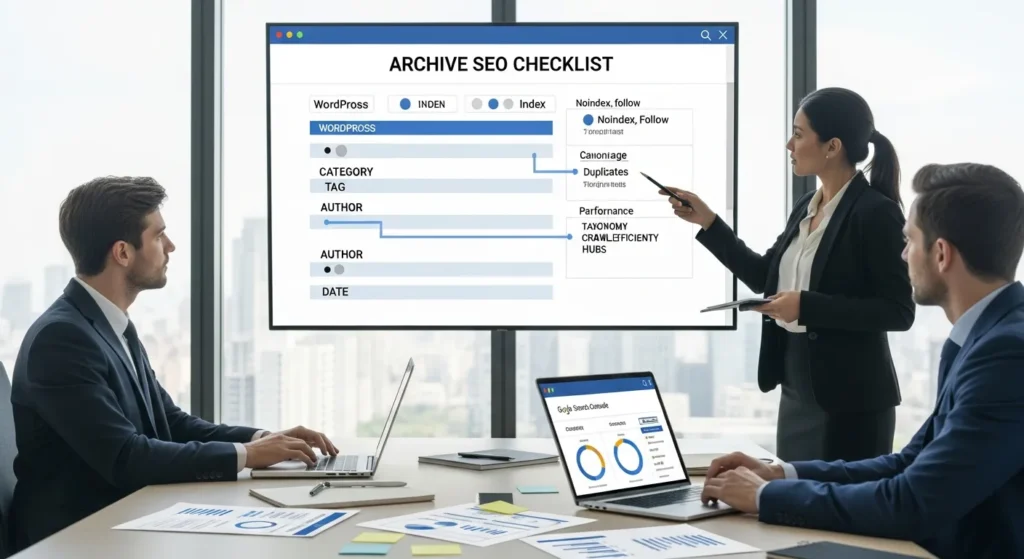
Archive SEO checklist first: we have watched perfectly good WordPress sites bleed rankings because category and tag pages turned into thin, duplicative “copy of a copy” listings.
Quick answer: archive SEO means you decide which archive pages deserve to rank, then you give those pages unique context, clean crawl signals, and a hub-style internal linking plan so Google understands your site topics fast.
Key Takeaways
- Use an Archive SEO checklist to decide which WordPress archives should be indexable, focusing on a small set of category “hub” pages that match real search intent.
- Prevent thin and duplicate-content risk by setting low-value archives (often date, messy tag, and single-author pages) to noindex, follow so Google can still crawl internal links without indexing the page.
- Treat every indexable archive like a landing page by adding 80–150 words of unique intro copy, a clear H1, and a benefit-driven title tag and meta description aligned to the query.
- Make archives work as topic hubs with strong internal linking, breadcrumbs, and “start here/related reading” paths that help Google cluster content and help users browse faster.
- Tighten technical signals on archive pages with self-referencing canonicals, crawlable pagination, and controls for faceted/parameter URLs to reduce index bloat and crawl waste.
- Keep Archive SEO sustainable with taxonomy governance (naming conventions, tag hygiene, merge synonyms, and a “ten-post rule”) plus monthly Search Console checks for duplicates, indexing drift, and cannibalization.
Quick Answer: What Archive SEO Is And Why It Matters
Quick answer: Archive SEO means you treat WordPress archive pages like real landing pages, not accidental leftovers. You set index rules, add unique on-page content, and tighten technical signals so archives become topic hubs instead of duplicate-content magnets.
Archive pages matter because they sit between your homepage and your posts. Archive structure -> affects -> crawl paths. Crawl paths -> affect -> how quickly search engines find, cluster, and rank your content.
What Counts As An “Archive” In WordPress
WordPress creates several archive types automatically:
- Category archives (posts grouped by category)
- Tag archives (posts grouped by tag)
- Author archives (posts grouped by writer)
- Date archives (posts grouped by month/year)
If you run WooCommerce, you also get product taxonomies that behave like archives (product categories and tags). The same archive SEO checklist logic still applies.
How Archive Pages Create Duplicate And Thin Content Risk
Archive pages often show the same post titles and excerpts that already exist on:
- The post itself
- The blog page
- other archives (category plus tag plus date)
That overlap -> affects -> duplication signals. Duplication signals -> affect -> weaker relevance for the pages you actually want to rank.
Date archives are the classic offender. “March 2024” is not a topic. It tells Google the grouping key is time, not intent. If the page also has no unique intro text, it becomes a thin list that competes with better pages for crawl attention.
If you want the bigger picture beyond archives, we pair this work with a site-wide tune-up from our WordPress SEO checklist guide. (Not for today’s intro. Just a heads-up for later in the project.)
Sources
- Search Central: Duplicate content, Publisher, (accessed 2026), https://developers.google.com/search/docs/crawling-indexing/duplicate-content
- Search Central: Control what information Google can find, Publisher, (accessed 2026), https://developers.google.com/search/docs/crawling-indexing/robots-meta-tag
Decide Which Archives Should Be Indexable
Your first archive SEO checklist decision is simple: which archive pages should Google index.
Indexable archives -> affect -> topical authority. Random archives -> affect -> crawl waste.
We usually aim for a small set of indexable “hub” archives that match real search intent.
Index Vs Noindex: A Practical Decision Framework
Use this quick framework:
- Does the archive match a keyword people search?
If yes, it can earn index status.
2. Can you add unique intro copy that explains the topic?
If no, do not index it yet.
3. Does it help users browse and decide?
If it helps navigation but has weak search value, use noindex, follow.
That “follow” part matters. Internal links -> affect -> discovery of deeper posts. So we often want Google to crawl the links, even when we do not want the archive to rank.
If you use Yoast, you can set this per archive type without touching code. We walk through the clicks in our Yoast settings audit walkthrough.
Common “Noindex By Default” Archives (And Exceptions)
A practical default for many business sites:
Keep indexed (usually):
- Category archives that map to your core services, products, or content pillars
Set to noindex, follow (usually):
- Date archives
- Author archives (when you have one author, or authors do not build brand demand)
- Tag archives (when tags are messy, overlapping, or auto-created)
Exception cases:
- A tag archive can stay indexed if it behaves like a real landing page. That means unique copy, stable naming, and a clean set of posts. “Email deliverability” can work. “tips” cannot.
- An author archive can stay indexed if the author name drives searches. Think doctor, lawyer, researcher, public speaker.
Sources
- Google Search Central: Robots meta tag and X-Robots-Tag, Publisher, (accessed 2026), https://developers.google.com/search/docs/crawling-indexing/robots-meta-tag
On-Page Archive Optimization Checklist
On-page archive SEO checklist work is where archives stop looking like “lists of posts” and start acting like “topic pages.”
Unique copy -> affects -> relevance. Relevance -> affects -> rankings and clicks.
Here is what we aim to ship on every indexable archive.
Titles, Meta Descriptions, And H1s That Match Search Intent
Title tag
- Use a clear pattern: “{Topic} Articles | {Brand}” or “{Topic} Guides | {Brand}”
- Keep it human. Put the topic first.
Meta description
- Write it like an invitation, not a label.
- Include one benefit and one qualifier.
Example for a category archive called “WordPress Security”:
- Title: WordPress Security Guides | Zuleika LLC
- Meta: Practical WordPress security steps for small teams. Learn updates, backups, login hardening, and monitoring without breaking your site.
H1
- Match the page topic. Do not let your theme auto-print “Category: X” as the H1 if it reads weird.
If you want a full publishing-side companion checklist, pair this with our content SEO checklist. Archive SEO -> affects -> discoverability. Content SEO -> affects -> conversion.
Intro Copy, Pagination, And “Above The Fold” Content
For any archive you keep indexable, add intro content at the top.
A good archive intro:
- States who the content helps
- Names the subtopics covered
- Links to one “start here” post
- Uses plain language that matches the query
Aim for 80 to 150 words. Put it above the post list.
Pagination
- Use numbered pagination when you can.
- Avoid infinite scroll for indexable archives unless you also provide crawlable paginated URLs.
Pagination signals -> affect -> how Google understands page series. If page 2 looks like a duplicate of page 1, you waste crawl time.
Internal Linking And Breadcrumbs: Make Archives Work Like Hubs
This part gives you compounding returns.
Internal links -> affect -> topical clustering.
What we do:
- Link the first meaningful mention of a topic in a post back to its category archive.
- Add a short “Related reading” block inside cornerstone posts that points to the archive hub.
- Use breadcrumbs so users and search engines see the hierarchy.
Also, do not forget image signals. Archive pages often show thumbnails. File size -> affects -> page speed. Page speed -> affects -> user patience. When you tackle that, keep our image SEO checklist handy.
Sources
- Google Search Central: Create helpful, reliable, people-first content, Publisher, (accessed 2026), https://developers.google.com/search/docs/fundamentals/creating-helpful-content
Technical SEO Checklist For Archives
Technical archive SEO checklist items keep your “good” archives clean and your “bad” archives quiet.
Bad signals -> affect -> index bloat. Index bloat -> affects -> how often Google revisits your money pages.
Canonical, Pagination Signals, And Faceted URLs
Canonicals
- Set a self-referencing canonical on the main archive URL.
- Keep canonicals consistent across paginated pages.
Paginated archives
- Make sure page 2, page 3, and so on use clean URLs.
- Do not canonical every paginated page back to page 1 unless you have a strong reason and you know the trade-offs.
Faceted URLs and parameters
- Filters, sort orders, and search parameters can create near-infinite archive variants.
- Parameter bloat -> affects -> crawl budget.
In WordPress, we often control archive queries with pre_get_posts so filters do not generate low-value public URLs. If you run programmatic pages, be even more careful. Scale -> affects -> risk. Use our programmatic SEO checklist when templates and bulk pages enter the picture.
Robots Rules, Crawl Budget, And Parameter Handling
Use two levers:
- Meta robots (
noindex, follow) for archive types you want crawled but not indexed - robots.txt for paths you do not want crawled at all
Use robots.txt with restraint. Blocking crawling -> affects -> Google’s ability to see internal links on those pages.
When you noindex date archives, you often keep better discovery while cutting index bloat.
Schema, Open Graph, And Consistent URL Structure
Schema helps machines read the page.
- Use
BreadcrumbListschema when you use breadcrumbs. - Keep category slugs consistent and short.
Open Graph does not drive rankings directly, but it affects how archive links look when people share them. Share previews -> affect -> clicks. Clicks -> affect -> whether humans keep spreading your content.
Sources
- Google Search Central: Robots meta tag and X-Robots-Tag, Publisher, (accessed 2026), https://developers.google.com/search/docs/crawling-indexing/robots-meta-tag
- Google Search Central: Manage sitemaps, Publisher, (accessed 2026), https://developers.google.com/search/docs/crawling-indexing/sitemaps/overview
Content Governance And Automation For Ongoing Control
Archive SEO checklist work fails when teams treat tags and categories like confetti.
Loose naming -> affects -> messy archives. Messy archives -> affect -> ranking drift.
So we set governance rules first, then we add light automation.
Editorial Rules: Naming Conventions, Tag Hygiene, And Merge Strategy
Rules we use with clients:
- One primary category per post.
- Categories equal topics you want to rank for.
- Tags equal attributes or subtopics. Use fewer than you think.
- Create a “ten-post rule” for categories. If you cannot support ten solid posts, keep it as a tag or merge it.
- Merge synonyms. “Ecommerce” and “e-commerce” should not both exist.
When a site publishes news or frequent updates, archive sprawl grows fast. In those cases, we also borrow structure ideas from our news SEO checklist to keep publishing velocity from turning into taxonomy chaos.
Workflow Template: Trigger / Input / Job / Output / Guardrails
We run archive governance like a small system, not a one-time cleanup.
Trigger
- A new post publish request, or a new tag proposal
Input
- Draft post URL
- Proposed category and tags
- Target query (one main query per post)
Job
- Check existing taxonomy list
- Confirm the category matches a hub you want indexed
- Confirm the tags do not duplicate categories
- Add or update archive intro copy if the topic changes
Output
- Post publishes with clean taxonomy
- Archive hub stays focused
- Internal links point to the right hub
Guardrails
- Do not add client names, medical info, or legal case details into archive descriptions
- Keep a human review step for any new category creation
- Log taxonomy changes so you can roll back fast
This workflow keeps humans in the loop, which matters when regulated teams publish content. One rushed tag -> affects -> indexation for months. You do not want that surprise.
Sources
- Google Search Central: URL structure best practices, Publisher, (accessed 2026), https://developers.google.com/search/docs/crawling-indexing/url-structure
Monitoring And Maintenance: What To Check Monthly
Archive SEO checklist work is not “set it and forget it.” Taxonomies drift. Plugins change. Teams publish fast.
Monthly checks -> affect -> whether archives keep doing their job.
Search Console Checks: Coverage, Duplicates, And Performance By Archive Type
In Google Search Console, check:
- Indexing report: Do your noindex archives still show up as indexed?
- Page indexing reasons: Look for “Duplicate, Google chose different canonical.”
- Performance report: Filter by page and review your top category archive URLs.
We also like a quick sanity check:
- Pick one archive.
- Search the site for posts in that topic.
- Confirm the archive includes the right set and the intro still matches what you publish today.
Spotting Cannibalization Between Archives And Posts
Cannibalization happens when a category archive and a post chase the same query.
Two pages -> affect -> split signals.
Signs you have a problem:
- Rankings bounce between the archive and a post week to week
- The archive gets impressions for a query, but the post should own it
Fix options:
- Shift the archive title and intro copy toward a broader topic.
- Make the post the “answer” page, then link it prominently from the archive.
- Reduce excerpt length so the archive does not look like a near-copy of the post.
If you already run monthly mobile checks, fold archive review into that same rhythm. Mobile layout -> affects -> how usable pagination and filters feel. Our mobile SEO checklist pairs well with this.
Sources
- Google Search Central: Search Console Performance report, Publisher, (accessed 2026), https://support.google.com/webmasters/answer/7576553
Conclusion
Archive SEO checklist work feels boring until you see what it fixes. A clean set of indexable category hubs can pull your posts into tighter topic clusters, cut index bloat, and make your site easier to browse.
If you want the safest path, start small. Pick one category archive you already care about. Add a real intro, tune title and meta, set noindex rules for the junk archives, then watch Search Console for two to four weeks. Archive SEO rewards steady, quiet fixes, not big swings.
Archive SEO Checklist FAQs
What is an archive SEO checklist in WordPress, and why does it matter?
An archive SEO checklist is a process for turning WordPress archive pages (like categories and tags) into intentional topic hubs. It matters because archives sit between your homepage and posts, shaping crawl paths. Cleaner index rules and unique context reduce duplicate/thin content risk and strengthen topical authority.
Which WordPress archives should be indexed vs noindex, follow?
Index archives that match real search intent and that you can support with unique intro copy (so they behave like landing pages). Common “noindex, follow” defaults are date archives, many author archives, and messy tag archives. “Follow” still lets Google crawl links and discover deeper posts.
How do archive pages create duplicate or thin content issues?
Archive pages often repeat the same titles and excerpts found on posts, the blog page, and other archives (category, tag, date). That overlap can send duplication signals and dilute relevance for pages you want to rank. Date archives are a frequent culprit because time-based groupings rarely match user intent.
What on-page changes should I make on indexable archive pages?
Treat indexable archives like topic pages: write a title tag and H1 that match search intent, add an above-the-fold intro (about 80–150 words), and craft an inviting meta description. Use numbered pagination and include a “start here” link so users—and Google—understand the hub’s purpose quickly.
What technical SEO items are most important in an archive SEO checklist?
Prioritize clean crawl and index signals: set consistent self-referencing canonicals on archive URLs, keep paginated URLs crawlable, and avoid parameter/faceted URL bloat that creates endless variants. Use meta robots (noindex, follow) for low-value archives, and use robots.txt cautiously so you don’t block internal link discovery.
How long does it take to see results after implementing an archive SEO checklist?
Many sites can spot early movement in Google Search Console within about 2–4 weeks, especially after adding unique archive intro copy and tightening noindex rules for low-value archives. Bigger gains often take longer because Google needs time to recrawl, reevaluate canonicals, and re-cluster content around your hubs.
Some of the links shared in this post are affiliate links. If you click on the link & make any purchase, we will receive an affiliate commission at no extra cost of you.
We improve our products and advertising by using Microsoft Clarity to see how you use our website. By using our site, you agree that we and Microsoft can collect and use this data. Our privacy policy has more details.
