
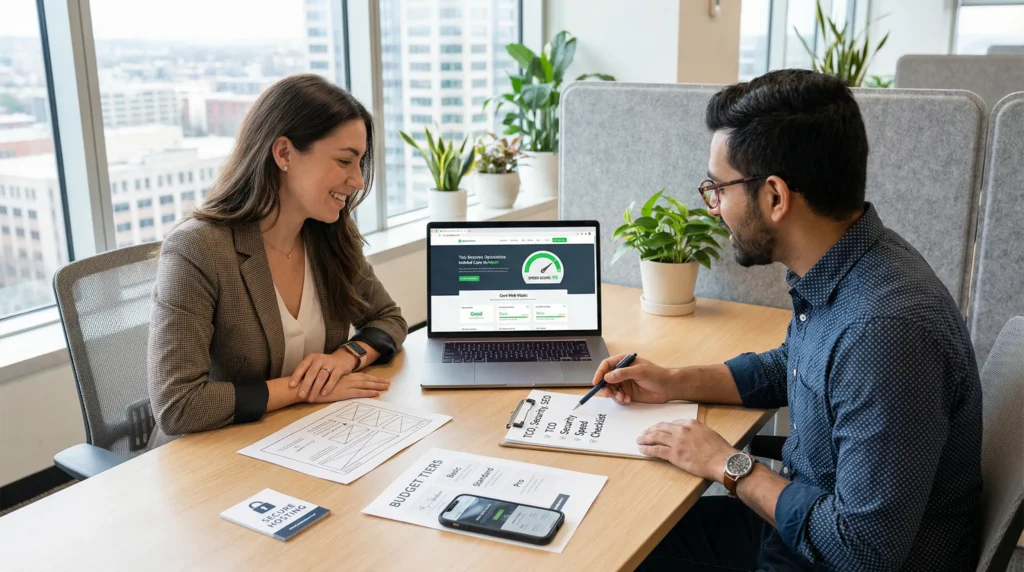
Affordable WordPress website design sounds simple until you are staring at a slow homepage at 1:00 a.m., wondering why your “cheap” theme just broke your checkout. We have seen that moment more times than we can count. Quick answer: “affordable” only works when you control the total cost over time, keep the site fast, and build a clean foundation you can maintain without drama.
Key Takeaways
- Affordable WordPress website design is about total cost of ownership (hosting, plugins, renewals, maintenance), not just the upfront quote.
- Avoid suspiciously low prices that hide essentials like mobile testing, basic SEO setup, security hardening, and performance optimization.
- Build a budget-friendly site around clear structure (5–10 core pages), consistent navigation, and one primary CTA to improve comprehension and conversions.
- Prioritize speed and UX with a lightweight theme, properly sized/compressed images, and fewer high-quality plugins to protect Core Web Vitals and SEO.
- Treat affordable WordPress website design as a process: map a workflow, reuse design blocks, and launch an MVP first so you can measure results and iterate without rework.
- Keep ecommerce and booking setups minimal at launch (clean product/lead flow, essential payments or calendar + CRM handoff) while maintaining baseline security with updates, backups, and least-privilege access.
Define “Affordable” Without Buying Trouble
Affordable is not a sticker price. Affordable is what you pay and what you keep paying when the site needs updates, fixes, and new pages.
Total Cost Of Ownership Vs. Upfront Price
Total cost of ownership (TCO) means you count the whole stack: hosting, domain, premium plugins, theme renewals, security, and maintenance time. A $300 site that needs $80 a month in repairs becomes expensive fast.
Here is the cause-and-effect we see in real projects: a heavy theme -> slows page speed -> drops conversions. A neglected plugin -> creates a security hole -> forces an emergency cleanup.
If you want a grounded starting point, we like to price around outcomes and scope, not vibes. This breakdown of what site pricing really includes helps you compare quotes using the same checklist.
Red Flags: Suspiciously Low Quotes And Hidden Fees
If someone offers a full business site for under $150, ask what they left out. Many times, that quote skips mobile QA, basic SEO setup, image sizing, and security hardening.
Watch for these common “budget” traps:
- They charge extra for essentials like SSL, backups, or even contact forms.
- They install a pile of free plugins -> plugin conflicts -> random site breakage.
- They use a theme that rarely updates -> compatibility problems -> paid rescue later.
We are not saying low cost always fails. We are saying a too-low quote often pushes the bill into month two.
If you want a second pricing view for comparison shopping, see this guide on typical cost ranges for a WordPress build.
What An Affordable WordPress Site Must Include
A budget-friendly WordPress site still needs a minimum set of parts. Skip them and you pay later in lost leads, slow pages, and rework.
Strategy And Structure: Pages, Navigation, And Clear CTAs
A good small-business structure usually fits in 5 to 10 core pages. Most of the time, the win comes from clarity, not more pages.
We aim for:
- A home page that answers “what you do” in 5 seconds
- A services or product hub that routes visitors to the right next step
- Proof pages (testimonials, case studies, gallery)
- A contact or booking page with one primary call-to-action
- Basic navigation that stays consistent across desktop and mobile
Structure -> affects comprehension -> affects form fills. That chain is boring, and it prints money.
Mobile-First Design, Accessibility Basics, And Performance
Mobile-first means you design for thumbs and small screens first. It also means you test the annoying stuff: sticky headers, tap targets, form fields, and popups.
Performance is not cosmetic. Speed -> affects bounce rate -> affects SEO and sales. Google measures real-user experience through Core Web Vitals, including LCP and CLS.
On a budget, we stick to simple moves that work:
- A lightweight theme (Astra, GeneratePress, or a clean block theme)
- Proper image sizing and compression
- Lazy loading where it makes sense
- Fewer plugins, but higher quality plugins
SEO Foundations: Indexing, Metadata, Schema, And Analytics
Affordable WordPress website design should include SEO basics on day one, not as a “phase two” upsell.
At minimum, set up:
- Search indexing controls (no accidental “noindex”)
- Titles and meta descriptions for core pages
- XML sitemap submission in Google Search Console
- Basic schema (Organization, WebSite, breadcrumbs when relevant)
- Analytics with clear goals (calls, forms, checkout)
If you need a plain-English overview of what a solid build covers, we outlined the scope in our WordPress design services guide.
A Practical Budget Range And What You Get At Each Level
Most small business WordPress projects land somewhere between $150 and $3,000. The number matters less than what you get for it.
DIY With A Theme And Builder: Lowest Cost, Highest Time
Budget range: roughly $150–$500.
You pay less in cash and more in time. That trade can work if you enjoy tinkering and you can stick to a tight scope.
DIY tends to go sideways when:
- You install a builder and then chase layout perfection for weeks
- You cannot decide on brand basics (logo, colors, font, voice)
- You skip performance work until the site feels sluggish
If you go DIY, treat the process like a checklist. Start with a clean host, one theme, and only the plugins you need.
Template-Driven Customization: The Sweet Spot For Most Businesses
Budget range: roughly $1,000–$3,000.
This is where “affordable” often becomes “professional.” You still use proven templates and patterns, but you customize them for your brand, your offers, and your funnel.
Template customization -> reduces build hours -> lowers cost. It also lets you spend time where it matters: page structure, copy, and speed.
If you want curated template options that do not look like everyone else’s site, our Templately theme picks for 2026 can save you a weekend of doom-scrolling.
Custom Design And Light Development: When It Is Worth It
Budget range: $3,000+.
This level makes sense when the site supports complex revenue flows. Think membership, custom quoting, multi-step lead intake, or a store that needs special product logic.
Custom work -> adds flexibility -> adds testing needs. That is fine when the business case supports it.
If you are hiring for this tier, vet the team like you would vet a contractor for your building. Ask what they log, how they test, and how they handle rollbacks.
How We Keep WordPress Design Affordable (Without Cutting Corners)
We keep costs down by treating your website like a process, not a one-time art project.
Start With A Workflow Map: Goals, Inputs, Approvals, And Guardrails
Before we touch tools, we map a simple flow:
- Trigger: “We need a site that gets X leads per month”
- Inputs: brand assets, offers, target pages, required integrations
- Job: design and build tasks in order
- Output: pages that match the goal, tracked with analytics
- Guardrails: privacy rules, review steps, launch checklist, backups
A clear workflow -> reduces rework -> reduces cost. It also keeps approvals from turning into a 19-email thread. (You know the one.)
Design System Reuse: Blocks, Styles, And Reusable Templates
We reuse components on purpose. One testimonial block, one FAQ block, one pricing layout. We style them once and then reuse them everywhere.
Reusable blocks -> speed up page creation -> keep the site consistent. Consistency -> improves trust -> improves conversion.
This approach works well with the WordPress block editor and with lightweight child themes.
Build In Phases: MVP Launch, Then Iterations
We like MVP launches because they reduce risk. You launch with the pages that matter, measure results, and then add the nice-to-haves.
A phased build -> ships sooner -> starts learning sooner. That learning often saves money.
If you want the step-by-step on getting from blank domain to live site, our guide to building a WordPress site lays out the sequence we use.
Affordable Ecommerce And Booking Setups (WooCommerce And Beyond)
You do not need a “mega store” to sell online. You need a store that works, loads fast, and does not surprise customers.
Minimal Viable Store: Products, Payments, Shipping, And Taxes
A minimal WooCommerce setup usually includes:
- Products with clean photos and clear variation logic
- Payments (Stripe, PayPal, or your gateway)
- Shipping rules that match how you actually fulfill
- Tax settings that match your nexus and product types
Store scope -> affects plugin count -> affects speed and maintenance. Keep it small at launch.
If you sell services or digital goods, you can simplify even more. Fewer moving parts means fewer late-night support tickets.
Bookings And Lead Intake: Forms, Calendars, And CRMs
Bookings work best when the customer sees one clear path.
A strong budget setup often looks like:
- A form that qualifies the lead (budget, timeline, need)
- A calendar tool that enforces your rules (buffers, hours, limits)
- A CRM handoff so you can follow up fast
Fast follow-up -> increases close rate -> makes the website feel “worth it.”
If you run a clinic, law office, or financial practice, keep intake tight and protect sensitive data. Use forms that collect only what you need.
Security, Privacy, And Compliance On A Budget
Security does not have to be expensive. Neglect gets expensive.
Baseline Security: Updates, Backups, And Least-Privilege Access
Baseline security comes from habits and settings:
- Turn on auto-updates where safe, and review changes
- Use daily backups with off-site storage
- Limit admin accounts and remove old users
- Use strong passwords and MFA
Least privilege -> reduces blast radius -> reduces recovery cost. It also protects your customers.
Privacy-First Tracking: Consent, Cookies, And Data Minimization
Many sites collect way more data than they need.
Data minimization -> reduces risk -> simplifies compliance. Start by asking: “Do we need this field? Do we need this tracker?”
If you use cookies for ads or analytics, set up consent in a clear way. Keep your cookie list accurate. Keep your retention reasonable.
Regulated Niches: What To Keep Human-Led (Legal, Medical, Financial)
If you work in legal, healthcare, insurance, or finance, keep sensitive decisions human-led. A website can collect leads and share educational content, but you should avoid making claims that cross into advice.
Human review -> prevents bad promises -> protects your license and reputation.
Also, do not paste client data into random tools. Set privacy rules and stick to them.
We also recommend you follow the FTC’s guidance on endorsements and advertising claims when you publish testimonials and results pages. See the FTC Endorsement Guides for the plain-language rules.
Conclusion
Affordable WordPress website design works when you treat “budget” as a constraint, not an excuse. You want a site that loads fast, tracks what matters, and stays maintainable for years, not weeks.
If you are price shopping right now, use one simple test: can you explain what you will own, what you will pay monthly, and what happens when something breaks? If the answer feels fuzzy, pause. The cheapest site is often the one you do not have to rebuild.
Frequently Asked Questions (Affordable WordPress Website Design)
What does “affordable WordPress website design” really mean for a small business?
Affordable WordPress website design isn’t just a low upfront quote—it’s controlling total cost over time. That includes hosting, domain, plugin/theme renewals, security, maintenance, and your time. A cheap build that becomes slow, insecure, or fragile can cost more to fix than doing it right initially.
What’s a realistic budget range for affordable WordPress website design?
Most small-business WordPress projects fall between about $150 and $3,000, depending on scope and who does the work. DIY setups are usually $150–$500 but time-heavy. Template-driven customization often lands around $1,000–$3,000 and tends to balance cost with professional results and better performance.
What are the red flags of a suspiciously cheap WordPress website quote?
Ultra-low quotes often skip essentials like mobile QA, basic SEO setup, image optimization, and security hardening. Common traps include charging extra for SSL, backups, or contact forms, installing too many free plugins (causing conflicts), or using rarely updated themes that create expensive compatibility problems later.
What must be included in affordable WordPress website design for SEO and speed?
At minimum, you want a lightweight theme, properly sized/compressed images, sensible lazy loading, and fewer high-quality plugins. SEO basics should include indexing controls, page titles/meta descriptions, XML sitemap submission in Google Search Console, basic schema, and analytics with goals. Speed also supports Core Web Vitals like LCP and CLS.
Can I build an affordable WordPress website design myself without it turning into a mess?
Yes—DIY can work if you keep scope tight and treat it like a checklist. Start with reliable hosting, one lightweight theme, and only necessary plugins. DIY usually goes sideways when you chase pixel-perfect layouts for weeks, delay performance work, or lack clear brand basics (logo, colors, fonts, messaging).
What’s the best way to keep ongoing WordPress costs low after launch?
Focus on reducing maintenance risk: keep plugins minimal, use reputable tools, and maintain a clear update routine. Enable backups (ideally off-site), limit admin access, and use MFA. Build reusable blocks/templates to avoid rework, and launch in phases (MVP first) so you can improve based on real data rather than constant rebuilds.
Some of the links shared in this post are affiliate links. If you click on the link & make any purchase, we will receive an affiliate commission at no extra cost of you.
We improve our products and advertising by using Microsoft Clarity to see how you use our website. By using our site, you agree that we and Microsoft can collect and use this data. Our privacy policy has more details.
