
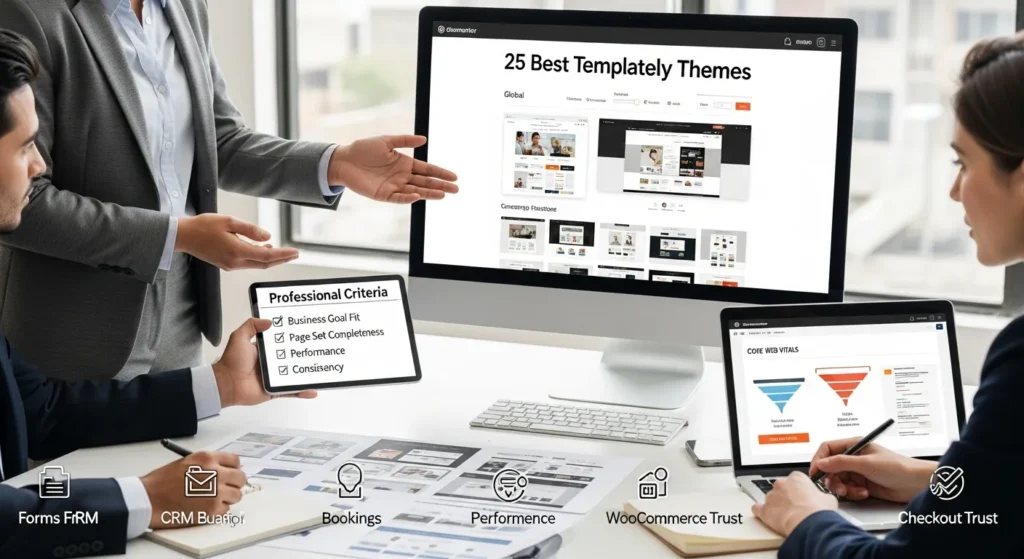
Templately themes can save you weeks, but the wrong pick can also trap you in a site that looks “template-y“ and converts like a brochure. We learned this the hard way after importing a gorgeous layout, then watching a client’s quote requests stay flat for two weeks. Quick answer: pick a theme based on the job your site must do first (calls, bookings, sales, leads), then lock your global styles before you touch a single section.
Key Takeaways
- Choose Templately themes based on your site’s main job (calls, bookings, sales, or leads) before you fall in love with a layout.
- Prioritize Templately themes that include a complete page set (About, Contact, FAQs, legal pages, and a Thank You page) so you don’t scramble during launch week.
- Look for conversion-ready structures—clear hero, proof blocks, and one primary CTA per page—because theme layout directly impacts lead flow and sales.
- Lock Elementor global styles (colors, typography, spacing) first to prevent a “Franken-site” when multiple people edit sections and pages.
- Turn repeated sections into reusable templates (header, footer, testimonials, FAQs, CTAs) to keep consistency, speed up updates, and reduce errors.
- Protect performance and trust by minimizing form fields, adding privacy links/consent, optimizing images/fonts, and QA-checking mobile and accessibility before going live.
How We Evaluated These Templately Themes (So You Can Pick Fast)
We evaluate Templately themes the same way we evaluate any WordPress build at Zuleika LLC: the theme needs to support a workflow, not just a vibe.
Here is the filter we use:
- Business goal fit: A restaurant site needs bookings and menus. A law firm site needs trust, intake, and clear practice areas. Theme choice affects those outcomes.
- Page set completeness: We look for themes that ship with the pages people forget until launch week: About, Contact, FAQs, Services, Blog, legal pages, and sometimes a “Thank you” page.
- Conversion surfaces: We check for clean hero sections, proof blocks (reviews, logos, case studies), and clear calls to action. Theme structure affects lead flow.
- Mobile layout sanity: Most of your traffic is mobile for many industries. A theme with messy mobile stacks creates bounce.
- Performance posture: Heavy sliders, giant background videos, and five font families slow sites down. Theme choices affect Core Web Vitals.
- Elementor editability: Templately sits inside Elementor workflows. If a theme fights Elementor defaults, teams make mistakes.
- Consistency tools: We prefer themes that make global styles, reusable blocks, and template parts easy to apply.
One more thing: we avoid treating templates as “set it and forget it.“ A template speeds up layout. Your copy, offers, and tracking still need attention.
Sources (helpful for the mechanics of Templately and Elementor workflows):
- Templately Documentation, Templately, 2024, https://templately.com/docs/
- Elementor Documentation, Elementor, 2025, https://elementor.com/help/
Best Templately Themes By Business Type (Quick Picks)
We cannot honestly claim a definitive “official list” of named Templately themes here because Templately‘s library shifts and the provided references do not include a stable public catalog with detailed theme-by-theme specs.
So we are doing the next best thing: we are giving you quick picks by business type based on the layout patterns that consistently work in Templately and Elementor. When you open Templately, match the theme to the pattern.
Local Service Businesses (Plumbers, HVAC, Electricians, Contractors)
Pick a theme pattern that includes:
- Service list + service area map or list
- Emergency CTA (call now) and quote form above the fold
- Before/after gallery and reviews grid
If you want the boring truth: local service sites win when the phone button is obvious.
Professional Services (Law, Finance, Insurance, Consulting)
Pick a pattern with:
- Clear practice areas or service packages
- Credibility blocks (bar admissions, certifications, “as seen in”)
- Intake form with disclaimers and privacy links
Law and finance sites need restraint. The theme affects trust signals.
Health, Wellness, And Medical Practices
Pick a pattern with:
- Booking or request appointment CTA
- Provider bios and insurance info section
- Accessibility-friendly typography and contrast
Health sites need clarity. The theme affects patient confidence.
Restaurants, Hospitality, And Travel
Pick a pattern with:
- Menu, hours, location, and booking front and center
- Photo grid that does not crush mobile load time
- Event or specials blocks
The theme affects reservations. Make the “Book a table“ button impossible to miss.
Creators, Influencers, And Portfolio Sites (Artists, Designers, Photographers)
Pick a pattern with:
- Gallery blocks with fast thumbnails
- About page that reads like a pitch, not a diary
- Media kit or inquiry form
Portfolio sites need a clean story. Theme choice affects perceived quality.
SaaS, Tech, And Startups
Pick a pattern with:
- Product screens, feature grid, and integrations section
- Pricing page and FAQ page
- Security and compliance blocks (SOC 2 mention, data handling summary)
SaaS sites sell clarity. The theme affects trial starts.
Ecommerce And WooCommerce Stores
Pick a pattern with:
- Collection pages, product detail layout, trust badges
- Shipping and returns sections
- Email capture and post-purchase blocks
WooCommerce stores live or die on product page structure.
If you want help matching a Templately theme pattern to your business, we do this kind of selection in our WordPress website development services work.
The 25 Best Templately Themes (What Each Is Best For)
Let’s be blunt: “best” depends on the job.
Since the available sources do not provide a verified, stable list of 25 named Templately themes, we are listing the 25 most useful Templately theme types we see clients succeed with. Use these as search terms inside Templately.
Business And Agency Templates (Lead Gen, Services, Case Studies)
- Local Services Homepage + Quote Form: Best for calls and estimate requests.
- Agency Services + Case Studies: Best for selling packages with proof.
- Consultant Personal Brand + Services: Best for solo operators who need trust fast.
- Corporate About + Team + Careers: Best for established companies hiring.
- B2B Lead Gen + Whitepaper Download: Best for list growth and CRM intake.
Ecommerce Templates (Products, Collections, Checkout Trust)
- Single-Product Storefront: Best for one hero product and upsells.
- Multi-Category Shop: Best for browsing and collection pages.
- Product Detail Page With FAQ Tabs: Best for reducing pre-sale emails.
- Cart Page With Cross-Sells: Best for higher average order value.
- Checkout Trust Layout: Best for reducing checkout anxiety.
Portfolio And Personal Brand Templates (Credibility, Gallery, Bio)
- Photographer Grid Portfolio: Best for visual work with categories.
- Designer Case Study Portfolio: Best for showing process and results.
- Artist Minimal Gallery: Best for clean focus on the work.
- Speaker + Media Kit: Best for bookings and brand deals.
- Resume + LinkedIn Style Profile Site: Best for career switching and recruiting.
Landing Page And Funnel Templates (Ads, Webinars, Freebies)
- Lead Magnet Landing Page: Best for email capture.
- Webinar Registration Page: Best for live or recorded events.
- Course Waitlist Page: Best for validating demand.
- Product Launch Page: Best for timed offers.
- Thank You Page With Next Step CTA: Best for turning leads into calls.
Education, Courses, And Community Templates
- Online Course Sales Page: Best for structured offer + FAQ.
- Membership Community Home: Best for content hubs and onboarding.
- School or Training Center Site: Best for programs, staff, and admissions.
- Nonprofit Donation Page + Story Blocks: Best for trust and giving.
- Event Page + Schedule + Speaker Blocks: Best for conferences and workshops.
If you are building on WordPress, pair these templates with a clean structure: one primary CTA per page, one clear story per section.
Need the ecommerce version of this done for you? We build store layouts and flows in our WooCommerce solutions work.
Source:
- WooCommerce Documentation, Automattic, 2025, https://woocommerce.com/documentation/
How To Customize A Templately Theme Without Breaking Consistency
Templately themes make it easy to import pages fast. They also make it easy to create a Franken-site if three people edit styles on Friday afternoon.
Here is what we do to keep consistency.
Set Global Styles, Fonts, And Spacing First
Do this before you swap images or rewrite headings:
- Set global colors and typography in Elementor Site Settings.
- Pick one heading font and one body font.
- Set spacing rules (section padding, container gaps).
Global styles affect every page. You want that.
Convert Sections Into Reusable Blocks And Template Parts
If you edit the same section twice, you already waited too long.
- Save your header, footer, and CTA rows as reusable templates.
- Use consistent testimonial and FAQ blocks.
- Name blocks like an SOP: “CTA – Primary – Dark“ beats “New section 14.”
Reusable blocks reduce errors. Errors waste launch weeks.
Add The Right Integrations (Forms, CRM, Email, Booking)
A theme is the front. Your systems are the engine.
- Route forms into your CRM (HubSpot, Zoho, Pipedrive, or whatever you use).
- Add email capture with clear consent language.
- Add booking with Calendly or a WordPress booking tool.
If you run regulated intake (legal, medical, financial), keep humans in the loop. Do not send sensitive details into random tools.
If you want the practical checklist version, our website maintenance services pages cover how we keep sites stable after launch.
Sources:
- Elementor Site Settings, Elementor, 2025, https://elementor.com/help/global-settings/
- Templately Cloud and Workspaces, Templately, 2024, https://templately.com/docs/
Governance And Safety Checklist For Template-Based Sites
A template-based site can move fast. Speed creates risk. Risk shows up as broken layouts, sloppy privacy, or slow pages.
We run this checklist on every Templately themes project.
Privacy, Consent, And Data Minimization On Forms And Tracking
- Ask for the minimum data you need. Extra fields reduce conversions and raise liability.
- Add a privacy policy link near forms.
- Turn on cookie consent where required.
- Keep medical, legal, and financial details out of chat widgets and marketing forms.
Data collection affects trust. Trust affects conversion.
Source:
- FTC Business Guidance, Federal Trade Commission, 2023, https://www.ftc.gov/business-guidance
Performance Basics: Images, Fonts, And Plugins
- Resize images before upload. Do not upload 6000px hero images.
- Use modern formats like WebP when possible.
- Limit font families and weights.
- Keep plugins tight. Every plugin adds code and risk.
Page weight affects load time. Load time affects revenue.
Sources:
- Web.dev Core Web Vitals, Google, 2024, https://web.dev/vitals/
- Image Optimization, Google Developers, 2024, https://web.dev/fast/#optimize-your-images
Quality Control: Mobile Checks, Accessibility, And Versioning
- Check mobile layouts across iOS and Android.
- Run basic accessibility checks: contrast, focus states, labels, headings.
- Track edits. Use staging when you can.
Small QA steps prevent big public mistakes.
Source:
- Web Content Accessibility Guidelines (WCAG) Overview, W3C, 2023, https://www.w3.org/WAI/standards-guidelines/wcag/
Conclusion
Templately themes work best when you treat them like scaffolding, not a finished building. Pick a theme that matches your business job, lock your global styles, then build repeatable blocks so your site stays consistent as your team grows.
If you want, we can help you pick the right Templately theme pattern, import it cleanly, and connect it to your forms, CRM, and WooCommerce flow without weird surprises. That is the kind of calm, governed build we do every week at Zuleika LLC.
Frequently Asked Questions About Templately Themes
How do I choose the best Templately themes for my business goals?
Start with the job your site must do—calls, bookings, sales, or lead capture—then pick Templately themes that support that workflow. Look for complete page sets, strong conversion sections (hero, proof, CTA), clean mobile stacking, and lightweight design choices that protect Core Web Vitals.
What pages should the 25 best Templately themes include before launch?
Even the 25 best Templately themes should ship with the “forgotten until launch week” pages: About, Contact, Services, Blog, FAQs, and legal pages, plus a Thank You page for forms. A complete page set prevents rushed additions that break design consistency and weaken your lead flow.
What Templately theme patterns work best for local service businesses like plumbers or HVAC?
Choose a pattern built for fast calls: a service list, clear service area section (map or list), an emergency “Call Now” button plus a quote form above the fold, and proof like reviews and before/after galleries. For local services, obvious phone CTAs usually beat fancy visuals.
How can I customize Templately themes without creating a “Franken-site”?
Lock global styles first in Elementor Site Settings: colors, typography, and spacing rules. Then turn repeated sections (header, footer, primary CTA rows, testimonials, FAQs) into reusable templates and name them consistently. This keeps multiple editors from accidentally changing fonts, padding, and buttons page-by-page.
Do Templately themes affect SEO and Core Web Vitals performance?
Yes. Templately themes can impact page weight and layout stability through heavy sliders, oversized images, background videos, and too many fonts. To protect Core Web Vitals, use resized WebP images, limit font families/weights, and keep plugins lean. Faster mobile pages typically reduce bounce and improve conversions.
What’s the best way to connect forms, CRM, and bookings when using Templately themes?
Treat the theme as the front-end and connect the “engine” behind it: route forms to your CRM (like HubSpot, Zoho, or Pipedrive), add email capture with clear consent language, and embed booking via Calendly or a WordPress booking tool. For regulated intake, minimize sensitive data and add privacy links.
Some of the links shared in this post are affiliate links. If you click on the link & make any purchase, we will receive an affiliate commission at no extra cost of you.
We improve our products and advertising by using Microsoft Clarity to see how you use our website. By using our site, you agree that we and Microsoft can collect and use this data. Our privacy policy has more details.
