
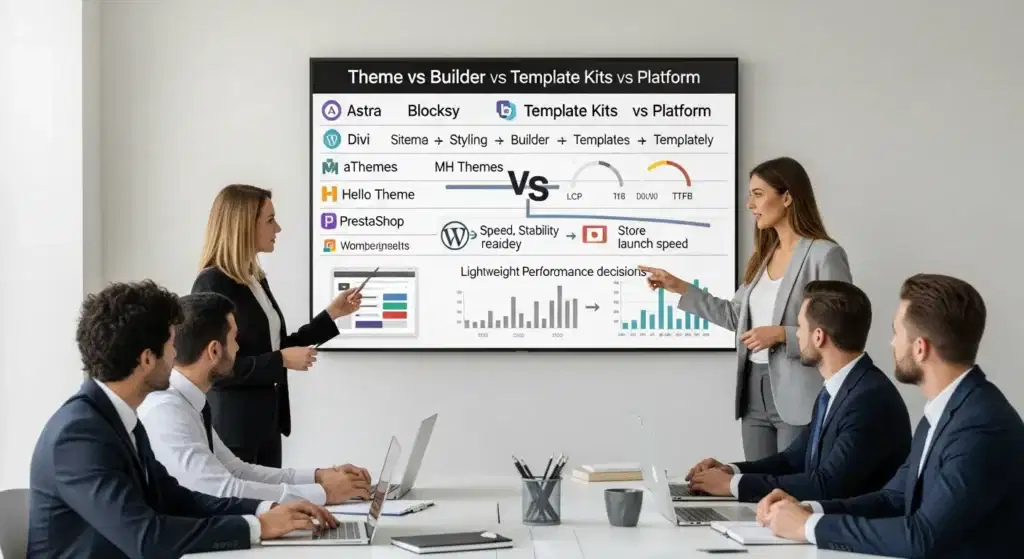
Astra vs Blocksy vs Divi comes up on client calls when the stakes feel very real: you need a site that looks sharp, loads fast, and does not break the week you launch ads. We have watched smart teams lose sales because they picked a “pretty” setup that turned every change into a mini project.
Quick answer: pick a lightweight WordPress theme (Astra or Blocksy) plus a block builder (Spectra) for speed and control, choose Divi when you need fast visual layout work across many pages, and pick PrestaShop when the website is basically a store and nothing else.
Key Takeaways
- Choose Astra or Blocksy as your lightweight WordPress theme foundation, then add Spectra for Gutenberg-based page building that stays fast and easy to maintain.
- Use the right category for the job—theme (Astra, Blocksy, Hello Theme), builder (Spectra, Divi), template sources (aThemes, MH Themes, Templately), or platform (PrestaShop)—to avoid mismatched expectations and rework.
- Optimize for Core Web Vitals by keeping layouts lean, compressing and resizing images, limiting fonts, and reducing plugin bloat, because speed impacts both SEO and ad conversions.
- Pick Divi when you need rapid visual layout production across many pages, but account for the extra code weight compared to a Gutenberg + Spectra workflow.
- Launch faster by importing starter templates or kits (Astra/Blocksy starters, aThemes, MH Themes, Templately) and then enforcing global styles and reusable blocks to keep future edits consistent.
- Choose PrestaShop when the site is store-first with complex catalog rules, and choose WordPress + WooCommerce (often with Astra or Blocksy) when you need both content marketing pages and ecommerce in one admin area.
What Each Option Actually Is (Theme, Builder, Template Kit, Or Platform)
A lot of confusion comes from mixing categories. A theme is not a builder. A template library is not a platform. Once you name the job each tool does, the choice gets calmer.
- Astra is a WordPress theme. It focuses on speed and broad compatibility. It works well with the block editor and with builders like Elementor and Spectra.
- Blocksy is a WordPress theme. It leans into modern WordPress features and gives you strong design controls in the Customizer.
- Divi is a WordPress theme + visual page builder. You can design by dragging and clicking, and you can keep the same workflow across many sites.
- Spectra (by Brainstorm Force) is a block plugin for the WordPress editor. It adds advanced Gutenberg blocks so you can build pages without a heavy builder.
- aThemes is a publisher that offers starter templates and theme-related resources. People often use its starter designs as a shortcut to a clean layout.
- MH Themes is a theme shop known for themes and demos, often used for magazines, blogs, and straightforward business sites.
- Hello Theme is a minimal WordPress theme built to pair with Elementor. It stays out of the way so Elementor controls the layout.
- Templately is a template kit library. It gives pre-built page sections and full site kits for Elementor and Gutenberg.
- PrestaShop is a standalone ecommerce platform. It is not WordPress. You run it as your store system.
How These Tools Fit Together In A Real Build
Here is the clean mental model we use when we build WordPress sites at Zuleika LLC:
- Theme (Astra or Blocksy) sets the global frame: typography defaults, header/footer structure, layout widths.
- Builder (Spectra or Divi) creates the page content: sections, grids, buttons, pricing tables.
- Templates (aThemes, MH Themes, Templately) speed up the first draft: import a starter site, then swap in your copy and images.
Theme -> affects -> site-wide styling consistency. Builder -> affects -> editing speed and page weight. Templates -> affect -> launch timeline.
Decision Framework: Start With Your Site Type And Constraints
If you start by asking “Which one is best?” you will get ten different answers. Start with constraints instead.
Use this quick framework:
- What is the site’s main job?
- Content + lead gen -> WordPress fits.
- Content + store -> WordPress + WooCommerce fits.
- Store-first, complex catalog rules -> PrestaShop might fit.
- Who will edit the site weekly?
- A marketer who lives in Google Docs -> Gutenberg + Spectra feels familiar.
- A designer who thinks in columns and spacing -> Divi can feel faster.
- What is your risk level?
- Regulated fields (legal, medical, finance) -> fewer plugins, tighter permissions, clean logs.
- What is your timeline?
- “We need it live next month” -> starter templates (Astra, Blocksy, aThemes, MH Themes, Templately) cut weeks.
If you want a simple default: Astra + Spectra + a starter template covers a lot of business sites without drama.
Performance And Core Web Vitals: Where Speed Is Won Or Lost
Speed usually fails for boring reasons: heavy layouts, uncompressed images, too many fonts, and a plugin pile-up. Google measures real user experience through Core Web Vitals as part of its page experience systems, so speed ties to both UX and search visibility.
Themes like Astra and Blocksy help because they keep the baseline light. Builders can help or hurt depending on output.
Theme Footprint Vs Builder Footprint
Here is the trade we see in audits:
- Astra + Spectra often produces cleaner front-end output because the WordPress editor stays in charge. Less layout overhead -> affects -> better Largest Contentful Paint (LCP).
- Divi can ship beautiful pages fast, but the builder adds more code and settings. More code -> affects -> more work for the browser.
- Hello Theme + Elementor can be quick, but Elementor choices matter. Add-ons and motion effects -> affect -> page weight.
If your business runs ads, speed hits twice. Slow pages -> affect -> Quality Score and conversion rate.
Hosting, Caching, And Image Strategy Basics
Let’s break it down into the basics we apply on most builds:
- Good hosting reduces server response time. Slow servers -> affect -> Time to First Byte (TTFB).
- Caching reduces repeated work. Page caching -> affects -> faster repeat visits.
- Images usually carry the most weight. Proper sizing and modern formats -> affect -> LCP.
- Fonts should stay disciplined. Too many font files -> affect -> render delay.
If you want a measurable starting point, Google’s Core Web Vitals documentation explains what each metric means in plain terms.
Design Workflow: Starter Sites, Template Kits, And Reusable Blocks
Most businesses do not need a blank canvas. They need a solid base, then fast edits.
Our favorite workflow looks like this: import a starter, lock global styles, build reusable sections, then train the team on safe edits.
Starter Templates (Astra, Blocksy, aThemes, MH Themes)
Starter templates save time because they solve the “first 80%” problem.
- Astra Starter Templates give you many industry layouts (agency, local service, ecommerce). A starter site -> affects -> faster launch.
- Blocksy demos also get you to a professional look quickly, with strong header and layout controls.
- aThemes and MH Themes often help when you want a clean blog or magazine structure without inventing the wheel.
When we build on WordPress for small businesses, this is where we start. Then we adjust branding, layout spacing, and copy.
If you want to see how we structure a business build, our guide on WordPress website development explains the approach we use for performance and edits.
Page Building And Kits (Divi, Spectra, Templately)
This is where you decide how you will create pages week to week.
- Spectra fits teams that want Gutenberg editing with better blocks. Blocks -> affect -> reusable page sections without a heavy builder.
- Divi fits teams that want a visual editor with lots of design controls. The Divi Builder -> affects -> faster custom page layout when you have many landing pages.
- Templately helps when you want prebuilt sections. Template kits -> affect -> consistent design across pages.
One warning we give every client: importing kits is easy. Keeping them consistent after ten edits is the real skill. Use global styles, reusable blocks, and a simple style guide.
Ecommerce Readiness: WooCommerce Themes vs PrestaShop Stores
This is the fork in the road.
WordPress + WooCommerce works when the website needs content, SEO pages, and a store. PrestaShop works when the store is the product.
When WooCommerce On WordPress Is The Better Fit
Choose WooCommerce when:
- You publish content weekly (guides, location pages, case studies). Content -> affects -> organic traffic.
- You need flexible plugins for bookings, memberships, courses, or quotes.
- You want one admin area for marketing pages and products.
Astra and Blocksy both support WooCommerce well, and starter templates help you launch a shop layout without heavy custom work.
If you run WooCommerce, keep an eye on the official docs for safe setup and store management. Start at WooCommerce documentation.
When PrestaShop Is The Better Fit
Choose PrestaShop when:
- The site is a catalog-first store with lots of product rules.
- You want ecommerce features as the center of the system.
- You can run a dedicated store stack and treat content marketing separately.
PrestaShop -> affects -> tighter ecommerce focus. WordPress -> affects -> broader marketing flexibility.
We often tell teams to be honest here. If 90% of your revenue depends on shopping flows, build for the store first.
Security, Privacy, And Governance For Regulated Or High-Risk Sites
We work with professionals who cannot gamble with client data. Lawyers, clinics, finance teams, and even local services that collect addresses and payment info all live in the “do not mess this up” category.
Security work starts before plugins. Scope -> affects -> risk.
Data Minimization And Access Control
Here is the safest rule we use: collect less data.
- Fewer form fields -> affect -> lower breach impact.
- Role-based access -> affects -> fewer accidental edits.
- Unique logins -> affect -> better accountability.
For WordPress, follow the principle of least privilege. WordPress roles -> affect -> who can install plugins, edit pages, or export data.
If you use AI tools in your workflow, do not paste sensitive client data into prompts. Humans should review anything that touches legal, medical, or financial advice.
Update Strategy, Backups, And Rollback Plan
Updates keep you safe, but blind updates can break a site.
Our standard approach:
- Staging site first. Staging -> affects -> safer testing.
- Backups before changes. Backups -> affect -> recovery speed.
- Auto-updates only for low-risk items. Plugins -> affect -> site stability.
- Rollback plan. Rollback -> affects -> time to restore service.
If you want a baseline checklist, the WordPress Security Team handbook is a good place to understand how WordPress handles security issues.
Practical Recommendations By Scenario
Here are the combos we recommend most often, based on what we see in real builds.
Local Services And Professional Practices
Think plumbers, HVAC, electricians, clinics, law firms.
- Astra + Spectra for fast pages and simple edits.
- Add a starter template, then build reusable blocks for service pages.
- Keep forms simple. A contact form -> affects -> lead flow.
This setup works well for local SEO because you can publish location pages and FAQs without fighting a builder.
Creators, Agencies, And Content-Heavy Brands
Think influencers, photographers, studios, SaaS blogs.
- Divi when you need many landing pages and want strong design control.
- Blocksy + Gutenberg/Spectra when editors publish often and want speed.
- Templately when you want kit-driven design across campaigns.
Content cadence -> affects -> template choice. If you publish weekly, pick the tool that feels easiest on a Tuesday night.
Catalog-Heavy Or Store-First Businesses
Think large inventories, strict product attributes, store operations.
- PrestaShop when store management is the whole mission.
- Astra or Blocksy + WooCommerce when you need content marketing and store together.
Payments and checkout speed -> affect -> revenue. Treat checkout like a product, not like a page.
Conclusion
Pick the stack that matches your editing habits and your risk profile, not the one with the flashiest demo. Astra and Blocksy give you a calm, fast base. Spectra keeps Gutenberg practical. Divi trades extra weight for fast visual layout work. Templately, aThemes, and MH Themes save time when you need a strong first draft. PrestaShop makes sense when the store is the business.
If you want us to sanity-check your choice, we do this every week for teams that need a professional WordPress website without surprises. Bring your site type, timeline, and who will edit it, and we will map the workflow before we touch any tools.
Sources
- Core Web Vitals, Google, 2024, https://web.dev/vitals/
- WooCommerce Documentation, Automattic, 2025, https://woocommerce.com/documentation/
- WordPress Security Team, WordPress.org, 2025, https://make.wordpress.org/security/
Frequently Asked Questions
Astra vs Blocksy vs Divi: which is best for a fast WordPress site?
For speed-first builds, Astra or Blocksy usually win because they keep the theme baseline lightweight. Pair either with Spectra to stay close to Gutenberg and reduce layout overhead. Divi can be great for rapid visual layouts, but it often adds more front-end code to manage.
What is Spectra, and how does it compare to Divi for page building?
Spectra is a Gutenberg block plugin that adds advanced blocks so you can build pages without a heavy page builder. Divi is both a theme and a visual builder, designed for drag-and-drop layouts. Spectra typically outputs leaner pages; Divi often feels faster for complex, multi-page design work.
How do aThemes, MH Themes, and Templately help you launch faster?
aThemes and MH Themes provide themes, demos, and starter layouts that solve the “first 80%” of design quickly. Templately is a template kit library for Elementor and Gutenberg, offering pre-built sections and full site kits. Importing is easy; consistency comes from global styles and reusable blocks.
When should you choose PrestaShop instead of WordPress + WooCommerce?
Choose PrestaShop when the website is truly store-first—complex catalogs, lots of product rules, and ecommerce operations are the core mission. WordPress + WooCommerce fits better when you need content marketing, SEO pages, and a store in one admin. If checkout drives revenue, optimize for commerce first.
How does Hello Theme fit with Elementor, and is it faster than Astra or Blocksy?
Hello Theme is a minimal WordPress theme built to get out of Elementor’s way, so Elementor controls most layout decisions. It can be fast, but performance depends heavily on Elementor choices—add-ons, motion effects, and heavy widgets add weight. Astra or Blocksy often deliver a lighter baseline out of the box.
What’s the best way to improve Core Web Vitals with Astra, Blocksy, or Divi?
Core Web Vitals usually improve with boring fundamentals: compress and properly size images, limit fonts, use caching, and avoid plugin pile-ups. Astra/Blocksy plus Spectra often keeps output cleaner for LCP. With Divi, be disciplined about effects and layout complexity, and test changes on staging before updating.
Some of the links shared in this post are affiliate links. If you click on the link & make any purchase, we will receive an affiliate commission at no extra cost of you.
We improve our products and advertising by using Microsoft Clarity to see how you use our website. By using our site, you agree that we and Microsoft can collect and use this data. Our privacy policy has more details.
