
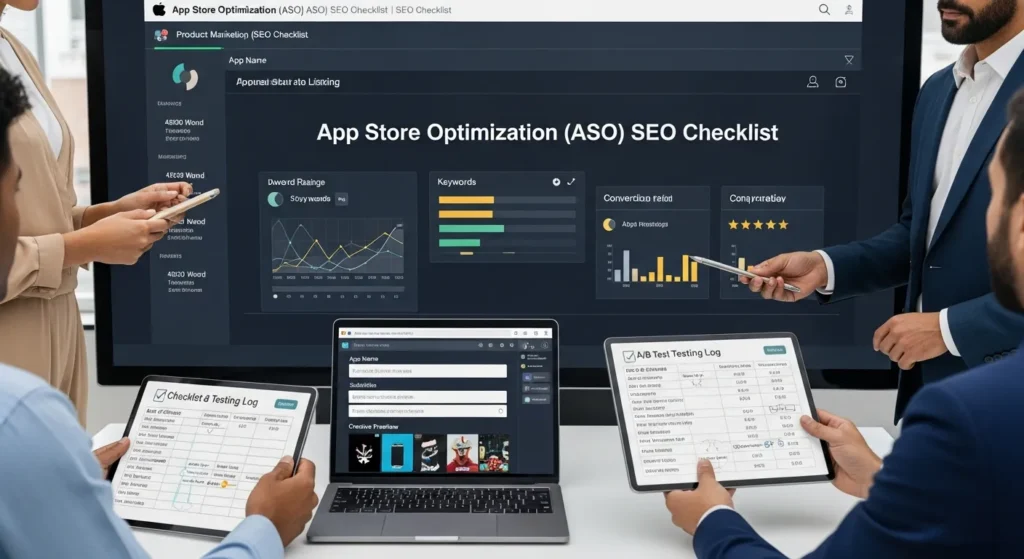
App Store Optimization (ASO) SEO feels simple until you push an update and your installs dip for no obvious reason. We have watched teams change three things at once, refresh the listing, then spend two weeks guessing what broke. Quick answer: treat ASO SEO like a controlled workflow with clear inputs, clean metadata, conversion-focused creatives, and a testing log you can trust.
Key Takeaways
- Treat ASO SEO like a controlled workflow: define your audience, one listing promise, and a single “win” metric before changing anything.
- App store search is driven by metadata relevance first and then reinforced by behavior signals like taps, installs, conversion rate, and retention.
- Do ASO SEO keyword research around real use cases and competitor terms, then score keywords by intent, difficulty, and user fit to avoid attracting the wrong users.
- Optimize store metadata by field (iOS name/subtitle/keyword field and Google Play title/descriptions), front-load the primary term, and localize for how each region actually searches.
- Build conversion-focused creatives—high-contrast icon, benefit-led screenshots, and a 15–30s preview video that shows value in the first 3 seconds—to win the tap and the install.
- Test and release without guessing by changing one element at a time, logging every update, and monitoring keyword rankings and conversion for 3–7 days after each change.
What ASO SEO Means (And Where It Differs From Website SEO)
ASO SEO means you tune your Apple App Store or Google Play listing so more people find your app and install it. Website SEO means you tune pages so people find your site in Google and read, buy, or contact you.
The biggest difference is intent. App store searches skew short and functional. People type “invoice scanner” or “mileage tracker” because they want an app now. Web searches can be messy and curious, like “how to track mileage for taxes.” That intent shift changes everything.
If you run WordPress too, this matters because your site and your app can feed each other. Your site can educate and build trust, while ASO SEO captures the “ready to install” moment. Our team often pairs an app listing refresh with a site cleanup like a content SEO checklist so your messaging stays consistent across both surfaces.
How App Store Search Works In Practice
App store search matches what a user types to your listing metadata. Apple’s system heavily weighs structured fields like the app name, subtitle, and keyword field. Google Play reads the title and descriptions more like a mini web page.
Relevance drives the first cut. Then the store watches what humans do next. A better listing usually earns more taps and installs. That behavior tells the store, “people like this result,” and that can lift rankings.
The Core Ranking Signals You Can Actually Influence
You cannot control the algorithm, but you can control the inputs it reads and the signals it observes:
- Metadata keywords affect query matching.
- Creatives (icon, screenshots, video) affect tap-through.
- Conversion rate affects install velocity.
- Ratings and reviews affect trust and conversion.
- Update cadence and stability affect user sentiment.
Store search -> surfaces your listing. Creatives -> increase taps. Taps -> drive installs. Installs plus retention -> reinforce rankings. That cause-and-effect chain stays steady across categories.
Pre-Work: Map Your Goal, Audience, And Measurement
Before you touch any text in the app stores, map the workflow. We do this because ASO SEO changes can look “successful” in impressions while installs stay flat.
Write down:
- Your primary audience (one sentence)
- Your main job-to-be-done (what the app replaces)
- Your store listing promise (the one thing you want people to believe)
- The single metric you will treat as the win
If your app supports multiple audiences, split them by region or by store listing experiments. One listing cannot speak clearly to everyone.
Define Your Primary Conversion Event
Pick one event as your north star. Most teams pick installs, but you might choose:
- Install -> first open
- Install -> account created
- Install -> trial started
- Install -> first purchase
Primary event -> shapes keyword choices. Keywords -> attract a certain kind of user. That user type -> drives review sentiment.
Set A Simple Tracking Plan (Before You Change Metadata)
Do not rely on vibes. Use App Store Connect and Google Play Console, plus an ASO tool if you have budget.
Track these in a simple sheet:
- Date of change
- What changed (one thing per row)
- Keyword positions (top terms)
- Impressions, product page views, installs
- Conversion rate (views -> installs)
If you also see traffic from your WordPress site, keep your mobile experience tight. A slow landing page hurts trust fast. Our mobile SEO checklist works well as a companion when your app pages or support docs live on WordPress.
Keyword Research Checklist (Built For App Stores)
ASO SEO keyword research looks like SEO, but the target is different. You are not writing a 2,000-word guide. You are packing meaning into tight fields.
Here is the checklist we use:
- List your top use cases (5 to 15)
- List your category and subcategory terms
- Pull competitor terms (top 10 competitors)
- Add “problem” terms and “solution” terms
- Add feature terms only if users search them
You want keywords that match what people do, not what your team calls the feature internally.
Build A Seed List From Use Cases And Competitors
Start with verbs and outcomes:
- “scan receipts”
- “track expenses”
- “book workouts”
- “edit reels”
Then scan competitor titles and screenshots. Competitor metadata -> shapes user expectations. Your listing -> must meet or beat that promise.
If you sell globally, plan localization early. Region language -> changes query phrasing. We use the same mindset as an international SEO checklist even though the mechanics differ.
Score Keywords By Intent, Difficulty, And Fit
We score each keyword on three axes:
- Intent: Does the term signal “I want an app now”?
- Difficulty: How hard is it to rank (competition plus volume)?
- Fit: Will the user who searches this stay and succeed?
High intent plus high fit -> drives better conversion. Better conversion -> supports rankings. Low fit -> drives refunds, churn, and angry reviews.
On-Page ASO Checklist: Store Listing Metadata
This is the part teams rush. Do not rush it.
Treat metadata like a small spec. Each field has a job. Each job has limits.
App Name, Subtitle, And Keyword Field Rules (iOS)
Apple gives you tight constraints, so you need clean choices:
- App name: 30 characters. Put the main term early.
- Subtitle: 30 characters. Support the core promise.
- Keyword field: 100 characters. Use commas, no spaces. Do not repeat words you already used.
Front-load meaning. “Invoice Scanner” beats “Scanner for Invoices” when you run out of space.
Title, Short Description, And Long Description Rules (Google Play)
Google Play reads more text, but you still need discipline:
- Title: up to 50 characters. Put the main term early.
- Short description: sell the outcome, not the feature list.
- Long description: use keywords naturally, but keep it readable.
Google Play description -> influences relevance. Relevance -> drives impressions. Impressions with weak copy -> waste your shot.
Localize Metadata Without Breaking Relevance
Localization is not “translate and ship.” Localization means you match how people search in that place.
- Use local phrasing and units
- Swap screenshots with local language
- Keep the same core promise
If you support local businesses, keep your WordPress presence consistent too. Location signals -> affect trust. Trust -> affects conversion. Our local SEO setup guide helps when your app drives calls, visits, or in-person bookings.
Conversion Checklist: Creative That Wins The Tap
ASO SEO gets you seen. Creatives get you picked.
When we audit listings, we see the same issue: teams treat screenshots like decoration. Users treat them like proof.
Icon, Screenshots, And Preview Video Standards
Use clear standards so you do not debate taste forever:
- Icon: 1024×1024. High contrast. One idea.
- Screenshots: benefit-first captions. Show the “after” state.
- Preview video: 15 to 30 seconds. Show value in the first 3 seconds.
A strong visual stack -> increases taps. Higher taps -> feed conversion.
If your screenshots include text, treat them like visual SEO assets. File choices and clarity still matter on the web side too, so pair this mindset with our image SEO checklist when you publish matching graphics on WordPress.
Align Messaging To One Clear Promise Per Audience
Pick one promise per audience segment. Examples:
- “Track expenses in 30 seconds a day.”
- “Turn recipes into a grocery list.”
- “Book clients without back-and-forth texts.”
Promise -> shapes screenshot order. Screenshot order -> shapes perceived value. Perceived value -> shapes installs.
If you want to serve multiple segments, run separate tests or separate localized listings. One listing that tries to please everyone usually pleases no one.
Trust Checklist: Ratings, Reviews, And Reputation
People read reviews when they feel risk. Paid apps, health apps, finance apps, and legal tools carry extra risk.
We take a safety-first stance here: keep humans in the loop for regulated advice. Do not imply the app replaces a clinician, attorney, or fiduciary. Copy -> sets expectations. Expectations -> shape reviews.
Operationalize Review Requests And Responses
Make review management a weekly habit:
- Ask after a “happy moment” (task completed, milestone reached)
- Do not ask after errors, paywalls, or onboarding friction
- Reply to negative reviews with a calm plan and a support path
A good request flow -> increases rating volume. Higher volume plus steady sentiment -> lifts conversion.
Reduce Review Risk With Better Release Notes And Support Links
Release notes reduce confusion. Confusion drives low-star reviews.
Checklist:
- Write plain release notes (what changed, who it helps)
- Link to a support page and FAQ
- Fix top crash bugs before cosmetic changes
If your reputation also lives on your website, build trust there too. Reviews off the app stores -> affect brand search behavior. Brand search -> supports installs. You can support that with a measured outreach plan like our off-page SEO checklist without turning it into a spam project.
Testing And Release Checklist: Iterate Without Guessing
Most ASO SEO failures come from messy testing. Teams change the icon, the title, and the screenshots, then declare victory or defeat. That tells you nothing.
Run A/B Tests (Or Sequential Tests) With Clean Notes
Run one test at a time:
- Test one field or one creative set
- Keep a start date and end date
- Write a single hypothesis
Hypothesis -> guides the change. The change -> affects conversion. Conversion -> answers the hypothesis.
If you cannot A/B test, run sequential tests. Just keep the log clean.
Ship In Small Batches And Watch For Ranking Volatility
App stores react to updates. Rankings can swing for a few days.
Checklist:
- Ship smaller updates more often
- Watch keyword positions for 3 to 7 days post-change
- Pause other marketing pushes during a test window
If your app content includes voice features, or people search your brand by speaking it, match your phrasing to natural questions. Spoken queries -> favor clear words. Clear words -> reduce mismatch. Our voice search checklist can help you keep naming and phrasing consistent across your app, site, and ads.
Conclusion
ASO SEO rewards teams that act like engineers and editors at the same time. You set a goal, you pick keywords that match real intent, you build creatives that prove the promise, and you test one change at a time. If you want, we can help you map the workflow end-to-end, then connect your app listing work with the WordPress site that supports it, so installs and trust rise together.
App Store Optimization (ASO) SEO Checklist: FAQs
What is App Store Optimization (ASO) SEO, and how is it different from website SEO?
App Store Optimization (ASO) SEO focuses on improving your Apple App Store or Google Play listing so users find your app and install it. Website SEO targets Google rankings for pages. The biggest difference is intent: app-store queries are short and “ready to install,” while web queries are often broader and research-driven.
How does app store search work for ASO SEO on Apple App Store vs Google Play?
App store search matches what users type to your listing metadata. Apple weighs structured fields heavily—app name, subtitle, and the keyword field—so tight wording matters. Google Play reads the title and descriptions more like a web page. After relevance, taps and installs signal quality and can lift rankings.
What are the most important ranking factors in an App Store Optimization (ASO) SEO checklist?
The main ASO SEO factors you can influence include metadata keywords for query matching, creatives (icon, screenshots, video) for tap-through, and conversion rate for install velocity. Ratings and reviews boost trust, and steady updates plus stability support sentiment. Together, these signals affect visibility and installs over time.
How do I do ASO SEO keyword research if I only have limited metadata space?
Start from real use cases, category terms, and competitor wording, then add “problem” and “solution” phrases users actually search. Score terms by intent (app-now language), difficulty (competition/volume), and fit (will they succeed after installing). In tight fields, prioritize high-intent, high-fit keywords over internal feature names.
What is the best way to track ASO SEO changes without guessing what caused a ranking drop?
Use a controlled workflow and a simple change log. Track changes in App Store Connect and Google Play Console (plus an ASO tool if available), and record date, the single change made, keyword positions, impressions, product page views, installs, and conversion rate. Testing one change at a time makes results trustworthy.
How long does it take for App Store Optimization (ASO) SEO updates to affect rankings and installs?
ASO SEO impact can show quickly, but it’s common to see volatility right after updates. Many teams monitor keyword positions and conversion for 3–7 days post-change before drawing conclusions. Larger shifts (like new creatives or a title change) may take longer to stabilize, especially in competitive categories.
Some of the links shared in this post are affiliate links. If you click on the link & make any purchase, we will receive an affiliate commission at no extra cost of you.
We improve our products and advertising by using Microsoft Clarity to see how you use our website. By using our site, you agree that we and Microsoft can collect and use this data. Our privacy policy has more details.
