
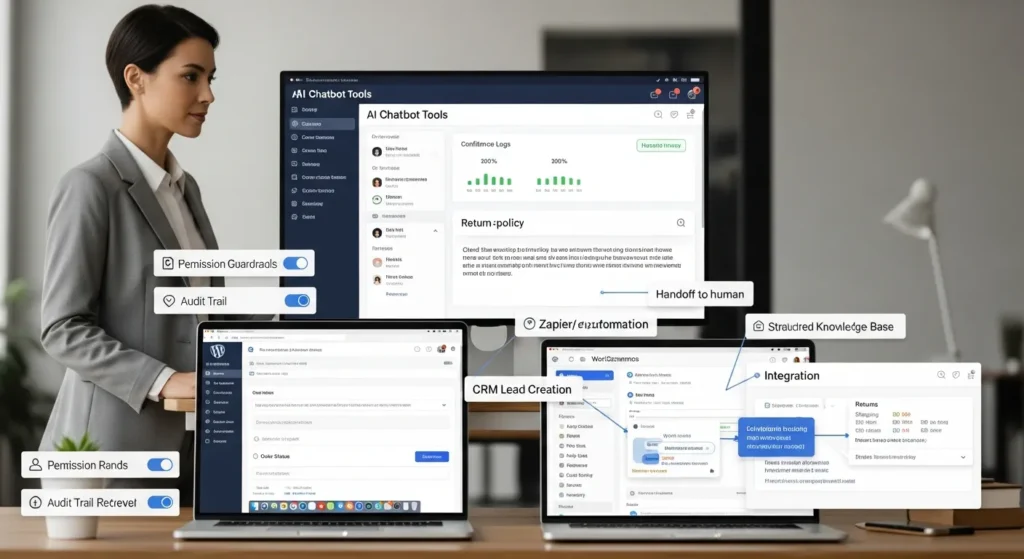
AI chatbot tools can feel like magic until they hit your checkout page at 2:00 a.m. and confidently answer a return-policy question… wrong. We have watched teams celebrate lower ticket volume on Monday, then spend Tuesday cleaning up a few bad replies that slipped through. Quick answer: pick a bot by the job it must do, wire it into the systems you already trust, and put guardrails around data, answers, and handoffs so humans stay in control.
Key Takeaways
- Choose AI chatbot tools by the specific job they must do (sales Q&A, support deflection, lead capture, or internal help) instead of trying to buy a “do-everything” bot.
- Treat the website widget as the highest-risk channel and add strict guardrails—“do not answer” rules, confidence thresholds, and clear human handoffs—to prevent confident wrong replies.
- Prioritize knowledge + retrieval so the bot quotes approved FAQs and policy pages (returns, shipping, warranty) rather than rewriting them from memory.
- Compare AI chatbot tools on where they live, what they know, and what they can do—model quality, context handling, speed/reliability, and control/audit logs matter more than scripted demos.
- Use integrations (CRM, WooCommerce order status, calendars, and webhooks via Zapier/Make/n8n) to turn answers into next-step actions, while keeping payments and refunds human-led unless controls are tight.
- Pilot in shadow mode first and measure deflection, CSAT, leads created, and time saved, then maintain operational hygiene with prompt versioning, scheduled knowledge updates, log reviews, and a rollback kill switch.
What AI Chatbot Tools Actually Do (And Where They Fit In Your Stack)
AI chatbot tools take a user message and turn it into an action or an answer.
At a technical level, the tool sends text (and sometimes images or voice) to a large language model such as OpenAI GPT-5, Anthropic Claude, or Google Gemini. The model returns a draft response. The chatbot tool then applies rules, pulls extra context from your knowledge base, and posts the final message back to the user.
Here is how we map it before we touch any tools:
- The chatbot = the “brain” at the front desk. It talks to visitors.
- Your website = the lobby. WordPress pages, product pages, and forms set expectations.
- Your systems = the back office. WooCommerce, a CRM, a help desk, inventory, calendars, and shipping tools do the real work.
- Guardrails = the safety rails. They decide what the bot can say, what it must not say, and when it must hand off.
When this map looks clean, the build stays simple. When this map looks fuzzy, the bot becomes a random number generator with a friendly tone.
Common Website Use Cases: Sales, Support, Lead Capture, And Internal Help
Most teams do not need a chatbot that “does everything.” They need a chatbot that handles a few repeatable moments.
Common use cases we see on WordPress sites:
- Pre-sales Q&A on product and service pages. The bot answers shipping timelines, sizing, service coverage, and basic pricing ranges. A good bot pushes the visitor toward the next step, not a 400-word essay.
- Lead capture with context. The bot collects budget, timeline, and intent, then creates a lead in your CRM. A form asks the same questions, but the chat format often gets higher completion.
- Support deflection for simple tickets. The bot handles order status, returns steps, password resets, and store hours. Your team keeps the odd cases.
- Internal help for staff. A private bot answers “Where is the SOP for refunds?” or “What do we say when a customer asks about warranty?” This reduces Slack pings.
One caution: a chatbot should not replace your policy pages. A clear return policy affects customer trust. The bot should link to the policy and quote it, not rewrite it from memory.
The Core Capabilities To Compare Before You Pick A Tool
AI chatbot tools look similar in demos because the happy-path demo stays scripted. The differences show up in three places: where the bot lives, what it knows, and what it can do after it answers.
We usually compare tools across these capabilities:
- Model quality for your tasks. Some models write better. Some reason better. Some follow rules better.
- Context handling. Long conversations, long docs, and many SKUs stress a bot.
- Speed and reliability. A slow bot loses leads.
- Control and auditability. Regulated teams need logs and review.
You will hear claims about “model IQ” scores. Treat them as a clue, not a guarantee. Your content and your guardrails decide most outcomes.
Channels And Placement: Website Widget, Help Desk, Email, And Social DMs
Start with the channel, because channel affects risk.
- Website widget (public). This is the highest volume and the highest brand risk. Visitors ask anything. You need strict “do not answer” rules and strong handoff.
- Help desk (semi-structured). This works well because tickets already include order IDs, customer email, and categories. The bot can draft replies for a human, which cuts response time.
- Email responder. This can work, but only when you keep the bot in draft mode. Email mistakes live forever.
- Social DMs. This helps creators and brands that sell through Instagram or TikTok. Still, you need a handoff for pricing disputes and refunds.
If you run WooCommerce, we often start on the website for FAQs and on the help desk for draft replies. That gives fast wins with less chaos.
Knowledge And Context: FAQs, Docs, Catalogs, And Retrieval
A bot that only uses its base training will guess. Guessing hurts support and refunds.
So we push most sites toward a simple “knowledge + retrieval” setup:
- FAQs and policy pages (returns, shipping, warranty, privacy).
- Docs and SOPs (support playbooks, escalation rules).
- Catalog data (product titles, descriptions, sizing charts, ingredients, compatibility, stock rules).
Retrieval matters because it changes what the bot says.
If your bot retrieves the exact return policy paragraph, it answers with the same language your legal team approved. That reduces risk. If your bot freewrites, it invents a policy. That creates a mess.
Some tools also offer web browsing with citations. That can help research, but we rarely allow it for public customer support. A citation does not make a wrong answer safe.
Automation And Integrations: CRM, WooCommerce, Calendars, And Webhooks
A chatbot that answers questions is nice. A chatbot that completes the next step saves hours.
Look for:
- CRM actions. The bot creates leads, updates stages, and tags intent. Salesforce and HubSpot often show up here.
- WooCommerce actions. The bot can pull order status, link to the tracking page, or start an RMA flow. Keep payment and refunds human-led unless you have tight controls.
- Calendar booking. The bot books consults through Google Calendar or Outlook. This matters for agencies, clinics, lawyers, and service trades.
- Webhooks and automation tools. Zapier, Make, and n8n act as the glue. A webhook lets the bot hand data to your own endpoint.
Entity-to-effect matters here. A bot -> creates -> CRM records. A bot -> updates -> WooCommerce order notes. Those effects need logs and permissions, or your data turns into soup.
If you want a WordPress-first stack, we often pair WordPress forms + WooCommerce + a chatbot widget. Then we push leads into your CRM and notify your team in email or Slack.
A Practical Selection Framework For Busy Teams
You do not need a long RFP to choose AI chatbot tools. You need a short workflow map and a pilot you can roll back.
Here is what that means in practice: we pick one job, one channel, one success metric, and one safety rule set.
Define The Job: Trigger, Inputs, Model Task, Output, Guardrails
We write the job as a five-line spec:
- Trigger: What starts the bot? A visitor asks about shipping. A customer asks for a refund. A lead asks for a quote.
- Inputs: What data can the bot use? Page URL, cart contents, SKU, order number, and a small set of customer fields.
- Model task: What must the model do? Classify intent, answer with citations from your policy page, or draft a reply for review.
- Output: What format must it return? A two-sentence answer plus a link, or a structured JSON payload for a webhook.
- Guardrails: What must it refuse? Medical advice, legal advice, payment instructions, and any request that needs identity checks.
This spec stops the “let’s just add a bot” spiral. It also makes vendor demos honest, because you can test the same job across tools.
Pilot In Shadow Mode And Measure: Deflection, CSAT, Leads, And Time Saved
We like shadow mode because it limits blast radius.
Shadow mode means the bot runs, but it does not send messages to customers. It drafts replies, tags tickets, or logs recommended answers for your team to review.
Measure the pilot with simple numbers:
- Deflection rate: How many conversations ended without a ticket?
- CSAT or thumbs-up rate: Did users accept the answer?
- Leads created: Did the bot capture contact details and intent?
- Time saved: Did support reps close tickets faster?
Also track failure types. The most common failure is not “the model is dumb.” The most common failure is “the bot answered without the right context.” Fix retrieval and rules before you swap models.
If you want a practical timeline, we often see a useful pilot in 2 to 4 weeks for a WordPress site, depending on content readiness and integrations.
Safety, Privacy, And Compliance Guardrails You Should Not Skip
AI chatbot tools touch user messages, and user messages often contain private data. Your bot needs clear boundaries.
We treat this as risk design, not legal theater. A bot -> collects -> customer messages. That collection -> creates -> compliance duties.
Data Minimization, Retention, Consent, And Logging
Start with less data.
- Data minimization: Ask only for what the workflow needs. If the bot only needs an order number, do not ask for a full address.
- Retention: Set short retention where you can. Keep only what you need for troubleshooting and audit.
- Consent: Tell users when they talk to a bot and what you do with the data. This matters for trust and for privacy rules.
- Logging: Keep logs of prompts, retrieved sources, tool actions, and final outputs. Logs help you debug and prove what happened.
If you serve people in the EU, pay close attention to GDPR concepts like data minimization and purpose limitation. If you serve health data in the US, keep HIPAA scope in mind. Do not paste patient info into random tools.
Human In The Loop: Escalation Paths And “Do Not Answer” Rules
A safe chatbot knows when to stop.
We set:
- Escalation paths: The bot routes to a human when it detects refunds, chargebacks, legal threats, medical claims, harassment, or identity checks.
- “Do not answer” rules: The bot refuses medical, legal, and financial advice. The bot refuses to process payments. The bot refuses to reveal internal notes.
- Confidence thresholds: The bot escalates when retrieval returns weak matches or when the user asks a policy question that has no cited source.
If your site serves lawyers, clinics, financial advisors, or public services, keep the bot on rails. Let it schedule, route, summarize, and draft. Keep final decisions human-led.
A small truth: a polite refusal beats a confident wrong answer every time.
Implementing On WordPress Without Making It A Science Project
WordPress makes chatbot rollout easier because you control pages, plugins, and content structure. The trick is to ship a small version you can undo.
If you run a business site, start with the pages that already answer questions: shipping, returns, pricing, and contact.
Deployment Options: Plugin, Embedded Script, Or Custom Integration
You have three common paths:
- Plugin: Fastest path for many AI chatbot tools. You install, connect an API key, and place the widget. Good for early pilots.
- Embedded script: Many vendors give you a script tag. This keeps your WordPress stack cleaner than a heavy plugin, and it still ships fast.
- Custom integration: This fits when you need WooCommerce-aware behavior, gated access for staff, or strict logging. We often build light custom code that calls the model API and pulls approved content from WordPress.
If you want help with the WordPress side, our team at Zuleika LLC usually starts by mapping the workflow and then picking the lightest deployment that meets the rules. Your site should not feel like a lab.
Operational Hygiene: Versioning Prompts, Updating Knowledge, And Rollback
A chatbot setup needs maintenance, even if it runs on autopilot.
We keep it boring on purpose:
- Version prompts: Treat prompts like SOPs. Store versions so you can revert.
- Update knowledge on a schedule: Change a return window, update the bot the same day. A stale bot creates angry tickets.
- Create a rollback plan: You need a kill switch. If a prompt change causes bad answers, you turn the bot off or switch it to “draft only.”
- Review conversations: Sample logs weekly. Fix the top 10 failure paths.
If you want ideas that pair well with this, see our notes on WordPress website development, WooCommerce solutions, and WordPress SEO services. The bot works best when the site content stays clean and consistent.
Conclusion
AI chatbot tools work when you treat them like a staff member you need to train, not a slot machine you hope pays out.
Pick one job. Put it in one channel. Connect it to the right data. Then wrap it in rules that protect users and protect your brand.
If you want the safest path, start with support deflection for FAQs and draft replies in your help desk. You will see real time savings fast, and you will sleep better.
When you are ready, we can help you map the workflow, wire the WordPress and WooCommerce pieces, and set the guardrails so the bot stays helpful on your best day and your worst day.
Frequently Asked Questions About AI Chatbot Tools
What do AI chatbot tools actually do on a website?
AI chatbot tools turn a visitor’s message into an answer or an action. Typically, the tool sends the message to an LLM, applies rules, retrieves approved context from your knowledge base, and then posts the final reply. Done well, it supports sales, support, and lead capture without guessing.
How do I choose the right AI chatbot tools for my business?
Pick AI chatbot tools by the job they must do, not by flashy demos. Define one channel (like a website widget or help desk), one success metric (deflection, CSAT, leads, or time saved), and clear guardrails. Then run a pilot you can roll back if needed.
Why do AI chatbot tools give wrong answers, and how can I prevent it?
Most bad replies happen when the bot answers without the right context, not because the model is “dumb.” Use retrieval so the bot quotes your return, shipping, and warranty pages instead of rewriting them. Add “do not answer” rules and escalate to humans when sources are weak.
What are the best use cases for AI chatbot tools on WordPress and WooCommerce?
On WordPress and WooCommerce, strong early wins include pre-sales Q&A, simple support deflection (order status, returns steps, hours), and lead capture that pushes contacts into your CRM. Many teams also use a help-desk bot to draft replies for humans, reducing response time and risk.
Should I let an AI chatbot tool browse the web and cite sources for customer support?
Usually no for public support. Web browsing with citations can still produce inaccurate or misapplied information, and a citation doesn’t make a wrong answer safe. For customer-facing workflows, it’s safer to restrict the bot to your approved policy pages, FAQs, and product catalog data.
How do I keep AI chatbot tools safe for privacy and compliance (GDPR/HIPAA)?
Use data minimization (collect only what’s needed), short retention when possible, clear consent messaging, and robust logging of prompts, sources, actions, and outputs. Add escalation paths for identity checks, refunds, legal threats, or medical claims. Avoid placing sensitive health data into tools that aren’t designed for HIPAA.
Some of the links shared in this post are affiliate links. If you click on the link & make any purchase, we will receive an affiliate commission at no extra cost of you.
We improve our products and advertising by using Microsoft Clarity to see how you use our website. By using our site, you agree that we and Microsoft can collect and use this data. Our privacy policy has more details.
