

The best WordPress care plans are rarely chosen in a calm, quiet moment. They usually get approved right after a scary outage, a hacked login, or a “who has the latest backup?” scramble. We have been on those calls where everyone stares at the screen, refreshing the site and hoping it comes back.
Quick answer: a good WordPress care plan behaves like a part-time ops team for your site, handling updates, security, backups, and small changes, so you can focus on sales and delivery instead of baby‑sitting plugins. In this guide, we will walk through seven types of WordPress care plans, who they are best for, and how to pick the one that actually fits your traffic, revenue, and risk (not just your budget).
Key Takeaways
- The best WordPress care plans act like a part-time ops team, handling updates, security, backups, and minor site changes so you can focus on running your business.
- Choose an Essential, Growth, Ecommerce, Performance-First, Security-First, Fully Managed, or Scalable care plan based on how much revenue your site drives, how often content changes, and your risk level.
- Content-heavy and SEO-focused sites outgrow basic maintenance quickly and benefit from Growth or Silver-level plans that include technical SEO, analytics, and regular performance checks.
- WooCommerce and other online stores need Ecommerce or Gold-level plans with staging, uptime monitoring, and checkout testing to protect live revenue, not just page uptime.
- For regulated or high-risk industries, the best WordPress care plans prioritize security, compliance, and clear incident playbooks, while Fully Managed and tiered Scalable options help reduce internal bottlenecks as you grow.
1. Essential Care Plan For Solo Founders And New Sites

Core Protections You Cannot Skip
If you are running a new site, the Essential Care Plan is the minimum viable shield between you and expensive problems. Even the best WordPress care plans start with the same foundations:
- Core, theme, and plugin updates on a schedule (weekly or monthly), tested after each run.
- 24/7 security monitoring for malware, brute‑force logins, and file changes.
- Daily off‑site backups with at least 7–30 days of history.
- 1 hour of support per month for “can you fix this?” issues.
Think of this plan as oil changes and basic maintenance for your website. You probably will not “see” most of the work, but you will absolutely feel it when something goes wrong and you have clean backups and a support contact instead of panic.
At Zuleika LLC, this type of coverage sits in our lower tiers (similar to a Bronze or starter package) and is designed to turn WordPress from a worry into a stable base for your marketing.
When This Plan Is The Right Fit
An Essential Care Plan is usually enough when:
- Your site is new or under 5–10 core pages.
- You do not process payments directly on the site.
- Traffic is still low to moderate and downtime will not break your business.
- You mainly need “keep it online and safe”, not continuous optimization.
It is ideal for:
- Solo founders validating a new offer.
- Freelancers and consultants with a brochure site.
- Local businesses who just need hours, services, and a contact form online.
If that sounds like you, pairing an Essential Plan with a clean build from a professional WordPress team (for example, a custom build via Zuleika’s WordPress development services) gives you a stable, low‑friction setup for the first 12–18 months.
2. Growth Care Plan For Content-Heavy And Local SEO Sites

Extra Support For Blogs, Service Pages, And Landing Pages
Once content becomes your growth engine, you outgrow the basics. A Growth Care Plan is built for WordPress sites that publish often and rely on organic search or paid campaigns.
On top of Essential protections, you typically get:
- More frequent updates (often weekly) to reduce vulnerabilities.
- Performance reviews on key pages (blogs, service pages, landing pages).
- Content change time (1–2 hours or a set number of edits each month).
- SSL management and often a CDN to keep global visitors fast.
For a local service business trying to rank across several cities, this level of care keeps your site ready for Google updates, new campaigns, and seasonal landing pages without a big in‑house team.
SEO And Analytics Built Into The Care Plan
The best WordPress care plans for growth bake SEO and analytics into the routine, not as a one‑off project:
- Technical SEO checks (sitemaps, indexability, 404/redirect clean‑up).
- Core Web Vitals monitoring and page‑speed fixes.
- Traffic and conversion snapshots so you see what is working.
At Zuleika, our clients often pair this type of plan with ongoing WordPress SEO services so we can connect the dots between rankings, leads, and the technical work happening behind the scenes. If your blog, city pages, or landing pages drive enquiries, Growth‑level care is usually the starting line, not a luxury.
3. Ecommerce Care Plan For WooCommerce Stores

Must-Have Safeguards For Online Stores
If you run WooCommerce or another WordPress ecommerce setup, your care plan has to protect revenue, not just pages. An Ecommerce Care Plan adds more safety rails around updates and uptime.
Key elements you should insist on:
- Staging site updates: core and plugin updates are tested away from live checkout first.
- Uptime monitoring (minute‑level checks) with alerts.
- Malware scans and removal if something slips through.
- Database and file backups taken more often, sometimes hourly during peak.
When orders are flowing, an update that breaks your checkout for three hours can wipe out a week of profit. Staging and rollback are non‑negotiable on any serious store.
Conversion, Cart, And Checkout Monitoring
The best WordPress care plans for ecommerce go beyond “is the site online?” and watch “is the store selling?”:
- Regular test orders across payment methods.
- Monitoring for cart abandonment spikes or sudden drops in order volume.
- Checks on email confirmations, tax rules, and shipping logic after every major update.
At Zuleika LLC, we treat WooCommerce stores as operational systems, not just marketing assets. That means pairing care plans with clear incident playbooks: who we notify, how we roll back, and how fast we aim to restore normal trading when something breaks.
4. Performance-First Care Plan For Speed And User Experience

Speed Tuning And Caching As Ongoing Work (Not A One-Off)
Speed is not a project you do once: it drifts over time as you add plugins, images, and tracking scripts. A Performance‑First Care Plan treats speed as an ongoing job.
What that usually includes:
- Advanced caching tuned for your specific hosting and plugins.
- Regular page‑speed audits on key templates (home, services, product, blog).
- Clean‑up of unused plugins, themes, and bloated assets.
- Monitoring and fixing Core Web Vitals regressions.
This type of plan makes sense when a slow site means lost leads: ad traffic going to landing pages, mobile visitors bouncing, or search rankings slipping because Google sees poor performance.
Hosting, CDN, And Image Optimization Choices
Performance care plans often wrap in hosting and infrastructure decisions:
- Managed WordPress hosting configured for your site’s actual load.
- A CDN for global or nationwide audiences.
- Image optimization pipelines (compression, WebP, lazy‑loading) as standard.
When we design these plans for clients, we treat WordPress as the “brain” between triggers (visitor hits the site) and actions (page loads, form submits, purchase). If the brain is sluggish, everything downstream suffers. A performance‑first plan keeps it lean, measured, and continually tuned.
5. Security-First Care Plan For High-Risk Or Regulated Sites
Security Layers That Go Beyond Basic Plugins
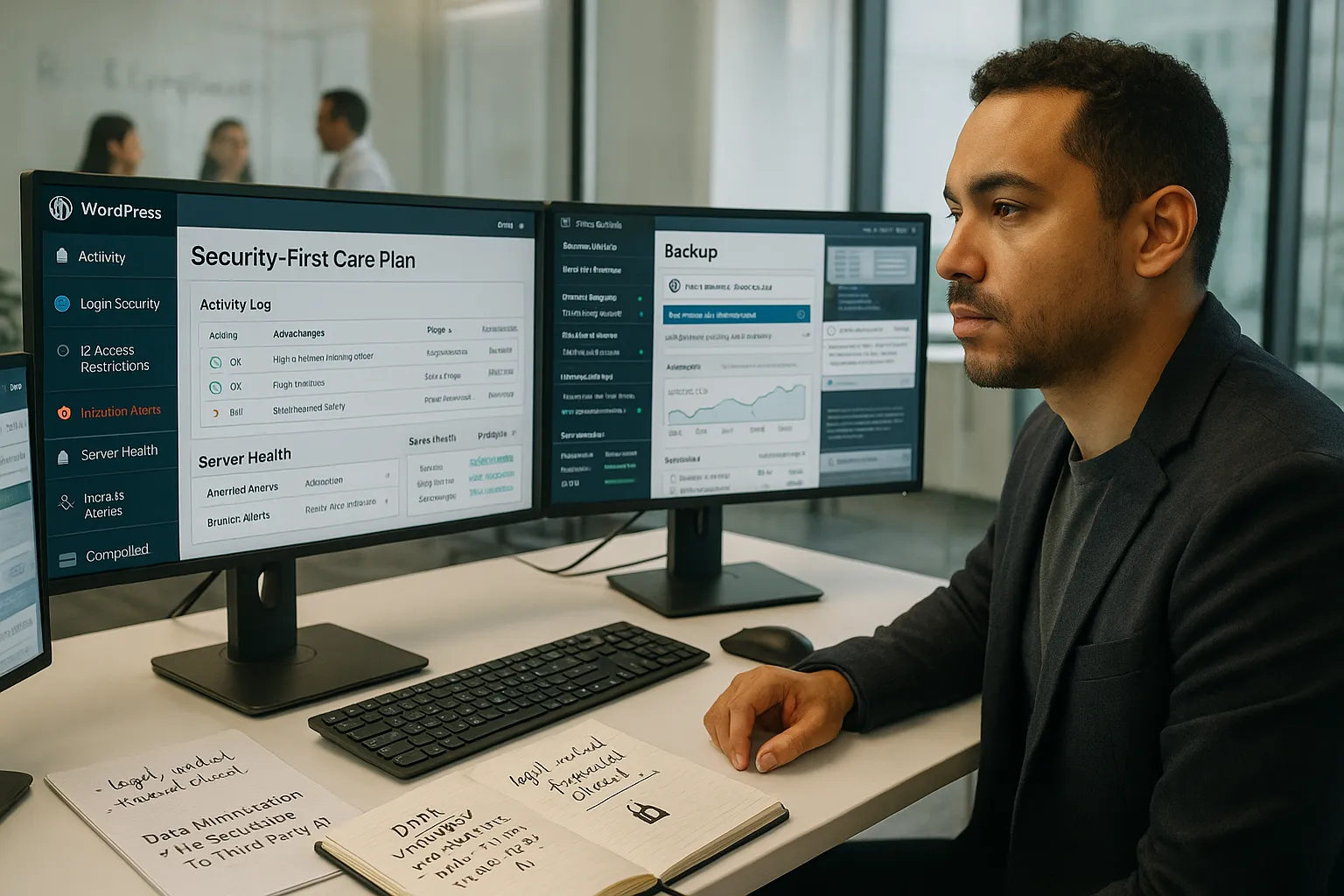
Some sites simply carry more risk: legal practices, medical and wellness providers, financial advisors, or anything handling sensitive user data. These projects need a Security‑First Care Plan that goes beyond “install a security plugin and hope.”
Stronger security layers typically include:
- Centralized security monitoring across firewall, server, and application.
- Controlled, staged updates with clear rollback options.
- Hardened logins (2FA, limited IP access, strict password policies).
- Verified backups that are regularly test‑restored, not just “taken.”
The best WordPress care plans for higher‑risk work treat security like a process: log what changed, by whom, and when: keep human review in the loop: and document how you respond if something does go wrong.
Privacy, Compliance, And Data Handling Considerations
If you operate in or serve regions covered by frameworks like GDPR or handle health/financial information, your care plan should touch on:
- Data minimization: only collecting what you actually need.
- Cookie and consent tools configured correctly and kept current.
- Clear rules around what data is sent to third‑party tools and AI services.
- Agreements that no sensitive customer data is pasted into external systems for troubleshooting.
Our stance at Zuleika LLC is simple: legal, medical, and financial decisions stay human‑led. WordPress automation can help with admin tasks and drafts, but your care plan should set boundaries for what is and is not allowed so your team does not accidentally create compliance problems while trying to save time.
6. Fully Managed Care Plan With “Done-For-You” Content Changes
How This Plan Reduces Internal Bottlenecks
A Fully Managed Care Plan is for teams who are tired of “who knows how to edit this page?” Slower content changes quietly kill campaigns.
These plans usually include:
- Done‑for‑you edits (for example, 5–10 content changes per month, or “unlimited small edits” within a fair‑use scope).
- New landing page setups using existing templates.
- Blog post publication, formatting, and basic on‑page SEO.
- Priority support response times.
This turns your WordPress partner into a part‑time website manager. Marketing can brief changes: your care team implements, tests, and keeps the site consistent.
What A Good Change-Request Process Looks Like
The best WordPress care plans with content changes have a clear request and approval workflow, not just a vague “email us when you need something.” Look for:
- A ticket system or portal where you can log, track, and prioritize tasks.
- Defined boundaries around what counts as a “small edit” vs. a mini‑project.
- Target turnaround times (for example, 1–3 business days for typical changes).
- A quick review loop: changes deployed to staging, then moved live after your sign‑off.
At Zuleika, we design these plans so your team can treat WordPress like a service: send clear instructions, get predictable results, and keep humans reviewing anything that affects messaging, offers, or compliance before it hits the public site.
7. Scalable Care Plan That Grows With Your Business
Tiered Options (Bronze, Silver, Gold) That Match Business Stages
A Scalable Care Plan acknowledges that your WordPress needs at $5k/month revenue are not the same as at $100k/month. Instead of a one‑size plan, you move through tiers, often Bronze, Silver, Gold, as traffic and complexity grow.
A typical progression:
- Bronze: Essential protections for brochure or early‑stage sites.
- Silver: Growth features, more support hours, performance tuning, light SEO checks.
- Gold: Ecommerce and performance focus, staging, uptime SLAs, priority fixes, strategy calls.
This is how we structure plans at Zuleika LLC: start small, prove value, then layer in more automation, monitoring, and support as the site becomes more central to revenue.
Questions To Ask Before You Commit To Any Care Plan
Before you sign up for any of the “best WordPress care plans” you see advertised, ask:
- How critical is my site to revenue? If the site sends leads you can replace, Essential or Growth may be fine. If it runs your store or booking engine, lean toward Ecommerce or Gold‑level care.
- How often will we change content? If you launch campaigns monthly, a Fully Managed plan saves a lot of staff time.
- What are my risk and compliance obligations? Regulated industries should prioritize Security‑First features.
- Who owns the hosting and backups? Make sure you can leave with your data and backups if you change partners.
- How will we measure success? Time saved, fewer incidents, faster loads, better conversions, agree on the metrics.
If you want a concrete starting point, you can review Zuleika’s WordPress maintenance and hosting options on our site or book a quick consult so we can map your current traffic, tech stack, and risk level to a sensible tier, no upsell, just a clear recommendation.
For more context on building a site worth caring for, see our main service overview: Professional WordPress Website Development for Your Business.
Conclusion
Choosing among the best WordPress care plans is less about features and more about fit: how much revenue your site touches, how fast it changes, and how much risk you are willing to carry.
If you summarize the options:
- Essential keeps solo founders and new sites safe without over‑spending.
- Growth supports content and local SEO as traffic builds.
- Ecommerce protects live revenue from fragile checkouts and updates.
- Performance‑First keeps speed and user experience from quietly eroding.
- Security‑First is non‑negotiable for high‑risk or regulated work.
- Fully Managed turns “we need a change” into a simple ticket.
- Scalable tiers let you move from Bronze to Silver to Gold as your business matures.
The safest way to decide is to map your workflows first, what happens if your site goes down, who needs to update what, how often, and then pick the smallest plan that fully covers those realities. From there, you can pilot for 3–6 months, measure time saved and incidents avoided, and only then consider upgrading.
If you would like help mapping that out, we are happy to be the “brain between triggers and actions” for your WordPress setup. A short call is usually enough to recommend a plan that keeps your site protected, performing, and genuinely supporting the growth you are working so hard to create.
Frequently Asked Questions
What are the best WordPress care plans for small businesses and solo founders?
The best WordPress care plans for solo founders and small local businesses usually start with an Essential Care Plan. It covers scheduled core/theme/plugin updates, 24/7 security monitoring, daily off‑site backups, and about an hour of monthly support—enough to keep a small brochure or early‑stage site stable and safe without over‑spending.
How do I choose between Essential, Growth, and Ecommerce WordPress care plans?
Match the plan to how your site makes money. Essential fits small, low‑traffic, non‑transactional sites. Growth is better when content, SEO, and landing pages drive leads. Ecommerce is for WooCommerce and online stores where downtime or checkout issues directly impact revenue and require staging, uptime monitoring, and tighter backups.
What should the best WordPress care plans always include as a baseline?
At minimum, the best WordPress care plans should provide scheduled core, theme, and plugin updates, 24/7 security monitoring, daily off‑site backups with history, and a defined amount of support time. From there, you layer on extras like performance tuning, SEO checks, content edits, or ecommerce safeguards as your site becomes more critical.
Are WordPress care plans worth it compared to managing everything yourself?
For most businesses, yes. DIY maintenance seems cheaper but often leads to skipped updates, weak backups, and slow responses to incidents. A good care plan functions like a part‑time ops team—reducing outage risk, improving performance, and freeing your internal team to focus on marketing, sales, and delivery instead of technical firefighting.
What is the best WordPress care plan if my traffic and revenue are growing quickly?
If your site is scaling, look for a tiered or Scalable Care Plan—often labeled Bronze, Silver, Gold. Start with a lower tier that covers essentials, then move up as revenue and complexity grow. Higher tiers typically add performance tuning, SEO checks, staging, uptime SLAs, ecommerce protections, and faster response times.
